
Introduction
The DOOGEE R20 is a rugged tablet designed for durability and high performance. It features a 10.4-inch 2.4K display, a powerful Helio G99 Octa-Core processor, and a massive 21600 mAh battery. This manual provides essential information on how to set up, operate, maintain, and troubleshoot your DOOGEE R20 tablet.

Сүрөт: бүттүview of the DOOGEE R20 Rugged Tablet, highlighting its robust features including a large battery, high-resolution display, powerful processor, ample memory, and military-grade durability ratings.
1. Баштоо
1.1 Пакеттин мазмуну
Verify that all items are present in your DOOGEE R20 package:
- 1 x DOOGEE R20 Rugged Tablet
- 1 x USB Type-C кабели
- 1 x 33W кубаттагыч
- 1 x SIM чыгаруучу курал
- 1 x Anti-explosion Film (pre-applied)
- 1 x User Manual
- 1 x Кепилдик картасы
- 1 x Tablet Wrist Strap Support
- 1 x TPU Case

Image: The complete set of items included in the DOOGEE R20 tablet retail box.
1.2 Түзмөктүн жайгашуусу
Familiarize yourself with the physical components of your DOOGEE R20 tablet.
Сүрөт: деталдуу view of the DOOGEE R20 tablet, showcasing its rugged exterior and screen.
1.3 SIM картаны жана сактагычты орнотуу
The DOOGEE R20 supports dual Nano-SIM cards and expandable storage via a TF card (up to 2TB).
- Планшеттин капталындагы SIM карта салгычын табыңыз.
- SIM чыгаруучу куралды ачуу үчүн лотоктун жанындагы кичинекей тешикке киргизиңиз.
- Nano-SIM карталарыңызды жана/же TF картаңызды лотоктогу атайын уячаларга салыңыз. Алардын туура багытта экенин текшериңиз.
- Табакты акырын кайра планшеттин ичине чыкылдатмайынча түртүңүз.

Image: Illustration of how to insert SIM cards into the DOOGEE R20 tablet's tray.
1.4 Күйгүзүү/өчүрүү жана кубаттоо
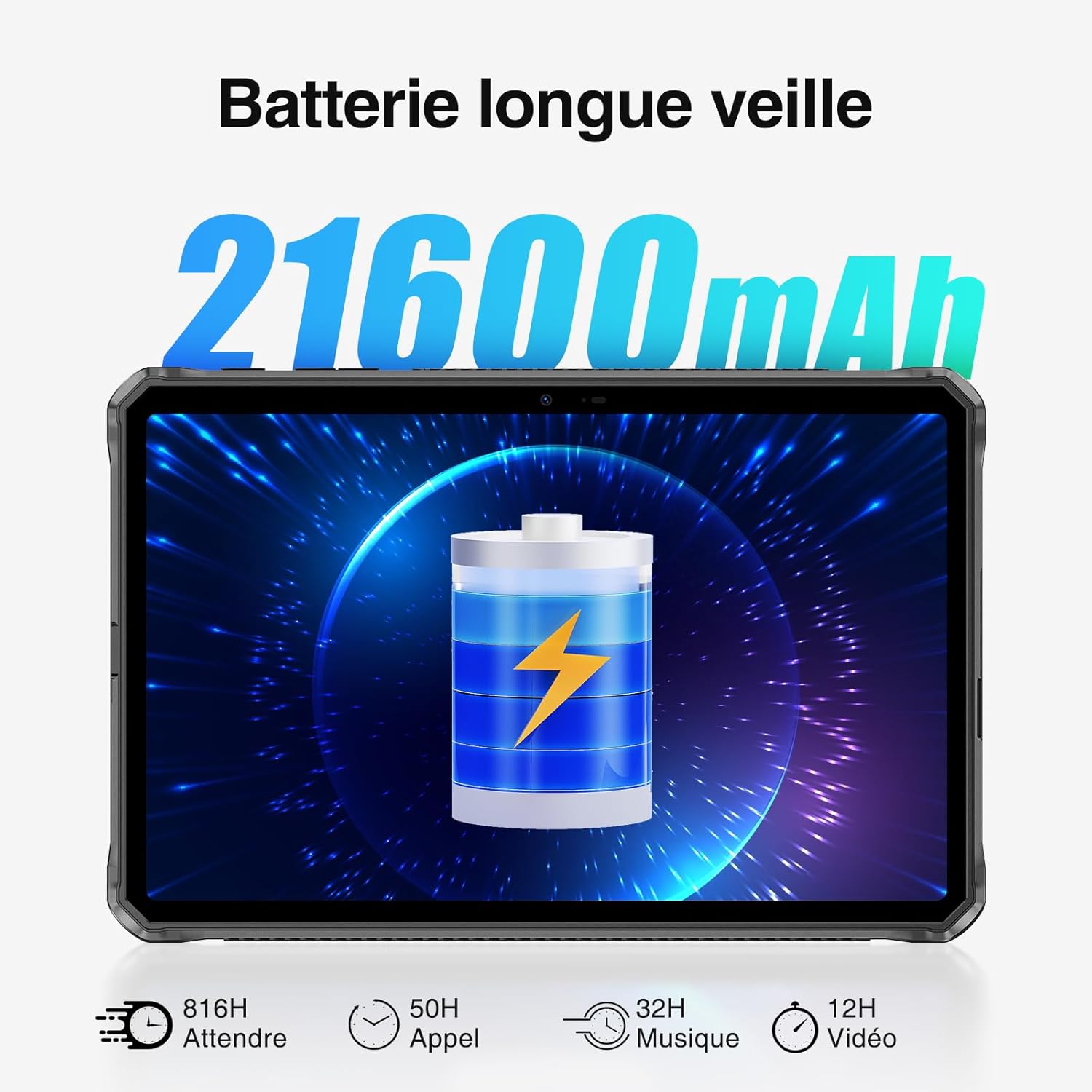
To power on your tablet, press and hold the power button until the DOOGEE logo appears. To power off, press and hold the power button, then select 'Power off' from the options. The tablet comes with a 21600 mAh battery and supports 33W fast charging.
- Connect the USB Type-C cable to the tablet's charging port and the other end to the 33W charger.
- Заряддоо түзүлүштү розеткага сайыңыз.
- Экранда заряддоо индикатору пайда болот.

Image: Visual representation of the DOOGEE R20's 21600mAh battery capacity and charging capabilities.
2. Негизги операция
2.1 Дисплей жана навигация
The DOOGEE R20 features a 10.4-inch FHD+ 2.4K IPS display with a resolution of 1200 x 2000 pixels, offering vibrant visuals with 16.7 million colors and a 1000:1 contrast ratio. The screen is protected by Corning Gorilla Glass 5 for enhanced durability.
- таптаңыз: Бир нерсени тандаңыз же колдонмону ачыңыз.
- Серпүү: Navigate through screens or scroll content.
- Чымчуу: Сүрөттөрдү чоңойтуу же кичирейтүү жана web барактар.

Image: The DOOGEE R20's 10.4-inch FHD+ 2.4K IPS display, highlighting its visual quality and key display specifications.

Image: The DOOGEE R20 tablet featuring Corning Gorilla Glass 5 for enhanced screen durability.
2.2 Android 13 операциялык системасы
The DOOGEE R20 runs on Android 13, offering an advanced and user-friendly experience with enhanced privacy features and customization options. It is Google certified, providing access to popular Google services and the Google Play Store.

Image: The DOOGEE R20 tablet running the Android 13 operating system, demonstrating its interface and features.
2.3 Камеранын функциялары
Capture moments with the DOOGEE R20's 50MP main camera and take clear selfies with the 16MP front camera. The tablet supports 4K UHD 2160p video recording.

Image: The DOOGEE R20's 50MP main camera and 16MP front camera, illustrating their use for capturing photos and videos.
2.4 Байланыш
Stay connected with the DOOGEE R20's comprehensive connectivity options:
- Wi-Fi: Supports 5G WiFi 6 (802.11n, 2.4/5GHz) for fast internet access.
- Уюлдук: Dual 4G LTE support for mobile data and calls.
- Bluetooth: Зымсыз аксессуарларды туташтыруу үчүн Bluetooth 5.2.
- GPS: Integrated GPS, Beidou, Galileo, Glonass, and AGPS for accurate positioning and navigation.

Image: The DOOGEE R20 tablet displaying its advanced GPS and positioning system capabilities.
2.5 Коопсуздук өзгөчөлүктөрү
The DOOGEE R20 offers multiple security options to protect your data:
- Face ID: Unlock your tablet using facial recognition.
- Манжа ачуу: Капталга орнотулган манжа изинин сенсору тез жана коопсуз кирүүнү камсыз кылат.

Image: Visuals demonstrating the Face Recognition and side Fingerprint Unlock features of the DOOGEE R20 tablet.
2.6 OTG and Widevine L1
The DOOGEE R20 includes useful features for versatility and entertainment:
- OTG (On-The-Go): Use your tablet to charge other electronic devices, acting as a portable power bank.
- Widevine L1 колдоосу: Enjoy high-resolution video streaming from popular platforms like Disney+, Amazon Prime Video, HBO Max, and Hulu.

Image: The DOOGEE R20 tablet demonstrating its OTG reverse charging capability.

Image: The DOOGEE R20 tablet showcasing Widevine L1 support for high-definition streaming content.
3. Техникалык тейлөө жана туруктуулук
3.1 Катуу дизайн
The DOOGEE R20 is built to withstand harsh environments, complying with military-grade standards:
- IP68: 30 мүнөткө 1.5 метрге чейин сууга чыдамдуу.
- IP69K: Resistant to high-pressure, high-temperature water jets and dust ingress.
- MIL-STD-810H: Certified for resistance against drops, shocks, and extreme temperatures.

Image: The DOOGEE R20 tablet demonstrating its IP68, IP69K, and MIL-STD-810H ruggedness ratings in various challenging environments.
3.2 Тазалоо жана кам көрүү
To maintain your tablet's performance and appearance:
- Экранды жана корпусту жумшак, d менен сүртүңүзamp кездеме. Абразивдүү тазалагычтардан алыс болуңуз.
- Сууга жана чаңга туруштук берүү үчүн порттун бардык капкактары бекем жабылгандыгын текшериңиз.
- Avoid exposing the tablet to extreme temperatures outside its operating range for prolonged periods.
3.3 Иштөө чөйрөсү
The DOOGEE R20 is designed to operate in a wide range of temperatures, from -40°C to 70°C, making it suitable for various outdoor and industrial settings.
4. Кыйынчылыктарды
If you encounter issues with your DOOGEE R20 tablet, try the following basic troubleshooting steps:
- Планшет күйбөй жатат: Батарея заряддалганын текшериңиз. Заряддагычты туташтырыңыз жана кайра күйгүзүү аракетинен мурун бир нече мүнөт күтүңүз.
- Экран жооп бербейт: Кубат баскычын болжол менен 10 секунд кармап туруу менен планшетти өчүрүп күйгүзүңүз.
- Байланыш көйгөйлөрү (Wi-Fi/4G): Check if Wi-Fi or cellular data is enabled. Restart your router or contact your service provider if problems persist.
- Колдонмолор бузулуп жатат: Close background applications. Clear the cache of the problematic app or reinstall it.
- Жай аткаруу: Close unused apps, clear storage space, or restart the tablet.
For more complex issues, please refer to the support section.
5. Техникалык шарттар
| Өзгөчөлүк | Спецификация |
|---|---|
| Бренд | DOOGEE |
| Модель номери | R20 |
| Операция системасы | Android 13 |
| Процессор | MediaTek Helio G99 Octa-Core (2x Cortex-A76 @ 2.2 GHz, 6x Cortex-A55 @ 2.0 GHz) |
| RAM | 8GB (up to 20GB with 12GB virtual extension) |
| Ички сактагыч | 256 ГБ ROM |
| Кеңейтүүчү сактагыч | TF card up to 2TB |
| Дисплей өлчөмү | 10.4 дюйм |
| Дисплей түрү | FHD+ 2.4K IPS |
| Display Resolution | 1200 x 2000 пиксель |
| Аспект катышы | 16:10 |
| Экранды коргоо | Corning Gorilla Glass 5 |
| Арткы камера | 50 мегапиксел |
| Алдыңкы камера | 16 мегапиксел |
| Видео жаздыруу | 4K UHD 2160p |
| Батарея сыйымдуулугу | 21600 мАч |
| Заряддоо | 33W тез заряддоо |
| Батареянын иштөө мөөнөтү (күтүү режими) | 1781 саатка чейин |
| Батареянын иштөө мөөнөтү (баяндашуу) | 125 саатка чейин |
| Батареянын иштөө мөөнөтү (видеону ойнотуу) | 27 саатка чейин |
| Wi-Fi | 5G WiFi 6 (802.11n, 2.4GHz/5GHz) |
| Уюлдук тармак | Dual 4G LTE (Dual Nano-SIM) |
| Bluetooth | Bluetooth 5.2 |
| Позициялоо | GPS, Beidou, Galileo, Glonass, AGPS |
| Сенсорлор | Face ID, Side Fingerprint Sensor |
| Аудио Jack | 3.5 мм |
| Катуулугу | IP68, IP69K, MIL-STD-810H |
| Иштөө температурасы | -40°Cден 70°Cге чейин |
| Түс | Кара |
6. Кепилдик жана колдоо
DOOGEE provides a 2-year assistance service for the R20 tablet. If you encounter any problems or require technical support, please do not hesitate to contact our customer service team. Refer to the warranty card included in your package for specific terms and conditions.
For support inquiries, please visit the official DOOGEE webсайтына кириңиз же продуктуну сатып алган сатуучуга кайрылыңыз.