
Arrow Dancer AD-V8-Earbuds
AD V8 TWS Наушник Колдонуучунун колдонмосу
Model: AD-V8-Earbuds | Brand: Arrow Dancer
Introduction
Welcome to the user manual for your new AD V8 TWS Earphones. These wireless earbuds are designed to provide a superior audio experience with advanced features such as a full-color LCD touch screen, Active Noise Cancellation (ANC), Environmental Noise Cancellation (ENC), and Bluetooth 5.3 connectivity. This manual will guide you through the setup, operation, and maintenance of your earphones to ensure optimal performance and longevity.
Кутуда эмне бар
Upon unboxing your AD V8 TWS Earphones, please verify that all components are present:
- AD V8 TWS Earbuds (Left and Right)
- Wireless Charging Case with LCD Touch Screen
- USB Type-C кубаттоочу кабель
- Кулак жаздыкчаларынын бир нече өлчөмү (S, M, L)
- Колдонуучунун Колдонмосу (бул документ)
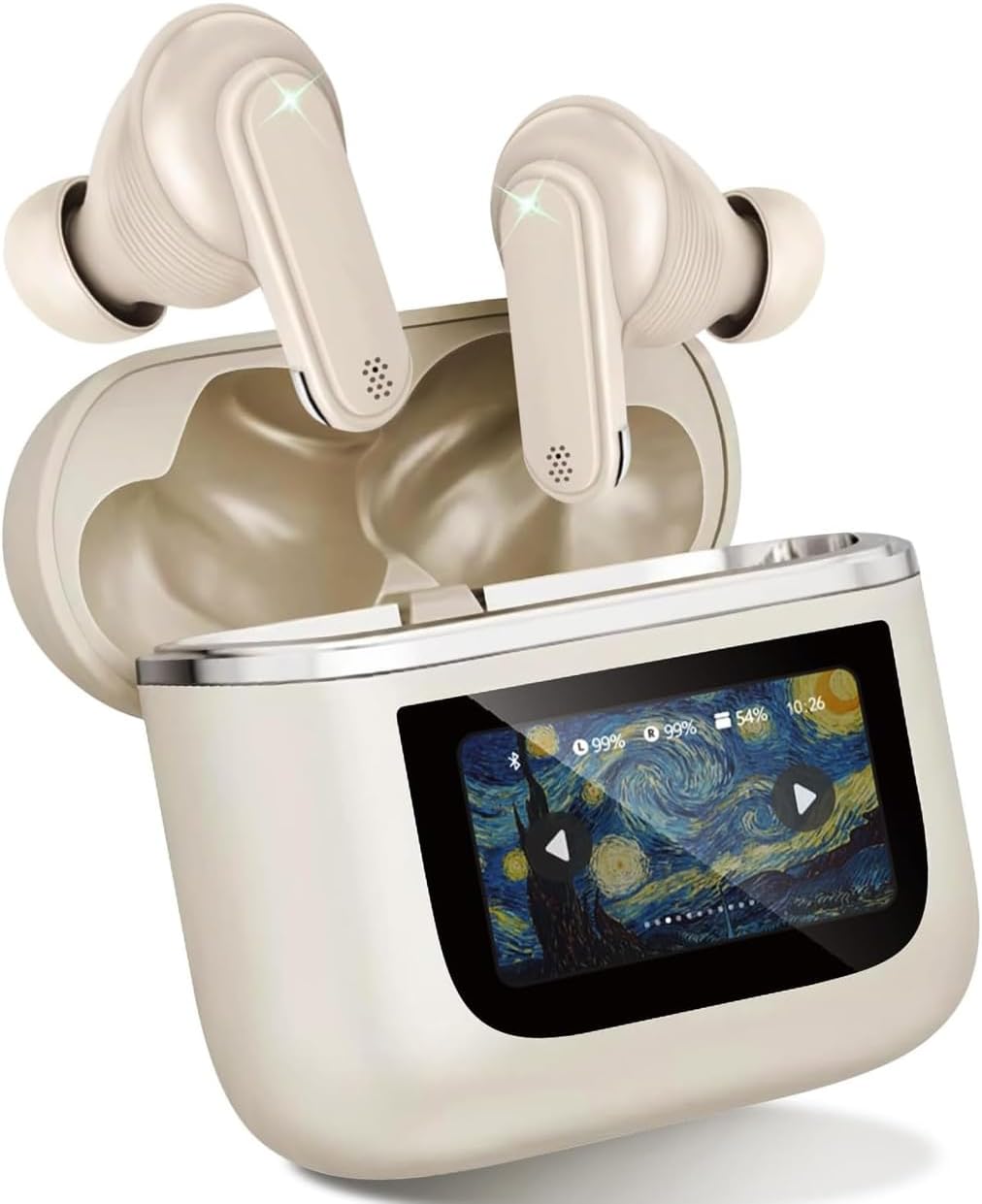
Image: The AD V8 TWS Earphones, including the earbuds and the charging case with its LCD screen. This image shows the primary components included in the product package.
Орнотуу колдонмосу
1. Баштапкы заряддоо
Before first use, fully charge the earphones and the charging case. Connect the provided USB Type-C cable to the charging port on the case and a compatible USB power source. The LCD screen will display the charging status.
- Charging Time: Approximately 60 minutes for a full charge.
- Battery Life: Earbuds provide over 8 hours of continuous playtime. The charging case provides an additional 24 hours of battery life.
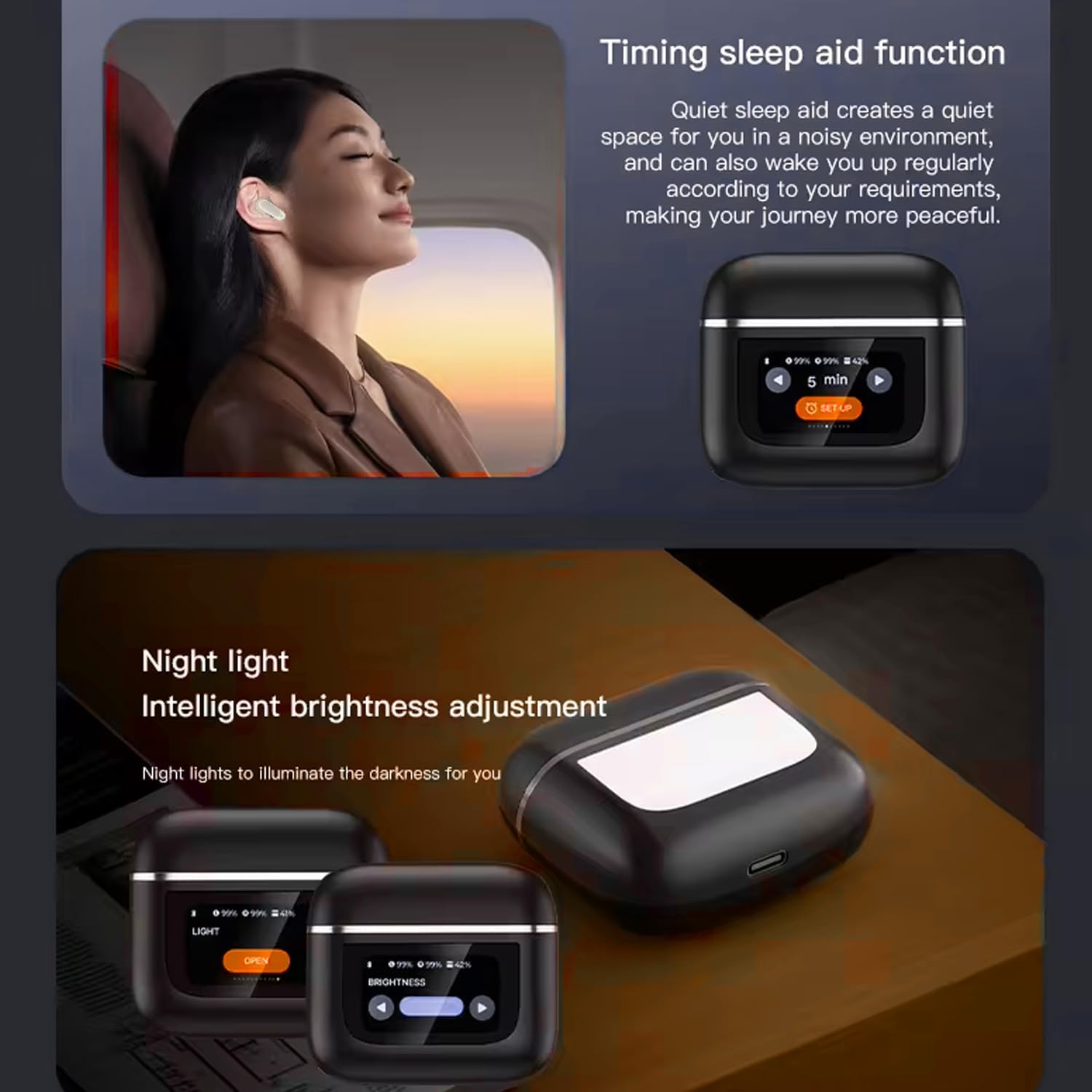
Image: The AD V8 TWS Earphones charging case, illustrating its ultra-long battery life capabilities and quick charge technology. The image highlights the charging status and battery indicators on the LCD screen.
2. Түзмөгүңүз менен жупташтыруу
- Ensure the earphones are in the charging case and the case lid is open.
- Смартфонуңузда же Bluetooth иштетилген түзмөгүңүздө Bluetooth жөндөөлөрүнө өтүңүз.
- Издөө available devices and select "AD V8 Earphones" from the list.
- Once connected, the LCD screen on the charging case will indicate successful pairing.
The earphones support Bluetooth 5.3 for a stable and efficient connection with a transmission range of up to 15 meters. They offer seamless pairing with both Apple and Android devices, along with fast auto-connect functionality after initial pairing.

Image: The AD V8 TWS Earphones and their charging case, emphasizing the Bluetooth 5.3 connectivity. The image visually represents the wireless connection capability of the earbuds.
Иштөө нускамалары
ЖК сенсордук экранынын функциялары
The full-color LCD touch screen on the charging case provides intuitive control over various settings. Swipe left or right to access different menus and tap to select options.
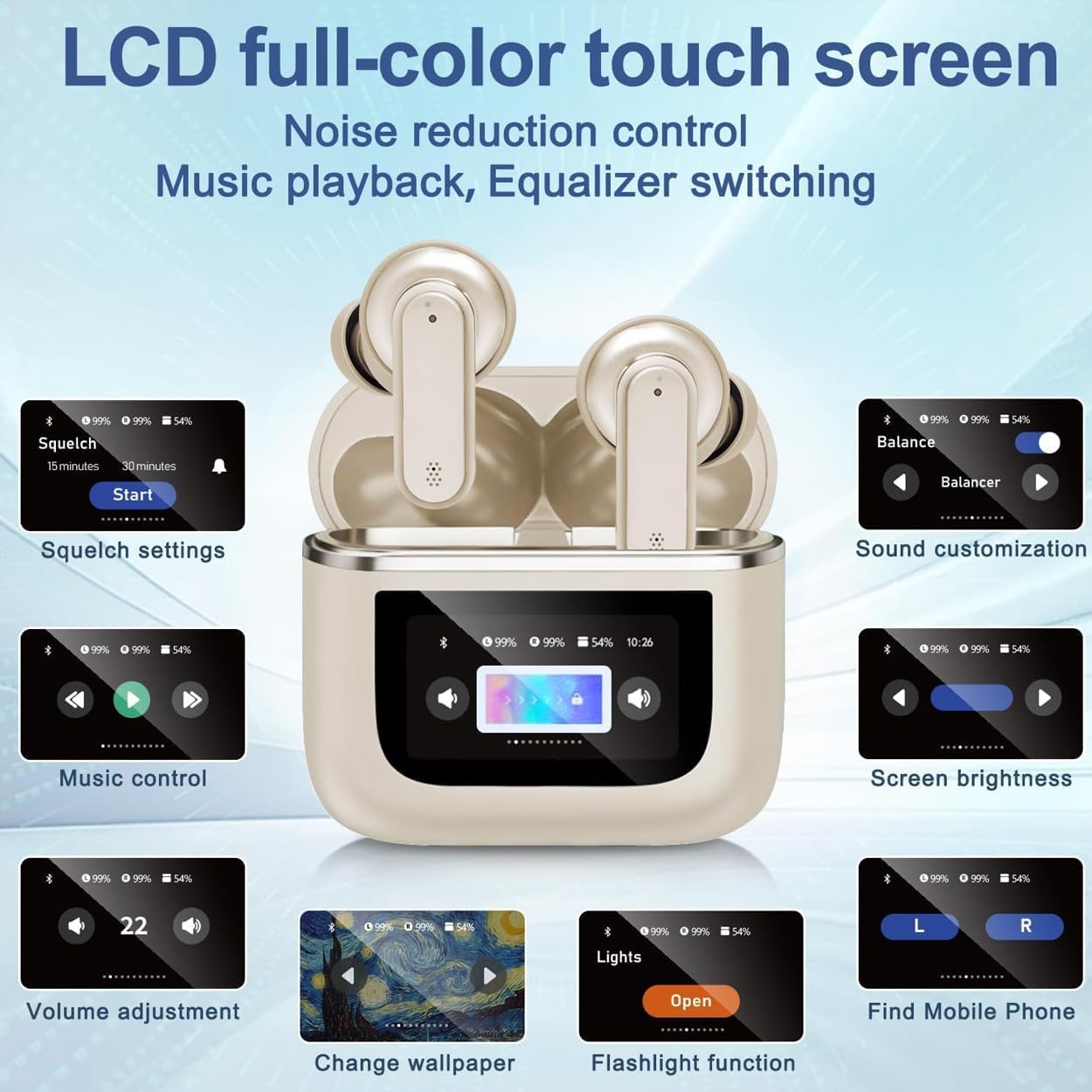
Сүрөт: деталдуу view of the AD V8 TWS Earphones LCD full-color touch screen, showcasing various control options such as squelch settings, sound customization, music control, screen brightness, volume adjustment, wallpaper change, flashlight function, and finding a mobile phone.
- Музыкалык башкаруу: Play/Pause, Skip tracks.
- Үндү тууралоо: Аудионун үнүн жогорулатуу же азайтуу.
- Үндү ыңгайлаштыруу: Select from various equalizer presets (Balanced, Stereo, Bass, Jazz, Vocal).
- Ызы-чууну азайтуу: Toggle Active Noise Cancellation (ANC) and Environmental Noise Cancellation (ENC) modes.
- Экран жарыктыгы: Дисплейдин жарыктыгын тууралаңыз.
- Обои өзгөртүү: Экрандын фонун жекелештирүү.
- Кол чырак функциясы: Activate a small light for convenience.
- Мобилдик телефонду табуу: Trigger a tone on your paired phone to locate it.
Touch Controls on Earbuds
The earbuds themselves feature touch-sensitive areas for quick control without needing to access the charging case screen.
| Акция | Control |
|---|---|
| Музыканы ойнотуу/тындыруу | Кулакчындарды бир жолу таптаңыз |
| Кийинки трек | Оң кулакчынды эки жолу таптаңыз |
| Мурунку трек | Сол кулакчынды эки жолу басыңыз |
| Чалууга жооп берүү/аяктоо | Кулакчындарды бир жолу таптаңыз |
| Чакырууну четке кагуу | Кулакчындардын бирин 2 секунд басып туруңуз |
| Үн жардамчысын жандырыңыз | Кулакчындарды үч жолу таптаңыз |
| ANC/Тунук режимин которуу | Кулакчындардын бирин 3 секунд басып туруңуз |
Ызы-чууну жокко чыгаруу режимдери
The AD V8 TWS Earphones feature advanced Active Noise Cancellation (ANC) and Environmental Noise Cancellation (ENC) technology. These modes can be toggled via the LCD touch screen or by pressing and holding the earbud touch area.
- ANC (Активдүү ызы-чууну жокко чыгаруу): Имерсивдүү угуу үчүн айланадагы ызы-чууларды азайтат.
- ENC (Айлана-чөйрөнүн ызы-чуусун жокко чыгаруу): Сүйлөшүү учурунда фондук ызы-чууну азайтуу менен чалуунун тактыгын жакшыртат.
- Ачыктык режими: Allows you to hear your surroundings while still enjoying audio, useful for awareness in urban environments.

Image: The AD V8 TWS Earphones demonstrating intelligent adaptive noise reduction, showing a visual representation of sound before and after noise reduction, indicating a significant reduction in external noise.
Оюн режими
Activate the low latency gaming mode for a synchronized audio experience during gameplay. This mode minimizes audio delay, providing a competitive edge.

Image: A user engaged in mobile gaming while wearing the AD V8 TWS Earphones, illustrating the low latency gaming mode feature. The image also shows a user listening to music and on a video call, highlighting the multi-functional use of the earphones.
Техникалык тейлөө жана кам көрүү
- Тазалоо: Кулакчындарды жана кубаттагыч кутучаны жумшак, кургак, мамыксыз чүпүрөк менен үзгүлтүксүз тазалап туруңуз. Абразивдүү материалдарды же катуу химиялык заттарды колдонбоңуз.
- Кулак жаздыктары: Remove and clean the ear cushions periodically. Ensure they are completely dry before reattaching.
- Суу каршылык: The earphones have an IPX-5 waterproof rating, meaning they are resistant to sweat and light splashes. Do not submerge them in water or expose them to heavy rain.
- Сактагыч: When not in use, store the earphones in their charging case to protect them and keep them charged. Store in a cool, dry place away from direct sunlight and extreme temperatures.
- Заряддоо порту: USB-C кубаттоо портун чаңдан жана таштандыдан тазалаңыз.
Проблемаларды чечүү
| Көйгөй | Мүмкүн чечим |
|---|---|
| Кулакчындар жупташкан жок |
|
| Бир кулактын үнү чыкпайт |
|
| Заряддоо куту заряддалбай жатат |
|
| Үн сапаты начар |
|
Продукт спецификациялары
| Өзгөчөлүк | Деталь |
|---|---|
| Модель аты | AD V8 Wireless Earphones |
| Bluetooth версиясы | 5.3 |
| Зымсыз диапазон | 15 метрге чейин (49 фут) |
| Noise Control | Активдүү ызы-чууну жокко чыгаруу (ANC), Айлана-чөйрөнүн ызы-чуусун жокко чыгаруу (ENC) |
| Сууга туруктуулук рейтинги | IPX-5 |
| Наушниктин батареясынын иштөө мөөнөтү | 8+ hours (continuous playtime) |
| Заряддоого Батарея Өмүрү | Кошумча 24 саат (бардыгы 32 саат иш менен) |
| Заряддоо убактысы | Approx. 60 minutes (earbuds and case) |
| Заряддоо порту | USB Type-C |
| Башкаруу түрү | Touch (earbuds), LCD Touch Screen (case) |
| Frequency Response | 20 Гц - 20 000 Гц |
| Сезимталдуулук | 95 дБ |
| Импеданс | 140 Ом |
| Материал | Пластмасса, резина |
| Элемент Салмагы | 4.8 унция |
| Продукциянын өлчөмдөрү | 3 x 2.5 x 1 дюйм |
Кепилдик жана колдоо
Arrow Dancer products are manufactured to the highest quality standards. For warranty information and technical support, please refer to the contact details provided on the product packaging or visit the official Arrow Dancer webсайт. Кепилдик дооматтары үчүн сатып алганыңыздын далилин сактап коюңуз.
For further assistance, you may contact Arrow Dancer customer support through their official channels. Details can typically be found on the brand's Amazon store page or their dedicated support webсайт.
Онлайн ресурстар:
- Arrow Dancer Amazon Store: Дүкөнгө кириңиз
Маанилүү коопсуздук маалыматы
- Буюмду демонтаждабаңыз, оңдобоңуз же өзгөртпөңүз.
- Ашыкча температурадан, нымдуулуктан жана коррозияга алып келүүчү заттардан алыс кармаңыз.
- Өнүмдү түшүрүүдөн же катуу таасирлерге дуушар кылуудан качыңыз.
- Do not expose to open flames or dispose of in fire.
- Use only certified chargers and cables.
- Үндүн жогорку деңгээлдеги узакка созулган таасири угуунун бузулушуна алып келиши мүмкүн. Үндү коопсуз деңгээлге тууралаңыз.
Ask a question about this manual
Ask about setup, troubleshooting, compatibility, parts, safety, or missing instructions. Manuals+ will review the question and use this page’s manual context to help answer it.