
Introduction
This manual provides detailed instructions for setting up, operating, maintaining, and troubleshooting your NIMO Mini PC. Please read this manual thoroughly before using the device to ensure optimal performance and longevity.
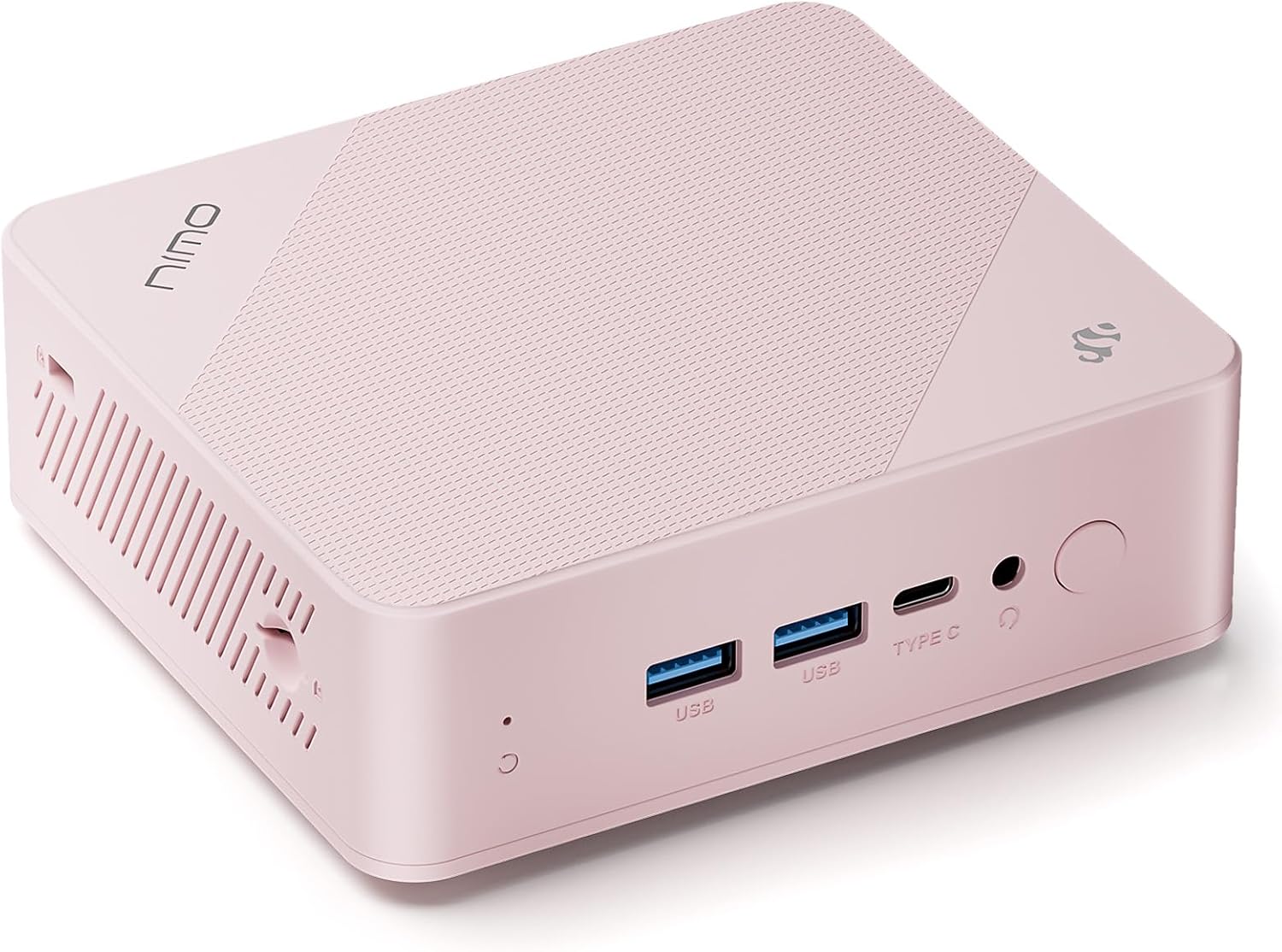
The NIMO Mini PC, a compact desktop computer featuring a 12th Gen Intel N100 processor, 16GB RAM, and 1TB SSD. It supports 4K triple-monitor display and offers extensive connectivity options.
Жайгашуу
Пакеттин мазмуну
Пакетте бардык буюмдар бар экенин текшериңиз:
- 1x NIMO Mini PC
- 1x Кронштейн
- 1x Power адаптер
- 1x Instruction Manual (бул документ)

Image showing the NIMO Mini PC and its included accessories: power adapter, mounting bracket, and instruction manual.
Connecting Your Mini PC
- Дисплейди туташтыруу: Use an HDMI cable to connect your monitor(s) to the HDMI 2.0 ports on the back of the Mini PC. For triple display, utilize both HDMI ports and the multifunction Type-C port.
- Перифериялык түзүлүштөрдү туташтыруу: Plug in your USB keyboard and mouse into the USB Type-A ports.
- Тармакка туташуу: For a wired connection, connect an Ethernet cable to the Giga LAN port. For wireless, ensure WiFi 6 is enabled in the operating system after initial setup.
- Туташуу кубаты: Plug the power adapter into the DC-IN port on the Mini PC, then connect the adapter to a power outlet.

Деталдаштырылган view of the NIMO Mini PC's comprehensive port setup, highlighting connectivity options for various devices.
Биринчи жүктөө
After connecting all necessary cables, press the power button located on the front of the Mini PC. The system will boot into Windows 11 Home. Follow the on-screen instructions for initial Windows setup.
Иштөө нускамалары
Негизги операция
The NIMO Mini PC comes pre-installed with Windows 11 Home, providing a familiar and intuitive operating environment. Utilize standard Windows functionalities for web browsing, document creation, media consumption, and more.
Байланыш
- Wi-Fi 6: Connect to high-speed wireless networks for seamless internet access.
- Bluetooth 5.2: Pair with wireless peripherals such as headphones, speakers, and input devices.
- USB 3.2: Utilize the high-speed USB ports for fast data transfer with external drives and devices.
Triple Display Capability
The Mini PC supports up to three independent displays simultaneously, enhancing productivity for multitasking. Connect monitors via the two HDMI 2.0 ports and the multifunction Type-C port.

Illustration of the NIMO Mini PC supporting a triple monitor setup, ideal for complex workflows and immersive experiences.
Сактагычты кеңейтүү
The device includes a TF card slot, allowing for additional storage expansion up to 512GB. This is useful for storing large files, backups, or portable data.

The TF card slot provides an easy way to expand the storage capacity of your NIMO Mini PC.
Техникалык тейлөө
Жалпы кам көрүү
- Мини PCти таза, чаңсыз чөйрөдө сактаңыз.
- Аппаратты экстремалдык температуранын же нымдуулуктун таасиринен сактаңыз.
- Сыртын жумшак, кургак чүпүрөк менен тазалаңыз. Суюк тазалоочу каражаттарды колдонбоңуз.
Муздатуу системасы
The NIMO Mini PC features a 15W efficient cooling system. Ensure that the ventilation openings are not obstructed to allow for proper airflow and prevent overheating. Regularly check for dust accumulation in the vents and gently clean if necessary.
Проблемаларды чечүү
Жалпы маселелер жана чечимдер
| Көйгөй | Мүмкүн себеп | Чечим |
|---|---|---|
| Кубат жок/Күйгүзбөйт | Power adapter not connected, faulty outlet, power button issue. | Кубат адаптери компьютерге да, иштеп жаткан розеткага да бекем туташтырылганын текшериңиз. Башка розетканы колдонуп көрүңүз. |
| Монитордо дисплей жок | Incorrect cable connection, monitor input not selected, faulty cable. | Check HDMI/Type-C cable connections. Ensure monitor is set to the correct input source. Try a different cable or monitor. |
| Жай аткаруу | Too many applications running, insufficient free storage, background processes. | Close unnecessary applications. Check available storage and free up space. Run Windows updates and system scans. Consider a system reset if issues persist. |
| Blue Screen of Death (BSOD) | Driver issues, hardware malfunction (RAM/SSD), software conflicts. | Restart the PC. Update drivers. Run Windows Memory Diagnostic Tool and check disk for errors. If persistent, contact customer support. |
| Wi-Fi/Bluetooth туташуу көйгөйлөрү | Драйвер көйгөйлөрү, тоскоолдуктар, адаптердин иштебей калышы. | Ensure Wi-Fi/Bluetooth is enabled in Windows settings. Update network drivers. Move closer to the router or reduce interference. |
If you encounter issues not listed here or if the suggested solutions do not resolve the problem, please refer to the Support section for further assistance.
Техникалык шарттар
Detailed technical specifications for the NIMO Mini PC (Model: MPL1P).
| Өзгөчөлүк | Спецификация |
|---|---|
| Процессор | 12th Gen Intel N100 (3.4 GHz, 4 Cores/4 Threads) |
| RAM | 16 GB DDR4 (3200MHz SO-DIMM) |
| Сактагыч | 1 TB Solid State Drive (SSD) |
| Графика | Intel UHD графикасы (интегралдык) |
| Операция системасы | Windows 11 Home |
| Max Screen Resolution | 3840 x 2160 пиксел (4K) |
| Порттар | 1x Giga LAN, 2x HDMI 2.0, 2x USB Type-A, 1x DC-IN, 1x Type-C (Multifunction), 1x Audio Port, SD Card Reader, Security Slot |
| Зымсыз байланыш | Wi-Fi 6 (2.4Gbps), Bluetooth 5.2 |
| Муздатуу | 15W Efficient Cooling |
| Өлчөмдөрү (LxWxH) | 4.8 x 4.4 x 1.53 дюйм |
| Салмагы | 1.81 фунт |
Кепилдик жана колдоо
Кепилдик маалымат
NIMO products are covered by a 2-year support warranty from the date of purchase. This warranty covers manufacturing defects and hardware malfunctions under normal use conditions.

NIMO provides 2-year support for its products, ensuring assistance with any technical issues.
Кайтаруу саясаты
You may return any NIMO product for any reason within 90 days of purchase for a free return. Please ensure the product is in its original condition and packaging.

NIMO offers a 90-day return policy for customer satisfaction.
Кардарларды колдоо
For any product-related questions, technical assistance, or warranty claims, please contact our professional after-sales service team. We are committed to providing high-quality customer service.
- Электрондук почта: service@nimopc.com
- Тейлөө сааттары: 24 саат бою тейлөө кызматы бар.

Contact NIMO's professional customer assistance team for support.