
Introduction
This manual provides comprehensive instructions for the setup, operation, maintenance, and troubleshooting of your QRD Spark N5 Wireless Controller. Please read this manual carefully before using the product to ensure optimal performance and longevity.
Продукт бүттүview
The QRD Spark N5 Wireless Controller is designed for a versatile gaming experience across multiple platforms. It features advanced Hall Effect technology for precise control, customizable macro functions, and immersive vibration feedback.

1-сүрөт: Фронт view of the QRD Spark N5 Wireless Controller, showcasinанын эргономикалык дизайны жана жарыктандырылган баскычтары.
Негизги өзгөчөлүктөрү:
- Hall Effect Joysticks & Analog Triggers: Provides drift-free and highly accurate control with less than 0.1mm accuracy.
- Көп функциялуу сенсордук такта: Supports touch control for PS4 and acts as a mouse on other compatible platforms.
- 6-Axis Gyroscope & Motion Sensor: Integrated for immersive gaming experiences and precise motion control.
- Кош титирөө моторлору: Adjustable vibration levels (0%, 30%, 70%, 100%) for realistic feedback.
- Macro Back Paddles (N1 & N2): Customizable for assigning complex shortcuts and executing multiple actions.
- Турбо функциясы: Adjustable turbo speed with auto and manual modes for various buttons.
- 3.5mm Audio Port, Speaker & Mic: Enables audio output and communication during gameplay.
- Wired & Wireless Compatibility: Supports Bluetooth 5.3 for wireless connection and USB-C for wired connection (D-input default, X-input available).
Орнотуу жана туташуу
Контроллерди заряддоо:
Before first use, fully charge the controller using the provided USB-C cable. Connect the USB-C end to the controller and the USB-A end to a compatible power source (e.g., console, PC, USB wall adapter).
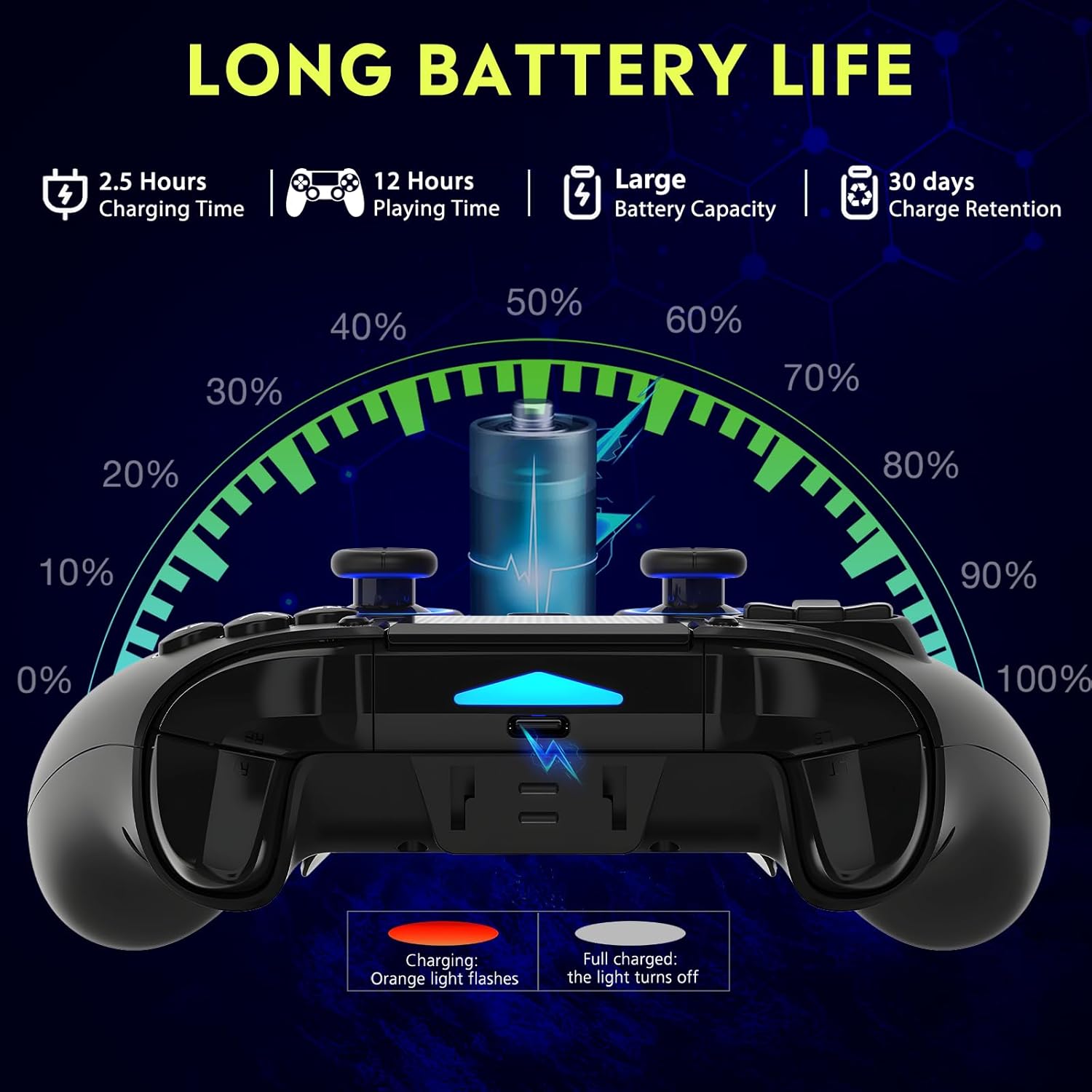
2-сүрөт: Battery life illustration. The orange light flashes during charging and turns off when fully charged. A full charge takes approximately 2.5 hours and provides up to 12 hours of playing time.
Зымсыз байланыш (Bluetooth 5.3):
The controller supports wireless connection via Bluetooth 5.3 for PS4, PS3, PS2, Steam Deck, PC (Windows/macOS), iOS, and Android TV Box/phones. For PS5 compatibility, a separate QRD Wireless Converter is required.

3-сүрөт: Шайкештик бүттүview showing the controller connecting to Windows, PS4, Steam, Mobile, PS3.
- Контроллер заряддалганын текшериңиз.
- Turn on the controller by pressing the "Q" (Home) button.
- On your device, navigate to Bluetooth settings.
- Select "Spark N5" or similar from the list of available devices to pair.
- Once paired, the indicator lights on the controller will stabilize.
Эскертүү: For PS5 games, an additional QRD Wireless Converter is necessary. This converter allows the Spark N5 controller to function with PS5 titles, expanding your gaming options.
Видео 1: This video demonstrates the QRD Spark N5 Wireless Controller's compatibility with various game devices, including setup and initial connection steps.
Зымдуу туташуу (USB-C):
Connect the controller directly to your PC or console using the provided USB-C cable. The controller will operate in D-input mode by default. X-input mode is available for PC connections only.
Иштөө нускамалары
Негизги башкаруу элементтери:
The controller features standard gamepad buttons, joysticks, and triggers. Familiarize yourself with the layout for optimal gameplay.

4-сүрөт: The multi-function touchpad on the controller, which can be used for navigation and specific game interactions.
Холл эффектинин джойстиктери жана триггерлери:
The Hall Effect technology ensures precise, drift-free input for both joysticks and triggers. This provides enhanced accuracy and responsiveness in games.

5-сүрөт: жарылды view of the Hall Effect Joystick, illustrating its magnetic sensing mechanism for drift-free operation.

6-сүрөт: Illustration of the Hall Sensing Analog Triggers, highlighting their sub-millimeter accuracy for precise control.
Macro Back Paddles (N1 & N2):
The N1 and N2 back paddles can be programmed to execute complex actions or button combinations with a single press. This feature is useful for competitive gaming or simplifying repetitive tasks.

7-сүрөт: Арткы view of the controller showing the N1 and N2 macro back paddles, which can be assigned to perform complex combos.
Refer to the controller's quick start guide or the official QRD website for detailed instructions on programming macro functions.
Турбо функциясы:
The Turbo function allows for rapid, continuous input of a button press. You can set three different turbo speeds for most buttons (excluding macro paddles) and choose between auto and manual turbo modes.
Consult the quick start guide for specific button combinations to activate and adjust turbo settings.
Жөнгө салынуучу титирөө:
The dual vibration motors provide haptic feedback. You can adjust the intensity to your preference: 0% (off), 30%, 70% (default), or 100%.

8-сүрөт: Visual representation of the dual vibration shock feature and its adjustable intensity levels.
Instructions for adjusting vibration intensity are typically found in the quick start guide or by holding specific button combinations.
6-Axis Gyroscope & Motion Sensor:
The integrated 6-axis gyroscope and motion sensor enable precise motion control in supported games, enhancing immersion and aiming accuracy.

9-сүрөт: Depiction of the 6-axis gyroscope and motion control, showing how controller movements translate into in-game actions.
Аудио өзгөчөлүктөрү:
The controller includes a 3.5mm audio port for headphones, a built-in speaker, and a microphone. This allows for in-game audio, voice chat, and immersive sound effects.
Видео 2: This video demonstrates the smartphone connection and gaming experience with the QRD Spark N5 Wireless Controller, including audio functionality.
Техникалык тейлөө
- Тазалоо: Башкаргычты тазалоо үчүн жумшак, кургак чүпүрөктү колдонуңуз. Өтө кир болсо, бир азamp cloth can be used, but ensure no moisture enters the ports or crevices.
- Сактагыч: Контроллерди түз күн нурунан жана экстремалдык температурадан алыс салкын, кургак жерде сактаңыз.
- Батареяга кам көрүү: Батареянын иштөө мөөнөтүн узартуу үчүн, контроллерди тез-тез толук зарядсыздандырбаңыз. Аны үзгүлтүксүз колдонбосоңуз да, үзгүлтүксүз кубаттап туруңуз.
- Таасирден качуу: Башкаргычты түшүрүп албаңыз же катуу соккуга дуушар кылбаңыз, анткени бул ички компоненттерге зыян келтириши мүмкүн.
Проблемаларды чечүү
| Көйгөй | Мүмкүн себеп | Чечим |
|---|---|---|
| Контроллер күйбөйт. | Батарея аз же заряды жок. | Берилген USB-C кабелин колдонуп, контроллерди кубаттаңыз. |
| Зымсыз туташуу мүмкүн эмес. | Bluetooth not enabled on device; controller not in pairing mode; interference. | Ensure Bluetooth is on. Press and hold the "Q" button to enter pairing mode. Move closer to the device. Restart both controller and device. |
| Киргизүүнүн кечигиши же жооп бербей жаткан баскычтар. | Low battery; wireless interference; outdated firmware. | Charge the controller. Reduce wireless interference. Check QRD website for firmware updates. Try wired connection. |
| Джойстиктер же триггерлер дрейфте жүрүү. | Calibration issue; rare hardware defect. | The Hall Effect technology minimizes drift. If persistent, try recalibrating (refer to quick start guide) or contact customer support. |
| Вибрациялык кайтарым байланыш жок. | Vibration setting is off (0%); game does not support vibration. | Adjust vibration intensity to 30%, 70%, or 100%. Ensure the game supports vibration. |
Техникалык шарттар
- Модел: Spark N5
- Байланыш: Bluetooth 5.3 (Wireless), USB-C (Wired)
- Шайкештик: PS4, PS4 Slim, PS4 Pro, PS3, PS2, Steam Deck, PC (Windows, macOS), iOS, Android TV Box, Phone. (PS5 via separate converter)
- Джойстиктер/Триггерлер: Холл эффекти
- Кыймыл сенсору: 6-ок гироскоп
- Дирилдөө: Dual Motors, Adjustable (0%, 30%, 70%, 100%)
- Аудио: 3.5mm Audio Port, Built-in Speaker, Microphone
- Өзгөчөлүктөр: Multi-function Touchpad, Macro Back Paddles (N1, N2), Turbo Function
- Батарея: 1 Литий Полимердик батарейка (кошулган)
- Заряддоо убактысы: Болжол менен 2.5 саат
- Ойнотуу убактысы: 12 саатка чейин
- Өлчөмдөрү: 6.38 x 4.06 x 2.56 дюйм
- Салмагы: 13.7 унция
Кепилдик жана колдоо
QRD products are designed for durability and performance. For warranty information and technical support, please refer to the official QRD webсайтка же түздөн-түз кардарларды тейлөөгө кайрылыңыз.
- Официалдуу Webсайт: QRD Store on Amazon
- Кардарларды тейлөө: Contact information may be available on the product packaging or the official webсайт.
Сураныч, кепилдик дооматтар үчүн сатып алуу далилиңизди сактап коюңуз.