
1. Киришүү
The Coralife Seascape Smart LED Light Fixture is designed to provide customizable lighting for your aquarium. This slim, low-profile fixture offers full spectrum lighting suitable for freshwater and saltwater fish, medium light level plants, and low light corals. It features Wi-Fi and Bluetooth connectivity, allowing for comprehensive control via the free Aqueon BlueIQ App.
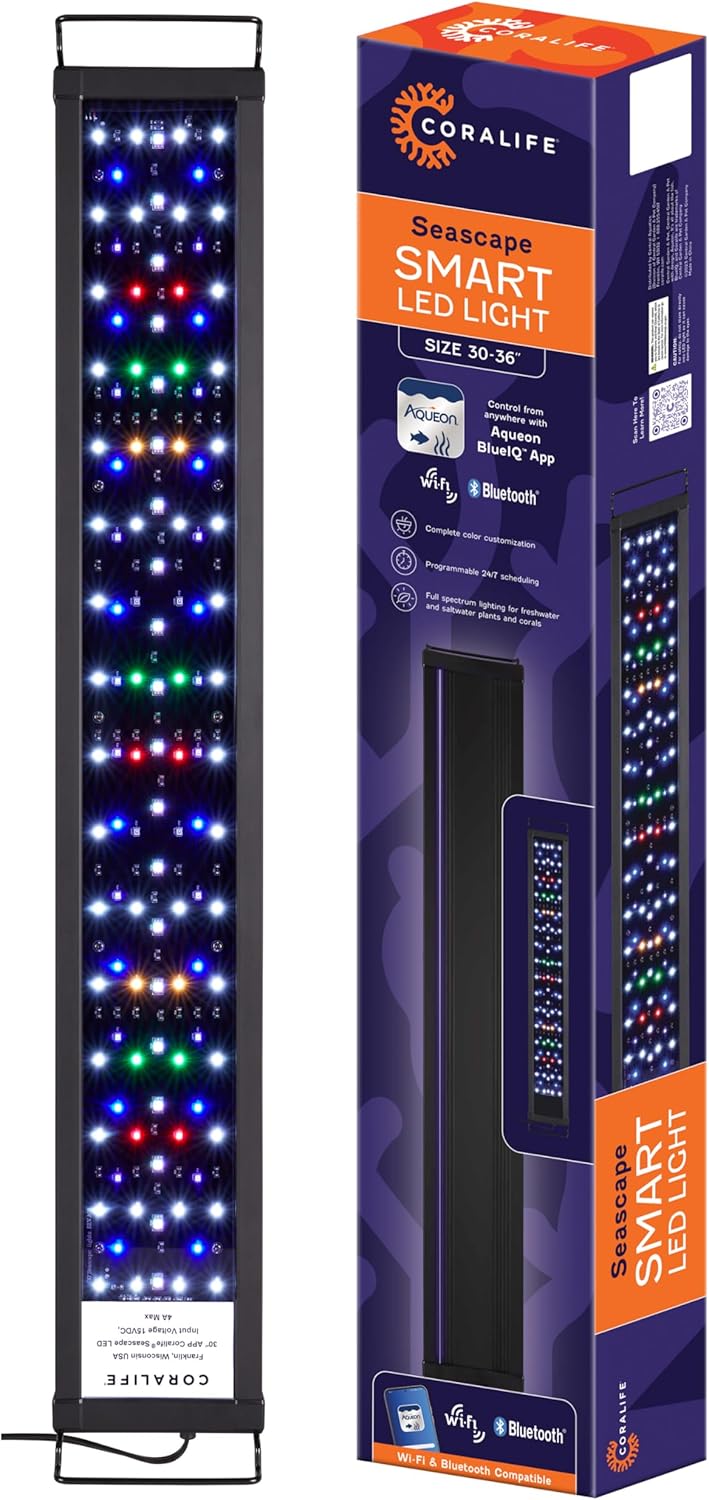
Сүрөт 1.1: Coralife Seascape Smart LED Light Fixture and its retail packaging. This image displays the Coralife Seascape Smart LED Light Fixture alongside its retail box, highlighting the product's design and branding.
2. Коопсуздук маалыматы
- Бул продуктуну колдонуудан мурун бардык нускамаларды окуп чыгыңыз.
- Эгер шнур же сайгыч бузулуп калса иштетпеңиз.
- Ensure the fixture is securely mounted above the aquarium and cannot fall into the water.
- Always unplug the fixture before performing any maintenance on the aquarium or the light itself.
- Бул продукт ички колдонуу үчүн гана.
- Балдар жетпеген жерде сактаңыз.
3. Пакеттин мазмуну
Пакетте бардык компоненттер бар экенин текшериңиз:
- Coralife Seascape Smart LED Light Fixture (30-36 inch)
- Жөнгө салынуучу монтаждоо кронштейндери
- Электр менен жабдуу бирдиги
- Instruction Manual
4. Орнотуу
4.1 Mounting the Light Fixture
- Attach the adjustable mounting brackets to the ends of the light fixture.
- Place the fixture securely on top of your aquarium. The brackets are designed to fit aquariums between 30 and 36 inches in length. Adjust the brackets as needed to ensure a stable fit.

Сүрөт 4.1: Dimensions of the Coralife Seascape Smart LED Light Fixture. This image illustrates the key dimensions of the light fixture: 30-36 inches in length (adjustable), 4.5 inches in width, and 0.7 inches in height.
4.2 Кубат туташтыруу
- Connect the power supply unit to the light fixture.
- Электр жабдыгын ылайыктуу электр розеткасына сайыңыз.
4.3 Колдонмону жүктөп алуу жана баштапкы жупташтыруу
The Coralife Seascape Smart LED Light Fixture is controlled via the Aqueon BlueIQ App.
- Download the free Aqueon BlueIQ App from the Google Play Store or Apple App Store.
- Каттоо эсебин түзүү же кирүү үчүн колдонмону ачып, экрандагы нускамаларды аткарыңыз.
- Смартфонуңуздун Wi-Fi жана Bluetooth иштетилгенин текшериңиз.
- Within the app, select the option to add a new device. The app will guide you through connecting the light fixture via either Wi-Fi or Bluetooth.
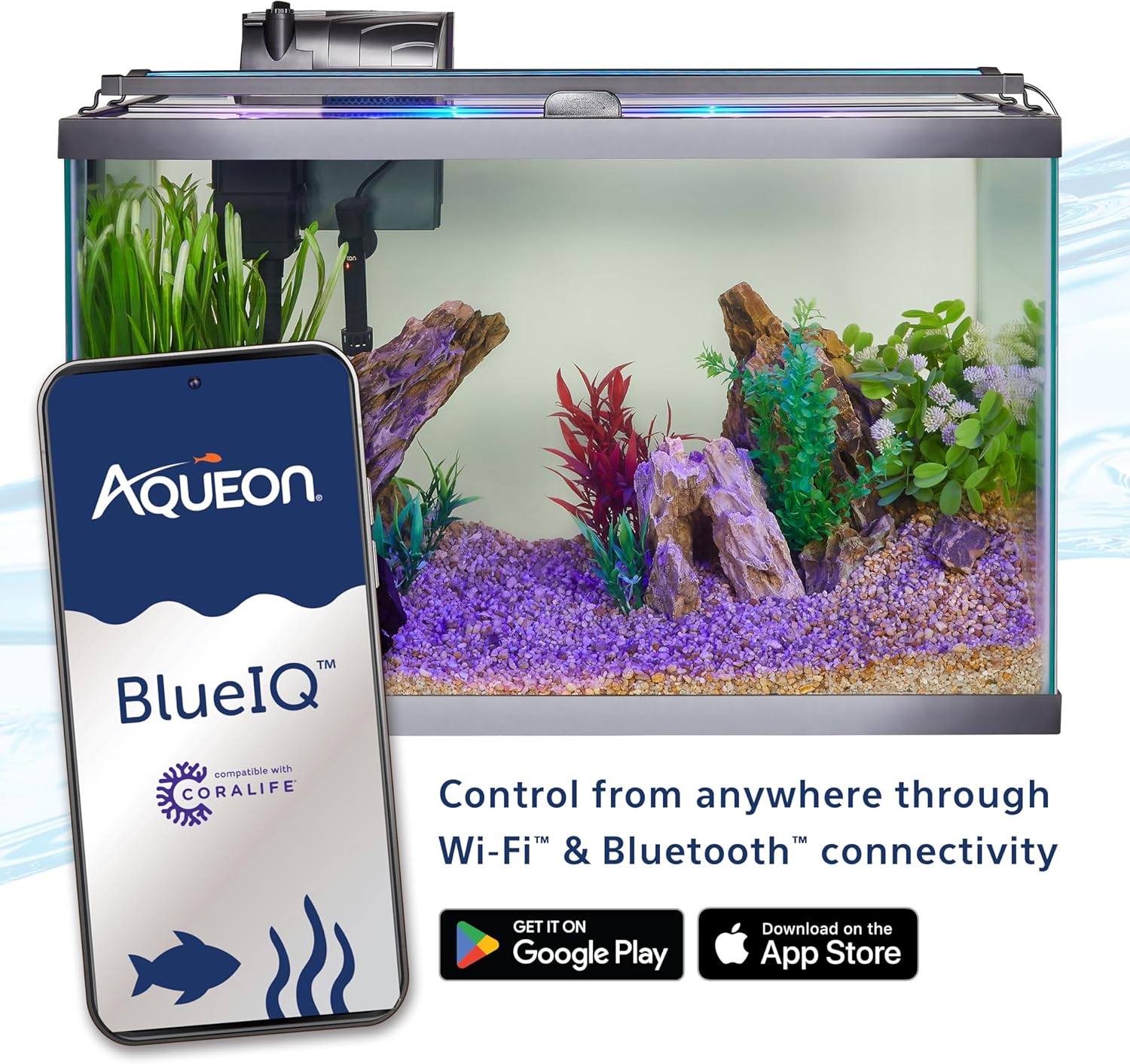
Сүрөт 4.2: Smartphone displaying the Aqueon BlueIQ app controlling the Coralife LED light. A smartphone screen shows the Aqueon BlueIQ app interface, demonstrating how the Coralife LED light can be controlled wirelessly via Wi-Fi or Bluetooth. The light is shown mounted on an aquarium.
5. Иштөө нускамалары
The Aqueon BlueIQ App provides comprehensive control over your light fixture's features.
5.1 Light Intensity and Color Customization
- Use the app's slider bars to adjust the intensity of white, blue, and color (RGB) LEDs separately. Adjustments can be made in 1% increments.
- Utilize the RGB color selection tool to fine-tune the overall color output.

Сүрөт 5.1: App color customization. A screenshot of the Aqueon BlueIQ app interface, detailing sliders for adjusting White, Blue, and RGB channel intensities, along with an RGB color selection tool for complete color customization.
5.2 24/7 Scheduling
- The app allows you to create a custom 24/7 lighting schedule, mimicking natural light cycles including sunrise, day, sunset, and night.
- Pre-set schedules are available for quick setup.
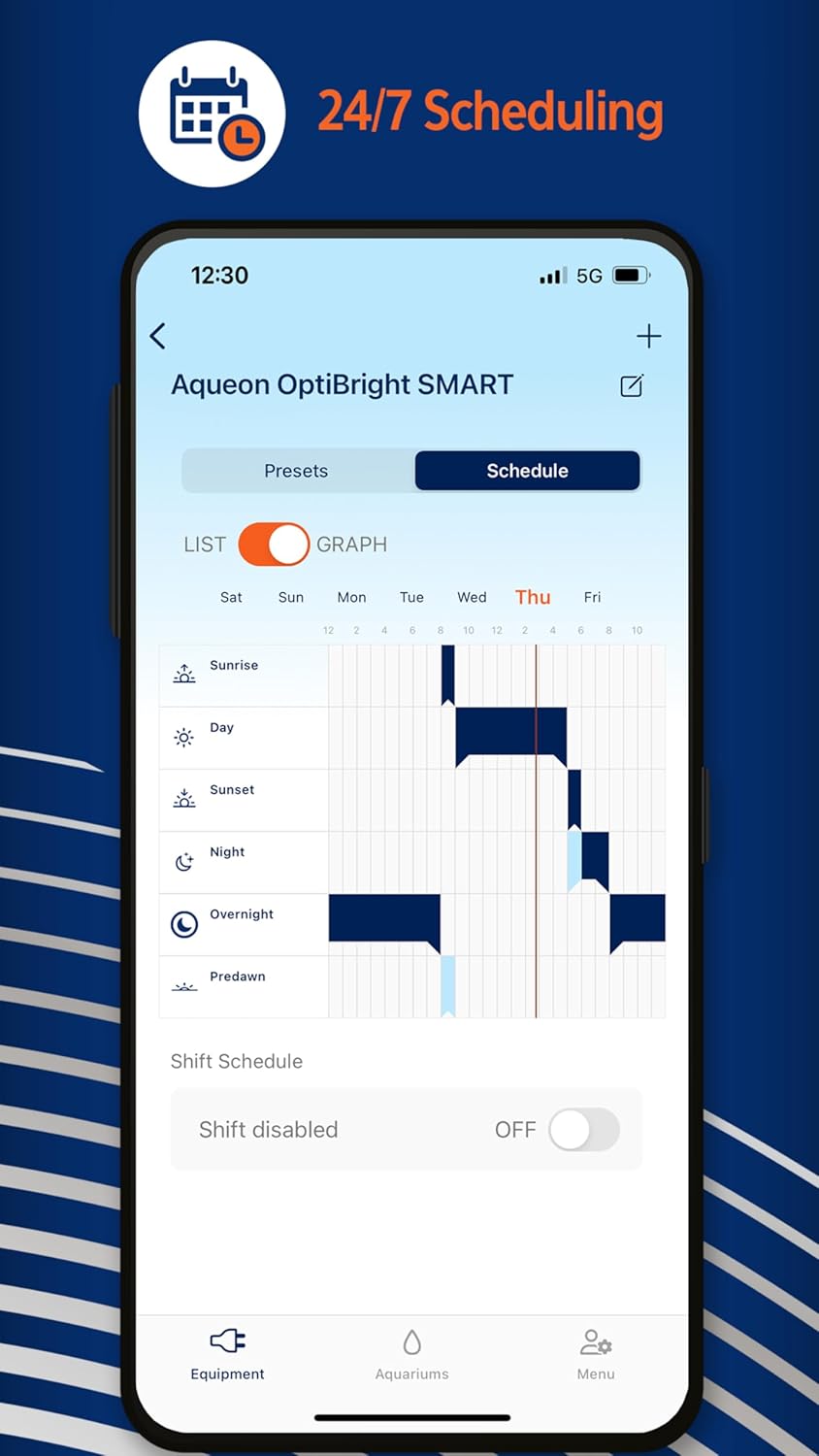
Сүрөт 5.2: App scheduling. A screenshot of the Aqueon BlueIQ app's scheduling feature, displaying a graph and list view for setting up a 24/7 lighting schedule, including sunrise, day, sunset, night, overnight, and predawn periods.
5.3 Weather Effects
- Булут режими: Dims and brightens the light to simulate clouds passing overhead. Adjust intensity for desired speed.
- Чагылган режими: Randomly dims all lighting and flashes white LEDs to create a lightning storm effect. Intensity affects the frequency of flashes.

Сүрөт 5.3: App weather effects. A screenshot of the Aqueon BlueIQ app's weather effects section, featuring toggles and intensity sliders for Cloud Mode and Lightning Mode, as well as options for RGB Circulation Mode and Top Accent Strip.
5.4 Blue Ambiance Illumination
The fixture includes a blue illumination strip on top for an elevated ambiance. This feature can be toggled on or off via the app.

Сүрөт 5.4: LED array. This image shows the underside of the Coralife Seascape Smart LED Light Fixture, revealing the array of white, blue, red, and green LEDs that provide full spectrum lighting.
6. Техникалык тейлөө
- Тазалоо: Regularly wipe the exterior of the light fixture with a soft, damp cloth to remove dust and water spots. Ensure the fixture is unplugged before cleaning.
- Do not use abrasive cleaners or solvents, as these can damage the fixture's surface or internal components.
- Keep the LED surface clear of debris to ensure optimal light output.
7. Кыйынчылыктарды
- Жарык күйбөйт:
- Check if the power supply is securely connected to both the fixture and the electrical outlet.
- Электр розеткасынын иштеп турганын текшериңиз.
- Ensure the light is not set to an 'off' schedule or a very low intensity in the app.
- Туташуу маселелери (Wi-Fi/Bluetooth):
- Ensure your smartphone is within range of the fixture for Bluetooth connection, or within range of your Wi-Fi network for Wi-Fi control.
- Restart the Aqueon BlueIQ App.
- Unplug the light fixture for 30 seconds and then plug it back in to reset.
- Эгерде көйгөйлөр чечилбесе, колдонмонун орнотуу процесси аркылуу түзмөктү кайра жупташтырып көрүңүз.
- App Not Responding or Disconnecting:
- Колдонмоңуз эң акыркы версияга жаңыртылганын текшериңиз.
- Түзмөгүңүздүн интернет байланышын текшериңиз.
- Колдонмону жаап, кайра ачыңыз.
- If frequent disconnections occur, consider the strength and stability of your Wi-Fi network.
8. Техникалык шарттар
| Өзгөчөлүк | Деталь |
|---|---|
| Бренд | Coralife |
| Модель номери | 100550371 |
| UPC | 096316002784 |
| Өлчөмү | 30-36 дюйм (жөнгө салынуучу) |
| Fixture Dimensions (LxWxH) | 30-36" x 4.5" x 0.7" (approximate, based on image) |
| Элемент Салмагы | 4.14 фунт |
| Байланыш | Wi-Fi, Bluetooth |
| Control App | Aqueon BlueIQ App |
| Жарык түрү | Full Spectrum LED (White, Blue, Color) |
| Материал | Акрил |
| Түс | Кара |
| Өндүрүүчү | Борбордук бакча жана үй жаныбарлары |
| Келип чыккан өлкө | Кытай |
| Дата биринчи жеткиликтүү | 5-июнь, 2024-жыл |
9. Кепилдик маалыматы
Central Aquatics бул продукт сатып алынган күндөн тартып он эки айдын ичинде материалдардын же жасалгалоонун кемчиликтеринен улам бузулган электр компоненттеринен таза болууга кепилдик берет. Эгерде кемчилик көрсөтүлсө, Central Aquatics, Борбордук Суу спортунун бир гана чечими боюнча, буюмду оңдоп-түзөйт же акысыз алмаштырат. Накталай акча кайтарылбайт. Бул кепилдик буюмдун баштапкы керектөөчүсүнө гана берилет жана аны өткөрүп берүүгө же дайындоого болбойт. Бул кепилдикти ырастоо үчүн сизде сатып алынганыңыздын оригиналдуу далили сакталышы керек.
10. Кардарларды колдоо кызматы
For technical assistance, troubleshooting beyond this manual, or warranty claims, please contact Central Garden & Pet customer support. Refer to the product packaging or the manufacturer's official webакыркы байланыш маалыматы үчүн сайт.