
Introduction
Thank you for choosing the TECKNET TK-MS317 Bluetooth Wireless Mouse. This manual provides detailed instructions for setting up, operating, and maintaining your mouse to ensure optimal performance. Please read this manual thoroughly before use and retain it for future reference.
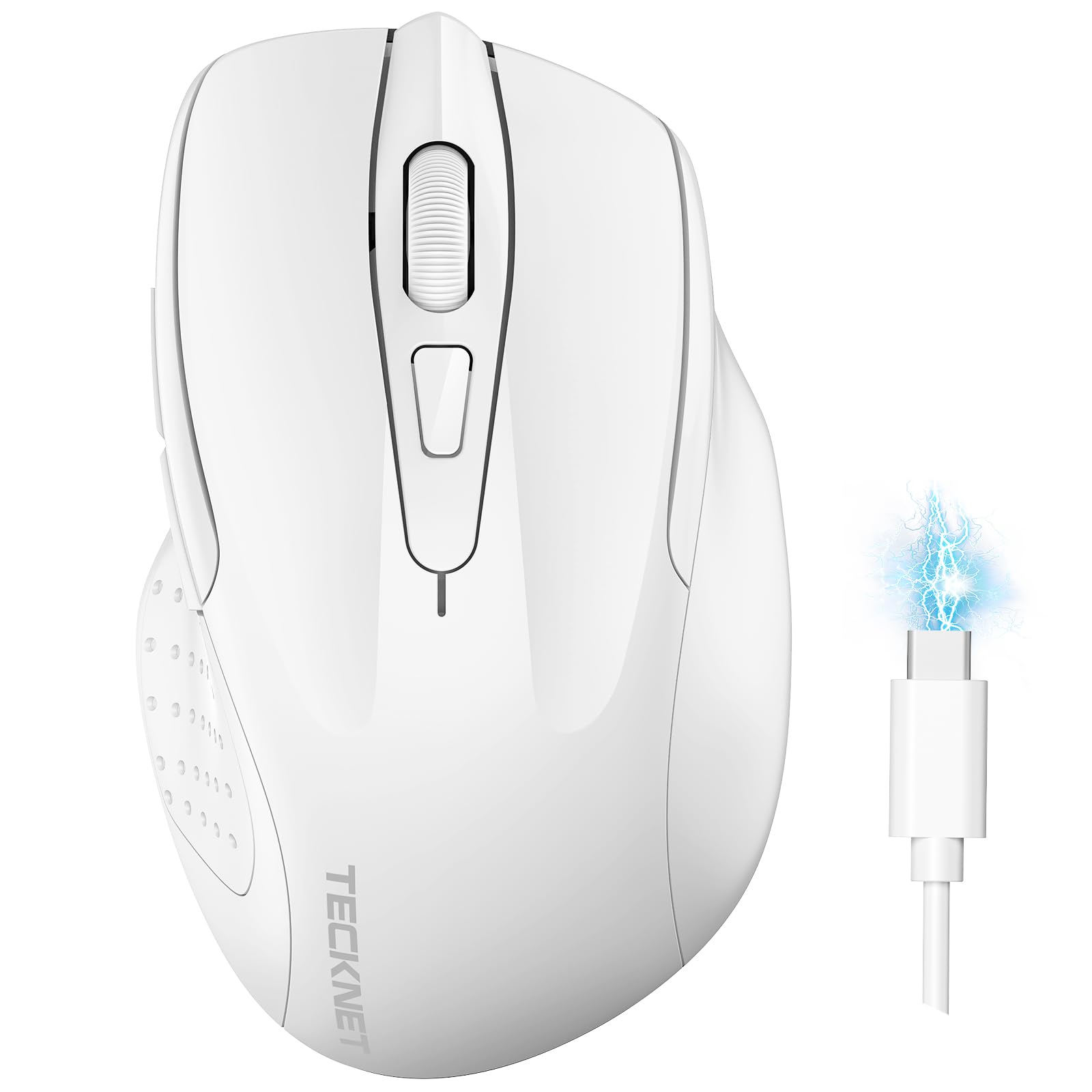
Image: The TECKNET TK-MS317 Bluetooth Wireless Mouse, showcasing its ergonomic design and sleek white finish.
Продукт өзгөчөлүктөрү
- Triple Connection Modes: Supports Bluetooth 5.0, Bluetooth 3.0, and 2.4GHz wireless connectivity, allowing seamless switching between up to two devices.
- Жөнгө салынуучу DPI: Six adjustable DPI levels (800/1200/1600/2400/3200/4800) for precise control and adaptability to various tasks.
- Кайра заряддалуучу батарея: Equipped with a 700 mAh rechargeable battery, providing extended usage on a single charge. Can be used while charging via USB-C.
- Унчукпай чыкылдатуулар: Designed for quiet operation, reducing click noise by 90% for a focused work environment.
- Эргономикалык дизайн: Contoured shape fits comfortably in the palm, reducing hand fatigue during prolonged use.
- Энергияны үнөмдөө: Features a key-wake function and automatic sleep mode to conserve battery life.
- Жалпы шайкештик: Compatible with Windows 11/10/8/7/XP/Vista, Mac OS, Linux, Android, and iOS (BT 5.0 for iOS 10.4+).

Image: Illustration highlighting the silent click feature of the mouse, showing a quiet work environment.

Image: Diagram illustrating the ergonomic curvature of the TECKNET TK-MS317 mouse, designed for comfortable hand fit.
Орнотуу нускамалары
1. Чычканды заряддоо
Before first use, or when the battery is low, connect the mouse to a power source using the provided USB-C cable. The charging indicator light will illuminate. A full charge typically takes about two hours and can last for 1 to 2 months of intensive use.

Image: The TECKNET TK-MS317 mouse connected via a USB-C cable for charging, highlighting its 700mAh battery capacity.
2. 2.4 ГГц зымсыз байланыш аркылуу туташуу
- Locate the USB 2.4G receiver, usually stored in a compartment on the underside of the mouse.
- USB ресиверди компьютериңиздеги жеткиликтүү USB-A портуна сайыңыз.
- Switch the mode selector on the bottom of the mouse to the "2.4G" position.
- The mouse should automatically connect to your computer. If not, try moving the mouse or restarting your computer.
3. Bluetooth аркылуу туташуу (BT5.0 / BT3.0)
- Switch the mode selector on the bottom of the mouse to either "BT5.0" or "BT3.0" position.
- Press and hold the Bluetooth pairing button (usually located near the mode switch) for 3-5 seconds until the indicator light starts flashing, indicating pairing mode.
- On your device (computer, laptop, tablet, smartphone), go to Bluetooth settings.
- Издөө new devices. You should see "TECKNET Mouse" or a similar name appear in the list.
- Select the mouse to pair. Once connected, the indicator light on the mouse will stop flashing.
- To switch between paired Bluetooth devices or to the 2.4G mode, simply use the mode selector switch on the bottom of the mouse.

Image: Diagram showing the three connection modes (2.4G, Bluetooth 5.0, Bluetooth 3.0) of the TECKNET TK-MS317 mouse, connecting to a laptop and a tablet.
Иштөө нускамалары
1. DPI тууралоо
The mouse features a DPI button, typically located behind the scroll wheel. Press this button to cycle through the six available DPI settings: 800, 1200, 1600, 2400, 3200, and 4800. Select the DPI that best suits your task and preference for cursor speed and precision.

Image: Visual representation of the TECKNET TK-MS317 mouse highlighting its 6 levels of adjustable DPI, up to 4800 DPI.
2. Которуу режими
Use the physical switch on the underside of the mouse to select your desired connection mode: 2.4G, BT5.0, or BT3.0. This allows you to quickly switch between different devices without re-pairing.
3. Энергияны үнөмдөө режими
The mouse will automatically enter sleep mode after a period of inactivity to conserve battery. To wake the mouse, simply move it or click any button.
Техникалык тейлөө
1. Тазалоо
Чычканыңызды тазалоо үчүн жумшак, кургак чүпүрөктү колдонуңуз. өжөр кир үчүн, бир аз гamp cloth with mild soap can be used, ensuring no liquid enters the mouse. Avoid using harsh chemicals or abrasive materials.
2. Батареяга кам көрүү
- Батареяны бат-баттан толук кубаттап калуудан алыс болуңуз.
- Чычканды узак убакытка колдонбогондо салкын, кургак жерде сактаңыз.
- Заряддоо үчүн берилген USB-C кабелин же тастыкталган эквивалентти гана колдонуңуз.
Проблемаларды чечүү
- Чычкан жооп бербей жатат:
- Чычкандын заряддалганын текшериңиз.
- Check if the mode switch is set correctly (2.4G, BT5.0, or BT3.0).
- For 2.4G mode, ensure the USB receiver is securely plugged in.
- For Bluetooth mode, ensure Bluetooth is enabled on your device and the mouse is paired. Try re-pairing if necessary.
- Try connecting the mouse to a different USB port or device to rule out port/device issues.
- Үзгүлтүксүз туташуу:
- Чычканды кабыл алгычка/түзмөккө жакындатыңыз.
- Avoid using the mouse on metallic surfaces, which can interfere with wireless signals.
- Жакын жерде башка күчтүү зымсыз тоскоолдук булактары жок экенин текшериңиз.
- Курсордун кыймылы туура эмес:
- Чычкандын астындагы оптикалык сенсорду тазалаңыз.
- Чычканды башка бетте же чычкан аянтчасында колдонуп көрүңүз.
- DPI жөндөөсүн төмөнкү мааниге тууралаңыз.
Техникалык шарттар
| Модель номери | TK-MS317 |
| Бренд | TECNET |
| Байланыш режимдери | 2.4 ГГц зымсыз, Bluetooth 5.0, Bluetooth 3.0 |
| DPI деңгээли | 800, 1200, 1600, 2400, 3200, 4800 |
| баскычтардын саны | 6 |
| Батарея түрү | Built-in 700 mAh Rechargeable Lithium Battery |
| Заряддоо порту | USB-C |
| Салмагы | 150 грамм |
| Шайкештик | Windows 11/10/8/7/XP/Vista, Mac OS, Linux, Android, iOS (10.4+ for BT 5.0) |
Кепилдик жана колдоо
TECKNET offers a 36-month warranty for registered users of this product. If you encounter any issues with your TECKNET TK-MS317 Bluetooth Wireless Mouse, please do not hesitate to contact our professional customer service team for assistance.
For warranty claims or technical support, please visit the official TECKNET webсайтка же продуктунун таңгагында берилген байланыш маалыматына кайрылыңыз.