
1. Киришүү
This manual provides detailed instructions for the OMOTON Magnetic Keyboard Case, Model KC011. This accessory is designed to enhance the functionality of your iPad Pro 13-inch (M4) 2024, offering a keyboard, multi-touch trackpad, and protective case. Please read this manual thoroughly before use to ensure proper operation and maintenance.
2. Пакеттин мазмуну
Төмөндө тизмеленген нерселердин баары пакетиңизде бар экенин текшериңиз:
- OMOTON Magnetic Keyboard Case
- USB-C Charging Cable (1 meter)
- Instruction Manual
3. Шайкештик
This keyboard case is specifically designed for the Apple iPad Pro 13-inch (M4) 2024 model. It is compatible with iPad models A2925, A2926, and A3007.

3.1-сүрөт: iPad Pro 13-inch (M4) 2024 compatibility. This image illustrates the 13-inch screen size and lists the compatible iPad model numbers (A2925, A2926, A3007) found on the back of the device.
To confirm your iPad model number:
- барыңыз Орнотуулар iPad'иңизде.
- Тандоо Генерал, анда Жөнүндө, and look for Модель аты.
- Alternatively, locate the model number printed on the back of your iPad.
4. Орнотуу
4.1 iPad'ды туташтыруу
The keyboard case features strong magnets for secure attachment of your iPad. Align your iPad with the magnetic panel on the case until it snaps into place.

4.1-сүрөт: Magnetic attachment. This image demonstrates how the iPad magnetically connects to the keyboard case, highlighting the strong magnetic attraction for secure placement.
4.2 Bluetooth жупташтыруу
Follow these steps to pair your keyboard case with your iPad via Bluetooth:
- Ensure the keyboard is charged (refer to Section 5.4 for charging instructions).
- Күйгүзүү баскычын басып, баскычтопту күйгүзүңүз. Bluetooth индикатору күйүп-өчөт.
- iPad'иңизден төмөнкүгө өтүңүз Орнотуулар > Bluetooth.
- Bluetooth'ду күйгүзүңүз. Сиздин iPad жеткиликтүү түзмөктөрдү издейт.
- Select "OMOTON Keyboard" (or similar name) from the list of devices.
- If prompted, enter the pairing code displayed on your iPad and press Кириңиз клавиатурада.
- Once paired, the Bluetooth indicator light on the keyboard will turn off, and your iPad will show the keyboard as "Connected."
5. Операция
5.1 Баскычтоптун функциялары
The keyboard features a standard QWERTY layout with additional function keys and backlighting.
- Арткы жарык: The keyboard offers 12 backlight modes and 4 brightness levels. Use the dedicated backlight key (often represented by a light bulb icon) to cycle through modes and adjust brightness. This feature provides visibility in low-light conditions.
- Мультимедиа ачкычтары: A row of 14 function keys provides quick access to iPadOS features such as screen brightness adjustment, volume control, media playback, and more.
- Кайчы түзүлүшүнүн ачкычтары: The 1-millimeter keystroke scissor structure is designed for a quiet and responsive typing experience.
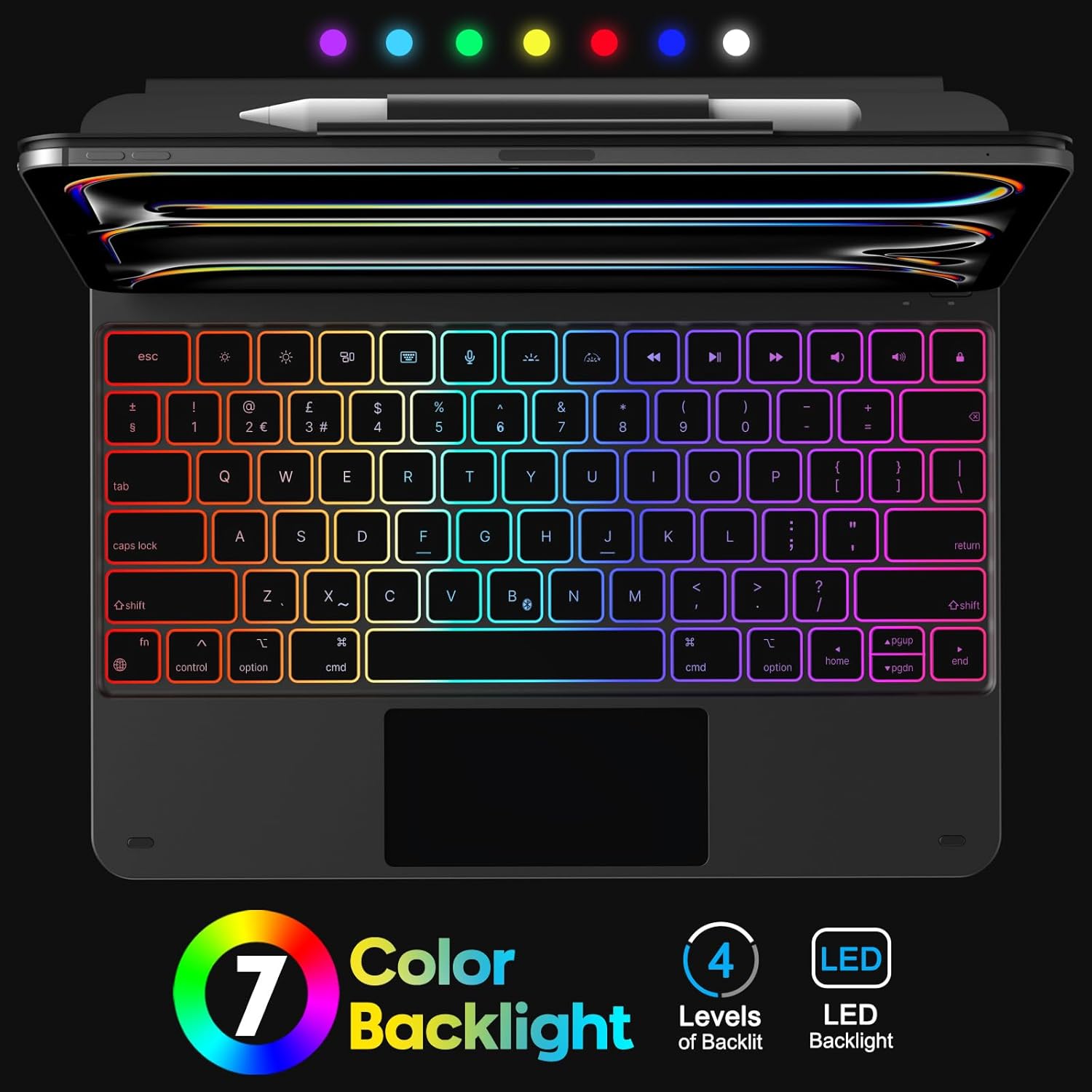
5.1-сүрөт: Keyboard Backlight. This image displays the keyboard with its customizable 7-color backlight options and indicates the 4 available brightness levels, enhancing typing visibility.

5.2-сүрөт: Key Mechanism. A close-up view of a keyboard key, illustrating the internal scissor-switch mechanism designed for comfortable and quiet typing.
5.2 Trackpad колдонуу
The integrated multi-touch trackpad supports various iPadOS gestures for navigation and interaction.
- Жалгыз манжа: Tap to click, drag to move cursor.
- Эки манжа: Scroll up/down/left/right, pinch to zoom.
- Үч манжа: Swipe up to go to the Home screen, swipe up and hold to view app switcher, swipe left/right to switch between open apps.
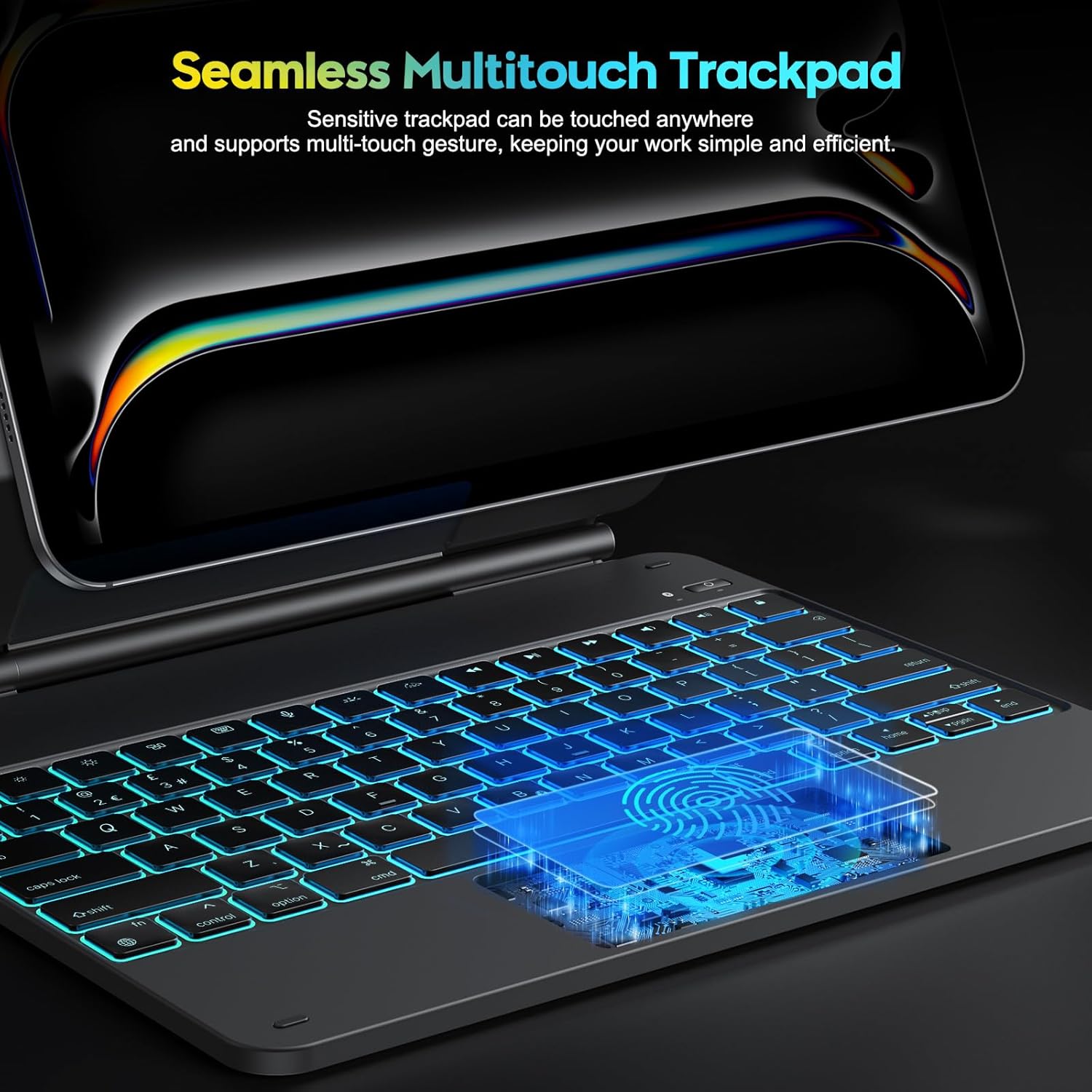
5.3-сүрөт: Multi-Touch Trackpad. This image highlights the sensitive multi-touch trackpad, indicating its capability to register various gestures for efficient iPadOS interaction.
5.3 Стендди тууралоо
The floating stand design allows for flexible viewing angles. Gently adjust the iPad's position on the magnetic stand to achieve your desired angle.

5.4-сүрөт: Floating Stand Design. This image illustrates the adjustable floating stand, demonstrating how the iPad's viewing angle can be smoothly set to various positions, up to 120 degrees.
5.4 Баскычтопту заряддоо
The keyboard case is equipped with a built-in rechargeable battery. Use the provided USB-C cable to charge the device.
- Кабелдин USB-C учун клавиатурадагы кубаттоо портуна туташтырыңыз.
- Кабелдин экинчи учун USB кубат адаптерине (кошумча эмес) же компьютердин USB портуна туташтырыңыз.
- Заряддоо индикатору кубаттоо учурунда күйөт жана толук заряддалганда өчөт.
- A full charge takes approximately 3 hours. The battery provides up to 260 hours of use without backlight and 9 hours with backlight.

5.5-сүрөт: Charging and Battery Life. This image highlights the Type-C charging port on the keyboard and provides information on battery life, including 3 hours fast charging, 800mAh lithium battery, and over 1000 hours standby time.
6. Техникалык тейлөө
Клавиатураңыздын кутучасынын узак мөөнөттүү жана оптималдуу иштешин камсыз кылуу үчүн, төмөнкү тейлөө көрсөтмөлөрүн аткарыңыз:
- Keep the device away from liquids and extreme temperatures.
- Clean the keyboard and trackpad surfaces with a soft, dry, lint-free cloth. Avoid abrasive cleaners.
- Do not attempt to disassemble the keyboard case, as this may void the warranty and cause damage.
- Колдонбогондо клавиатура кутусун таза, кургак чөйрөдө сактаңыз.
7. Кыйынчылыктарды
Эгер клавиатураңызда көйгөйлөргө туш болсоңуз, төмөнкү жалпы чечимдерди караңыз:
- Баскычтоп туташпай жатат: Ensure Bluetooth is enabled on your iPad and the keyboard is powered on and charged. Try re-pairing the keyboard (Section 4.2).
- Ачкычтар жооп бербейт: Check if the keyboard is charged. Restart both the keyboard and your iPad.
- Trackpad иштебей жатат: Ensure the keyboard is connected via Bluetooth. Check iPadOS settings for trackpad functionality. Restart the keyboard and iPad.
- Арткы жарык иштебейт: Ensure the keyboard is charged. Press the backlight key to cycle through modes and brightness levels.
- Lag in keyboard response: Ensure the keyboard is fully charged. Minimize interference from other Bluetooth devices.
If the problem persists after trying these steps, please contact OMOTON customer support.
8. Техникалык шарттар
| Өзгөчөлүк | Спецификация |
|---|---|
| Бренд | ОМОТОН |
| Модель аты | KC011 |
| Шайкеш түзмөктөр | iPad Pro 13-inch (M4) 2024 (Models A2925, A2926, A3007) |
| Байланыш технологиясы | Bluetooth |
| Баскычтоптун жайгашуусу | QWERTY (UK-Layout) |
| Ачкычтардын саны | 78 |
| Өзгөчөлүктөр | Backlit (12 modes, 4 brightness levels), Hotkeys, Media Keys, Portable, Rechargeable, Multi-Touch Trackpad, Floating Stand Design |
| Батарея сыйымдуулугу | 800mAh литий-иону |
| Battery Life (No Backlight) | 260 саатка чейин |
| Battery Life (With Backlight) | 9 саатка чейин |
| Заряддоо порту | USB-C |
| Түс | Кара |
9. Кепилдик жана колдоо
OMOTON products are designed for reliability and performance. For warranty information or technical support, please refer to the contact details provided with your purchase or visit the official OMOTON webсайт. Кепилдик дооматтары үчүн сатып алганыңыздын далилин сактап коюңуз.