
Introduction
The AsperX AX2410 Laptop Power Bank is a high-capacity portable charger designed to keep your electronic devices powered on the go. Featuring a 25,000mAh (92.5Wh) battery, 140W Power Delivery (PD 3.1) fast charging, and a TFT Smart Display, this power bank offers efficient and intelligent power management for laptops, smartphones, tablets, and other USB-powered devices. It is also flight-approved for convenient travel.
Пакеттин мазмуну
- 1 x AsperX 25000mAh Portable Laptop Power Bank (Model: AX2410)
- 1 x 140W USB-C to USB-C Cable
- 2 x User Manuals
- 1 х көтөрүп баштык

Image: AsperX Power Bank, USB-C cable, user manual, and carrying pouch, illustrating the items included in the product package.
Продукт бүттүview
The AsperX AX2410 features a sleek, deep grey design with a compact form factor. It is equipped with multiple ports and a smart display for optimal user experience.
Физикалык өзгөчөлүктөрү
- Өлчөмдөрү: 6.56 x 3.21 x 1.08 дюйм
- Салмагы: 1.37 фунт
- Түсү: Deep Gray
Сүрөт: жогорудан ылдыйга view of the AsperX Laptop Power Bank in Deep Grey, highlighting its compact and modern design.
Порттар
- USB-C1 (IN/OUT): Up to 140W Max (for fast charging laptops and recharging the power bank).
- USB-A (OUTPUT): Up to 22.5W Max (for standard USB devices).
- USB-C2 (IN/OUT): Up to 45W Max (for fast charging phones/tablets and recharging the power bank).
Сүрөт: деталдуу view of the input and output ports on the AsperX Power Bank, clearly labeled with their respective wattagэ мүмкүнчүлүктөрү.
TFT Smart Display
The integrated TFT Smart Display provides real-time information about the power bank's status:
- Батарея деңгээли: Персенtagкалган заряддын e.
- Remaining Usage/Recharge Time: Estimated time until empty or fully charged.
- Input/Output Power: Real-time wattage for each connected port.

Image: A close-up of the TFT Smart Display on the power bank, detailing the battery status, time remaining, and individual port power output/input.
Ички дизайн
The power bank utilizes high-density automotive-grade power cells, designed to retain over 80% capacity after 5 years. It incorporates a smart chip for efficient power distribution and 14-layer safety protection.

Сүрөт: рентген стили view of the AsperX Power Bank, revealing the internal arrangement of its high-density battery cells and electronic components.
Техникалык шарттар
| Өзгөчөлүк | Деталь |
|---|---|
| Продукциянын өлчөмдөрү | 6.56 x 3.21 x 1.08 дюйм |
| Элемент Салмагы | 1.37 фунт |
| Модель номери | AX2410-DG |
| Батарея сыйымдуулугу | 25,000mAh (92.5Wh) |
| Максималдуу чыгаруу күчү | Бардыгы болуп 145 Вт |
| USB-C1 (киргизүү/чыгуу) | 140W макс |
| USB-C2 (киргизүү/чыгуу) | 45W макс |
| USB-A (OUTPUT) | 22.5W макс |
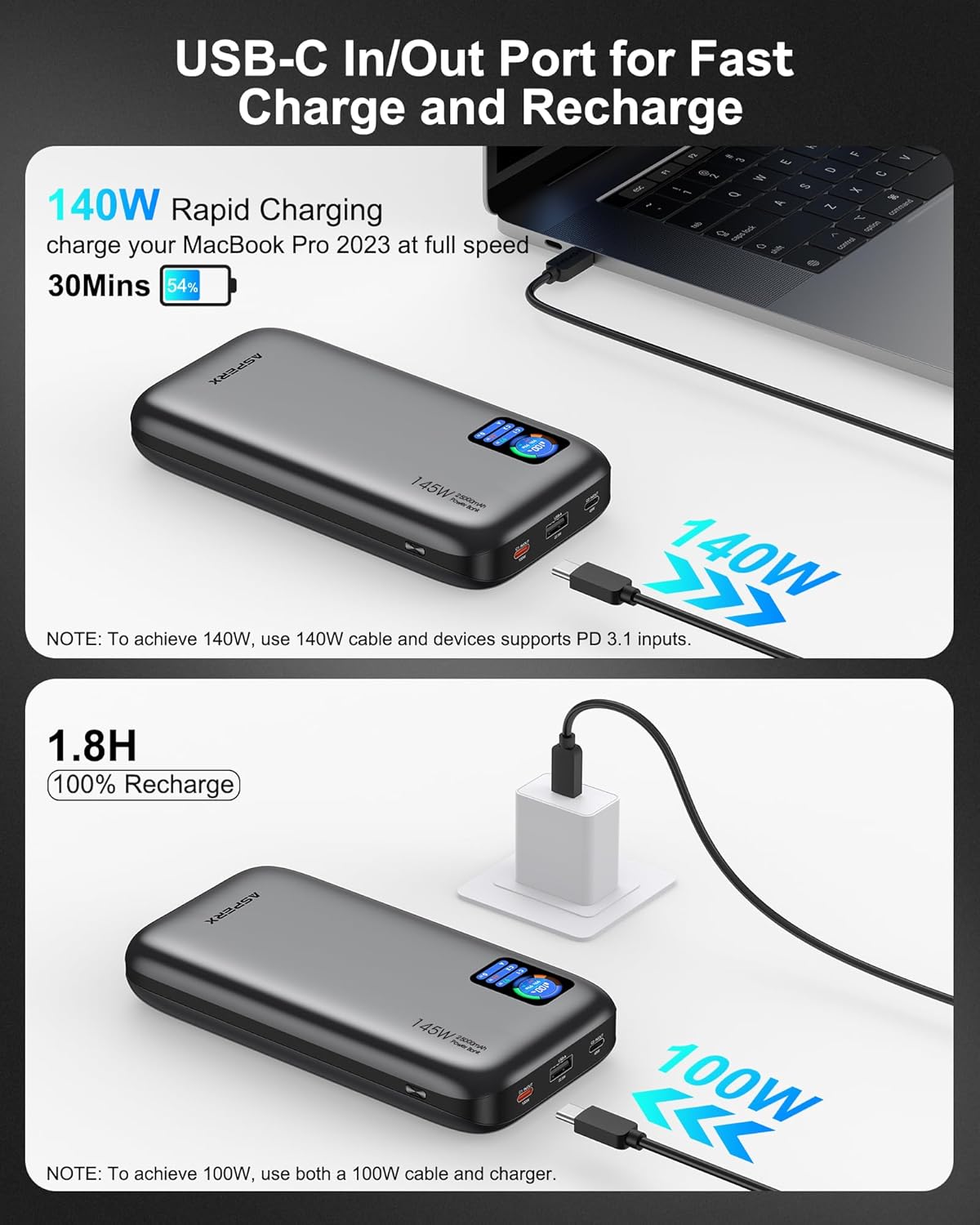
| Убакытты толтуруу | Approx. 1.8 hours (with 100W or higher charging adapter) |
| Өзгөчөлүктөр | Digital Display, Fast Charging, Over Charging Protection, Short Circuit Protection |
| Шайкештик | PD3.0, QC3.0, PPS, AFC, UFCS protocols (MacBook, iPhone, Dell XPS, Galaxy, Steam Deck, iPad, etc.) |
Жайгашуу
Power банктын алгачкы заряддоо
- Before first use, fully charge your AsperX Power Bank.
- Connect the included 140W USB-C to USB-C cable to either the USB-C1 or USB-C2 port on the power bank.
- Connect the other end of the cable to a compatible USB-C wall adapter (100W or higher recommended for fastest charging).
- The TFT Smart Display will show the input wattage and estimated time until full charge. A full recharge takes approximately 1.8 hours with a 100W+ adapter.

Image: The AsperX Power Bank connected to a wall adapter for recharging, with the display indicating a fast recharge time of 1.8 hours.
Display Protection
The TFT Smart Display comes with a transparent protective film. You may remove this film before use for optimal clarity.
Иштөө нускамалары
Дисплейди күйгүзүү/өчүрүү
Press the power button located on the side of the power bank to activate the TFT Smart Display. The display will automatically turn off after a few seconds of inactivity to conserve power. Double-click the power button to turn the display off manually.
Түзмөктөрүңүздү заряддоо
Connect your device to the appropriate port on the power bank using a compatible cable. The power bank will automatically detect the device and begin charging.
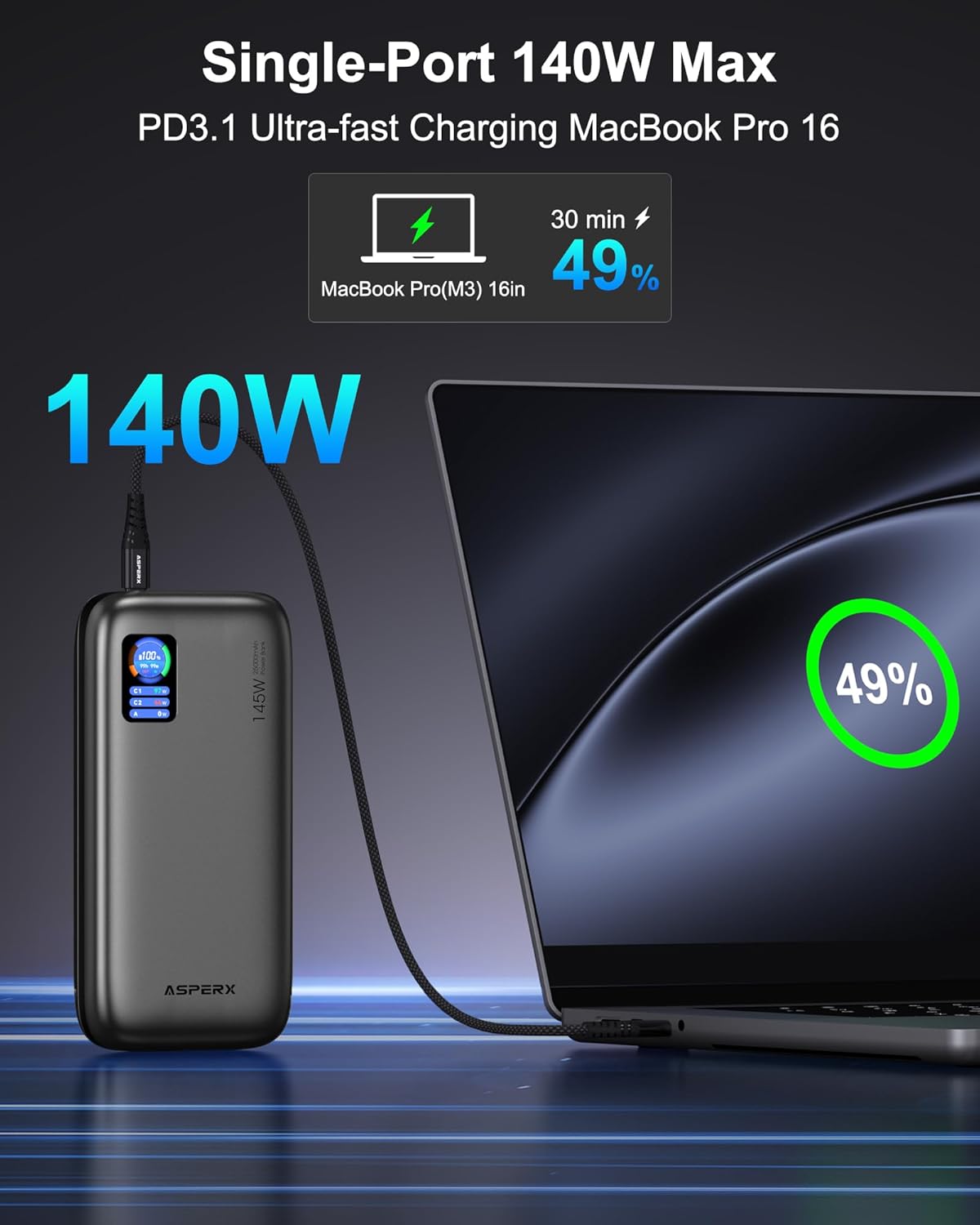
- Бир түзмөктү кубаттоо: For ultra-fast charging of laptops, use the USB-C1 port (up to 140W).

Image: The AsperX Power Bank connected to a laptop, illustrating its capability to provide 140W ultra-fast charging to a single device.
- Бир нече түзмөктү заряддоо: The power bank can charge up to 3 devices simultaneously with a total output of 145W. The smart chip will distribute power optimally.
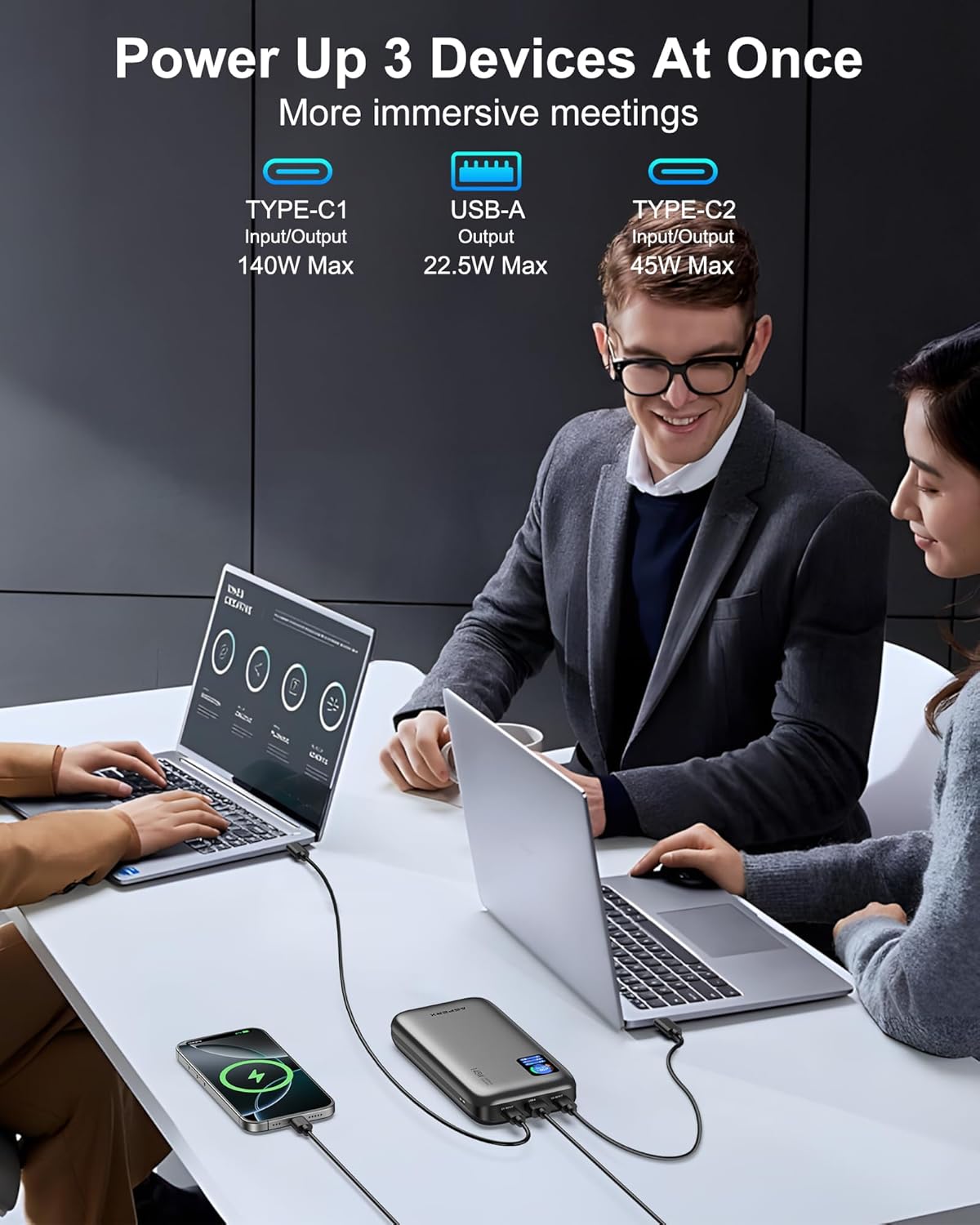
Image: The AsperX Power Bank connected to and charging three different devices concurrently, showcasing анын көп түзмөктү кубаттоо мүмкүнчүлүгү.
Төмөн кубат режими
For low-power devices such as fans, headphones, or smartwatches, press and hold the power button to enter low-power mode. The 'A' on the screen will change from white to red, indicating activation of this mode.
Understanding the TFT Smart Display
Дисплейде бир караганда маанилүү маалымат берилет:
- Battery Circle: Учурдагы батареянын пайызын көрсөтөтtage.
- Калган убакыт: Indicates estimated hours and minutes of remaining power (OUT) or time to full charge (IN).
- Порттун абалы: Wat көрсөтөтtage for USB-C1, USB-C2, and USB-A ports.

Image: A graphic illustrating the various indicators on the TFT Smart Display, including battery percentage, time remaining, and individual port power readings.
Flight Approval
With a 92.5Wh capacity, this power bank meets TSA requirements (<100Wh) for safe carry-on use. It is not permitted in checked luggage.

Image: A person using the AsperX Power Bank to charge a laptop on an airplane, emphasizing its flight-approved status and portability for travel.
Колдонуу сценарийлери
The AsperX Power Bank is versatile for various situations:
- Work & Meetings: Keep your laptop and phone charged during long work sessions.
- Саякат: Essential for business trips, long flights, and commutes.
- Тышкы иштер: сейилдөө үчүн идеалдуу, camping, and as an emergency power source.

Image: The AsperX Power Bank in an outdoor camping setting, charging a laptop, phone, and camera, highlighting its utility for outdoor activities.
Video: A demonstration of the AsperX 145W Laptop Power Bank, showcasing its features and charging capabilities for various devices.
Техникалык тейлөө
To ensure the longevity and optimal performance of your AsperX Power Bank, follow these maintenance guidelines:
- Сактагыч: Power банкты күн тийбеген жана экстремалдык температурадан алыс, салкын, кургак жерде сактаңыз.
- Тазалоо: Use a soft, dry cloth to clean the exterior. Avoid using harsh chemicals or abrasive materials.
- Батареяга кам көрүү: For best battery health, avoid completely draining the power bank regularly. Recharge it when the battery level is low.
- Колдонуу: Do not drop, puncture, or disassemble the device. Avoid exposing it to water or excessive moisture.
Проблемаларды чечүү
If you encounter any issues with your AsperX Power Bank, refer to the following common solutions:
- Түзмөк кубатталбай жатат:
- Кубат банкынын жетиштүү кубатталганын текшериңиз.
- Кубаттоочу кабелдин кубат банкына да, түзмөгүңүзгө да бекем туташтырылганын текшериңиз.
- Verify that the cable is not damaged and is compatible with your device.
- If charging a low-power device, ensure low-power mode is activated.
- Жай кубаттоо:
- Confirm that your device and cable support fast charging protocols (PD, QC, etc.).
- Use the USB-C1 port for the highest output (up to 140W).
- When charging multiple devices, the total output is shared, which may reduce individual port speeds.
- Дисплей иштебейт:
- Дисплейди иштетүү үчүн кубат баскычын басыңыз.
- Ensure the transparent protective film has been removed for clear visibility.
Коопсуздук маалыматы
Түзмөккө зыян келтирбөө же жаракат келтирбөө үчүн бардык коопсуздук көрсөтмөлөрүн окуп чыгып, аткарыңыз:
- Power bankты отко, сууга же өтө жогорку температурага дуушар кылбаңыз.
- Түзмөктү түшүрүп алуудан, тешип алуудан же ажыратып алуудан алыс болуңуз.
- Балдар жетпеген жерде сактаңыз.
- Түпнуска же сертификатталган шайкеш келген кубаттоочу кабелдерди гана колдонуңуз.
- The power bank features 14-layer safety protection, including over-charge, over-discharge, short-circuit, and temperature protection.

Image: A visual representation of the 14-layer safety protection mechanisms integrated into the AsperX Power Bank, ensuring safe operation.
Кепилдик жана колдоо
AsperX offers an industry-leading 18-month technical support warranty covering defects in materials and workmanship. For any questions or assistance, please contact our 24/7 customer service team.
Contact information can typically be found in the included user manuals or on the official AsperX webсайт.
Видео: Кайраview of the AsperX 140W 25,000mAh Laptop Power Bank, highlighting its features and performance.