
1. Киришүү
Сатып алганыңыз үчүн рахматasing the Zenwire D300S Mini Projector. This manual provides essential information for the safe and efficient operation of your device. Please read it thoroughly before use and retain it for future reference.
Коопсуздук чаралары
- l болгондо проектордун объективине тике карабаamp күйүк.
- Ашыкча ысып кетүүнүн алдын алуу үчүн туура желдетүүнү камсыз кылыңыз. Вентиляция тешиктерин жаап албаңыз.
- Берилген кубат адаптерин гана колдонуңуз.
- Проекторду суудан же башка суюктуктардан алыс кармаңыз.
- Проекторду туруксуз беттерге коюудан алыс болуңуз.
- Проекторду өз алдынча бөлүктөргө бөлүүгө же оңдоого аракет кылбаңыз. Квалификациялуу тейлөө кызматкерлерине кайрылыңыз.
2. Пакеттин мазмуну
Пакетиңизде бардык буюмдар бар экенин текшериңиз:
- Zenwire D300S Mini Projector
- Алыстан башкаруу
- Кубаттуу адаптер
- AV Cable
- Колдонуучунун Колдонмосу (бул документ)
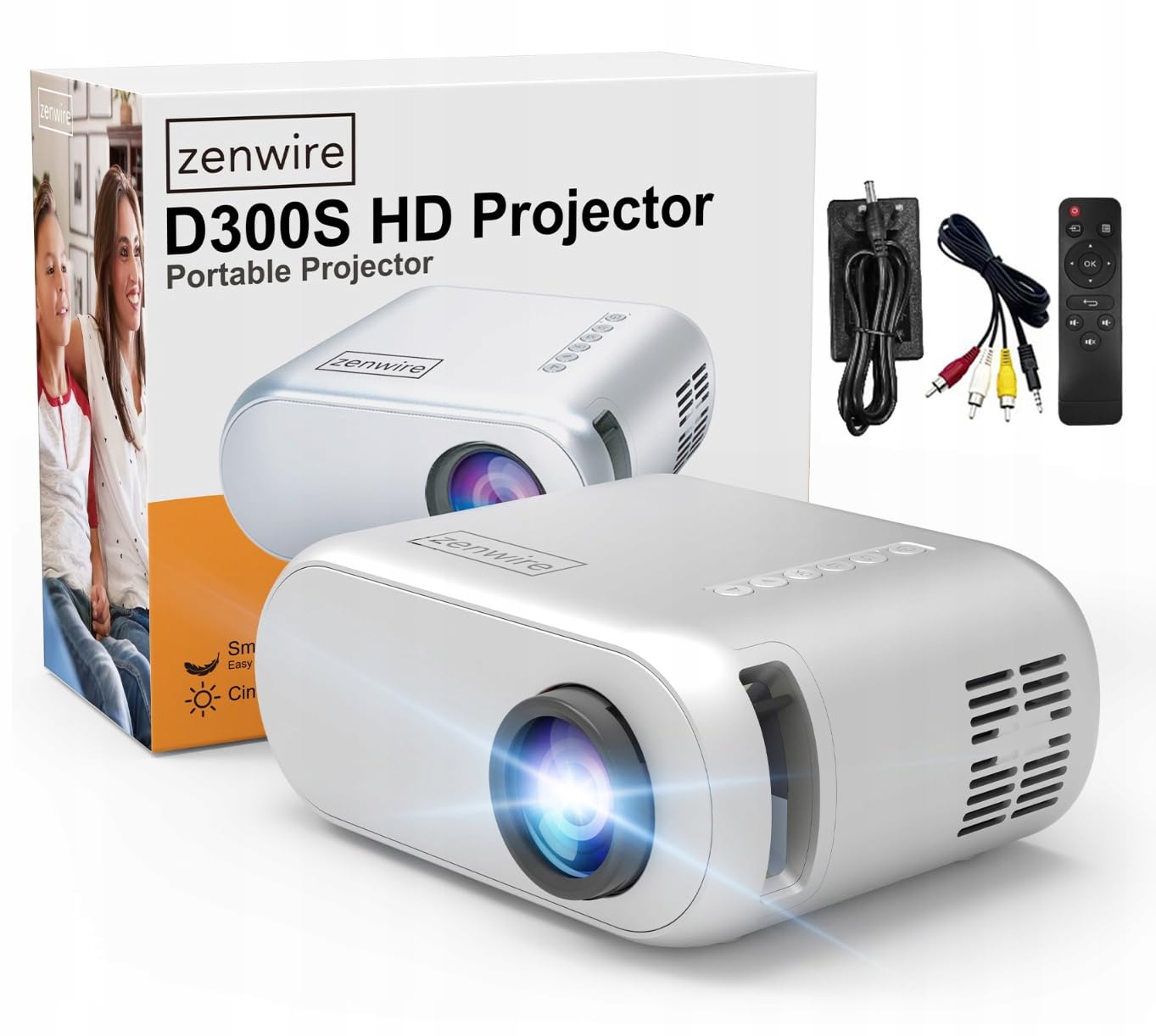
Image 2.1: Zenwire D300S Mini Projector and included accessories.
3. Продукт бүтүп калдыview
Projector Front and Top View
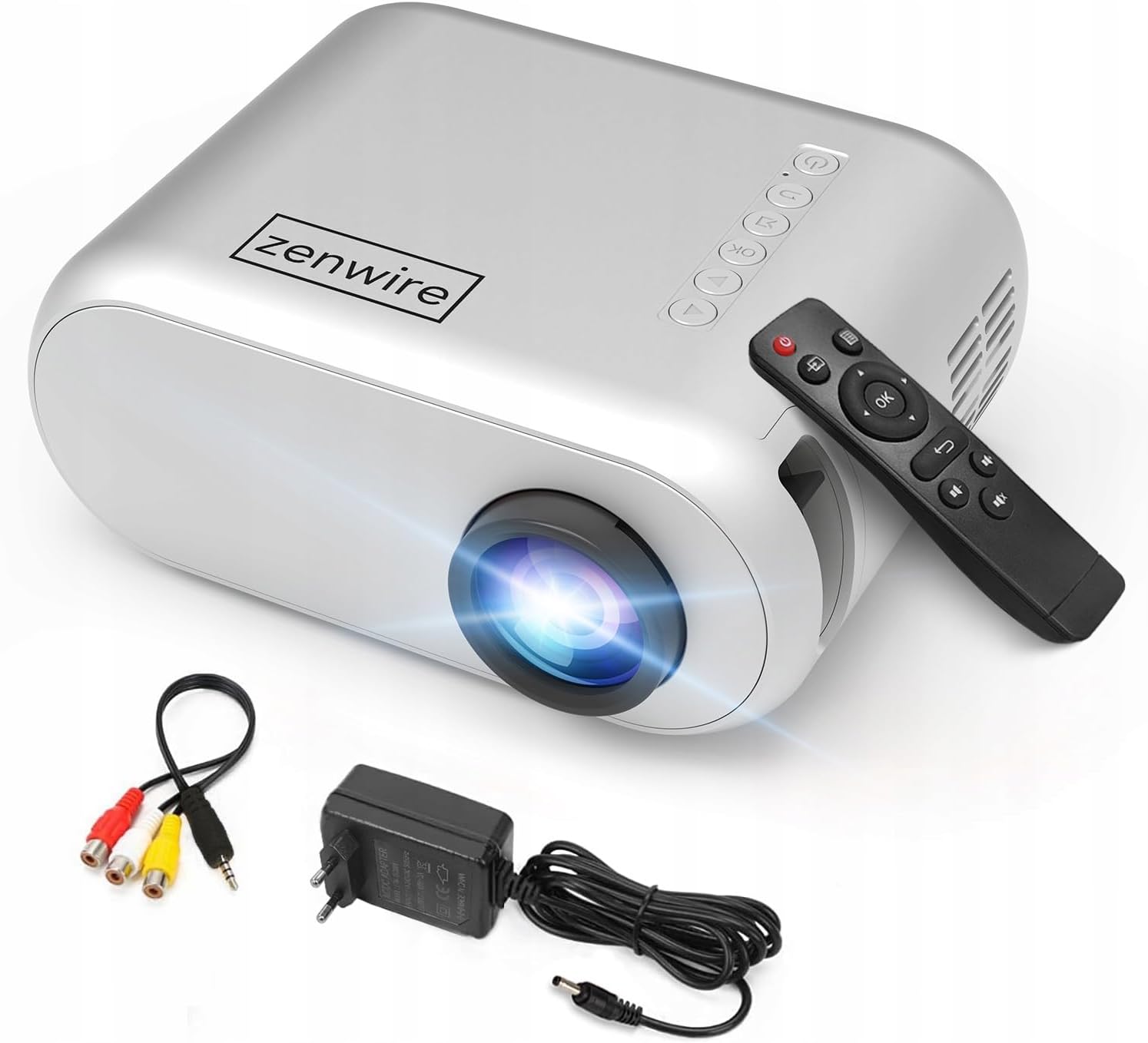
Сүрөт 3.1: Алдыңкы жана үстү view of the projector, showing the lens and top control panel.
Арткы панель жана туташуу
The rear panel of the projector features various ports for connecting external devices:

Сүрөт 3.2: Арткы view of the projector, highlighting the input/output ports.
- AV киргизүү: For connecting devices using the included AV cable.
- HDMI киргизүү: For connecting devices such as laptops, gaming consoles, or streaming sticks.
- USB порт: Медиа ойнотуу үчүн USB флэш-дисктерин туташтыруу үчүн fileтүздөн-түз с.
- AUX чыгышы: Тышкы динамиктерди же наушниктерди туташтыруу үчүн.
- Туруктуу кубат киргизүү: Кубат адаптерин туташтыруу үчүн.
Жогорку Башкаруу панели
The top of the projector features a control panel for basic operations:
- Кубат баскычы: Проекторду күйгүзөт же өчүрөт.
- Чабыттоо баскычтары (өйдө/төмөн/сол/оң): Менюларды башкаруу үчүн колдонулат.
- OK баскычы: Тандоолорду ырастайт.
- Артка баскычы: Мурунку менюга же экранга кайтат.
- Булак баскычы: Киргизүү булагын тандайт (HDMI, AV, USB).
4. Орнотуу
4.1 Орнотуу
Place the projector on a stable, flat surface. Ensure there is adequate space around the projector for ventilation. The projection distance affects the screen size. Refer to the image below for recommended distances and corresponding screen sizes.

Image 4.1: Recommended projection distances and screen sizes.
- For a 30-inch screen, place the projector approximately 0.9 meters away.
- For a 50-inch screen, place the projector approximately 1.5 meters away.
- For an 80-inch screen, place the projector approximately 2.4 meters away.
- For a 100-inch screen, place the projector approximately 3.0 meters away.
4.2 Кубат туташтыруу
Connect the power adapter to the DC Power Input port on the projector, then plug the adapter into a power outlet.
4.3 Түзмөктөрдү туташтыруу
The Zenwire D300S supports various input sources:
Сүрөт 4.2: Мисamples of devices that can be connected to the projector.
- HDMI: Connect your laptop, gaming console, or streaming device using an HDMI cable.
- USB: Медиа ойнотуу үчүн USB флэш-дискти USB портуна салыңыз fileтүздөн-түз с.
- OF: Use the included AV cable to connect older devices like DVD players.
- Аудио чыгыш (AUX): Connect external speakers or headphones to the AUX port for enhanced audio.
4.4 Фокусту тууралоо
Turn on the projector. Adjust the focus ring located near the lens until the projected image is clear and sharp.
5. Иштөө нускамалары
5.1 Күйгүзүү/өчүрүү
Аппаратты күйгүзүү же өчүрүү үчүн проектордун же пульттун кубат баскычын басыңыз.
5.2 Булакты тандоо
After powering on, use the 'Source' button on the projector or remote control to select the desired input source (HDMI, AV, USB).
5.3 Меню Навигациясы
Use the navigation buttons (Up/Down/Left/Right) on the projector or remote to browse through menus. Press 'OK' to confirm a selection and 'Back' to return.
5.4 Үндү башкаруу
Алыстан башкаруу пультундагы үн баскычтары аркылуу үндү тууралаңыз.
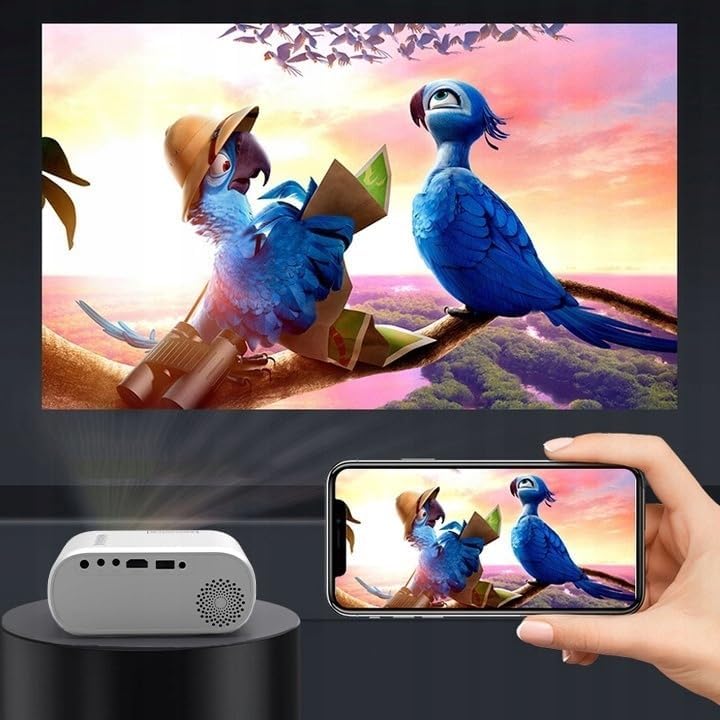
5.5 Connecting to a Phone/Laptop
To project content from a phone or laptop:
- Ноутбуктар үчүн: Connect via HDMI cable. Select HDMI as the input source on the projector.
- Телефондор үчүн: Depending on your phone model, you may need an adapter (e.g., USB-C to HDMI, Lightning to HDMI) to connect via HDMI. Alternatively, some phones support wireless display technologies that can be used with a compatible streaming stick connected to the projector's HDMI port.

Image 5.1: Projecting content from a smartphone to the Zenwire D300S Mini Projector.
6. Техникалык тейлөө
6.1 Линзаны тазалоо
Проектордун линзасын акырын сүртүү үчүн оптикалык линзалар үчүн атайын иштелип чыккан жумшак, мамыксыз чүпүрөктү колдонуңуз. Абразивдүү тазалоочу каражаттарды же ашыкча күч колдонбоңуз.
6.2 Проектордун корпусун тазалоо
Проектордун сыртын жумшак, кургак чүпүрөк менен сүртүңүз. өжөр белгилери үчүн, бир аз гamp кездеме, андан кийин кургак чүпүрөк колдонсо болот.
6.3 Вентиляция
Regularly check that the ventilation openings are free from dust and obstructions to ensure proper airflow and prevent overheating.
7. Кыйынчылыктарды
Проекторуңузда көйгөйлөргө туш болсоңуз, төмөнкү жалпы көйгөйлөрдү жана чечимдерди караңыз:
| Көйгөй | Мүмкүн себеп | Чечим |
|---|---|---|
| Сүрөт чагылдырылган жок | Power not connected, incorrect input source, device not sending signal. | Check power connection, select correct input source, ensure connected device is on and outputting video. |
| Сүрөт бүдөмүк | Фокус туураланган эмес, проектор өтө жакын/алыс. | Adjust the focus ring, reposition the projector according to recommended distances. |
| Үн жок | Volume too low, external speakers not connected, audio format not supported. | Increase volume, connect external speakers via AUX, check audio settings on source device. |
| Пульт иштебей жатат | Batteries dead, obstruction between remote and projector. | Replace batteries, ensure clear line of sight to the projector's IR receiver. |
8. Техникалык шарттар
- Модел: Zenwire D300S
- Түпкү резолюция: 1280 x 720p HD
- Жарыктык: 3000 Lumens (100 ANSI Lumens)
- Байланыш: HDMI, USB, AUX, AV
- Аспект катышы: 16:9 / 4:3
- Проекциялык аралык: 0.9m - 3.0m (approx. 30-100 inches)
9. Кепилдик жана колдоо
The Zenwire D300S Mini Projector comes with a standard manufacturer's warranty. Please refer to the warranty card included in your package for specific terms and conditions. For technical support or service inquiries, please contact your retailer or the Zenwire customer service department.