
1. Киришүү
This manual provides essential information for setting up, operating, and maintaining your vivo V29 Pro 5G smartphone. Please read it carefully to ensure proper use and to maximize the device's capabilities.
The vivo V29 Pro 5G is an ultra-slim smartphone featuring a 3D curved AMOLED display. It is designed for comfortable handling and offers advanced camera capabilities, including a 2X Pro Portrait lens with a Sony IMX 663 Sensor and a 50 MP group selfie camera. The device is powered by a 4 nm MediaTek Dimensity 8200 chipset and a 4600 mAh battery with 80 W flash charge support.

Сүрөт 1: Алдыңкы жана арткы view of the vivo V29 Pro 5G smartphone, highlighting its sleek design and camera system.
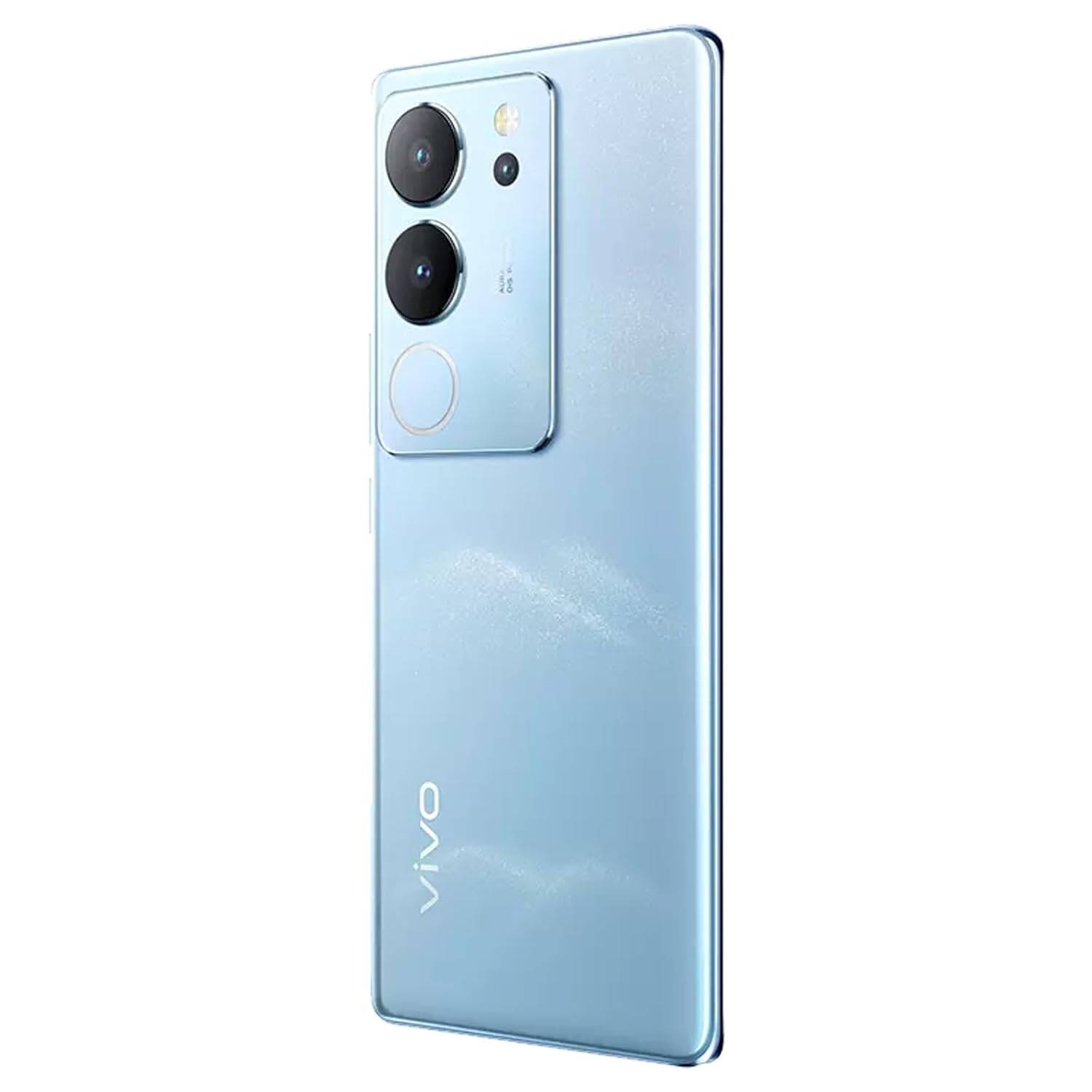
2-сүрөт: Арткы view of the vivo V29 Pro 5G, displaying the camera array and the device's blue finish.
2. Кутуда эмне бар
Upon unboxing your vivo V29 Pro 5G, verify that the following items are included:
- 1 Unit vivo V29 Pro 5G Smartphone
Note: Charger and data cable are not included and must be purchased separately.
3. Орнотуу
3.1 Түзмөктүн жайгашуусу
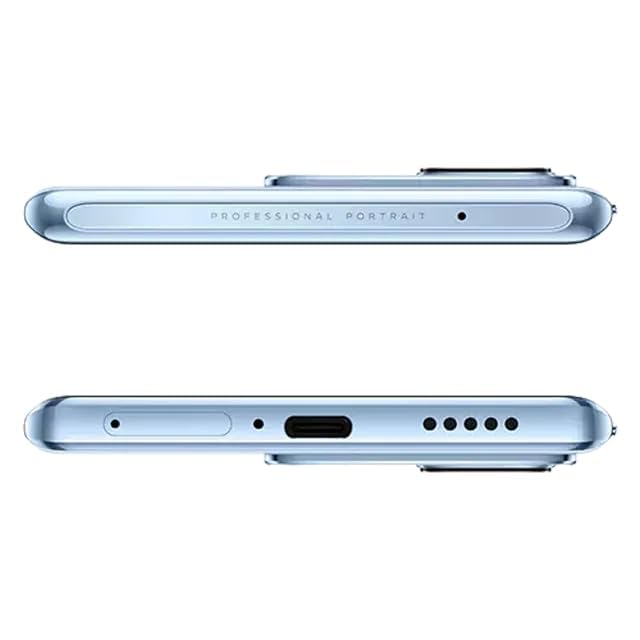
Figure 3: Top and bottom edges of the vivo V29 Pro 5G, illustrating the USB-C port, speaker grille, and microphone.
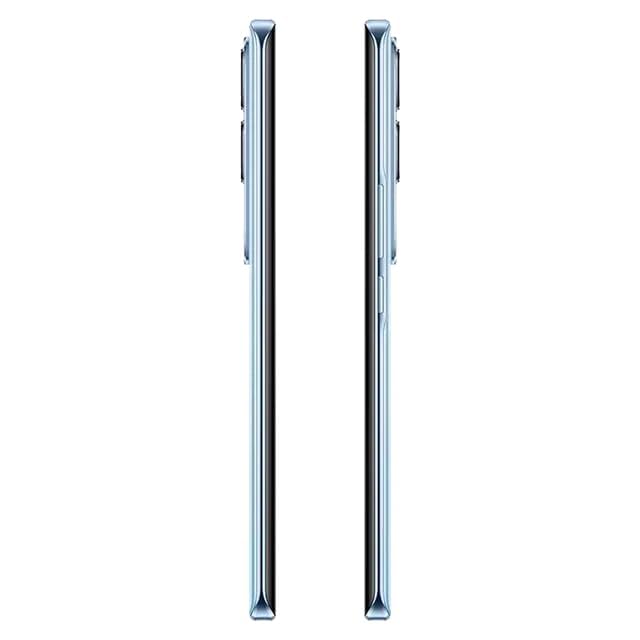
4-сүрөт: Каптал view of the vivo V29 Pro 5G, indicating the placement of the power button and volume rocker.
3.2 SIM картаны салуу
- Түзмөгүңүздүн капталындагы SIM карта салгычын табыңыз.
- SIM чыгаруучу куралды лотоктун жанындагы кичинекей тешикке киргизип, лоток чыгып кеткенче бекем басыңыз.
- Nano-SIM картаңызды(ларыңызды) алтын түстөгү контакттары ылдый каратып салгычка салыңыз. туура багытты камсыз кылуу.
- Аспап менен бирдей болмоюнча, лотокту акырын кайра оюкка түртүңүз.
3.3 Баштапкы күйгүзүү жана орнотуу
- Vivo логотиби пайда болгонго чейин Кубат баскычын (капталында жайгашкан) басып туруңуз.
- Тилиңизди тандоо, Wi-Fi тармагына туташуу жана Google аккаунтуңузду орнотуу үчүн экрандагы нускамаларды аткарыңыз.
- You will be guided through setting up security features like fingerprint unlock or face recognition.
3.4 Аппаратты заряддоо
Connect a compatible USB Type-C cable (not included) to the charging port at the bottom of the phone and to a compatible power adapter (not included). The vivo V29 Pro 5G supports 80W flash charging. Ensure you use a charger that supports this technology for optimal charging speed.
4. Аппаратыңызды иштетүү
4.1 Дисплей жана навигация
The device features a 17.22 cm (6.78 inch) Full HD+ AMOLED 3D curved display. Navigate using touch gestures: swipe, tap, pinch-to-zoom. The Android operating system provides an intuitive interface for apps and settings.
4.2 Камеранын өзгөчөлүктөрү
The vivo V29 Pro 5G is equipped with a versatile camera system:
- Арткы камера: 50MP main sensor, 12MP 2X Pro Portrait lens with Sony IMX 663 Sensor, and an 8MP sensor.
- Алдыңкы камера: 50MP for high-resolution selfies and group photos.
- Aura Light: Enhances low-light photography with intelligent lighting.
- Портрет режими: Utilizes the 2X Pro Portrait lens for professional-grade portraits with background blur.

5-сүрөт: жарылган view diagram of the Sony Professional Portrait Camera, detailing the IMX663 sensor and 12MP portrait lens.

Figure 6: Visual summary of key features: Ultra Slim 3D Curved Display, Smart Aura Light for night portraits, Sony Professional Portrait Camera, and 50MP Eye AF Group Selfie Camera.
4.3 Аткаруу
The device is powered by a 4 nm MediaTek Dimensity 8200 processor and comes with 12 GB of RAM, ensuring smooth multitasking and efficient performance for demanding applications and games.

Figure 7: Close-up of the MediaTek Dimensity 8200 4nm Flagship Processor, illustrating its advanced architecture.
4.4 Батареяны башкаруу
4600 мАч батарея узак убакытка чейин иштөөнү камсыз кылат. Батареянын иштөө мөөнөтүн оптималдаштыруу үчүн:
- Экран жарыктыгын тууралаңыз.
- Фондо иштеп жаткан колдонулбаган колдонмолорду жабуу.
- Utilize power-saving modes when necessary.
5. Техникалык тейлөө
5.1 Аппаратыңызды тазалоо
Use a soft, lint-free cloth to clean the screen and body of your phone. Avoid using harsh chemicals or abrasive materials that could damage the display or finish.
5.2 Программалык камсыздоо жаңыртуулары
Regularly check for and install system updates to ensure your device has the latest features, security patches, and performance improvements. You can usually find this option in the device's settings under 'System' or 'Software Update'.
5.3 Батареяга кам көрүү
Батареянын иштөө мөөнөтүн узартуу үчүн, өтө жогорку температурадан алыс болуңуз жана түзмөктү толук заряддалган же толугу менен зарядсыз абалда узак убакытка калтырбаңыз.
5.4 Сактагычты башкаруу
Мезгил-мезгили менен кайраview жана керексиз жок кылуу files, apps, and media to free up storage space and maintain optimal device performance. The device comes with 256 GB of internal storage.
6. Кыйынчылыктарды
6.1 Түзмөк күйбөй жатат
- Батарея заряддалганын текшериңиз. Түзмөктү кубат булагына кеминде 15 мүнөт туташтырыңыз.
- Мажбурлап өчүрүп күйгүзүү үчүн кубат баскычын 10-15 секунд басып туруңуз.
6.2 Заряддоо маселелери
- Verify that the charging cable and adapter are working correctly and are compatible with the device.
- Заряддоо портунда таштанды же зыяндын бар-жоктугун текшериңиз.
6.3 Тармакка туташуу көйгөйлөрү
- Аппаратты кайра иштетиңиз.
- SIM карта туура салынганын текшериңиз.
- Go to Settings > Network & internet and ensure mobile data or Wi-Fi is enabled.
- Reset network settings if issues persist.
6.4 Camera Malfunction
- Камера колдонмосун кайра иштетиңиз.
- Clear the cache and data of the camera app in Settings > Apps.
- Камеранын линзаларында физикалык тоскоолдуктар жок экенин текшериңиз.
6.5 Заводдук абалга кайтаруу
If severe issues persist, you may consider performing a factory reset. This will erase all data on your device, so ensure you back up important information first. Navigate to Settings > System > Reset options > Erase all data (factory reset).
7. Техникалык шарттар
| Өзгөчөлүк | Деталь |
|---|---|
| Модель номери | V29Pro |
| Операция системасы | Android |
| RAM | 12 ГБ |
| Ички сактагыч | 256 GB (not explicitly listed in specs, but in title) |
| Процессор | Өлчөмү 8200 |
| Дисплей | 17.22 см (6.78 дюйм) Full HD+ AMOLED |
| Резолюция | 1080 x 2340 |
| Арткы камера | 50MP + 12MP + 8MP |
| Алдыңкы камера | 50MP |
| Батарея сыйымдуулугу | 4600 миллионamp Саат (мАч) |
| Зымсыз байланыш | Уюлдук, Wi-Fi |
| GPS | ГЛОНАСС |
| Продукциянын өлчөмдөрү | 16.5 x 7.5 x 0.8 см |
| Элемент Салмагы | 280 г |
| Өндүрүүчү | Vivo Mobiles India Private Limited |
8. Кепилдик жана колдоо
For warranty information and customer support, please refer to the warranty card included with your product or visit the official vivo India website. You can also contact vivo customer service for assistance with product inquiries, technical support, or service requests.
Сатып алуу квитанциясын кепилдик дооматтары үчүн сатып алуунун далили катары сактаңыз.