
1. Киришүү
Сатып алганыңыз үчүн рахматasing the TNICER G1EX Bluetooth 5.2 Motorcycle Intercom. This device is designed to enhance your riding experience by providing seamless communication, music enjoyment, and navigation assistance. Please read this manual carefully before use to ensure proper operation and to maximize the product's lifespan.
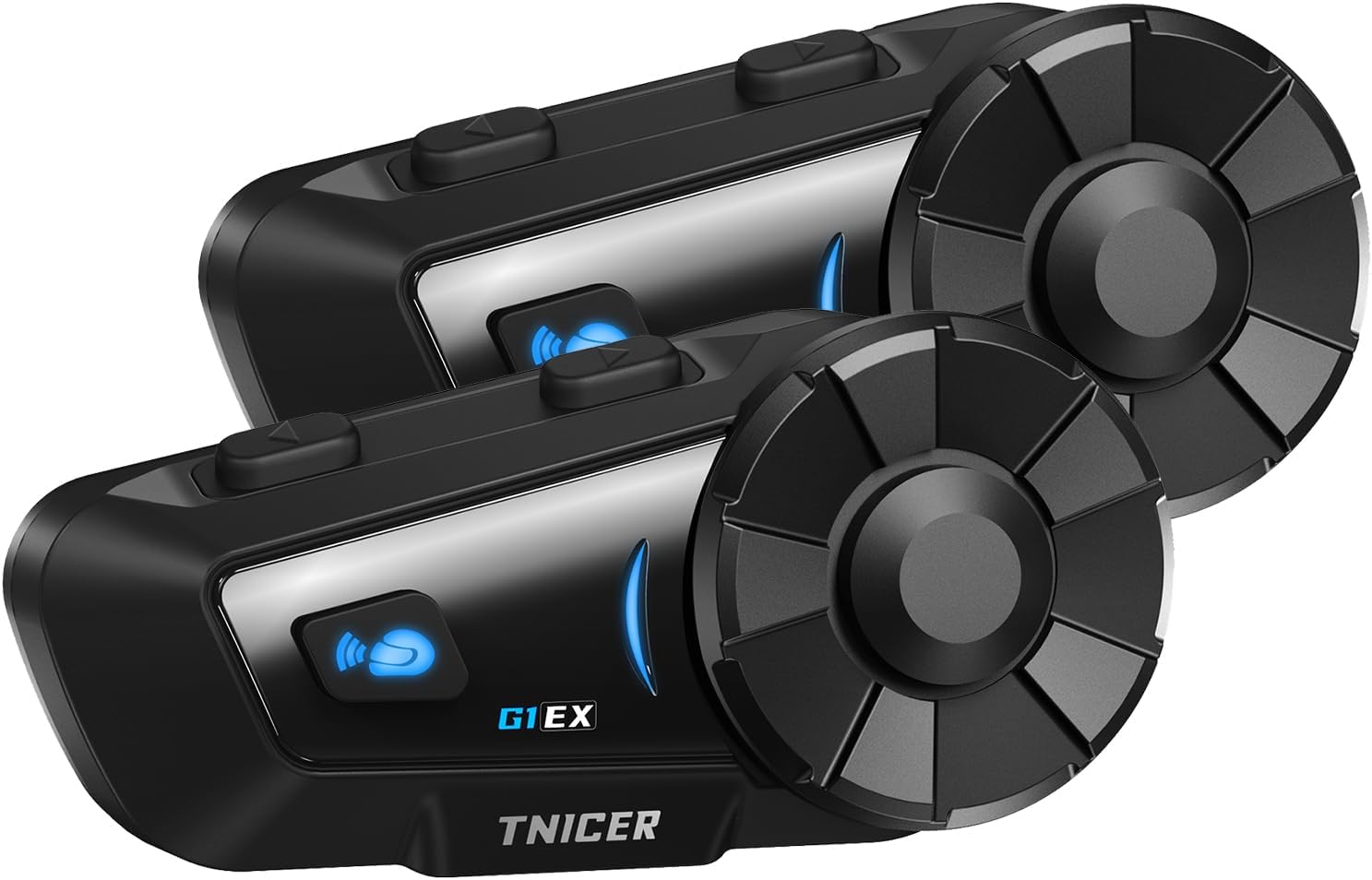
Figure 1.1: Two TNICER G1EX intercom units, showcasing their compact design and control buttons.
2. Продукт бүтүп калдыview
2.1 Негизги өзгөчөлүктөрү
- Bluetooth 5.2 технологиясы: Ensures stable and high-speed data transmission for clear communication.
- 6 кишилик домофон: Supports simultaneous communication for up to 6 riders with a maximum range of 1000 meters.
- Бир тийүү менен автоматтык жупташтыруу: Simplifies the connection process between G1EX units and other compatible TNICER models (T2, T4X).
- Өркүндөтүлгөн ызы-чууну жокко чыгаруу: Features CVC and DSP technologies to reduce wind and engine noise for clear audio.
- Музыка бөлүшүү: Allows riders to share music with their companions.
- Жалпы шайкештик: Connects with most third-party intercoms on the market.
- Автоматтык кайра туташуу: Automatically re-establishes communication if temporarily disconnected.
- Үн жардамчысын колдоо: Compatible with smartphone voice assistants (Siri, Google Assistant).
- Батареянын узак иштөө мөөнөтү: 1000mAh battery provides up to 25 hours of music playback, 22 hours of talk time, and 300 hours of standby.
- IP65 суу өткөрбөйт рейтинги: Designed to withstand sand, rain, blizzards, and low temperatures (down to 0°C).
- FM радио функциясы: Built-in FM radio for local broadcasts.
- 3.5mm Universal Earphone Interface: Allows for custom speaker replacement.

Figure 2.1: ашыкview of G1EX features including IP65 waterproof, Hi-Fi stereo sound, Bluetooth 5.2, 40mm speaker, 1000mAh battery, FM radio, and music sharing.
2.2 Пакеттин мазмуну
- G1EX Main Unit (x2)
- 3.5mm Universal Jack (x2)
- Speaker & Arm Microphone (x2)
- Негизги плита (x2)
- Speaker Velcro & Spacer (x2)
- Металл кыскыч (x2)
- Microphone Velcro (x2)
- 3M Double-sided Tape (x2)
- USB кубаттоо кабели (x2)
- Instruction Manual (x2)

Figure 2.2: Visual representation of all items included in the TNICER G1EX package.
3. Орнотуу
3.1 Алгачкы заряддоо
Before first use, fully charge the device. Connect the provided USB charging cable to the G1EX unit and a 5V/1A power source. Avoid using fast chargers as this may damage the battery.

Figure 3.1: The G1EX unit connected to a charger, illustrating its 1000mAh battery capacity and charging time.
3.2 Туулгага орнотуу
- Attach the base plate to the side of your helmet using either the metal clip or the 3M adhesive tape.
- Slide the G1EX main unit onto the installed base plate until it clicks securely into place.
- Insert the speakers into the helmet's ear pockets. Use the provided Velcro and spacers for optimal fit and sound quality.
- Position the microphone in front of your mouth, ensuring it is close enough for clear voice pickup but not obstructing your vision. Secure with microphone Velcro.
- Connect the speaker and microphone cable to the G1EX main unit's 3.5mm universal earphone interface.
4. Иштөө нускамалары
4.1 Күйгүзүү/өчүрүү
- Күйгүзүү: Индикатор күйгүчө кубат баскычын болжол менен 3 секунд басып туруңуз.
- Өчүрүү: Күйгүзүү баскычын болжол менен 3 секунд басып, индикатор өчкөнчө кармап туруңуз.
4.2 Bluetooth жупташтыруу (смартфон)
- With the G1EX powered off, press and hold the Power button for about 5-7 seconds until the indicator light flashes red and blue alternately, indicating pairing mode.
- Смартфонуңузда Bluetooth'ду күйгүзүп, жеткиликтүү түзмөктөрдү издеңиз.
- Select "G1EX" from the list of devices to connect. Once connected, the indicator light will flash blue slowly.
4.3 Intercom Pairing (Multiple G1EX Units)
The G1EX supports one-touch automatic pairing with other G1EX units and compatible TNICER models (T2, T4X).
- Ensure all G1EX units are powered on and not connected to any other devices.
- On one unit, press the Intercom button once. It will automatically search for and connect to other nearby G1EX units.
- Repeat this process for each unit you wish to connect. Up to 6 riders can be connected simultaneously.

Figure 4.1: Illustration of up to 6 riders connected simultaneously with a 1000m communication range, featuring automatic reconnection.
4.4 Негизги функциялар
- Үндү тууралоо: Use the rotary dial to increase or decrease volume.
- Музыка ойнотуу: After connecting to a smartphone, music will play automatically. Press the Multi-function button once to Play/Pause.
- Кийинки / Мурунку трек: Rotate the dial forward for the next track, backward for the previous track.
- FM радиосу: Press the FM button to turn on/off FM radio. Rotate the dial to change stations.
- Үн жардамчысы: Press the Voice Assistant button once to activate your smartphone's voice assistant (Siri, Google Assistant).
- Телефон чалуулар: The device supports automatic call answering. Press the Multi-function button once to answer/end a call.
- Музыка бөлүшүү: While playing music, press the Music Share button to share your audio with a connected intercom unit.

Figure 4.2: Icons illustrating music sharing, FM radio, voice assistant, and automatic call answering features.
5. Техникалык тейлөө
5.1 Тазалоо
Аппаратты жумшак менен сүртүңүз, гamp cloth. Do not use harsh chemicals or abrasive cleaners. Ensure the charging port cover is securely closed to maintain water resistance.
5.2 Сактоо
Store the device in a cool, dry place away from direct sunlight and extreme temperatures. If storing for an extended period, charge the battery to about 50% every few months to prevent deep discharge.
6. Кыйынчылыктарды
- Кубат жок: Ensure the device is fully charged. Check the charging cable and power source.
- Жупташуу мүмкүн эмес: Ensure the device is in pairing mode (red and blue flashing light). Make sure other Bluetooth devices are disconnected. Try restarting both the intercom and your smartphone.
- Домофон тез-тез үзүлүп калат: Ensure units are within the 1000m range and there are no major obstructions. The device features automatic reconnection, so it should re-establish connection when back in range.
- Начар үн сапаты/Ашыкча ызы-чуу: Verify the microphone is correctly positioned and not blocked. Check speaker placement in the helmet. The device uses CVC and DSP noise cancellation, but extreme wind conditions may still affect clarity.
- FM радиосу иштебейт: FM сигналы жакшы кабыл алынган аймакта экениңизди текшериңиз.
7. Техникалык шарттар
| Өзгөчөлүк | Спецификация |
|---|---|
| Модел | G1EX |
| Bluetooth версиясы | 5.2 |
| Интерком тобу | 6 атчанга чейин |
| Домофон диапазону | 1000 м чейин |
| Батарея сыйымдуулугу | 1000mAh |
| Музыканы ойнотуу убактысы | 25 саатка чейин |
| Talk Time | 22 саатка чейин |
| Күтүү убактысы | 300 саатка чейин |
| Заряддоо убактысы | Болжол менен 2 саат |
| Суу өткөрбөйт рейтинги | IP65 |
| Noise Cancellation | CVC & DSP |
| Динамик интерфейси | 3.5mm Universal Jack |
| Салмагы | Approx. 0.3 kg (per unit) |
| Өлчөмдөрү (пакет) | 20.5 x 10.7 x 8.7 см |
8. Кепилдик жана колдоо
Specific warranty details are not provided in the product information. For warranty claims, technical support, or further inquiries, please contact the seller or refer to the official TNICER webсайт. Сатып алганыңыздын далили катары сатып алуу дүмүрчөгүңүздү сактаңыз.