
Introduction
This manual provides comprehensive instructions for the installation, operation, and maintenance of your PNI House WIFI800 Wireless NVR. Please read this manual thoroughly before using the product to ensure proper functionality and to prevent damage. Keep this manual for future reference.
Продукт өзгөчөлүктөрү
- 4K UHD Wireless NVR: Supports up to 8 IP cameras with 5MP resolution or up to 4 8MP 4K (3840 x 2160px) cameras. Compatible with PNI IP590 and PNI IP840 cameras.
- Easy Installation and Remote Access: Simple to install, configure, and control locally or remotely. View real-time images or play back recordings via phone, PC, or browser. Motion detection triggers SMS notifications via the mobile application.
- HDD and MicroSD Compatibility: Supports connecting a 2.5-inch hard drive up to 14 TB or a microSD card up to 128 GB. For optimal performance, use special CCTV hard drives designed for 24/7 reliability and durability.
- H.265AI/H.265+ Video Compression: Increases bandwidth and storage efficiency, supports higher resolution, and allows for longer recording times. Compatible with H.265/H.264.

Image: PNI House WIFI800 NVR with its packaging, highlighting its key features.

Image: Illustrates the NVR's advanced detection capabilities, including motion, human, and face detection, enhancing security monitoring.

Image: A mobile phone displaying the iCSee and XMEye applications, used for remote access and control of the NVR system.

Сүрөт: Арткы view of the NVR highlighting Wi-Fi, H.265AI/H.265+ compression, and ONVIF compatibility.
Пакеттин мазмуну
Пакет төмөнкү нерселерди камтыйт:
- PNI House WIFI800 Wireless NVR
- User Manual
- Чычкан
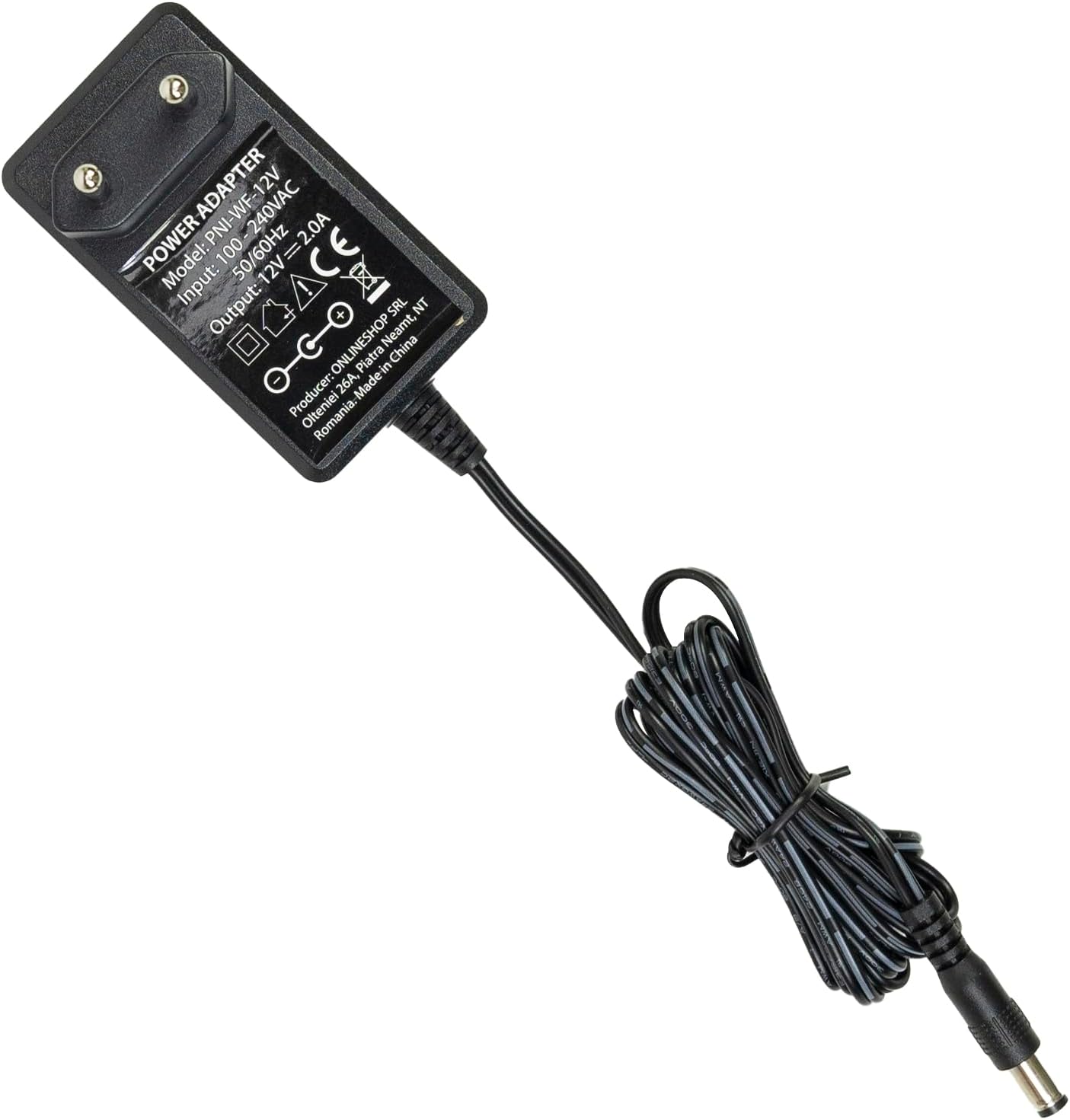
- Кубаттуу адаптер

Image: The PNI House WIFI800 NVR shown with its included accessories: a mouse and a power adapter.
Орнотуу нускамалары
- Туташуу кубаты: Connect the provided power adapter to the NVR's power input port and then plug it into a power outlet.
- Тармакка туташуу: For initial setup or wired connection, connect an Ethernet cable from the NVR's LAN port to your router. The NVR also supports wireless connectivity.
- Дисплейди туташтыруу: Connect a monitor to the NVR's HDMI port using an HDMI cable (not included) to view интерфейс.
- Чычканды туташтыруу: Plug the included USB mouse into the NVR's USB port for navigation.
- Install Storage (Optional):
The NVR supports a 2.5-inch HDD up to 14 TB or a microSD card up to 128 GB for recording. To install an HDD:
- Carefully open the NVR casing (refer to the diagram below).
- Connect the HDD to the internal SATA power and data connectors.
- Secure the HDD within the NVR and close the casing.
- Alternatively, insert a microSD card into the dedicated slot.
- Камераны жупташтыруу: Follow the on-screen instructions on the connected display to pair your compatible PNI IP cameras (e.g., PNI IP590, PNI IP840) or other ONVIF-compatible cameras.

Сүрөт: Арткы view of the PNI House WIFI800 NVR, illustrating the power input, microSD card slot, HDMI output, Ethernet (LAN) port, USB port, and audio output.
Сүрөт: Төмөнкү view of the PNI House WIFI800 NVR with the cover removed, indicating the internal slot for a 2.5-inch HDD.
Иштөө нускамалары
Жергиликтүү иш
Once the NVR is connected to a display and mouse, you can navigate the on-screen interface to manage your cameras, view live feeds, and access recordings.
- Live View: Select the desired camera channels to view real-time video feeds.
- Жаздыруу: The NVR supports manual, alarm-triggered (motion detection), and scheduled recording. Configure these options in the system settings.
- Ойнотуу: Жазылган footage from the storage device (HDD or microSD) through the playback menu.
- Системанын жөндөөлөрү: Adjust network settings, video resolution, recording schedules, and other system parameters.
Remote Operation via Mobile App
The PNI House WIFI800 NVR can be accessed remotely using a mobile application (e.g., iCSee, XMEye) on your smartphone or tablet.
- Колдонмону жүктөп алуу: Download and install the recommended mobile application (e.g., iCSee or XMEye) from your device's app store.
- Катталуу/Кирүү: Create an account or log in to the application.
- Түзмөк кошуу: Follow the app's instructions to add your NVR. This typically involves scanning a QR code on the NVR or manually entering its device ID.
- Алыстан Viewing: Туташкандан кийин, мүмкүн view live camera feeds, play back recordings, and receive motion detection alerts directly on your mobile device.
Техникалык тейлөө
- үзгүлтүксүз тазалоо: Keep the NVR unit clean and free from dust. Use a soft, dry cloth for cleaning. Do not use liquid cleaners.
- Программалык камсыздоонун жаңыртуулары: Periodically check for firmware updates on the PNI official webоптималдуу аткарууну жана коопсуздукту камсыз кылуу үчүн сайт.
- Маалыматтын камдык көчүрмөсү: Regularly back up important recordings to an external storage device to prevent data loss.
- Катуу дисктин ден соолугу: If using an HDD, monitor its health through the NVR's system settings to anticipate potential failures.
Проблемаларды чечүү
| Көйгөй | Мүмкүн себеп | Чечим |
|---|---|---|
| Монитордо видео чыгыш жок | Бошоң HDMI кабели, монитордо туура эмес киргизүү тандалган, NVR күйгөн эмес. | Check HDMI cable connection. Ensure monitor is on correct input. Verify NVR power. |
| Cameras not connecting | Incorrect network settings, cameras out of range, camera not powered, pairing issue. | Check NVR and camera network settings. Ensure cameras are within Wi-Fi range. Verify camera power. Re-attempt camera pairing. |
| No remote access | NVR интернетке туташкан эмес, колдонмонун туура эмес жөндөөлөрү, брандмауэр көйгөйлөрү. | Verify NVR internet connection. Check app login and device ID. Ensure router firewall allows NVR access. |
| Жаздыруу жок | No storage device, storage device full, recording schedule not set, storage device fault. | Install HDD/microSD. Check storage capacity. Configure recording schedule. Format or replace faulty storage. |
Техникалык шарттар
| Бренд | ПНИ |
| Модель номери | PNI-WIFI800 |
| Өндүрүүчү | ONLINESHOP SRL |
| Байланыш технологиясы | Зымдуу, Зымсыз |
| Шайкеш түзмөктөр | PNI IP125, PNI IP575, PNI KIMSD128, PNI IP590, PNI IP840 |
| Продукциянын өлчөмдөрү (L x W x Y) | 17L x 12W x 3.5H сантиметр |
| Элемент Салмагы | 247 грамм |
| Эстутумдун сыйымдуулугу (HDD) | Up to 14 TB (2.5 inch) |
| Memory Storage Capacity (MicroSD) | 128 ГБ чейин |
| Күч | 24 Ватт |
| Каналдардын саны | 4 (supports up to 8x5MP or 4x8MP cameras) |
| Digital Video Media Format | H.265AI/H.265+ |
| Аудио киргизүү | Микрофон |
| Жалпы USB порттору | 1 |
| Supported Video Input Type | RJ45 |
| Келип чыккан өлкө | Кытай |
| Батарея | 1 Литий-ион - камтылган |
Кепилдик жана колдоо
The PNI House WIFI800 Wireless NVR comes with a 2 жылдык кепилдик. For technical support, troubleshooting assistance, or warranty claims, please contact PNI customer service or visit their official webсайт.
Spare parts availability and guaranteed software updates information are currently unavailable.
Продукт бүттүview Video
Видео: Расмий продукт бүттүview and demonstration of the PNI House WIFI800 Wireless NVR features, including connectivity, remote access, and recording capabilities.