
1. Киришүү
This manual provides detailed instructions for the installation, operation, and maintenance of your TP-Link TC82 KIT Solar-Powered Outdoor Security Camera. This device is designed to provide reliable outdoor surveillance with the convenience of solar power, offering 2K 3MP video resolution, color night vision, and smart person detection.
2. Пакеттин мазмуну
Verify that all components are present in your package. The TP-Link TC82 KIT typically includes:
- TP-Link TC82 Security Camera
- Күн панели
- Монтаждоо кронштейндери жана буроолор
- USB заряддоо кабели
- Quick Start Guide
Эскертүү: Ар кандай мазмундагылар ар кандай болушу мүмкүн. Так маалымат алуу үчүн таңгактоону караңыз.
3. Орнотуу жана орнотуу
The TC82 KIT offers flexible, wire-free installation thanks to its solar power capabilities. Ensure the camera is fully charged before initial setup.
3.1 Камераны заряддоо
Before mounting, connect the camera to a power source using the provided USB cable to ensure it has sufficient charge for initial setup. A full charge is recommended for optimal performance.
3.2 App Installation and Account Setup
- Download the Tapo app from your device's app store (iOS or Android).
- TP-Link ID түзүңүз же бар болгону менен кириңиз.
- Follow the in-app instructions to add your TC82 camera.
3.3 Камераны жана күн панелин орнотуу
Күн панели үчүн оптималдуу күн нуру менен камсыз кылуучу жерди тандаңыз view for the camera. The camera and solar panel can be installed as a compact unit or separately using the 4-meter cable for flexible placement.
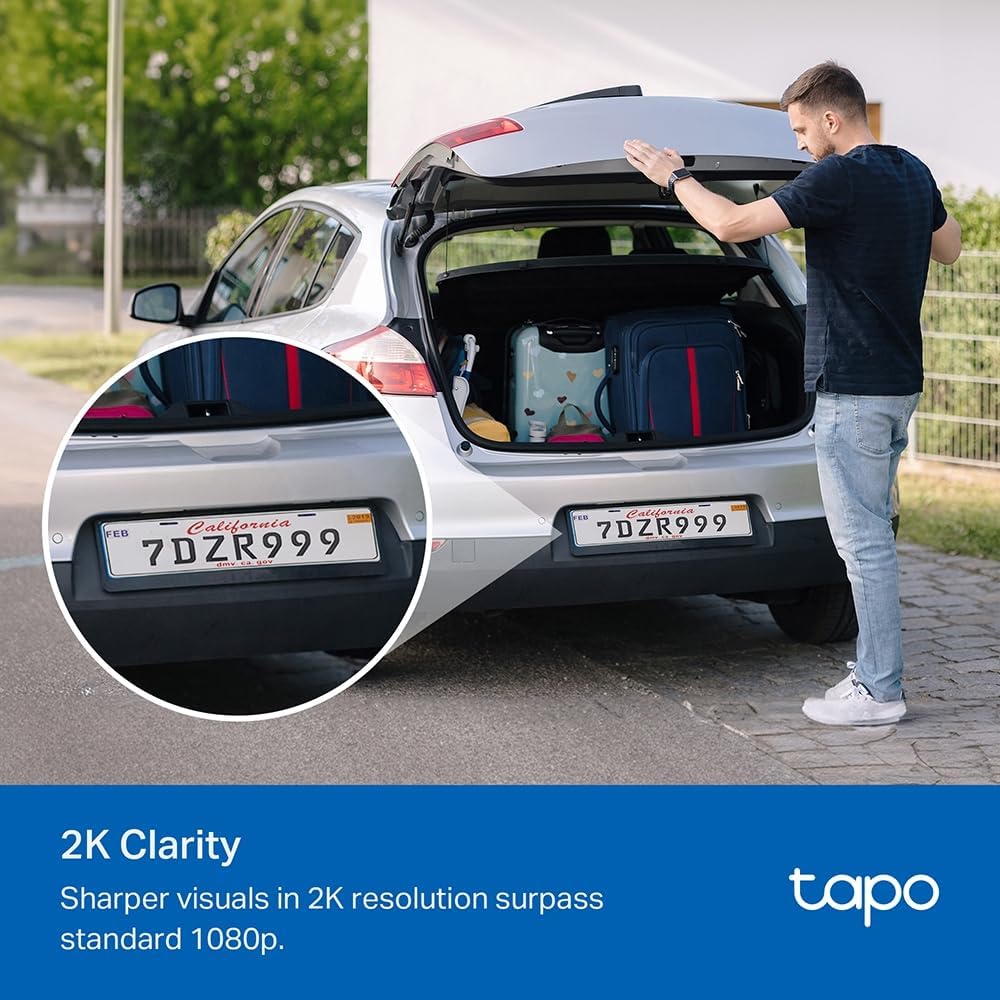
Image: The TP-Link TC82 KIT camera and solar panel are shown mounted on a wall, illustrating the flexible installation options where they can be attached together or separately with a cable for optimal sun exposure.
- Күн панелин жайгаштыруу: Ensure the solar panel receives at least 45 minutes of direct sunlight daily for continuous monitoring.
- Камераны жайгаштыруу: Position the camera to cover the desired surveillance area. The camera is IP65 weather-resistant, suitable for outdoor use.
- Use the provided mounting template and screws to securely attach the bracket to a wall or suitable surface.
- Attach the camera and solar panel to the bracket.
- Күн панелинин кабелин камерага туташтырыңыз.
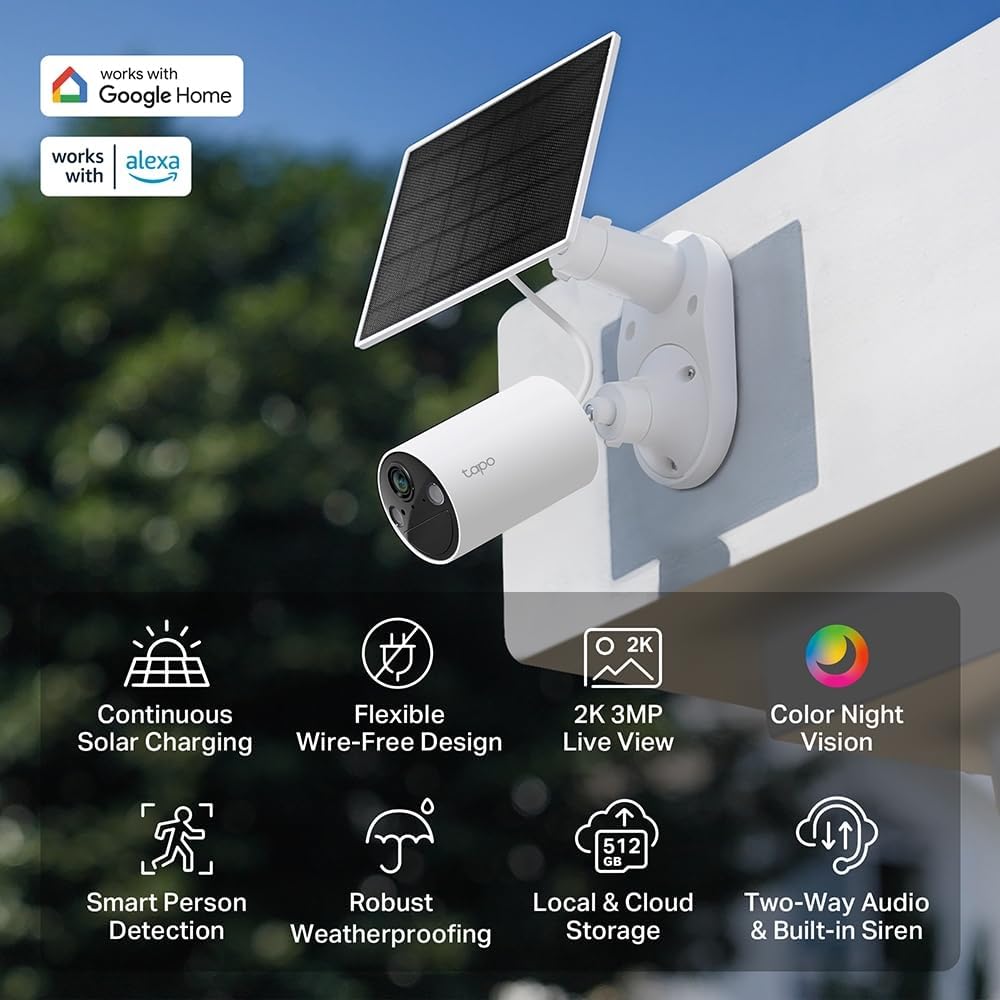
Сүрөт: An overview of the TP-Link TC82 KIT camera and solar panel, highlighting key features such as continuous solar charging, wire-free design, 2K 3MP live view, color night vision, smart person detection, robust weatherproofing, local and cloud storage, and two-way audio with a built-in siren.
4. Иштөө нускамалары
Operate your TC82 KIT camera using the Tapo app on your smartphone or tablet.
4.1 Live View жана Жаздыруу
- Open the Tapo app and select your TC82 camera to view жандуу тоют.
- The camera provides 2K 3MP resolution for clear visuals, surpassing standard 1080p.
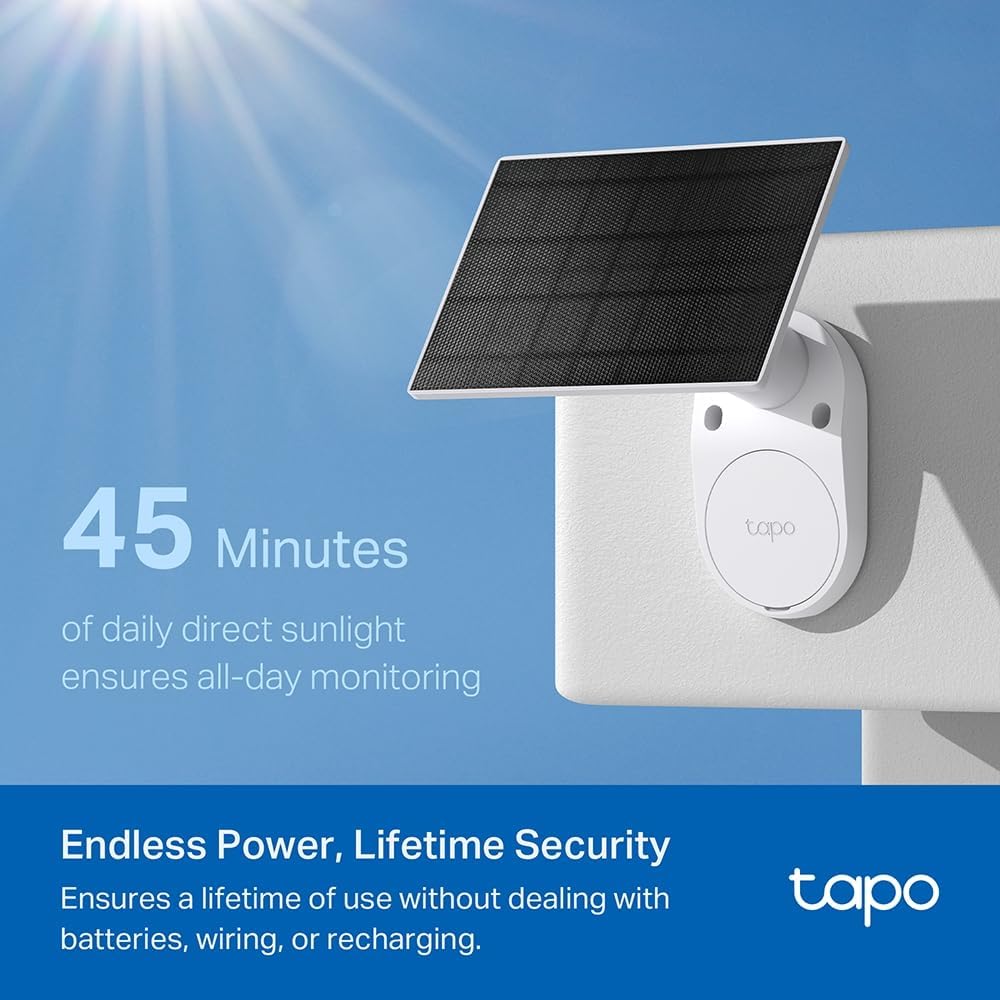
Image: A car's license plate is displayed with a magnified section, illustrating the superior 2K clarity of the TP-Link TC82 KIT camera, which offers sharper visuals compared to standard 1080p.
4.2 Түнкү көрүнүш
The camera features color night vision, capturing detailed and vivid nighttime colors up to 30 feet (9 meters).
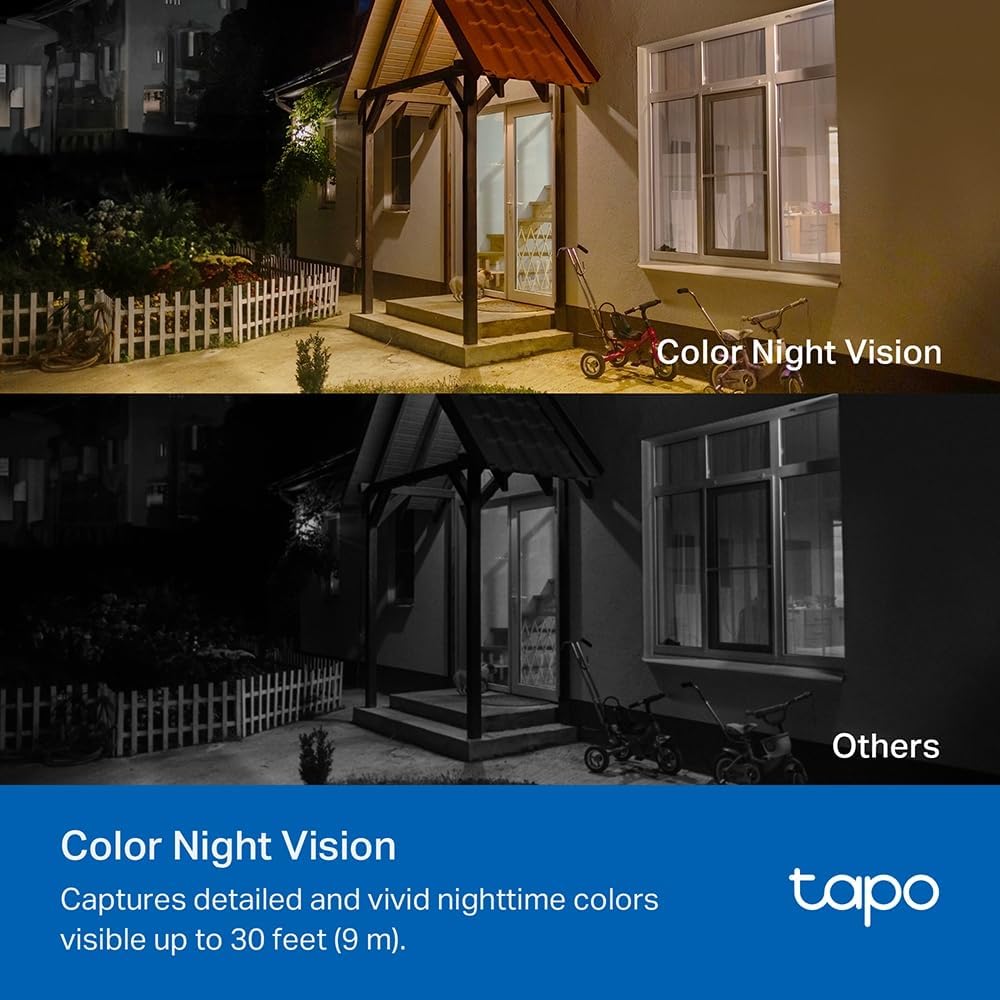
Image: A comparison image showing a house at night. The upper portion demonstrates the camera's color night vision, displaying the scene with natural colors, while the lower portion shows a typical monochrome night vision view, labeled 'Others'.
4.3 Smart Person Detection
The TC82 KIT utilizes smart person detection to identify human figures, reducing false alerts from pets or other moving objects. You will receive notifications on your phone when a person is detected.

Image: A child is depicted playing with a soccer ball in a yard, with a blue box highlighting the child, demonstrating the camera's smart person detection capability that alerts users when a person is identified.
4.4 Эки тараптуу аудио
Use the two-way audio feature via the Tapo app to communicate with visitors or deter intruders.
4.5 Сактоо параметрлери
The camera supports both local storage (via microSD card, up to 512GB) and cloud storage options (subscription may be required).
5. Техникалык тейлөө
Үзгүлтүксүз техникалык тейлөө камераңыздын оптималдуу иштешин жана узак мөөнөттүү иштешин камсыз кылат.
- Тазалоо: Мезгил-мезгили менен камеранын линзасын жана күн панелин жумшак, гamp чаңды жана калдыктарды тазалоо үчүн кездеме. Абразивдүү тазалагычтардан алыс болуңуз.
- Күн панелинин эффективдүүлүгү: Ensure the solar panel remains free from obstructions (e.g., leaves, snow) that could block sunlight.
- Программалык камсыздоонун жаңыртуулары: Check the Tapo app regularly for firmware updates to ensure your camera has the latest features and security enhancements.
- Батареянын ден соолугу: While solar-powered, monitor battery status via the app, especially during prolonged periods of low sunlight.
6. Кыйынчылыктарды
If you encounter issues with your TC82 KIT, refer to the following common solutions:
6.1 Камера Wi-Fiга туташпай жатат
- Wi-Fi тармагыңыз 2.4 ГГц экенин текшериңиз.
- Камеранын Wi-Fi роутериңиздин диапазонунда экенин текшериңиз.
- Роутериңизди жана камераңызды өчүрүп күйгүзүңүз.
- Verify the Wi-Fi password entered in the Tapo app is correct.
6.2 Видеонун сапаты начар
- Интернетке туташуу ылдамдыгын текшериңиз.
- Камера линзасын тазалаңыз.
- Камеранын талаасында эч кандай тоскоолдуктар жок экенин текшериңиз view.
6.3 Күн панели заряддалбай жатат
- Күн панелинин күн нуру күндүн нуру бир нече саат бою тийип турганын текшериңиз.
- Күн панелинин бетин тазалаңыз.
- Күн батареясы менен камеранын ортосундагы туташтыруучу кабелди текшериңиз.
- Verify the ambient temperature is within the operating range.
6.4 Жалган кыймыл жөнүндө эскертүүлөр
- Adjust the motion detection sensitivity settings in the Tapo app.
- Define activity zones to monitor specific areas and ignore others.
7. Техникалык шарттар
| Өзгөчөлүк | Спецификация |
|---|---|
| Модель номери | TC82 КИТ |
| Видео жаздыруу чечими | 2K (2304 x 1296 пиксель) |
| Натыйжалуу туруктуу чечилиш | 3 мегапиксел |
| Зымсыз байланыш технологиясы | Wi-Fi |
| Connectivity Protocol | Wi-Fi |
| Power Source | Күн энергиясы |
| Түнкү көрүү диапазону | 30 Фут (9 метр) |
| Өзгөчөлүктөр | Two-way audio, Motion detector, Night vision |
| Сууга туруктуулук деңгээли | Суу өткөрбөйт (IP65) |
| Материал | Пластик |
| Монтаж түрү | Дубалга орнотуу |
| Өлчөмдөрү (L x W x Y) | 20.3 x 26.1 x 9.7 сантиметр |
| Батареянын курамы | Литий-ион (1 камтылган) |
| Шайкеш түзмөктөр | Смартфон, Планшет |
| Controller Type | Amazon Alexa |
| Сунушталган продукт колдонуу | Сырткы коопсуздук, Ички коопсуздук |
8. Кепилдик жана колдоо
For detailed warranty information, technical support, and access to the latest software updates, please visit the official TP-Link website or contact their customer support. Information regarding spare parts availability and guaranteed software updates is not provided in this document.
You can typically find support resources, FAQs, and contact information at www.tp-link.com/support.