
MOUNTUP MU1105-W-07
MOUNTUP MU1105-W-07 Mobile Gas Spring Monitor/TV Stand Instruction Manual
Model: MU1105-W-07
Introduction
Сатып алганыңыз үчүн рахматasing the MOUNTUP MU1105-W-07 Mobile Gas Spring Monitor/TV Stand. This manual provides detailed instructions for assembly, operation, maintenance, and troubleshooting to ensure safe and optimal use of your product. Please read this manual thoroughly before installation and retain it for future reference.
Продукт өзгөчөлүктөрү
- Шайкештик: Supports monitors and small TVs up to 36 inches, with a load capacity of 3-12 KG.
- VESA стандарттары: Compatible with VESA patterns 75x75mm, 100x100mm, 100x200mm, 200x100mm, and 200x200mm.
- Gas Spring System: Allows smooth and effortless height adjustment with a touch, ranging from 924mm to 1214mm from the floor.
- Көп бурчтуу тууралоо: Features tilt (up 90°/down 90°), swivel (left 90°/right 90°), and 180° rotation for flexible viewing orientations (portrait or landscape).
- Мобилдүүлүк: Equipped with five 360° rotating casters for easy movement across various surfaces, making it suitable for homes, offices, meeting rooms, schools, and hospitals.
- Интегралдык текче: Includes a shelf for accessories.
- Кабелдик башкаруу: Built-in system within the stand pole to conceal and organize cables for a tidy appearance.
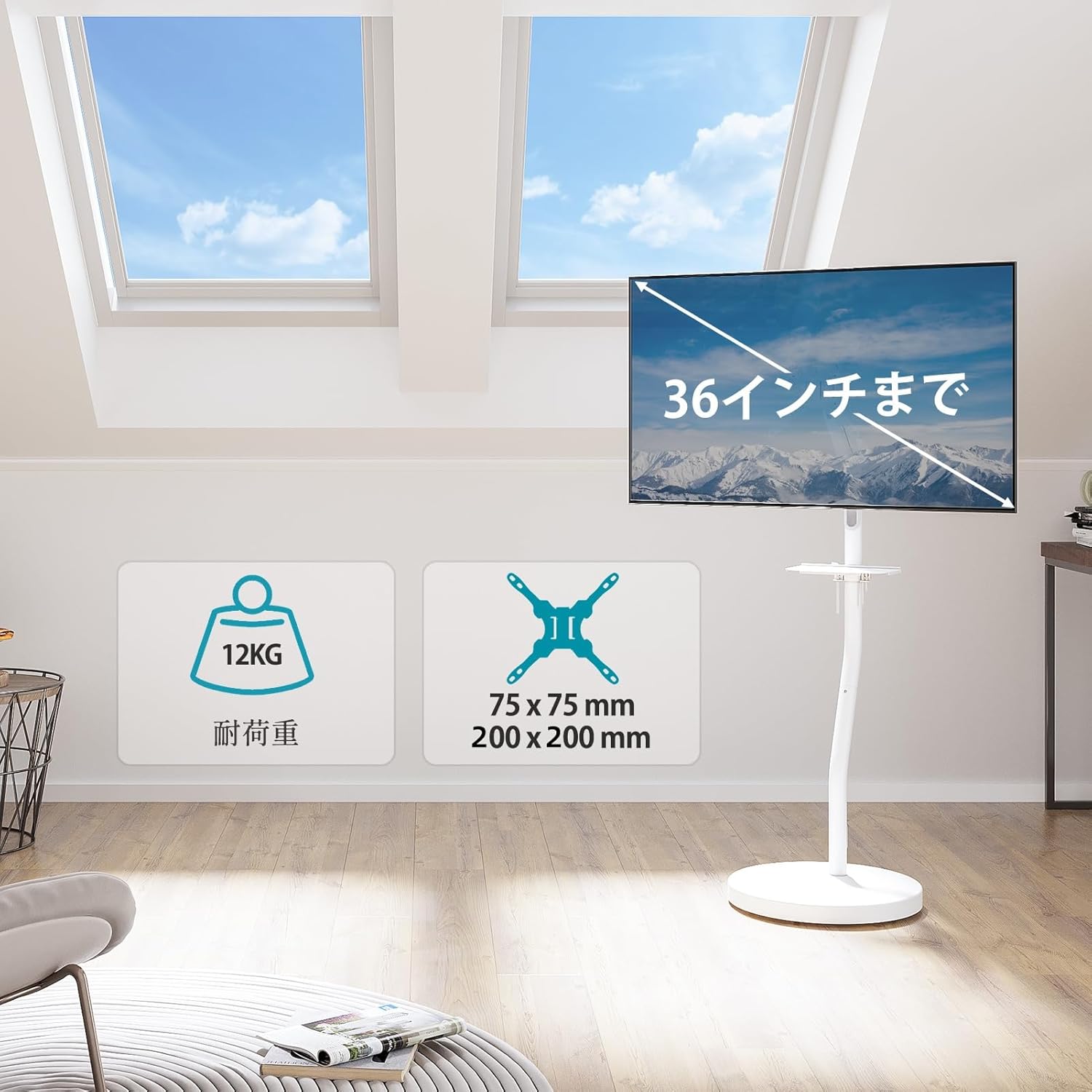
Сүрөт: бүттүview of the MOUNTUP MU1105-W-07 stand, highlighting its maximum 36-inch display support, 12KG load capacity, and VESA compatibility (75x75mm to 200x200mm).
Коопсуздук маалыматы
Төмөнкү коопсуздук чараларын сактаңыз, зыян же буюмдун бузулушуна жол бербөө үчүн:
- Do not exceed the maximum load capacity of 12 KG.
- Ensure the VESA mounting pattern of your display matches the stand's compatibility.
- Assemble the stand on a flat, stable surface.
- Tighten all screws securely during assembly. Do not overtighten.
- Чогултуу жана иштетүү учурунда балдарды жана үй жаныбарларын стендден алыс кармаңыз.
- Move the stand carefully, especially on uneven surfaces, to prevent tipping.
Орнотуу нускамалары
1. Unpacking and Parts Verification
Carefully remove all components from the packaging. Verify that all parts listed in the package contents (not explicitly provided, but implied) are present and undamaged. If any parts are missing or damaged, do not proceed with assembly and contact customer support.
2. Базалык Ассамблея
Attach the main support pole to the circular base. Ensure the casters are securely attached to the base for mobility. The base has a height of 5cm from the floor.

Image: Detailed dimensions of the stand, including the VESA mounting area (Min: 75x75mm, Max: 200x200mm), shelf dimensions (254mm x 154mm), and base height (5cm from floor).
3. VESA Plate Attachment to Display
Identify the correct screws for your monitor/TV's VESA mounting holes. Attach the VESA plate to the back of your display. Do not overtighten the screws.
4. Дисплейди орнотуу
Carefully lift your display with the attached VESA plate and hook it onto the stand's arm. Secure the display to the arm using the provided locking mechanism or screws.
5. Shelf and Cable Management Installation
Install the accessory shelf at your desired height on the main pole. Route all necessary cables through the integrated cable management system within the stand pole to maintain a clean and organized setup.

Image: The stand with a monitor, illustrating the removable shelf and the cable management system within the main pole for a neat appearance.
Иштөө нускамалары
1. Бийиктигин тууралоо
The integrated gas spring allows for smooth, stepless height adjustment. Gently push or pull the monitor to your desired height between 92.4 cm and 121.4 cm from the floor. No tools are required for this adjustment.

Image: The stand illustrating the gas spring mechanism for easy height adjustment, showing the range from 92.4cm to 121.4cm.
2. Angle Adjustment (Tilt, Swivel, Rotation)
- Россия: The display can be tilted up to 90° upwards and 90° downwards. Adjust the tilt to reduce glare and optimize viewсооронуч.
- Айлануучу: The display can be swiveled 90° to the left and 90° to the right. This allows for flexible viewing angles in different parts of a room.
- Айлануу: The display can be rotated 180° to switch between landscape and portrait orientations without needing to loosen screws.

Image: Demonstrates the stand's multi-angle capabilities, including 360° rotation, ±90° tilt (up/down), and ±90° swivel (left/right).
3. Мобилдүүлүк
The stand is equipped with five 360° rotating casters. To move the stand, gently push it to the desired location. Ensure the path is clear of obstacles. For stability, engage the caster locks if available (not explicitly mentioned but common for mobile stands).

Image: The stand in a room, highlighting the casters on the base for easy movement and cleaning.
Техникалык тейлөө
- Тазалоо: Стендди жумшак менен сүртүңүз, гamp кездеме. Финишке зыян келтирүүчү абразивдүү тазалагычтардан же эриткичтерден качыңыз.
- Текшерүү: Бардык бурамалар жана туташуулар бекем жана коопсуз экенин текшерүү үчүн мезгил-мезгили менен текшерип туруңуз.
- Газ булагы: The gas spring is designed for long-term use and generally requires no maintenance. If you notice any issues with height adjustment, contact customer support.
Проблемаларды чечүү
| Көйгөй | Мүмкүн себеп | Чечим |
|---|---|---|
| Монитор салбырап турат же позициясын кармабайт. | Gas spring tension is too low or monitor weight exceeds capacity. | Ensure monitor weight is within 3-12 KG. Adjust gas spring tension if an adjustment mechanism is present (refer to specific product diagrams if available). If issues persist, contact support. |
| Stand is difficult to move. | Casters are locked or obstructed. | Unlock casters. Clear any obstructions around the casters. Clean casters if dirt is accumulated. |
| Display is not level. | Mounting plate or VESA bracket is not properly aligned. | Re-check the attachment of the VESA plate to the display and the display to the stand arm. Adjust as necessary. |
Техникалык шарттар
- Модел: MU1105-W-07
- Түсү: Ак
- Материал: Эритме болот
- Монтаж түрү: Floor Mount
- Шайкеш түзмөктөр: Телевизор, Монитор
- Экрандын өлчөмү шайкештиги: Up to 36 inches (e.g., 17, 22, 24, 27, 32, 36 inches)
- Жүктөө жөндөмдүүлүгү: 3 KG to 12 KG
- VESA шайкештиги: 75x75mm, 100x100mm, 100x200mm, 200x100mm, 200x200mm
- Бийиктикти жөндөө диапазону: 924mm to 1214mm (from floor)
- Ийилген бурч: Up 90° / Down 90°
- Айлануу бурчу: Left 90° / Right 90°
- Айлануу: 180°
- Пакеттин өлчөмдөрү: 57 x 57 x 13.5 см
- Пакет Салмагы: 12.44 кг
Кепилдик жана колдоо
Бул продукт менен келет 2 жылдык сапат кепилдиги from the date of purchase. In the unlikely event of any issues, such as defects or missing parts, please contact our customer support team.
To contact support, please follow these steps:
- Go to your "Account Service".
- Navigate to "Order History".
- Select the "Seller" for this product.
- Click "Ask a question?".
Our team will assist you promptly.
Ask a question about this manual
Ask about setup, troubleshooting, compatibility, parts, safety, or missing instructions. Manuals+ will review the question and use this page’s manual context to help answer it.