
1. Киришүү
The darkFlash PMT750 is a high-performance, fully modular power supply designed to meet the demands of modern personal computers. It adheres to the latest ATX 3.1 and PCIe 5.1 standards, ensuring compatibility and stable power delivery for cutting-edge components, including high-power graphics cards. Featuring 80 PLUS Gold efficiency, 100% Japanese 105°C capacitors, and a native 12VHPWR cable, this power supply offers reliability, energy efficiency, and simplified cable management for an optimized system build.

Сүрөт: бүттүview of the darkFlash PMT750 Power Supply highlighting ATX 3.1 benefits.
2. Коопсуздук маалыматы
Please read and understand all safety instructions before installing or operating the darkFlash PMT750 Power Supply. Failure to follow these guidelines may result in electric shock, fire, or damage to the product and other components.
- Кубатты өчүрүү: Always ensure your computer is completely powered off and unplugged from the wall outlet before performing any installation, maintenance, or troubleshooting.
- Жогорку Voltage: The power supply unit contains high voltage компоненттери. Электр кубатын ачпаңызasing under any circumstances. There are no user-serviceable parts inside.
- Туура Жерге салуу: Ensure your computer system and the power supply are properly grounded to prevent electrical hazards.
- Вентиляция: Install the PSU in a well-ventilated area. Do not block the fan intake or exhaust. Adequate airflow is crucial for optimal performance and longevity.
- Ным жана суюктуктар: Avoid exposing the power supply to moisture, liquids, or extreme humidity.
- Иштөө чөйрөсү: Use the PSU within its specified operating temperature and humidity ranges.
- Кабелдин бүтүндүгү: Inspect all cables for damage before connection. Do not use damaged cables.

Image: The darkFlash PMT750 Power Supply showing its full voltage compatibility and safety protections.
3. Пакеттин мазмуну
Verify that all items listed below are included in your darkFlash PMT750 Power Supply package:
- darkFlash PMT750 Power Supply Unit
- Модулдук кабель топтому:
- 1x 24-pin ATX (20+4-pin) Mainboard Cable
- 2x ATX 12V (4+4-pin) CPU Cables
- 1x 12VHPWR (12+4-pin) PCIe 5.1 Cable
- 2x PCIe (6+2-pin) GPU Cables
- 2x SATA+SATA+SATA+PATA Cables
- AC Power Cord
- Монтаждоо бурамалар
- Колдонуучунун Колдонмосу (бул документ)
- Anti-static glove (may be included depending on region/batch)

Image: The darkFlash PMT750 Power Supply shown with its packaging and an anti-static glove.
4. Орнотуу жана орнотуу
Follow these steps to properly install your darkFlash PMT750 Power Supply:
- Системаңызды даярдаңыз: Ensure your computer is completely powered off and unplugged from the wall outlet. It is recommended to work on a clean, static-free surface.
- Эски PSUну алып салуу (эгер бар болсо): If you are replacing an existing power supply, disconnect all cables from it and carefully remove it from your PC case.
- Жаңы PSU орнотуу: Gently slide the darkFlash PMT750 into the designated power supply mounting bay within your PC case. Align the screw holes and secure the PSU with the provided mounting screws.
- Модулдук кабелдерди туташтыруу: The fully modular design allows you to connect only the cables your system requires. This improves airflow and simplifies cable management.
- Негизги тактанын күчү: Connect the 24-pin ATX cable to the corresponding port on your motherboard.
- CPU кубаттуулугу: Connect the ATX 12V (4+4-pin) cable(s) to your motherboard's CPU power connector(s). Modern motherboards may require one or two such connections.
- Graphics Card Power (PCIe 5.1): For graphics cards requiring the new 12VHPWR connector, use the native 12VHPWR (12+4-pin) cable. Ensure it is firmly seated into both the PSU and the graphics card.
- Graphics Card Power (Standard PCIe): For other graphics cards or components, use the PCIe (6+2-pin) cables as needed.
- Перифериялык түзүлүштөр: Connect SATA and PATA cables to your storage drives (SSDs, HDDs) and other peripherals.
- Кабелдерди уюштуруу: Route all connected cables neatly within your PC case. Utilize cable ties or management features of your case to ensure optimal airflow and a clean aesthetic.
- Акыркы текшерүүлөр: Before powering on, double-check all cable connections to ensure they are secure and correctly installed.

Image: Diagram illustrating the fully modular cabling options and lengths for the darkFlash PMT750.
5. Иштөө нускамалары
Once the darkFlash PMT750 Power Supply is correctly installed and all connections are verified:
- Ensure the power switch located on the back of the PSU is in the "OFF" (0) position.
- Connect the AC power cord to the PSU's power inlet and then plug the other end into a grounded wall outlet.
- Flip the power switch on the back of the PSU to the "ON" (I) position.
- You can now power on your computer using the power button on your PC case.
- The PSU's 120mm fan will operate automatically, adjusting its speed based on the internal temperature to provide efficient and quiet cooling.
6. Техникалык тейлөө
Regular maintenance helps ensure the longevity and optimal performance of your darkFlash PMT750 Power Supply:
- Тазалоо: Periodically, and with the system powered off and unplugged, gently clean the exterior of the PSU and the fan grille. Use a soft cloth to wipe away dust. For internal dust, use compressed air to carefully blow dust out of the fan blades and heatsinks through the vents. PSUну ачпаңыз casing.
- Күйөрман операциясы: The 120mm FDB (Fluid Dynamic Bearing) fan is designed for quiet and efficient cooling. Ensure that the fan's intake and exhaust areas are free from obstructions to allow for proper airflow.
- Экологиялык шарттар: Operate the PSU within a stable environment, avoiding excessive heat, cold, or humidity.

Image: Illustration of the intelligent heat dissipation control and 120mm fan of the darkFlash PMT750.
7. Кыйынчылыктарды
If you encounter issues with your darkFlash PMT750 Power Supply, refer to the following common problems and solutions:
- Системага кубат жок:
- Ensure the AC power cord is securely connected to both the PSU and a functional wall outlet.
- Verify that the power switch on the back of the PSU is in the "ON" (I) position.
- Check all modular cables (24-pin ATX, CPU, GPU, SATA) to ensure they are firmly seated in both the PSU and the respective components.
- Test the wall outlet with another electrical device to confirm it is supplying power.
- System Instability or Random Crashes:
- Confirm that your system's total power consumption does not exceed the PSU's 750W capacity. Use a power calculator if unsure.
- Re-check all cable connections, especially the 12VHPWR or PCIe power cables to your graphics card, ensuring they are fully inserted.
- Ensure proper ventilation within your PC case to prevent overheating of components, including the PSU.
- If issues persist, consider testing components individually or consulting a qualified technician.
- Excessive Noise from PSU:
- Ensure the PSU fan is not obstructed by cables or dust.
- If the noise is unusual (e.g., grinding, clicking) and persistent, power down your system and contact darkFlash customer support.
If the problem cannot be resolved using these troubleshooting steps, please contact darkFlash customer support for further assistance.
8. Техникалык шарттар
The darkFlash PMT750 Power Supply offers the following technical specifications:
| Өзгөчөлүк | Спецификация |
|---|---|
| Модел | PMT750 |
| Ватtage | 750 Ватт |
| Натыйжалуулук | 80 PLUS Gold Certified (up to 90% energy efficiency) |
| Форма фактору | ATX |
| Шайкештик | ATX 3.1 жана PCIe 5.1 даяр |
| Конденсаторлор | 100% Japanese 105°C Rated Capacitors |
| Муздатуу | 120mm FDB Temperature-Controlled Fan |
| Модулдук дизайн | Толугу менен модулдук |
| Коргоо | Overvoltage Protection (OVP), Overpower Protection (OPP), Short Circuit Protection (SCP) |
| Киргизүү көлөмүtage | Толук томtage (100-240 В) |
| Өлчөмдөрү (L x W x Y) | 5.52 x 5.9 x 3.39 дюйм (140 мм x 150 мм x 86 мм) |
| Элемент Салмагы | 4.88 фунт |
Кабель конфигурациясы:
- 1x 24-pin ATX (20+4-pin) Mainboard (550mm)
- 2x ATX 12V (4+4-pin) CPU (700mm)
- 1x 12VHPWR (12+4-pin) PCIe 5.1 (600mm)
- 2x PCIe (6+2-pin) GPU (500+150mm)
- 2x SATA+SATA+SATA+PATA (450+150+150+150mm)

Image: The darkFlash PMT750 Power Supply unit, highlighting its 750W high-efficiency rating.

Image: Close-up internal view of the darkFlash PMT750, showcasing the 100% Japanese 105°C capacitors.
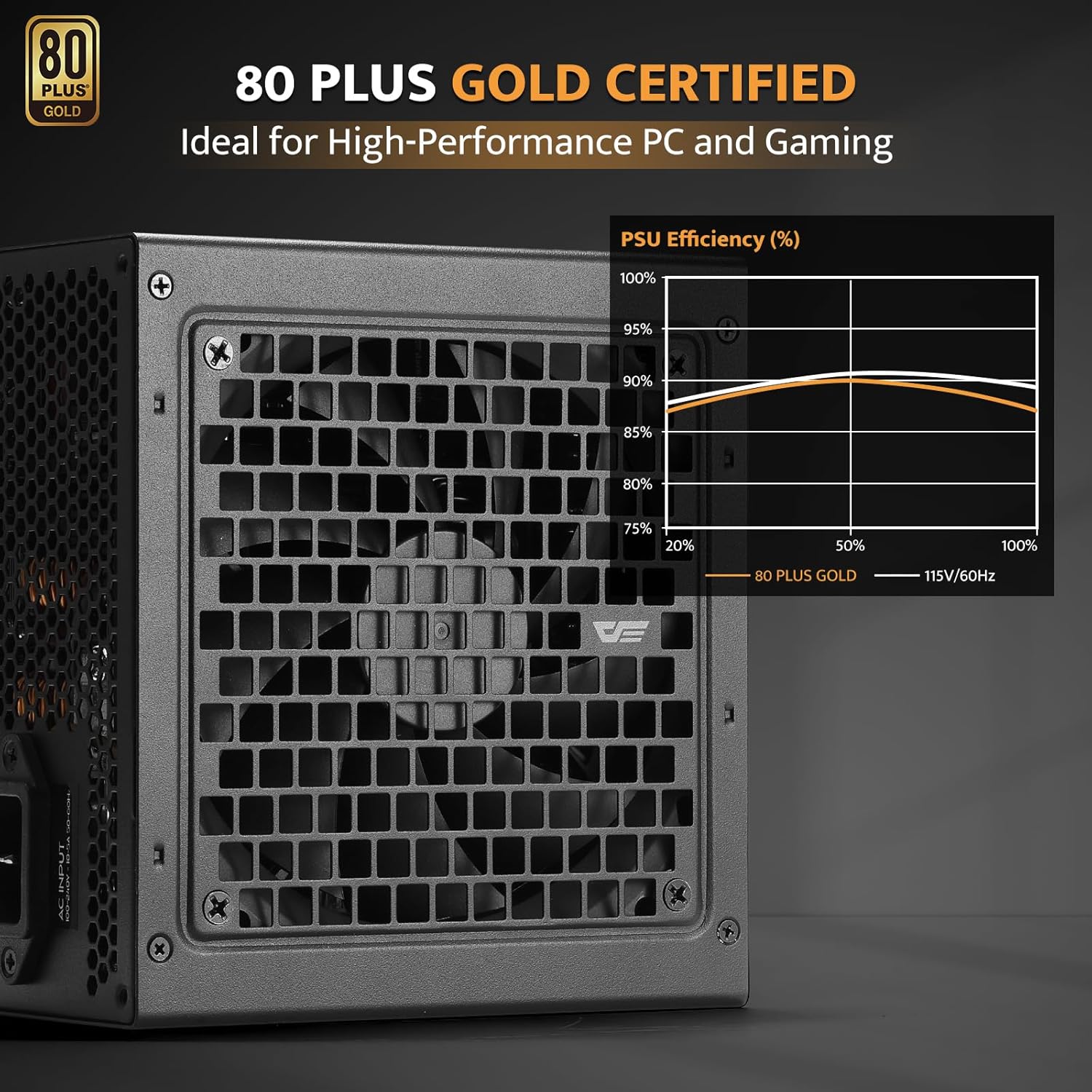
Image: The darkFlash PMT750 Power Supply displaying its 80 PLUS Gold certification.

Image: Diagram showing the compact dimensions of the darkFlash PMT750, indicating its suitability for various PC cases.
9. Кепилдик жана колдоо
darkFlash provides a limited warranty for the PMT750 Power Supply. For detailed warranty terms, conditions, and registration information, please visit the official darkFlash webсайт. Сатып алуу квитанциясын кепилдик дооматтары үчүн сатып алуунун далили катары сактаңыз.
For technical support, troubleshooting assistance beyond this manual, or to inquire about replacement parts, please contact darkFlash customer service through their official webсайты же продуктунун таңгагында берилген байланыш маалыматы.
Эскертүү: Бул колдонмого киргизүү үчүн берилген маалыматтарда сатуучунун расмий продукт видеолору табылган жок.