
Introduction
Thank you for choosing the Wings Hypebuds 230 TWS Earphones. This manual provides essential information to help you set up, operate, and maintain your earphones. Please read it carefully before use to ensure optimal performance and longevity of your device.
Кутуда эмне бар
- Wings Hypebuds 230 TWS Earphones (Left and Right)
- Заряддоо кутусу
- USB Type-C кубаттоочу кабель
- Наушниктер (ар кандай өлчөмдөгү)
- User Manual
Продукт бүттүview
The Wings Hypebuds 230 are true wireless stereo (TWS) earphones designed for a superior audio experience. They feature 13mm high-fidelity drivers for clear sound and Smart ENC technology for enhanced call clarity. The compact charging case provides extended battery life, and the earphones are IPX5 water-resistant, making them suitable for various activities.
Фронт view of the Wings Hypebuds 230 TWS Earphones in their open charging case, showcasing алардын дизайны.

Бул сүрөт жарылган көрүнүштү камсыз кылат view of one of the Wings Hypebuds 230 earbuds, detailing the internal components, specifically highlighting the 13mm high-fidelity audio drivers responsible for sound quality.
Жайгашуу
1. Наушникти жана капты заряддоо
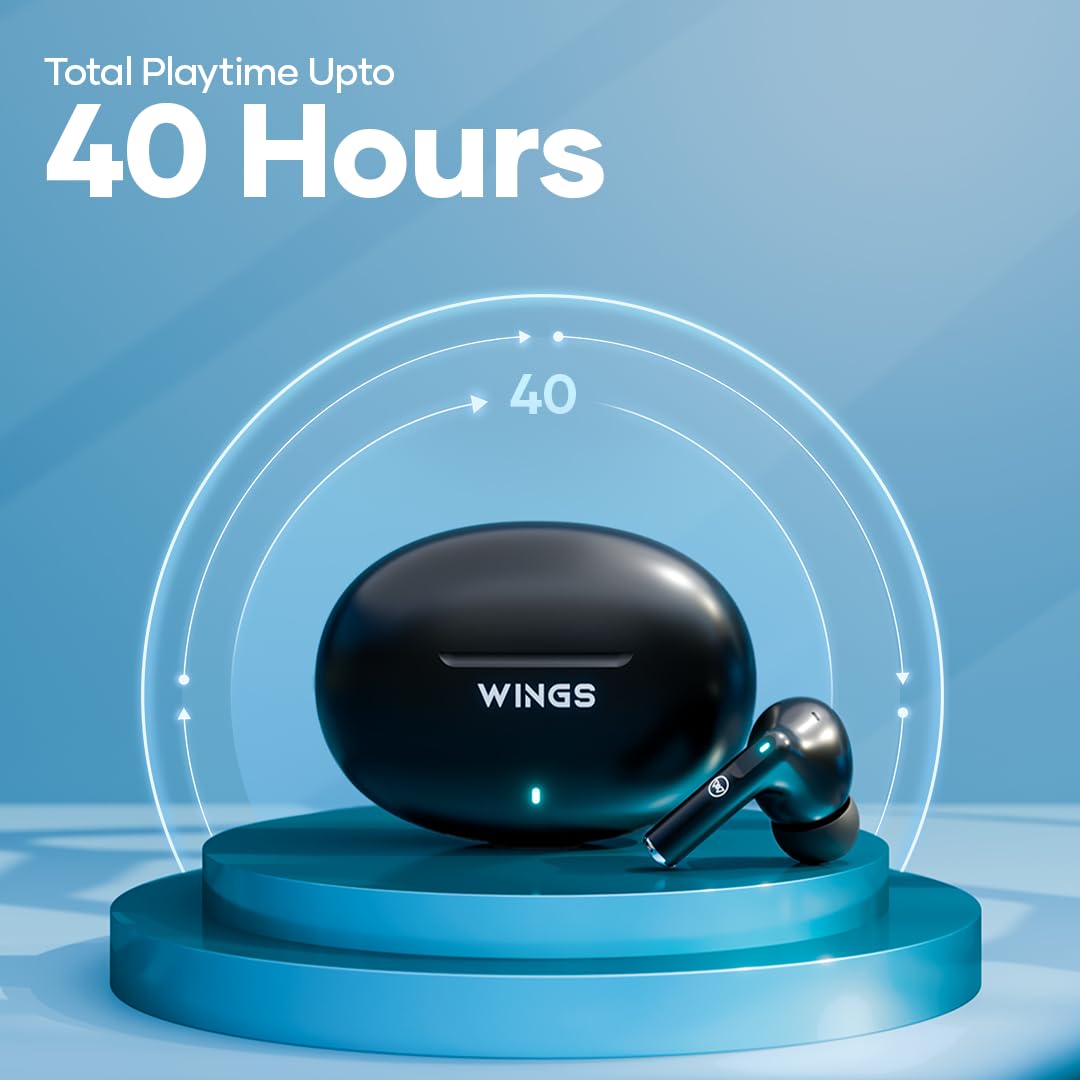
Before first use, fully charge the charging case and earphones. The charging case provides up to 40 hours of total playtime, with each earphone offering approximately 8 hours on a single charge.
- Берилген USB Type-C кабелин корпустагы кубаттоо портуна жана кубат булагына туташтырыңыз.
- Корпустагы индикатор кубаттоо абалын көрсөтөт. Толук заряддалгандан кийин жарык өзгөрөт же өчөт.
- Place the earphones into the charging case. They will automatically begin charging. Ensure the charging pins align correctly.

This image shows the Wings Hypebuds 230 TWS earphones and their charging case, highlighting the impressive 40-hour total playtime capability.
2. Түзмөгүңүз менен жупташтыруу
The Hypebuds 230 use Bluetooth 5.3 for a stable connection up to 15 meters.
- Open the charging case. The earphones will automatically enter pairing mode, indicated by a flashing LED light on the earbuds.
- Түзмөгүңүздө (смартфон, планшет, ноутбук) Bluetooth жөндөөлөрүнө өтүп, Bluetooth'ду күйгүзүңүз.
- Издөө available devices and select "Wings Hypebuds 230" from the list.
- Once connected, the LED indicator on the earphones will stop flashing or turn off, and you will hear a confirmation tone.
- Кийинки колдонуулар үчүн, кулакчындар кутудан чыгарылганда автоматтык түрдө акыркы жупташтырылган түзмөккө туташат.
Кулакчындарды иштетүү
The Hypebuds 230 feature intuitive touch controls for easy management of music, calls, and voice assistant functions.

This composite image showcases several key features of the Wings Hypebuds 230: Bluetooth 5.3 connectivity with a 15m range, full touch controls on the earbuds, support for voice assistants, and convenient Type-C charging.
Touch Controls
| Функция | Акция |
|---|---|
| Музыканы ойнотуу/тындыруу | Кулакчындарды бир жолу таптаңыз |
| Кийинки трек | Оң кулакчынды эки жолу таптаңыз |
| Мурунку трек | Сол кулакчынды эки жолу таптаңыз |
| Чалууга жооп берүү/аяктоо | Кулакчындарды бир жолу таптаңыз |
| Чакырууну четке кагуу | Ар бир кулакчынды (2 секунд) көпкө басыңыз |
| Үн жардамчысын жандырыңыз | Кулакчындарды үч жолу таптаңыз |
Smart ENC (Environmental Noise Cancellation)
The Hypebuds 230 are equipped with Smart ENC microphones to reduce ambient noise during calls, ensuring your voice is heard clearly by the other party.

A visual representation of the Smart ENC technology within the Wings Hypebuds 230, showing how it reduces environmental noise for clearer audio.
Техникалык тейлөө
Тазалоо
- Кулакчындарды жана заряддоо кутусун жумшак, кургак, түксүз чүпүрөк менен дайыма тазалап туруңуз.
- Абразивдүү тазалагычтарды, спиртти же химиялык эриткичтерди колдонбоңуз.
- Кичинекей, жумшак щетка же кебез таякча менен кулактын учундагы жана динамиктин торундагы кулактын кирин же калдыктарды акырын кетириңиз.
Сууга туруктуулук (IPX5)
The Hypebuds 230 are rated IPX5 water-resistant, meaning they can withstand splashes of water and sweat. They are not designed for submersion in water. Avoid using them during swimming or showering.

The image displays the Wings Hypebuds 230 TWS earphones and their charging case covered in water droplets, visually confirming their IPX5 rating for water and sweat resistance.
Сактагыч
When not in use, store the earphones in their charging case to protect them and ensure they remain charged. Store in a cool, dry place away from extreme temperatures.
Проблемаларды чечүү
- Кулакчындар жупташкан жок: Ensure both earphones are in the charging case, then open the lid to activate pairing mode. Make sure Bluetooth is enabled on your device and select "Wings Hypebuds 230". If issues persist, try forgetting the device on your phone and re-pairing.
- Бир гана наушник иштейт: Эки наушникти тең заряддоо кутусуна салып, капкагын жаап, бир нече секунд күтө туруңуз, анан кайра ачыңыз. Бул көп учурда аларды кайра шайкештештирет.
- Үн жок: Түзмөгүңүздүн жана кулакчындардын үн деңгээлин текшериңиз. Кулакчындар түзмөгүңүзгө туура туташкандыгын текшериңиз.
- Заряддоо маселелери: Verify the charging cable and adapter are working. Ensure the charging pins on the earphones and case are clean and free of debris.
- Чалуу сапаты начар: Ensure the microphones are not obstructed. Move closer to your connected device to avoid signal interference.
Техникалык шарттар
| Модель аты | Hypebuds 230 (WL-HYPEBUDS230-BLK) |
| Байланыш технологиясы | Зымсыз (Bluetooth 5.3) |
| Bluetooth диапазону | 15 метрге чейин |
| Аудио драйверинин өлчөмү | 13мм динамикалык айдоочулар |
| Жалпы ойноо убактысы | 40 саатка чейин (заряддоо кутусу менен) |
| Earphone Battery Life | 8 саатка чейин (бир кубаттоо) |
| Заряддоо порту | USB Type-C |
| Суу каршылык | IPX5 (Сууга жана терге туруктуу) |
| Noise Control | Smart ENC (Environmental Noise Cancellation for calls) |
| Башкаруу ыкмасы | Touch Control |
| Үн менен башкаруу | Колдоого алынган |
| Материал | Поликарбонат (PC) |
| Элемент Салмагы | 250 грамм |
| Продукциянын өлчөмдөрү | 6.2 x 2.7 x 4.3 см |
Кепилдик жана колдоо
For warranty information and customer support, please refer to the warranty card included in your product packaging or visit the official Wings website. If you encounter any issues not covered in this manual, please contact Wings customer service for assistance.