
1. Продукт бүтүп калдыview
The EDYELL C8 Pro is a motorcycle Bluetooth headset designed for enhanced communication and entertainment while riding. It features long-distance communication, a high-capacity battery, LED emergency lights, automatic call answering, voice control, and IPX6 waterproofing.
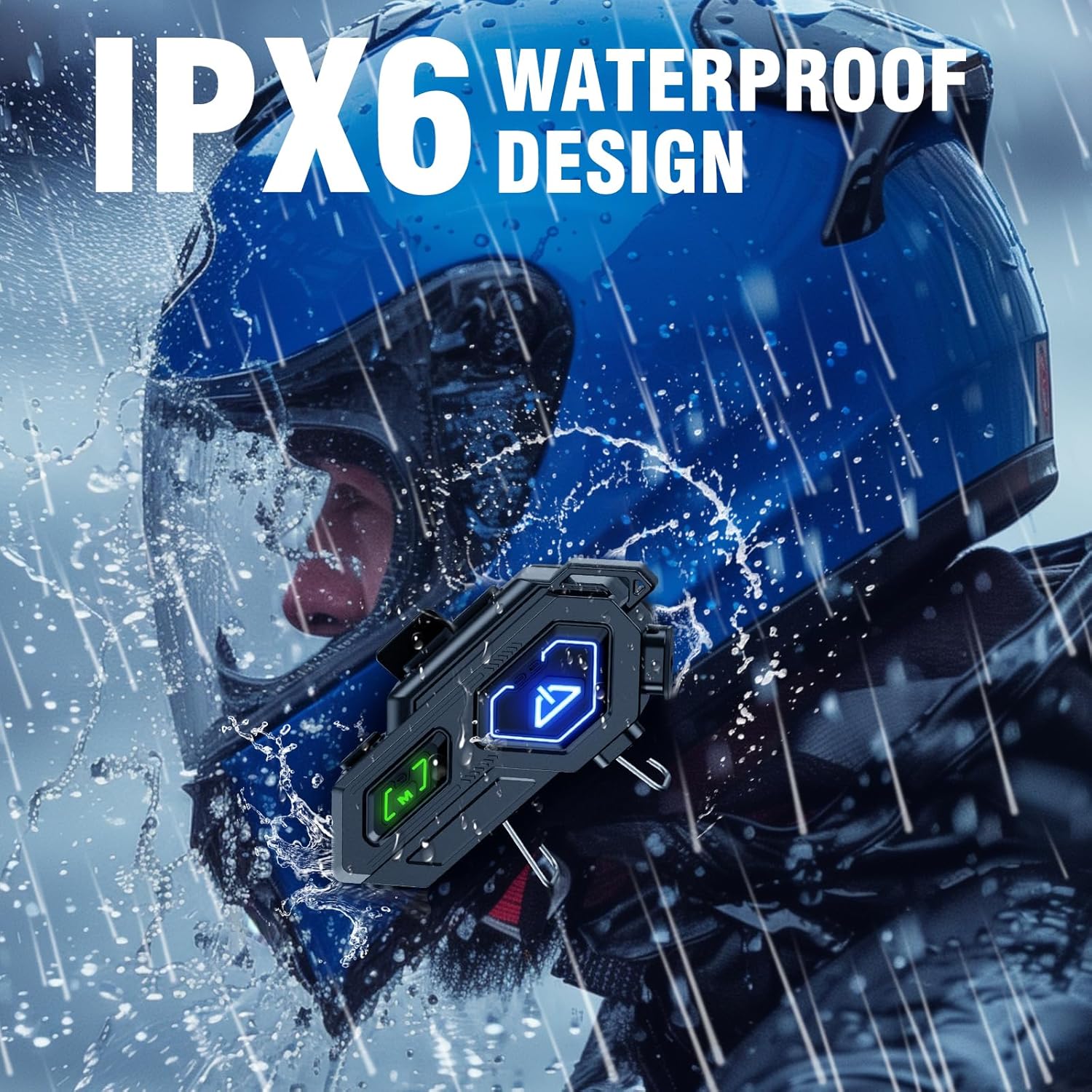
Image: The EDYELL C8 Pro headset unit, showcasing its design and buttons.
2. Пакеттин мазмуну
Before proceeding with the installation, please ensure all items listed below are present in your package:
- Motorcycle Bluetooth Headset C8 Pro (Main Unit)
- Hard Microphone Speakers (for open-face helmets)
- Clamping Base (for helmet mounting)
- Microphone Velcro Tape (x2)
- Speaker Velcro (for speaker attachment)
- Booster Sticker (x2)
- Stand Velcro Tape (x1)
- Thick Double Sided Tape (x1)
- Колдонуучунун колдонмосу (x1)
- Кубаттоо кабели (x1)

Image: Visual representation of all items included in the EDYELL C8 Pro package.
Кутудан чыгуучу видео
Video: An unboxing video demonstrating the contents of the EDYELL C8 Pro package and initial impressions of the device and accessories.
3. Орнотуу жана орнотуу
Follow these steps to properly install your EDYELL C8 Pro headset onto your helmet:
- Туулганы даярдаңыз: Carefully remove the inner padding from your helmet to access the shell.
- Attach Speaker Velcros: Peel the backing from the speaker Velcro pads and firmly attach them to the inside of the helmet, aligning with your ear positions.
- Динамиктерди орнотуу: Place the 50mm speakers onto the attached Velcro pads. Ensure the speaker with the shorter wire is on the left side. Route the wires neatly under the helmet padding.
- Микрофонду бекитүү: Choose between the hard or soft microphone based on your helmet type. Attach the chosen microphone to the front inside of the helmet using the provided Velcro.
- Mount the Main Unit Clip: clamping base to the left side of your helmet's outer edge. Ensure it is tightly fastened.
- Негизги блокту туташтыруу: Slide the EDYELL C8 Pro main unit onto the installed clamping base until it clicks securely into place.
- Connect Speaker and Microphone Jacks: Plug the speaker jack (Type-C) and microphone jack into their respective ports on the main unit.
- Толтургучту кайра орнотуу: Carefully reinsert the helmet's inner padding, ensuring all wires are tucked away and do not interfere with comfort or safety.
Орнотуу боюнча демонстрациялык видео
Video: A step-by-step guide demonstrating the installation process of the EDYELL C8 Pro headset onto a motorcycle helmet.

Image: The EDYELL C8 Pro headset shown installed on different types of helmets, highlighting its universal compatibility.
4. Иштөө нускамалары
Күйгүзүү/өчүрүү
- Күйгүзүү үчүн: Press and hold the Power button (marked with a 'U' icon) for a few seconds until the LED indicator lights up.
- Өчүрүү үчүн: LED индикатору өчкөнгө чейин Кубат баскычын бир нече секунд басып туруңуз.
Bluetooth Жупташтыруу
- Гарнитура өчүрүлгөнүн текшериңиз.
- LED индикатору жупташтыруу режимин көрсөткөн көк жана кызыл күйгүчө Күч баскычын басып, кармап туруңуз.
- On your mobile device, enable Bluetooth and search for "EDYELL C8 Pro".
- Select the headset to pair. Once connected, the LED will flash blue slowly.

Image: Illustration of the 600M Bluetooth communication distance and Bluetooth 5.3 support for quick pairing.
Music Playback and Controls
- Ойнотуу/тындыруу: Кубат баскычын бир жолу басыңыз.
- Кийинки трек: '+' баскычын бир жолу басыңыз.
- Мурунку трек: '-' баскычын бир жолу басыңыз.
- Көлөмү: '+' баскычын басып, кармап туруңуз.
- Үнүн азайтуу: '-' баскычын басып, кармап туруңуз.

Image: Depiction of the music sharing feature, allowing riders to share audio with companions.
Call Answering and Voice Control
- Чакырууга жооп берүү: The headset will automatically answer incoming calls after 10 seconds. You can also press the Power button once to answer immediately.
- Чакырууну аяктоо: Чалуу учурунда Кубат баскычын бир жолу басыңыз.
- Чакырууну четке кагуу: Чакыруу келгенде Кубат баскычын 2 секунд басып туруңуз.
- Үн жардамчысын иштетүү (Siri/Google Жардамчысы): Press the 'M' button once to summon your device's voice assistant.

Image: A rider using the intelligent voice assistant feature for hands-free control, including calls and navigation.
LED шашылыш жарык
- Күйгүзүү/өчүрүү: Double-click the 'M' button to activate or deactivate the LED emergency light.

Image: Close-up of the EDYELL C8 Pro headset on a helmet, highlighting the large, easy-to-press buttons for control even with gloves.
5. Техникалык тейлөө жана кам көрүү
- Суу каршылык: The EDYELL C8 Pro is IPX6 waterproof, making it resistant to strong jets of water. This allows for use in various weather conditions, including rain. However, it is not designed for submersion.
- Тазалоо: жумшак колдонуу, damp cloth to clean the exterior of the headset. Avoid using harsh chemicals or abrasive materials.
- Батареяга кам көрүү: The headset features a 1000mAh high-capacity battery. To maintain battery health, avoid completely draining the battery frequently. If the product is not used for a long time, store it in a dry place and charge it regularly (once a month) to ensure optimal performance. Do not dismantle, squeeze, or puncture the battery. Do not expose the battery to high temperatures.
- Сактагыч: Гарнитураны күн нурунан жана экстремалдык температурадан алыс салкын, кургак жерде сактаңыз.

Image: The EDYELL C8 Pro headset on a helmet, demonstrating its IPX6 waterproof capability under simulated rain conditions.
6. Кыйынчылыктарды
| Көйгөй | Мүмкүн себеп | Чечим |
|---|---|---|
| Түзмөк күйбөйт. | Батареянын кубаты аз же түзмөктүн иштебей калышы. | Charge the device fully. If the issue persists, contact customer support. |
| Мобилдик түзмөк менен жупташтыруу мүмкүн эмес. | Headset not in pairing mode, Bluetooth off on phone, or interference. | Ensure headset is in pairing mode (flashing blue/red). Turn off and on Bluetooth on your phone. Move closer to the device. |
| Аудио сапаты начар же үн жок. | Speakers improperly installed, volume too low, or poor connection. | Check speaker connections and placement. Adjust volume. Re-pair the device. |
| Микрофон иштебей жатат. | Microphone not connected properly or damaged. | Ensure the microphone jack is fully inserted. Try using the alternative microphone if available. |
| LED emergency light not working. | Not activated correctly. | Double-click the 'M' button to toggle the light. |
If you encounter any issues not listed here or if the suggested solutions do not resolve the problem, please refer to the "Warranty and Support" section for assistance.
7. Техникалык шарттар
| Өзгөчөлүк | Деталь |
|---|---|
| Модель аты | EDY-MBH-C8 Pro |
| Байланыш технологиясы | Зымсыз (Bluetooth 5.3) |
| Noise Control | Passive Noise Cancellation (DSP, ENC & Mic Noise Cancelling) |
| Батарея сыйымдуулугу | 1000mAh литий-ион |
| Заряддоо убактысы | Толук кубаттоо үчүн болжол менен 20 мүнөт |
| Оюн убактысы | 40 саатка чейин |
| Күтүү убактысы | 60 күнгө чейин |
| Сууга туруктуулук деңгээли | IPX6 суу өткөрбөйт |
| Динамик өлчөмү | 50mm Hi-Fi Stereo Speakers |
| Башкаруу түрү | Сенсордук башкаруу, Үн менен башкаруу |
| Шайкеш түзмөктөр | All helmets, iOS & Android devices |
| Элемент Салмагы | 120 грамм |
| Продукциянын өлчөмдөрү | 14 x 9.5 x 6 см |

Image: Illustration showing the DSP, ENC, and Mic Noise Cancelling features for clear audio during rides.
8. Кепилдик жана колдоо
The EDYELL C8 Pro Motorcycle Bluetooth Headset comes with a 15 Months Edyell India Warranty. Our customer service team is dedicated to providing warm and welcoming support, always ready to help you.
- If there are any quality problems with the product, you are eligible for a free return.
- For any queries, technical assistance, or warranty claims, please contact our customer care.
INDIA CUSTOMER CARE:
- Электрондук почта: support@fenman.in
- Телефон: +91 8882786235
Кепилдик үчүн сатып алуу дүмүрчөгүңүздү сактап коюңуз.