
Introduction
This manual provides detailed instructions for the assembly, operation, and maintenance of your iPormis Twin Bed Frame. Designed for comfort and convenience, it features a 16-inch wingback headboard with button-tufted upholstery, an integrated charging station, and solid wood slat support, eliminating the need for a box spring. Please read these instructions carefully before assembly and use to ensure safe and proper operation.

Image: The iPormis Twin Bed Frame, showcasing its upholstered wingback headboard and overall design.
Маанилүү коопсуздук маалыматы
- Be cautious of pinch points when assembling.
- Keep away from sharp edges.
- 1000 LBS максималдуу салмагы кубаттуулугу ашпагыла.
- Always follow assembly instructions to prevent instability.
Пакеттин мазмуну
Before beginning assembly, ensure all parts are present and undamaged. All necessary assembly tools are included in the package. Refer to the parts list provided in your physical instruction manual for detailed identification.

Сүрөт: деталдуу view of the solid wood slats and metal frame components, highlighting the Velcro design for secure and noiseless installation.
Орнотуу жана чогултуу
The iPormis Twin Bed Frame is designed for easy assembly, typically completed within 30 minutes. Follow the clear, labeled instructions provided in your package. Ensure all connections are secure before use.
- Бардык компоненттерди таңгактан чыгарып, чийиктерди болтурбоо үчүн таза, жумшак бетке жайыңыз.
- Камтылган бөлүктөрдүн тизмесин колдонуп, бардык бөлүктөрүн аныктаңыз.
- Assemble the headboard and footboard sections according to the diagrams.
- Капталдагы рельстерди керебеттин башына жана бутуна бекитиңиз.
- Install the solid wood slats into the frame. The EVA foam and Velcro design ensures a secure, noise-free fit.
- Connect the power cord for the charging station to a wall outlet.
- Place your mattress on the assembled frame. No box spring is needed.
Video: An official iPormis video demonstrating the assembly process and key features of the bed frame.
Иштөө нускамалары
Кубаттоочу станция
The integrated charging station is located on the headboard's 4-inch storage shelf. It provides convenient access to power for your electronic devices.
- The charging station includes two standard AC outlets, one USB port, and one Type-C port.
- To use, ensure the bed frame's power cord is securely plugged into a functional wall outlet.
- Plug your devices into the appropriate ports for charging.
- The 4-inch storage ledge provides a convenient space to place your phone, tablet, or other small items while they charge.

Сүрөт: жакын план view of the headboard's integrated charging station, showing the AC outlets, USB, and Type-C ports in use.
Техникалык тейлөө
- Тазалоо: For the upholstered headboard, gently spot clean with a damp cloth and mild detergent if necessary. Avoid harsh chemicals. For the frame, wipe with a dry cloth.
- бекиткичтер: Periodically check all bolts and screws to ensure they remain tight. Retighten as needed to maintain stability and prevent squeaking.
- Рамкалар: Ensure the wooden slats are properly seated and the Velcro is secure to maintain mattress support and prevent noise.
- Заряддоо станциясы: Keep the charging ports free of dust and debris. Do not expose the charging station to liquids.
Проблемаларды чечүү
Жалпы маселелер жана чечимдер
| Көйгөй | Мүмкүн себеп | Чечим |
|---|---|---|
| Керебеттин алкагы солкулдап же туруксуз. | Бош калган болттор же туура эмес чогултуу. | Check all bolts and screws and tighten them securely. Review бардык бөлүктөр туура орнотулганын камсыз кылуу үчүн орнотуу көрсөтмөлөрү. |
| Төшөктөн кычыраган үндөр. | Loose connections, slats not properly seated, or mattress movement. | Tighten all frame connections. Ensure all wooden slats are firmly in place and the Velcro strips are engaged. Consider adding a thin felt pad between the mattress and slats if noise persists. |
| Заряддоо станциясы иштебейт. | Power cord not plugged in, outlet issue, or device problem. | Verify the bed frame's power cord is fully plugged into a working wall outlet. Test the wall outlet with another device. Ensure your device and charging cable are functional. |
Техникалык шарттар
- Өлчөмү: Эгиз
- Продукциянын өлчөмдөрү: 79"L x 54"W x 50"H
- Салмак сыйымдуулугу: 1000 фунт
- Баштыктын өзгөчөлүктөрү: 16" Wingback, Button Tufted, 4" Top Storage Ledge with Charging Ports
- Заряддоо порттору: 2 AC розетка, 1 USB порт, 1 Type-C порту
- Керебеттин астындагы бош орун: 8"
- Рамка материалы: Heavy-Duty Metal Frame, Solid Wood Slats
- Headboard Material: Fabric (Upholstered)
- Ассамблея талап кылынат: Ооба (болжол менен 30 мүнөт)
- Кутуча пружинасы керек: Жок
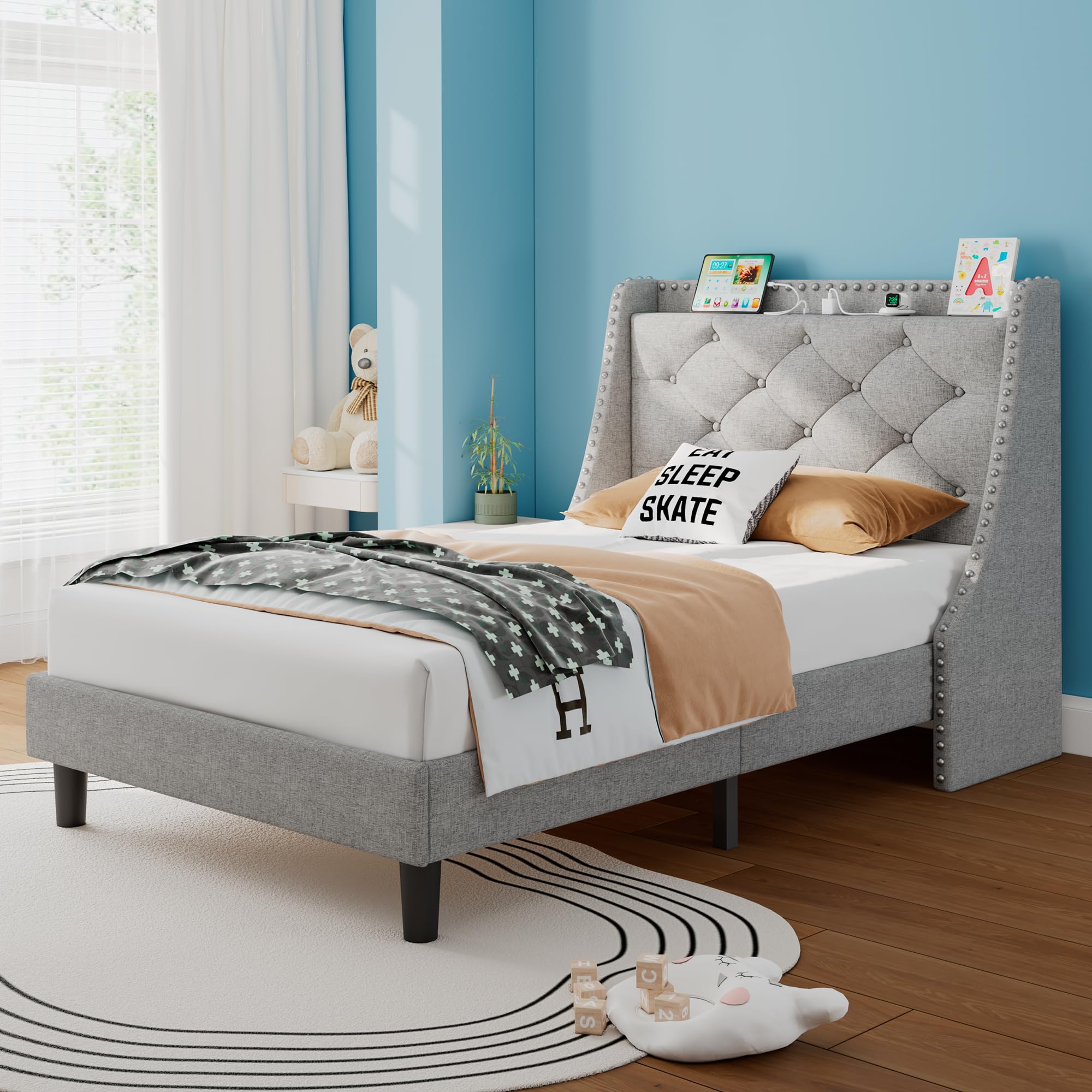
Image: A detailed diagram illustrating the dimensions of the Twin Bed Frame, including length, width, and height.

Image: Illustration of the 8-inch under-bed storage space, suitable for various storage boxes or for easy cleaning.

Image: The 16-inch wingback headboard featuring a convenient storage shelf at the top, ideal for small items.
Кепилдик жана колдоо
Specific warranty information for the iPormis Twin Bed Frame is not provided in this document. Please refer to the warranty card included with your product or contact iPormis customer service for details regarding warranty coverage and support.
For further assistance or inquiries, please contact iPormis customer support through the retailer where the product was purchased or visit the official iPormis webсайт.