
1. Киришүү
Сатып алганыңыз үчүн рахматasing the DEERC 9003E 1:14 High-Speed RC Off-Road Truck. This manual provides essential information for the safe operation, maintenance, and troubleshooting of your new RC vehicle. Please read it thoroughly before use to ensure optimal performance and longevity of the product.
Негизги өзгөчөлүктөрү:
- Теңдешсиз аткаруу: Constructed from premium alloy materials, the differential ensures exceptional strength and durability, allowing the RC car to reach speeds over 40 km/h. Designed to withstand extreme impacts, this high-performance component, coupled with a 30A ESC, ensures stable operation even during intense off-road adventures.
- Кеңейтилген күч: Equipped with two rechargeable 2S 7.4V 1500mAh Li-ion batteries, this RC car is designed for prolonged play and peak performance. Enjoy up to 40 minutes of continuous action, with an integrated power indicator to keep you informed of battery levels.
- Тактык башкаруу: The advanced three-channel 2.4 GHz remote control offers a range of up to 262 feet with zero signal interference. Enhanced fully proportional controls allow precise speed and steering adjustments for smooth acceleration and accurate maneuvers.
- Built to Conquer: Featuring a robust metal transmission with upgraded components like enhanced dog bones, a metal differential, and reinforced gears, this RC car is built for extreme durability and lasting performance. Aggressive anti-slip rubber tires are ready for any challenge.
- All-Terrain Adaptability: Whether navigating muddy trails, sandy beaches, or rocky paths, the powerful grip and agile suspension system allow this RC car to conquer any surface with ease.
2. Пакеттин мазмуну
Төмөндө тизмеленген нерселердин баары пакетиңизге камтылганын текшериңиз:
- DEERC 9003E RC Truck
- 2.4 ГГц алыстан башкаруучу
- 2 x 7.4V 1500mAh Li-ion Batteries
- USB заряддоо кабели
- Screwdriver
- Instruction Manual
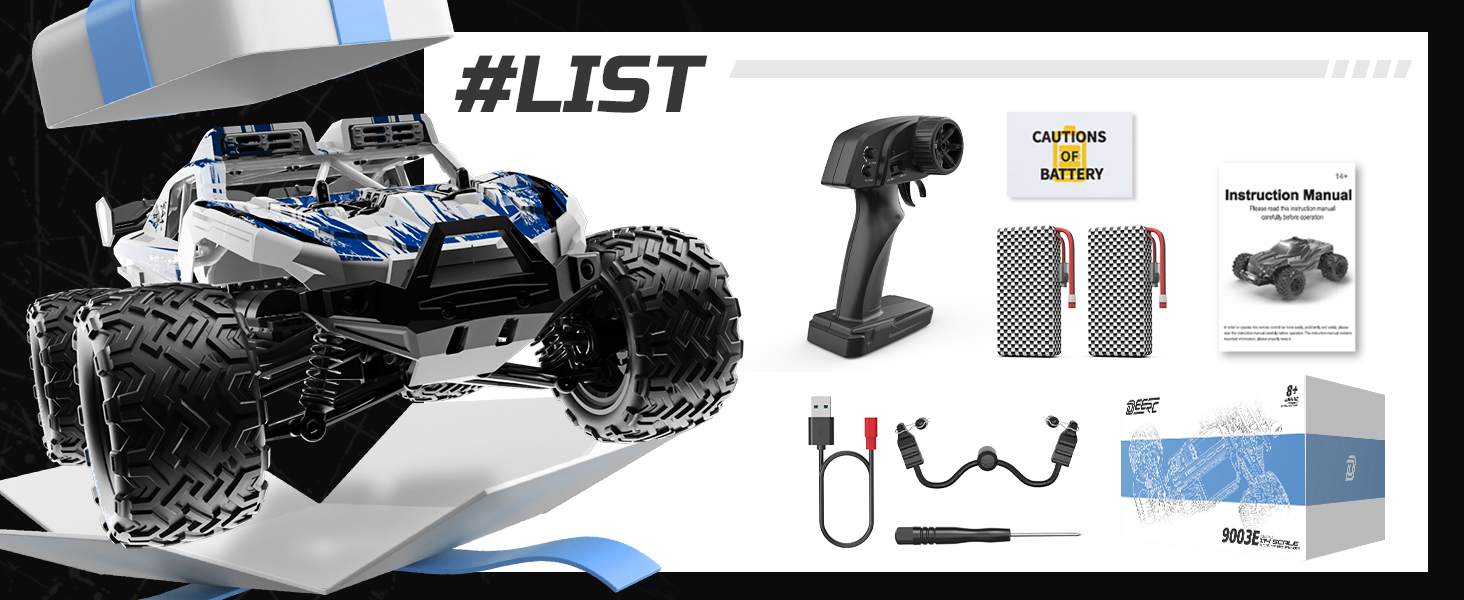
Image: The complete package contents of the DEERC 9003E RC Truck, showing the vehicle, remote control, two batteries, USB charging cable, and a screwdriver.
3. Орнотуу
3.1 Charging the Vehicle Batteries
- Connect the 7.4V 1500mAh Li-ion battery to the USB charging cable.
- Plug the USB charging cable into a USB power adapter (e.g., phone charger, computer USB port).
- The indicator light on the USB charger will show the charging status. Refer to the charger's specific instructions for light indications (usually red for charging, green for fully charged).
- Charging typically takes 3-4 hours. Do not overcharge the batteries.
Image: Two 2S 7.4V 1500mAh Li-ion batteries, which provide extended power for the RC truck.
3.2 Installing Vehicle Batteries
- Ensure the RC truck is powered off.
- Батарея отсегин унаанын астынан табыңыз.
- Батарея уясынын капкагын ачыңыз.
- Insert the charged Li-ion battery into the compartment, ensuring correct polarity.
- Connect the battery connector to the vehicle's power port.
- Батарея уясынын капкагын бекем жабыңыз.
3.3 Алыстан башкаруу пультунун батареяларын орнотуу
- Алыстан башкаруучунун артындагы батарея бөлүкчөсүн табыңыз.
- Батарея уясынын капкагын ачыңыз.
- Insert 2 x AAA batteries (not included) into the compartment, observing the correct polarity (+/-).
- Батарея уясынын капкагын жабыңыз.
3.4 Pairing the Remote Controller with the Vehicle
- Turn on the RC truck by sliding the power switch to the 'ON' position.
- Turn on the remote controller. The indicator light on the remote will flash.
- Wait for a few seconds. The indicator light on the remote will become solid, indicating successful pairing.
- If pairing fails, turn off both the vehicle and the remote, then repeat the steps.
Image: The 2.4GHz remote control, designed for stable connection and interference-free operation.
4. Иштөө нускамалары
4.1 Негизги башкаруу каражаттары
- дроссель триггери: Pull the trigger to move forward. Push the trigger to brake or reverse.
- Руль: Turn the wheel left to steer the vehicle left. Turn the wheel right to steer the vehicle right.
- Рулду башкаруу: Adjust the steering trim dial on the remote to ensure the vehicle drives straight when the steering wheel is centered.
- Ылдамдык которуштуруу: Use the speed switch (if available) to toggle between different speed modes (e.g., low, medium, high) for varied driving experiences.
4.2 Айдоо боюнча кеңештер
- Унааны ар дайым ачык жерлерде, адамдардан, үй жаныбарларынан жана тоскоолдуктардан алыс айдаңыз.
- Avoid driving in wet conditions or through deep puddles to prevent damage to electronic components.
- Practice gentle throttle and steering inputs to maintain control, especially at high speeds.
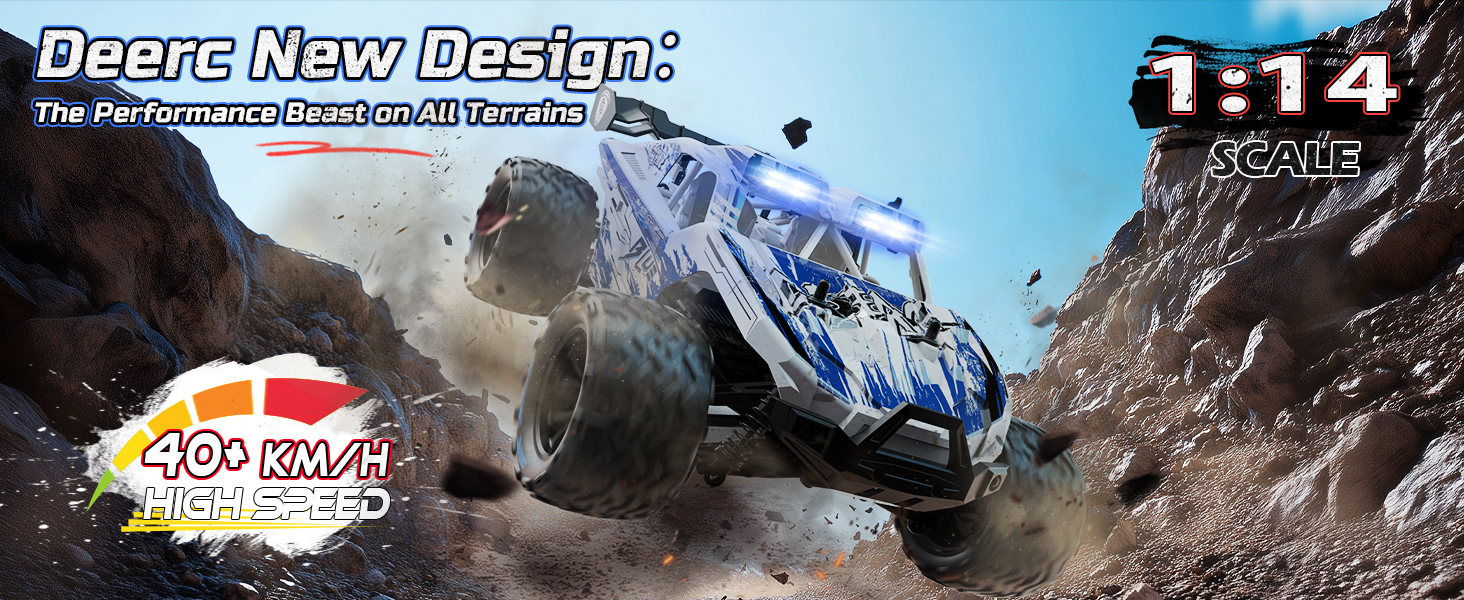
- The DEERC 9003E is designed for various terrains, including dirt, sand, and grass. Adjust your driving style to suit the surface.

Image: The DEERC 9003E RC Truck demonstrating its all-terrain capabilities on various surfaces.

Image: The RC truck performing in diverse environments, highlighting its robust design for adventure.
5. Техникалык тейлөө
5.1 Тазалоо
- After each use, especially in dirty or dusty conditions, clean the vehicle with a soft brush or compressed air to remove debris.
- Жарнама менен денени сүртүңүзamp кездеме. Катуу химиялык заттарды же эриткичтерди колдонбоңуз.
- Regularly check for dirt or small stones lodged in the suspension, gears, or wheels.
5.2 Батареяга кам көрүү жана сактоо
- Always disconnect batteries from the vehicle and remote when not in use.
- Батареяларды салкын, кургак жерде, түз күндүн нурунан жана экстремалдык температурадан алыс сактаңыз.
- For long-term storage, charge Li-ion batteries to approximately 50% capacity.
- Заряддоочу батареяларды эч качан кароосуз калтырбаңыз.
5.3 Компоненттерди текшерүү
- Periodically inspect the driveshafts, differential, and gears for wear or damage.
- Бардык бурамалар жана бекиткичтер бекем болушун текшериңиз.
- Check the tires for cuts or excessive wear and replace if necessary.
- Lubricate moving parts (e.g., universal joints, bearings) with appropriate RC lubricant as needed.
Сүрөт: ички view of the RC truck's chassis, illustrating the durable metal drive system components.
6. Кыйынчылыктарды
| Көйгөй | Мүмкүн себеп | Чечим |
|---|---|---|
| Унаа алыстан жооп бербейт. | 1. Vehicle or remote is off. 2. Батареялар аз же өлүп калган. 3. Not paired correctly. 4. Out of range. | 1. Turn on both devices. 2. Replace/recharge batteries. 3. Re-pair the remote and vehicle. 4. Bring vehicle closer to remote. |
| Vehicle runs slowly or has weak power. | 1. Vehicle battery is low. 2. Motor or gears are obstructed. | 1. Recharge vehicle battery. 2. Check for debris and clean components. |
| Унаа бир тарапка бурулуп кетти. | 1. Steering trim is off. 2. Steering mechanism is damaged. | 1. Adjust steering trim on the remote. 2. Inspect steering components for damage. |
| Кыска иштөө убактысы. | 1. Батарея толук заряддалган эмес. 2. Battery is old or damaged. | 1. Батарея толук заряддалганын текшериңиз. 2. Жаңы батарея менен алмаштырыңыз. |
7. Техникалык шарттар
| Өзгөчөлүк | Деталь |
|---|---|
| Бренд | DEERC |
| Модель номери | 9003E |
| Масштаб | 1:14 |
| Продукциянын өлчөмдөрү (L x W x Y) | 33 x 24 x 14 см (13 x 9.4 x 5.5 дюйм) |
| Элемент Салмагы | 1.98 килограмм (4.37 фунт) |
| Материал | Пластик, металл |
| Түс | Көк жана ак |
| Power Source | Батарея менен иштейт |
| Vehicle Battery Type | 2S 7.4V 1500mAh Lithium-ion Polymer (Included) |
| Алыскы батареянын түрү | 2 х AAA (Not киргизилди) |
| Максималдуу ылдамдык | 40 км/саат |
| Башкаруу диапазону | 262 фут (80 метр) чейин |
| Өзгөчөлүктөр | Anti-slip tires, Remote Controlled, Metal Differential, Reinforced Gears, 30A ESC, 1.5KG Servo |
| Өндүрүүчүнүн сунуш кылган курагы | 0 - 12 years (Note: Age range description is 'Youth') |
8. Кепилдик жана колдоо
DEERC products are manufactured to high-quality standards. For warranty information, please refer to the documentation included with your purchase or contact DEERC customer support directly. Keep your proof of purchase for any warranty claims.
For technical assistance, spare parts, or further inquiries, please visit the official DEERC website or contact their customer service team. Contact details are typically found on the product packaging or the official brand webсайт.