
1. Киришүү
This manual provides instructions for the Attoe Wireless Bluetooth Mouse, Model MXY0614. This device features dual-mode connectivity (Bluetooth and 2.4G wireless), a transparent design with RGB backlighting, and a rechargeable battery. Please read this manual carefully before use to ensure proper operation and maintenance.
2. Пакеттин мазмуну
Пакетте бардык буюмдар бар экенин текшериңиз:
- 1 x Attoe Wireless Bluetooth Gaming Mouse
- 1 x заряддоо кабели (Type-C)
- 1 x Instruction Manual

2.1-сүрөт: Пакеттин мазмуну
3. Продукциянын өзгөчөлүктөрү
- Magnetic Top Cover: The top cover is secured by strong magnetic adsorption, allowing for easy access to the USB receiver and precise alignment.
- RGB арткы жарыгы: Features an RGB water-cooled light band for customizable lighting effects.
- Батарея дисплей: Four indicator lights show the remaining battery level.
- Кайра заряддалуучу: Built-in 400mAh lithium polymer battery, charged via Type-C port. Full charge takes approximately 2-3 hours.
- Эки режимдеги туташуу: Supports both Bluetooth (BT) and 2.4G wireless modes.
- Авто уктоо: Automatically enters deep sleep mode after 10 minutes of inactivity to conserve power.
- Кеңири шайкештик: Compatible with Windows 2000/XP/win7/win8/win10, Vista 32-bit, IOS, Linux, and Mac OS.
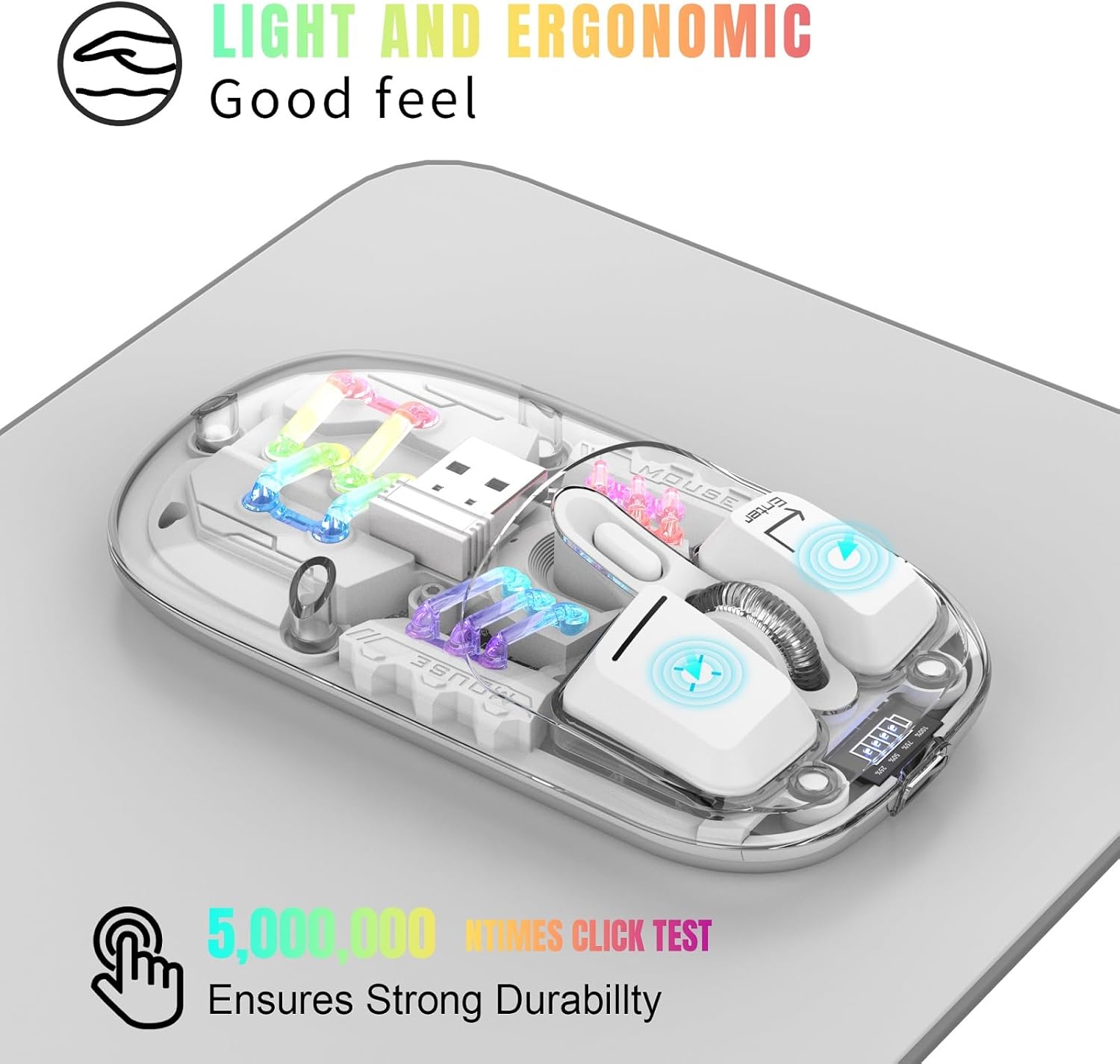
Figure 3.1: Ergonomic Design and RGB Lighting

Figure 3.2: Magnetic Top Cover
4. Продукт бүтүп калдыview

4.1-сүрөт: Чычкандын компоненттери жана башкаруу элементтери
The diagram above identifies the key components and controls of the mouse, including the left and right buttons, scroll wheel, DPI adjustment, battery indicator, Type-C charging port, and the location of the 2.4G USB receiver.
5. Орнотуу нускамалары
5.1. 2.4G зымсыз туташуу
- Remove the magnetic top cover of the mouse.
- Take out the USB 2.4G receiver from its storage slot.
- USB ресиверди компьютериңиздеги же түзмөгүңүздөгү жеткиликтүү USB портуна кыстарыңыз.
- Flip the mouse over and locate the mode switch on the bottom. Slide the switch to the "2.4G" position.
- The mouse will automatically connect to your device. No additional software is required.
5.2. Bluetooth туташуусу
- Flip the mouse over and locate the mode switch on the bottom. Slide the switch to the "BT" position.
- Press and hold the left, middle (scroll wheel), and right buttons simultaneously for 3 seconds to enter Bluetooth pairing mode. The RGB lights will flash to indicate pairing mode.
- Түзмөгүңүздө (компьютер, ноутбук, планшет) Bluetooth жөндөөлөрүн ачыңыз.
- Издөө new Bluetooth devices and select "BT5.0 Mouse" or a similar name from the list.
- Confirm the pairing on your device. The mouse's RGB lights will stop flashing once successfully paired.

Figure 5.1: Dual Mode Connectivity
Video 5.1: Demonstrating the connection process and features of the Transparent Gaming Mouse.
6. Иштөө нускамалары
6.1. RGB жарыкты башкаруу
- Жарык режимин которуштуруу: Click the dedicated light mode switch button (refer to Figure 4.1) to cycle through 11 different RGB lighting effects.
- Жарыктарды күйгүзүү/өчүрүү: Long press the light mode switch button for 3 seconds to turn the RGB lights on or off.
6.2. DPI тууралоо
The mouse features adjustable DPI settings. Click the DPI button (refer to Figure 4.1) to cycle through available DPI levels (e.g., 800, 1200, 1600 DPI). Each click will change the cursor sensitivity.
6.3. Чычканды заряддоо
- Connect the provided Type-C charging cable to the charging port on the front of the mouse.
- Кабелдин экинчи учун USB кубат булагына туташтырыңыз (мисалы, компьютердин USB порту, USB дубал адаптери).
- The battery display lights will indicate charging status. A full charge typically takes 2-3 hours.
- The 4 small lights on the battery display indicate the remaining battery level.
6.4. Автоматтык түрдө уйкуга коюу функциясы
To conserve battery life, the mouse will automatically enter a deep sleep mode if left unused for more than 10 minutes. To wake the mouse, simply move it or press any button.
7. Техникалык тейлөө
- Чычканды жумшак, кургак чүпүрөк менен сүртүп, аны таза кармаңыз. Катуу химиялык заттарды же абразивдүү материалдарды колдонуудан алыс болуңуз.
- Type-C кубаттоо порту чаңдан жана таштандыдан таза экенин текшериңиз.
- Жоготуудан сактануу үчүн, колдонулбай турганда USB кабыл алгычты чычкандын ичинде сактаңыз.
- Avoid exposing the mouse to extreme temperatures or direct sunlight.
8. Кыйынчылыктарды
- Чычкан жооп бербей жатат: Ensure the mouse is charged. Check the mode switch (2.4G or BT) is correctly set. For 2.4G, ensure the USB receiver is properly inserted. For Bluetooth, re-enter pairing mode and re-pair with your device.
- Үзгүлтүксүз туташуу: Ensure the mouse is within the 10-meter wireless range. Avoid obstructions between the mouse and the receiver/device.
- RGB жарыктары иштебейт: Check if the lights are turned off by long-pressing the light mode switch. Ensure the mouse has sufficient battery.
- Курсордун кыймылы туура эмес: Чычкандын астыңкы жагындагы оптикалык сенсорду тазалаңыз. Чычканды ылайыктуу бетте колдонуп жатканыңызды текшериңиз.
9. Техникалык шарттар
| Өзгөчөлүк | Спецификация |
|---|---|
| Модель номери | MXY0614 |
| Байланыш | Bluetooth (BT) + 2.4G Wireless |
| Buttons | 4 buttons (Left, Right, Scroll Wheel/Middle, DPI) |
| DPI | 1600 DPI (Adjustable) |
| Rated Voltage/Current | DC 5V/400mA |
| Зымсыз туташуу аралык | 10 метр |
| Life Switch | 20 миллион цикл |
| Батарея | Орнотулган 400 мАч литий полимери (кайра заряддалуучу) |
| Заряддоо порту | Type-C |
| Продукт Салмагы | 40г (1.41 унция) |
| Продукциянын өлчөмдөрү | х 113mm 58 х 25 (4.45 х 2.28 х 0.98 дюйм) |
| Шайкештик | Windows 2000/XP/win7/win8/win10, Vista 32-bit, IOS, Linux, Mac OS |

Сүрөт 9.1: Продукциянын өлчөмдөрү
10. Кепилдик жана колдоо
For any questions or issues regarding your Attoe Wireless Bluetooth Mouse, please contact our after-sales service. We are committed to providing a satisfactory resolution.
Contact information for support can typically be found on the product packaging or the official Attoe webсайт.