
1. Киришүү
The BIGBIG WON Gale Hall Wireless Controller is a versatile gaming controller designed for use across multiple platforms including PC (Windows 10 & 11), Nintendo Switch, iOS, and Android devices. It features advanced Hall Effect joysticks and triggers, motion control capabilities, customizable buttons, and a dedicated PC application for extensive configuration. This manual provides essential information for setting up, operating, and maintaining your controller.
2. Пакеттин мазмуну
Before proceeding, please ensure all items listed below are present in your package:
- 1 x BIGBIG WON Gale Hall Gamepad
- 1 x 2.4G USB донгл
- 1 x USB Type-C кабели
- 1 х Колдонуучунун колдонмосу (бул документ)
3. Controller Layout and Components
Familiarize yourself with the various buttons and features of your BIGBIG WON Gale Hall controller.
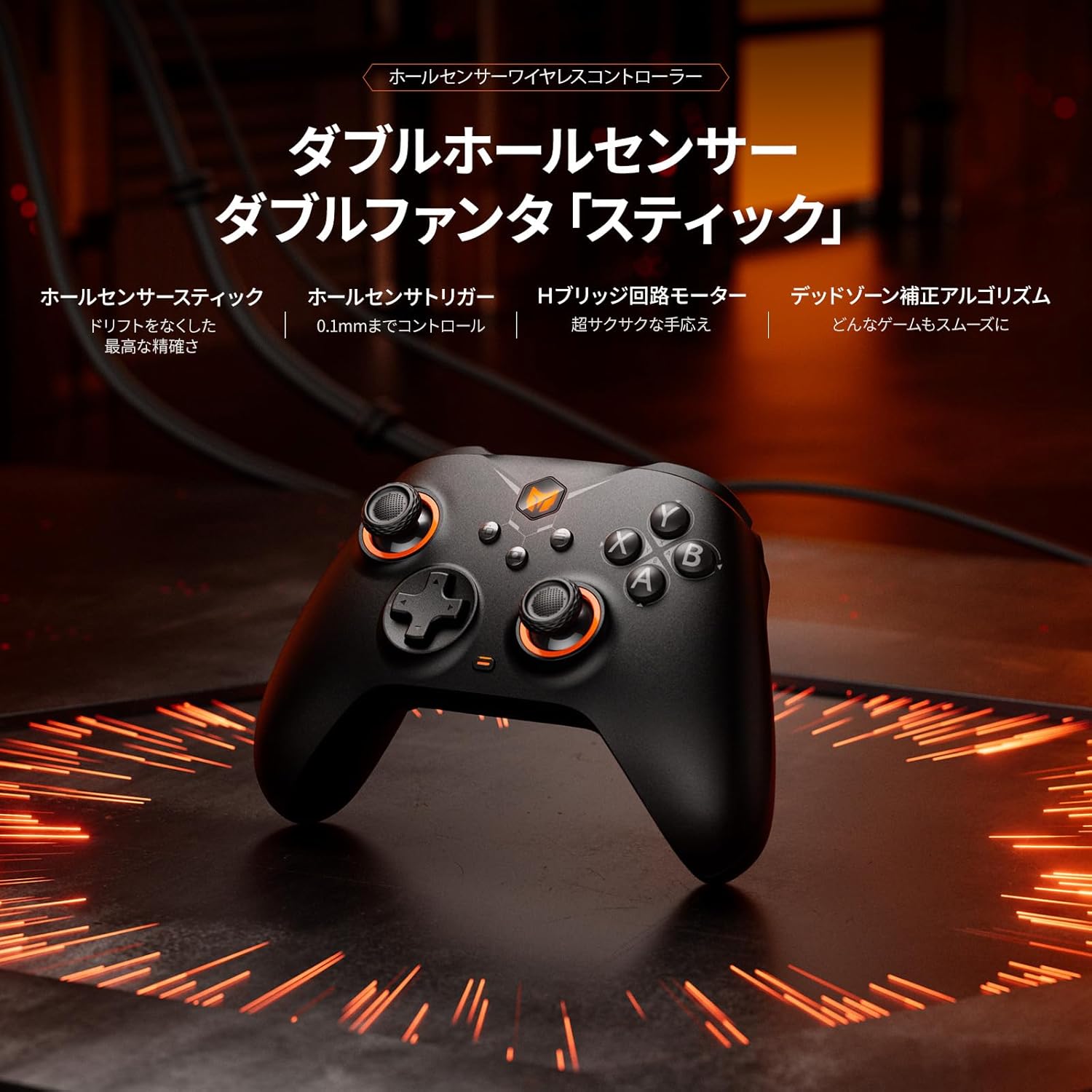
Сүрөт: алдыңкы view of the BIGBIG WON Gale Hall Wireless Controller, highlighting its ergonomic design and button placement.
- Холл эффектисинин джойстиктери: Designed for precision and to prevent drift, offering accurate and consistent input.
- Холл эффектинин триггерлери: Provide highly accurate and responsive input, suitable for both linear racing games and quick-response FPS games.
- Customizable Back Buttons (x4): Located on the rear of the controller, these buttons can be programmed for macros, remapping, or turbo functions.
- D-Pad: Standard directional pad for precise movement.
- Бет баскычтары (A, B, X, Y): Стандарттык аракет баскычтары.
- Shoulder Buttons (L1/LB, R1/RB) & Triggers (L2/LT, R2/RT): Оюндагы ар кандай аракеттер үчүн.
- Функция баскычтары: Including Home, Select, Start, and a dedicated Screenshot button.
- USB-C порту: Зымдуу туташуу жана кубаттоо үчүн.
4. Орнотуу жана туташуу
The controller supports three connection methods: wired, Bluetooth, and 2.4G wireless adapter.

Image: The controller connected to a PC via 2.4G adapter, a tablet via Bluetooth, and a Nintendo Switch via Bluetooth, illustrating its multi-platform compatibility.
4.1. Wired Connection (USB-C Cable)
- Connect one end of the included USB Type-C cable to the controller.
- Connect the other end of the cable to a USB port on your PC, Switch dock, or compatible device.
- The controller will be automatically recognized and ready for use. This method also charges the controller.
4.2. 2.4G зымсыз байланыш (USB донгл)
- 2.4G USB донглди компьютериңиздеги же шайкеш келген түзмөгүңүздөгү жеткиликтүү USB портуна сайыңыз.
- Power on the controller. It will automatically attempt to connect to the dongle.
- Туташтырылгандан кийин, контроллердеги индикатор жарыгы турукташып, ийгиликтүү туташууну билдирет.
4.3. Bluetooth туташуусу
- Контроллердин өчүрүлгөнүн текшериңиз.
- Press and hold the Bluetooth pairing button (refer to controller diagram for exact location) until the indicator light starts flashing rapidly.
- On your device (Switch, iOS, Android, or PC with Bluetooth), go to Bluetooth settings and search for new devices.
- Select "BIGBIG WON Gale Hall" from the list of available devices to pair.
- Жупташтырылгандан кийин, контроллердеги индикатор жарыгы турукташат.
5. Иштөө нускамалары
5.1. Motion Control (GYROCON+)
The controller features 6-axis gyro motion control. For PC gaming, "GYROCON+" technology supports motion aiming. For Nintendo Switch, use the native motion control feature; do not enable "GYROCON+" simultaneously.

Image: The controller being used for motion aiming on a PC, demonstrating keyboard mapping, and illustrating the 50-step macro programming feature.
5.2. Customizable Back Buttons
The four back buttons can be programmed for various functions:
- Макро: Record a sequence of up to 50 steps.
- Кайталоо: Assign any other controller button function to a back button.
- Турбо: Enable rapid firing for a specific button.
Configuration is done via the BIGBIG WON PC APP.
5.3. Vibration пикир
The dual motor system provides haptic feedback. You can adjust the vibration intensity through 255 levels using the BIGBIG WON PC APP to suit your preference.
5.4. Hall Joysticks and Triggers
Equipped with Hall Effect technology, the joysticks and triggers offer enhanced durability and precision, significantly reducing the risk of stick drift. The BIGBIG WON self-developed HURST Algorithm further optimizes joystick performance. Triggers can be configured for linear input (ideal for racing) or hair-trigger mode (ideal for FPS) via software.

Image: Visual representation of the Hall Effect magnetic induction triggers, showing their application in both linear racing games and quick-response FPS games.
5.5. Добуш берүү көрсөткүчү
When connected via wired USB, the controller supports a 1000Hz polling rate, ensuring minimal input lag for competitive gaming.

Image: The controller displayed with a prominent "1000Hz" graphic, emphasizing its high polling rate for responsive gameplay.
5.6. Adaptive Calibration
The controller features Adaptive Calibration to minimize joystick drift without requiring manual intervention.
5.7. Keyboard-Value Mapping
Through the BIGBIG WON PC APP, you can map keyboard values to controller buttons, offering expanded control options for PC games.
5.8. BIGBIG WON PC APP
The dedicated PC application allows for extensive customization, including key mapping, macro programming, turbo settings, deadzone adjustment, motion control sensitivity, and more. This tool is essential for unlocking the full potential of your controller.

Image: Screenshots of the BIGBIG WON PC App interface, showing options for button remapping, joystick deadzone adjustment, and other customization features.
6. Техникалык шарттар
| Өзгөчөлүк | Description |
|---|---|
| Шайкеш түзмөктөр | PC (Windows 10 & 11), Nintendo Switch, iOS, Android |
| Controller Type | BIGBIG WON Gale Hall Standard Gaming Controller |
| Байланыш технологиясы | Bluetooth, 2.4G Wireless Adapter, USB-C Cable |
| Кошумча функциялар | Ergonomic Design, Motion Sensing, Multi-use, Rumble Vibration, Wireless Operation |
| Button Quantity | Standard layout + 4 Customizable Back Buttons |
| Power Source | Батарея менен иштейт (1000mAh) |
| Батареянын иштөө мөөнөтү | Approximately 10+ hours of intense use |
| Элемент Салмагы | 60 грамм |
| Элементтин өлчөмдөрү | 5.91 x 3.94 x 1.57 дюйм |
| Модель номери | BIGBIG WON-GaleHallStandard |
7. Кыйынчылыктарды
If you encounter any issues with your BIGBIG WON Gale Hall controller, please refer to the following common solutions:
- Контроллер туташпай жатат: Ensure the controller is charged. Verify the correct connection method (wired, 2.4G dongle, or Bluetooth pairing) is selected and properly initiated. For Bluetooth, ensure your device's Bluetooth is enabled and the controller is in pairing mode.
- Input Lag or Disconnections (Wireless): Try moving closer to your device or 2.4G dongle to reduce interference. Ensure no other wireless devices are causing interference. For PC, consider using the wired connection for optimal performance.
- Джойстик дрейфи: The Hall Effect joysticks are designed to prevent drift. If you experience minor drift, try using the Adaptive Calibration feature via the BIGBIG WON PC APP. Ensure the controller's firmware is up to date.
- Buttons or Triggers Not Responding: Check for any physical obstructions. Ensure the controller's firmware is updated using the BIGBIG WON PC APP. If the issue persists, a factory reset (if available through the app) might be necessary.
- PC APP Not Recognizing Controller: Ensure the controller is connected to your PC via USB-C cable. Close and reopen the PC APP. Restart your PC if necessary.
- No Audio Support: Please note that this controller does NOT support audio output.
8. Техникалык тейлөө
To ensure the longevity and optimal performance of your controller:
- Башкаргычты жумшак, кургак чүпүрөк менен сүртүп, таза кармаңыз. Катуу химиялык заттарды же абразивдүү материалдарды колдонуудан алыс болуңуз.
- Контроллерди түз күн нурунан жана экстремалдык температурадан алыс салкын, кургак жерде сактаңыз.
- Контроллерди түшүрүүдөн же катуу таасирлерге дуушар кылуудан качыңыз.
- Regularly check for and install firmware updates via the BIGBIG WON PC APP to ensure the best performance and access to new features.
9. Кепилдик жана колдоо
BIGBIG WON provides comprehensive customer support for its products:
- Replacement/Refund: Enjoy 30 days of free replacement or a full refund from the date of purchase.
- Өмүр бою кызмат: BIGBIG WON offers lifetime before-sale and after-sale service for all your queries.
For any questions, technical assistance, or warranty claims, please contact BIGBIG WON customer support through their official channels or the retailer where you purchased the product.