
1. Киришүү
Thank you for choosing the Delton Wireless Ergonomic Keyboard. This full-size keyboard is designed to provide a comfortable and efficient typing experience with its ergonomic split design, integrated wrist rest, and quiet, responsive keys. It connects wirelessly via a 2.4G USB dongle, offering broad compatibility with various devices.

Image 1: Delton Wireless Ergonomic Keyboard with its 2.4G USB dongle.
2. Пакеттин мазмуну
Пакетиңизде бардык буюмдар бар экенин текшериңиз:
- Delton Wireless Ergonomic Keyboard
- 2.4G USB Dongle
- Колдонуучунун Колдонмосу (бул документ)
3. Орнотуу
3.1. Батареяны орнотуу
- Баскычтоптун астыңкы жагындагы батарея бөлүкчөсүн табыңыз.
- Батарея уясынын капкагын ачыңыз.
- Туура полярдуулукту (+/-) камсыз кылуу менен эки (2) AA батарейкасын салыңыз. Батареялар камтылган эмес.
- Батарея уясынын капкагын бекем жабыңыз.

Image 2: Illustration of battery installation in the keyboard's underside compartment.
3.2. USB донглду туташтыруу
The keyboard utilizes 2.4GHz wireless technology for a stable connection.
- Locate the 2.4G USB dongle, typically found in the battery compartment or packaged separately.
- Plug the USB dongle into an available USB port on your computer, laptop, or compatible smart device.
- The keyboard should automatically connect to your device within a few seconds. No additional drivers or software installation is required.

Image 3: The 2.4G USB dongle being inserted into a laptop's USB port for automatic pairing.
3.3. Шайкештик
This keyboard is widely compatible with:
- PCs (Windows operating systems)
- Ноутбуктар
- Mac devices (macOS)
- Tablet PCs (iOS and other compatible systems)
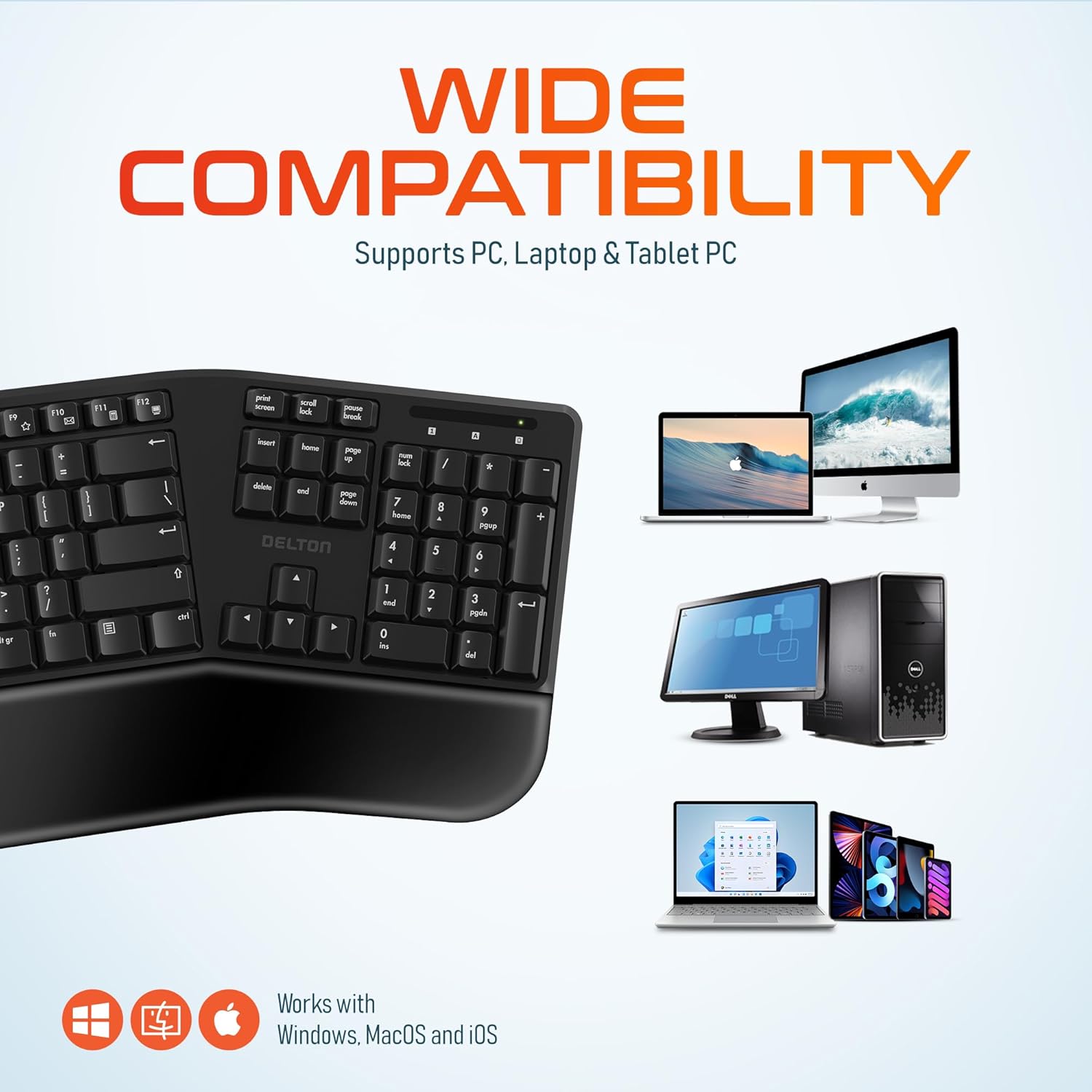
Image 4: Visual representation of the keyboard's wide compatibility with different operating systems and device types.
4. Иштөө нускамалары
4.1. Негизги терүү
Once connected, the keyboard functions like a standard full-size keyboard. The keys are designed for quiet and precise typing, with a smooth feel and ergonomic curvature for comfort.
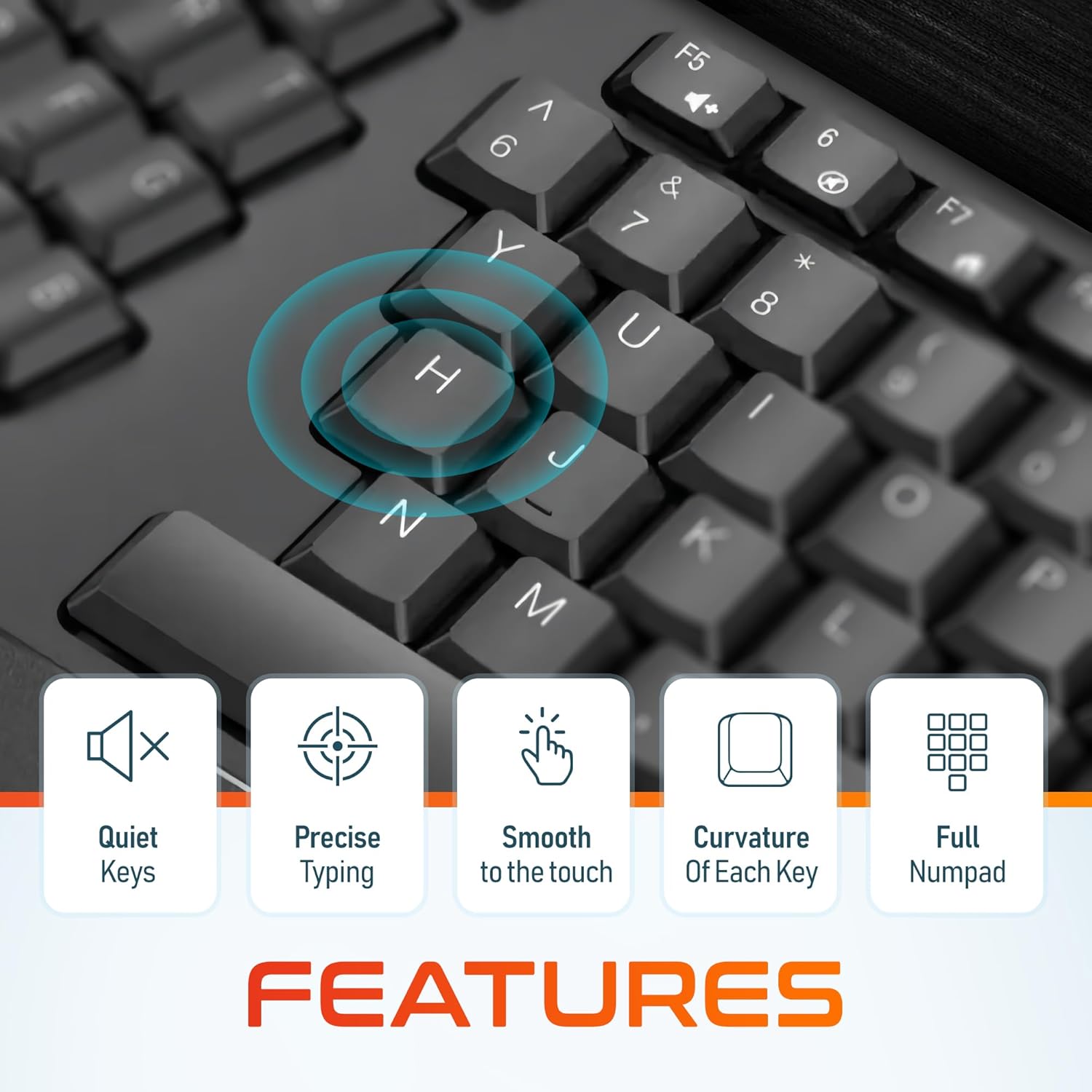
Сүрөт 5: Жакын пландан view of the keyboard keys, illustrating their quiet operation, precise response, smooth texture, and ergonomic curvature.
4.2. Function Keys and Hotkeys
The keyboard includes a full set of 105 keys, including a dedicated numpad and various function keys (F1-F12) and media hotkeys. These hotkeys provide quick access to functions such as volume control, media playback, and more. Refer to your device's operating system documentation for specific hotkey functionalities.
4.3. Энергияны үнөмдөө режими
To conserve battery life, the keyboard features an automatic power saver mode. If inactive for 10 minutes, the keyboard will enter a sleep state. To wake it up, simply press any key. The keyboard will instantly reconnect to your device.
5. Өзгөчөлүктөрү
- Эргономикалык дизайн: Features a split keyset design and a comfortable, pillowed wrist rest to reduce strain and promote a natural typing posture. This design is intended to improve comfort during extended use.
- 2.4 ГГц зымсыз байланыш: Provides a reliable wireless connection with an impressive maximum range of 8 meters (approximately 26 feet).
- Quiet and Responsive Keys: Engineered for a quiet typing experience with precise and smooth key presses.
- Толук өлчөмдөгү макет: Includes 105 keys with a full numpad for comprehensive functionality.
- Узартылган батареянын иштөө мөөнөтү: With the auto power saver mode, two AA batteries can last up to 15 months.
- Туруктуу курулуш: Built with quality materials to withstand daily use.

Image 6: Comparison illustrating the ergonomic benefits of the split keyboard design over a traditional flat keyboard, showing reduced wrist strain.

Image 7: Diagram illustrating the 2.4GHz wireless connectivity with an 8-meter maximum range for stable operation.
6. Техникалык тейлөө
6.1. Тазалоо
Клавиатуранын көрүнүшүн жана функционалдуулугун сактоо үчүн:
- Клавиатуранын бетин сүртүү үчүн жумшак, кургак, түксүз чүпүрөктү колдонуңуз.
- өжөр кир үчүн, бир аз гampчүпүрөктү суу же жумшак, абразивдүү тазалагыч менен жууп салыңыз. Ашыкча нымдуулуктан сактаныңыз.
- Тазалоочу эритмелерди түздөн-түз клавиатурага чачпаңыз.
- Баскычтардын ортосундагы калдыктарды алып салуу үчүн кысылган абаны колдонуңуз.
6.2. Батареяны алмаштыруу
When the keyboard's performance diminishes or it fails to connect, it may be time to replace the batteries. Follow the steps in Section 3.1 to replace the two AA batteries.
7. Кыйынчылыктарды
If you encounter issues with your Delton Wireless Ergonomic Keyboard, please refer to the following common solutions:
| Көйгөй | Мүмкүн себеп | Чечим |
|---|---|---|
| Баскычтоп жооп бербей жатат | Батареялары аз же өлүк | Эки АА батарейканы алмаштырыңыз. |
| Баскычтоп жооп бербей жатат | USB dongle not connected or loose | Ensure the USB dongle is securely plugged into a working USB port. Try a different USB port. |
| Баскычтоп жооп бербей жатат | Интерференция же диапазондон тышкары | Move the keyboard closer to the USB dongle (within 8 meters). Remove any objects that might be causing interference. |
| Ачкычтар жабышчаак же жооп бербейт | Ачкычтардын астындагы кир же таштанды | Clean the keyboard using compressed air or a soft brush. |
| Клавиатура тез-тез өчүп калат | Weak signal or battery | Replace batteries. Ensure the dongle is in line of sight and close to the keyboard. |
8. Техникалык шарттар

Image 8: Diagram illustrating the physical dimensions of the Delton Wireless Ergonomic Keyboard.
| Өзгөчөлүк | Деталь |
|---|---|
| Модель номери | KB200 |
| Байланыш технологиясы | 2.4GHz Wireless (USB Dongle) |
| Зымсыз диапазон | 8 метрге чейин |
| Баскычтоптун жайгашуусу | Full-Size, 105 Keys with Numpad |
| Өзгөчөлүктөр | Ergonomic Split Keyset Design, Wrist Rest, Hotkeys, Media Keys, Stain Resistant |
| Шайкеш түзмөктөр | Desktop, Laptop, Mac, PC |
| Power Source | 2 x AA батарейкалар (киргизилген эмес) |
| Батареянын иштөө мөөнөтү | Up to 15 months (with auto power saver) |
| Продукциянын өлчөмдөрү | 19.7 x 8.3 x 1.6 дюйм (50.04 x 21.08 x 4.06 см) |
| Элемент Салмагы | 2.4 фунт (1.09 кг) |
| Материал | Пластик |
| Түс | Кара |
| Өндүрүүчү | Делтон |
9. Кепилдик жана колдоо
For warranty information and customer support, please refer to the warranty card included with your product or visit the official Delton website. You may also contact Delton customer service directly for assistance with product inquiries or technical support.
Delton Customer Support: Please refer to the contact information provided on the product packaging or the official Delton webсайт.