
Introduction
This manual provides detailed instructions for the setup, operation, and maintenance of your bemi Kix-m Smartwatch Fitness Tracker. Please read this manual thoroughly before using the device to ensure proper function and to maximize your user experience. The bemi Kix-m is designed to assist you in monitoring your fitness activities and health metrics.
Кутуда эмне бар
- bemi Kix-m Smartwatch
- Заряддоо кабели
- Колдонуучунун Колдонмосу (бул документ)
Жайгашуу
1. Колдонмону орнотуу
The bemi Kix-m Smartwatch operates with the "H Band" application. This application is compatible with smartphones running Android 4.4 or newer and iOS 8.0 or newer.
- Издөө "H Band" in the App Store (for iOS devices) or Google Play Store (for Android devices).
- Тиркемени жүктөп алып, смартфонуңузга орнотуңуз.
- Follow the on-screen prompts to create an account and set up your personal profile.
2. Түзмөктү жупташтыруу
To connect your smartwatch with the "H Band" app:
- Смартфонуңуздун Bluetooth иштетилгенин текшериңиз.
- Open the "H Band" application.
- Navigate to the device pairing section within the app (usually found under "Device" or "My Device").
- The app will search for available devices. Select "Kix-m" from the list to initiate pairing.
- Суралган учурда смартфонуңуздагы жана акылдуу саатыңыздагы жупташтыруу өтүнүчүн ырастаңыз.
Эскертүү: If you experience issues with pairing, ensure the watch is charged and within Bluetooth range of your phone. Refer to the troubleshooting section for further assistance.
Иштөө нускамалары
1. Негизги навигация
The bemi Kix-m Smartwatch features a 1.5-inch touchscreen display for navigation. Swipe left, right, up, or down to access different functions and menus. Tap to select options.
2. Музыканы ойнотуу
The Kix-m includes a built-in audio player with 512MB of internal memory, allowing you to store and play music directly from the watch.
- Transferring Music: Connect the smartwatch to a computer using the charging cable. The watch should appear as a removable storage device. Drag and drop your MP3 files into the designated music folder on the watch.
- Connecting Headphones/Speakers: The watch features a dual Bluetooth module. Navigate to the Bluetooth settings on your watch, enable Bluetooth, and pair with your wireless headphones or speaker.
- Ойнотууну көзөмөлдөө: Access the music player from the watch's menu. You can play, pause, skip tracks, and adjust volume directly from the watch screen.
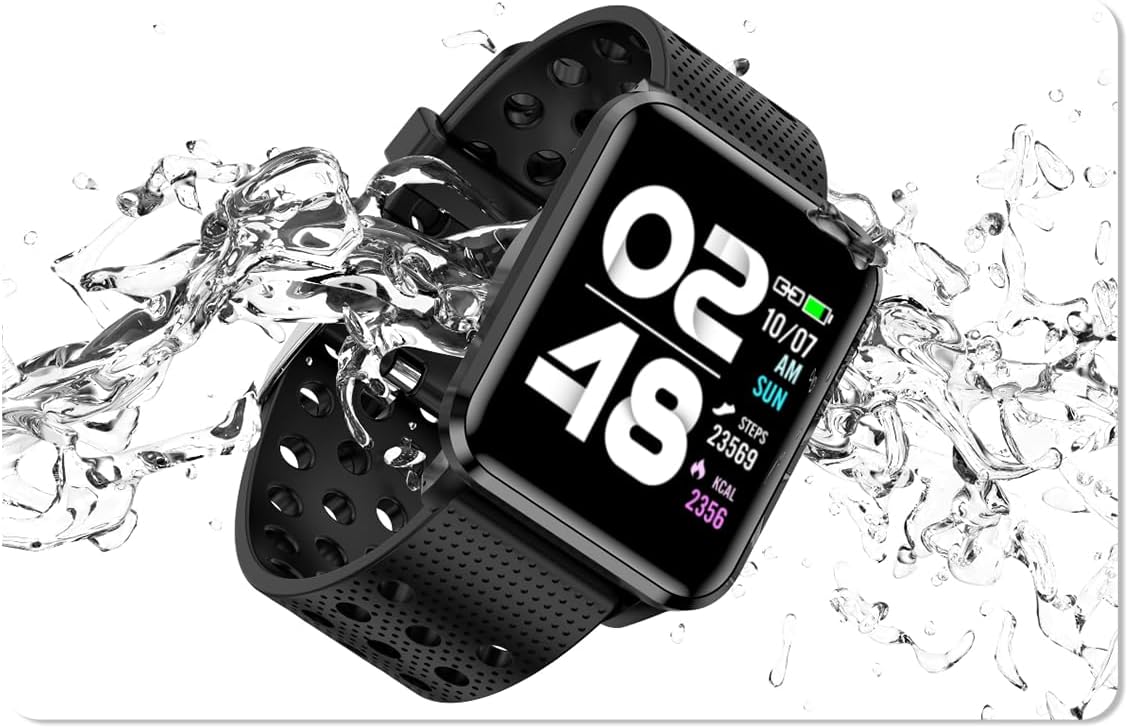
Image: The bemi Kix-m Smartwatch showing its music playback interface, with wireless earbuds positioned next to it, illustrating the device's audio capabilities.
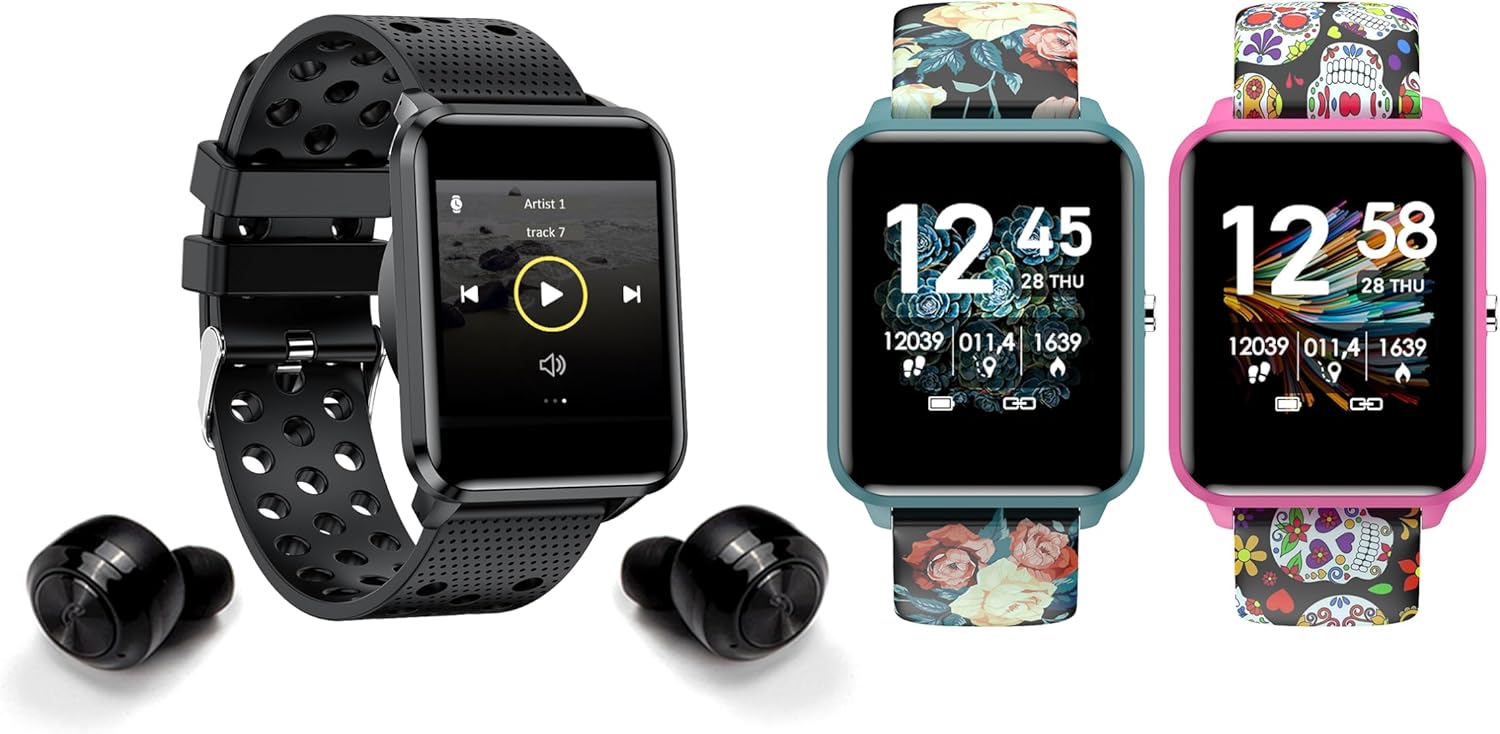
Image: The bemi Kix-m Smartwatch showing its music playback interface, with wireless earbuds positioned next to it, illustrating the device's audio capabilities.
3. Иш-аракеттерди көзөмөлдөө
The smartwatch continuously monitors your daily activity, including steps taken, distance covered, and calories burned. This data is synchronized with the "H Band" app for detailed analysis.

Image: A screenshot of the H Band application dashboard, displaying various activity metrics such as steps, blood oxygen saturation (SpO2), heart rate, and sleep patterns, alongside a smartwatch face.
4. Спорт режимдери
The Kix-m offers 10 different sport modes to track specific workouts. Select the appropriate mode before starting an activity to get accurate data for your performance.
- Access sport modes from the main menu.
- Choose your desired activity (e.g., running, cycling).
- The watch will display real-time metrics relevant to your chosen sport.
5. Ден соолуктун мониторинги
The smartwatch provides continuous monitoring of several health metrics:
- Жүрөктүн кагышын көзөмөлдөөчү: Күн бою жүрөктүн кагышын көзөмөлдөйт. View сааттагы реалдуу убакыттагы маалыматтар же колдонмодогу деталдуу графиктер.
- Кандагы кычкылтек (SpO2): Кандагы кычкылтектин деңгээлин өлчөйт.
- Уйкуга көз салуу: Monitors your sleep patterns, including deep sleep, light sleep, and awake times. Data is analyzed in the "H Band" app to provide insights into sleep quality.

Сүрөт: арткы view of the bemi Kix-m Smartwatch, highlighting the optical sensors used for heart rate and blood oxygen monitoring.

Image: The bemi Kix-m Smartwatch screen showing current blood pressure and heart rate measurements, with a background graph indicating historical data.

Сүрөт: деталдуу view of the H Band application's sleep tracking interface, showing sleep duration, quality, and different sleep stages.
6. Smart Features
- Эскертмелер: Receive alerts for calls, messages, and app notifications directly on your wrist. Configure notification settings within the "H Band" app.
- Камераны башкаруу: Use your smartwatch as a remote shutter for your smartphone camera. Access this feature from the watch's menu.
- Аялдардын ден соолугуна көз салуу: A dedicated mode for women's health tracking, including menstrual cycle and ovulation predictions. Set up and manage this feature in the "H Band" app.
- Кыймыл эстеткич: Саат сизге кыймылсыз бир нече убакыттан кийин кыймылдоону эскертип турат.
- Ойготкуч, секундомер, таймер: Standard utility functions available on the watch.
- Телефонду табуу: Бул функцияны колдонуп, жупташкан смартфонуңузду шыңгыратып, анын жайгашкан жерин аныктаңыз.

Image: The bemi Kix-m Smartwatch screen showing a photo, demonstrating its remote camera control functionality with a smartphone in the background.

Image: A screenshot of the H Band application displaying the women's health tracking interface, including menstrual cycle and ovulation prediction features.
7. Ыңгайлаштыруу
Choose from 24 clock faces available in the "H Band" application. You can also upload a photo from your phone to use as a custom watch face.

Image: A display of multiple bemi Kix-m Smartwatches showcasing different customizable watch faces, including a personalized photo option.
Техникалык тейлөө
1. Заряддоо
Connect the provided charging cable to the charging port on the back of the smartwatch and to a USB power source. The watch will display a charging indicator. A full charge typically takes 1-2 hours.
2. Сууга туруктуулук
The bemi Kix-m Smartwatch is IP68 waterproof, meaning it is resistant to dust and can withstand immersion in water up to 1.5 meters for up to 30 minutes. It is suitable for daily use, such as washing hands or light rain. Avoid hot water, saunas, or diving, as these conditions may compromise the water resistance.

Image: The bemi Kix-m Smartwatch being splashed with water, illustrating its IP68 water resistance rating for daily activities.
3. Тазалоо
Wipe the watch screen and strap with a soft, damp cloth. Avoid using harsh chemicals or abrasive materials, which can damage the device.
Проблемаларды чечүү
- Күйгүзүлбөй жаткан саат: Саат толук заряддалганын текшериңиз. Аны заряддоо кабелине жана кубат булагына кеминде 30 мүнөт туташтырыңыз.
- Телефон менен жупташтыруу мүмкүн эмес:
- Телефонуңузда Bluetooth иштетилгенин текшериңиз.
- Make sure the watch is within close proximity to your phone.
- Телефонуңузду да, акылдуу саатыңызды да өчүрүп күйгүзүңүз.
- Check if the "H Band" app is updated to the latest version.
- Эгер мурда жупташтырылган болсо, аппаратты телефонуңуздун Bluetooth жөндөөлөрүнөн ажыратып, анан колдонмо аркылуу кайра жупташып көрүңүз.
- Туура эмес ден соолук маалыматтары:
- Саат билегиңизге бекем тагылганын, бирок өтө катуу эмес экенин текшериңиз.
- Сааттын артындагы сенсорду тазалаңыз.
- Эсиңизде болсун, акылдуу сааттар медициналык аппараттар эмес жана окуулар маалымдама үчүн гана.
- Эскертмелер көрүнбөй жатат:
- Саат телефонуңуз менен ийгиликтүү жупташтырылганын текшериңиз.
- Check notification permissions for the "H Band" app in your phone's settings.
- Ensure notifications are enabled within the "H Band" app for the desired applications.
Техникалык шарттар
| Модель номери | Kix-m |
| Screen Size | 1.5 дюйм |
| Эстутум сактоо сыйымдуулугу | 512MB (for music) |
| Байланыш технологиясы | Bluetooth, WiFi |
| Суу каршылык | IP68 |
| Операциялык системанын шайкештиги | Android 4.4+, iOS 8.0+ |
| Батарея түрү | Литий полимери |
| Элемент Салмагы | 4.2 унция |
| Пакеттин өлчөмдөрү | 4.8 x 2.83 x 2.24 дюйм |
Эскертүү: Техникалык мүнөздөмөлөр алдын ала эскертүүсүз өзгөртүлүшү мүмкүн.
Кепилдик жана колдоо
For warranty information and customer support, please refer to the official bemi webсайтына кириңиз же сатуучуңузга кайрылыңыз. Кепилдик талаптары үчүн сатып алуунун далили катары сатып алуу дүмүрчөгүңүздү сактап коюңуз.
Кошумча жардам алуу үчүн, сураныч, баш багыңыз bemi Store on Amazon.