
Monster Monster XKT15
Monster XKT15 Wireless Bluetooth Earbuds
User Manual
Model: Monster XKT15
Introduction
Thank you for choosing the Monster XKT15 Wireless Bluetooth Earbuds. These gaming headphones are engineered to provide an immersive audio experience with deep bass, low latency, and crystal-clear communication. Featuring built-in noise cancellation and a microphone, they are perfect for both gaming and everyday use. This manual will guide you through the setup, operation, and maintenance of your new earbuds.
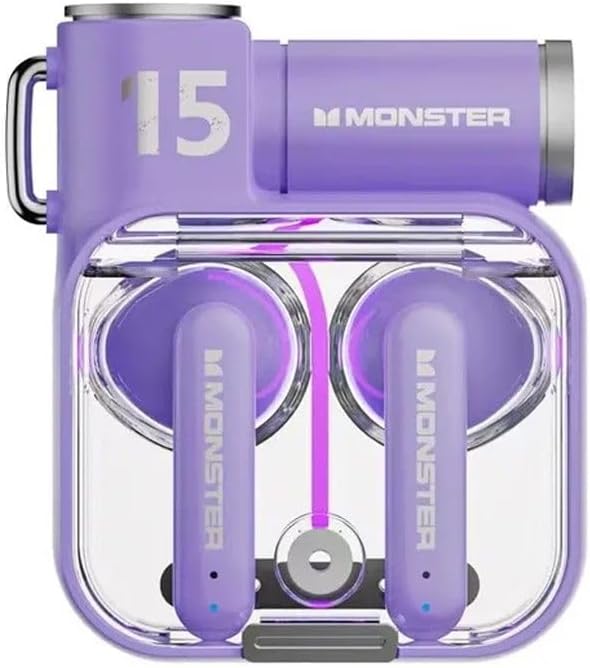
The Monster XKT15 Wireless Bluetooth Earbuds in Violet, showcasing the charging case and earbuds.
Орнотуу колдонмосу
1. Кулакчындарды жана кутуну кубаттоо
- Биринчи колдонуудан мурун, заряддоо кутусун жана кулакчындарды толук заряддаңыз.
- Кулакчындарды заряддоо кутусуна салыңыз.
- Берилген USB-C кабелин колдонуп, кубаттоочу кутучаны USB кубат булагына туташтырыңыз.
- The indicator lights on the case will show charging status. A full charge typically takes 1-2 hours.
2. Түзмөгүңүз менен жупташтыруу
- Кулакчындардын кубатталганын жана кубаттоочу кутучанын ичинде экенин текшериңиз.
- Open the charging case lid. The earbuds will automatically enter pairing mode (indicator lights will flash).
- On your device (smartphone, tablet, PC), go to Bluetooth settings and turn Bluetooth on.
- Издөө "Monster XKT15" жеткиликтүү түзмөктөрдүн тизмесинде жана туташуу үчүн аны тандаңыз.
- Once connected, a voice prompt will confirm successful pairing, and the indicator lights will turn off.
- Кийинки колдонуу үчүн кулакчындар кутудан чыгарылганда акыркы жупташтырылган түзмөккө автоматтык түрдө туташат.
3. Кулакчын тагынуу
- Сол (L) жана оң (R) кулакчындарды аныктаңыз.
- Gently insert each earbud into your ear canal and rotate slightly to find a comfortable and secure fit.
- A proper fit ensures optimal sound quality and noise cancellation.
Иштөө нускамалары
Touch Controls
| Акция | Сол кулакчын (L) | Оң кулакчын (R) |
|---|---|---|
| Ойнотуу/Тыныгуу | Бир таптоо | Бир таптоо |
| Кийинки трек | Үч жолу таптоо | Үч жолу таптоо |
| Мурунку трек | Эки жолу таптаңыз | Эки жолу таптаңыз |
| Чалууга жооп берүү/аяктоо | Бир таптоо | Бир таптоо |
| Чакырууну четке кагуу | Узак басуу (2сек) | Узак басуу (2сек) |
| Үн жардамчысын жандырыңыз | Узак басуу (2сек) | Узак басуу (2сек) |
| Оюн/Музыка режимин которуштуруу | Төрт жолу таптаңыз | Төрт жолу таптаңыз |
Үн сапаты жана өзгөчөлүктөрү
- Deep Bass: Experience powerful and immersive bass for an enhanced audio experience, especially during gaming.
- Төмөн күтүү: The advanced Bluetooth 5.0 ensures minimal audio delay, crucial for competitive gaming.
- Ызы -чууну жокко чыгаруу: The built-in microphone features noise cancellation technology for clear voice communication during calls or in-game chat.

The Monster XKT15 earbuds and charging case, highlighting the high-fidelity surround sound capabilities.

The Monster XKT15 earbuds next to a smartphone displaying a music player, emphasizing clear audio and voice quality.
Техникалык тейлөө
Тазалоо
- Кулакчындарды жана заряддоо кутусун жумшак, кургак, түксүз чүпүрөк менен дайыма тазалап туруңуз.
- Абразивдүү тазалагычтарды, спиртти же химиялык эриткичтерди колдонбоңуз.
- Кичинекей, жумшак щетка же кебез тампондун жардамы менен кулакчындын учтары менен динамик торчосунан ар кандай кулагын же калдыктарын акырын алып салыңыз.
- Кулакчындардын жана капчыктын кубаттоочу контакттары таза жана кургак экенин текшериңиз.
Сактагыч
- Кулакчындарды коргоо жана кубаттоо үчүн колдонулбаган учурда аларды кубаттоо кутучасында сактаңыз.
- Store the device in a cool, dry place, away from extreme temperatures, humidity, and direct sunlight.
Проблемаларды чечүү
Жалпы маселелер жана чечимдер
- Кулакчындар жупташкан жок:
- Эки кулакчындын тең кубатталганын текшериңиз.
- Кулакчындарды кайра кутуга салып, капкагын жаап, бир нече секунд күтүп, кайра ачыңыз.
- Түзмөгүңүздөгү Bluetooth'ду өчүрүп, күйгүзүңүз.
- Түзмөгүңүздүн Bluetooth тизмесинен "Monster XKT15" унутуп, кайра жупташтырып көрүңүз.
- Бир кулакчындан үн чыкпайт:
- Эки кулакчындын тең батареясынын деңгээлин текшериңиз.
- Эки кулакчын тең түзмөгүңүзгө туура туташып турганын текшериңиз.
- Try resetting the earbuds (refer to manufacturer's specific reset instructions if available, otherwise, try placing them back in the case and re-pairing).
- Заряддоо маселелери:
- Заряддоо кабели корпуска да, кубат булагына да бекем туташтырылганын текшериңиз.
- Кулакчындардагы жана кутучадагы заряддоо контакттары таза экенин текшериңиз.
- Башка USB кабелин же кубат адаптерин колдонуп көрүңүз.
- Микрофон иштебей жатат:
- Ensure the earbuds are properly connected and selected as the audio input device on your system.
- Check for any obstructions on the microphone opening.
Техникалык шарттар
| Өзгөчөлүк | Деталь |
|---|---|
| Модель аты | Monster XKT15 |
| Байланыш технологиясы | Зымсыз (Bluetooth) |
| Форма фактору | Кулакта |
| Түс | Violet (and other variants) |
| Өндүрүүчү | Monster |
| Өзгөчөлүктөр | Deep Bass, Low Latency, Built-in Microphone, Noise Cancellation |
| Батареянын иштөө мөөнөтү (наушник) | Up to 15 hours of playtime (with charging case) |

A display of Monster XKT15 earbuds in various colors (Violet, White, Black), demonstrating the available aesthetic options.
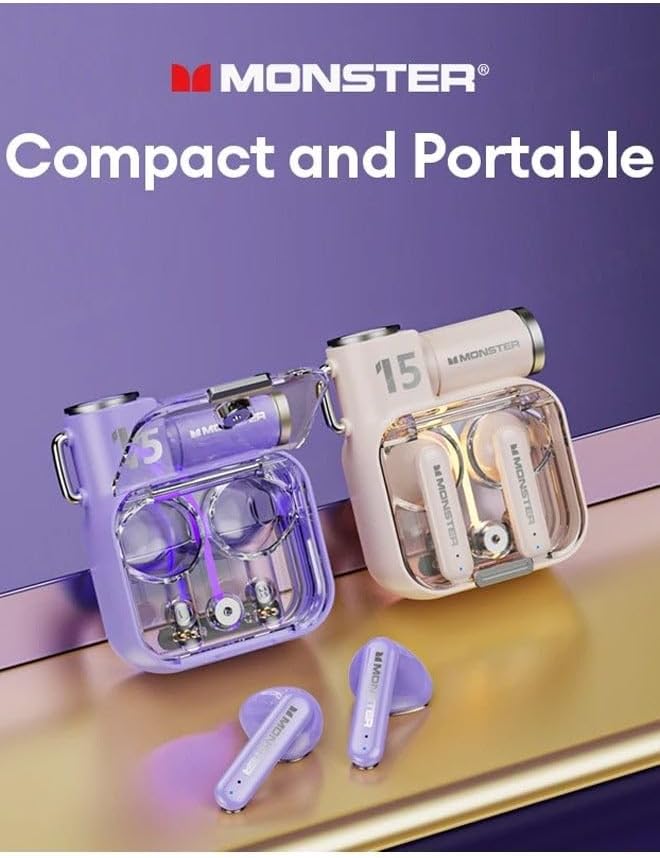
Two Monster XKT15 earbud sets, one in violet and one in a lighter color, illustrating their compact and portable design.
Кепилдик жана колдоо
Your Monster XKT15 Wireless Bluetooth Earbuds may be eligible for an extended warranty. Please refer to your purchase documentation for details regarding any additional protection plans, such as the 2-Year Extended Warranty by Salama Care.
For further assistance, technical support, or warranty claims, please contact the retailer or manufacturer's customer service. Keep your proof of purchase for any warranty-related inquiries.
Ask a question about this manual
Ask about setup, troubleshooting, compatibility, parts, safety, or missing instructions. Manuals+ will review the question and use this page’s manual context to help answer it.