
Introduction
The Lyridz A5138 Rechargeable LED Motion Sensor Closet Light is designed to provide convenient, automatic lighting for various indoor spaces. Featuring a built-in rechargeable battery, motion sensing capabilities, and adjustable brightness, these lights are ideal for closets, cabinets, stairs, and more. This manual provides detailed instructions for setup, operation, maintenance, and troubleshooting to ensure optimal performance.
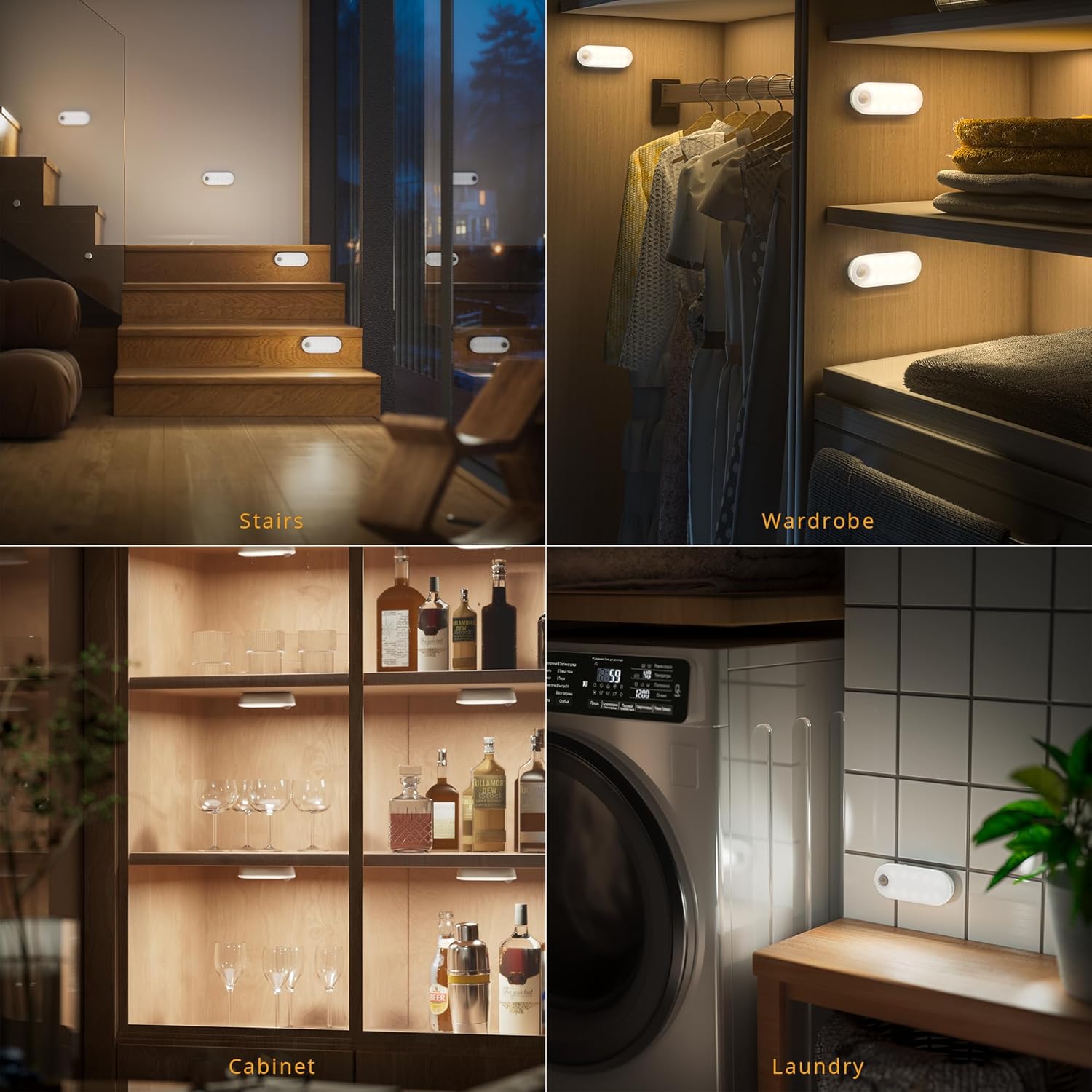
Image: Lyridz A5138 lights providing illumination in a wardrobe, on stairs, inside a cabinet, and in a laundry room.
Кутуда эмне бар
Сураныч, пакеттин мазмунун текшерип, бардык буюмдар бар экенин текшериңиз:
- Lyridz A5138 LED Motion Sensor Lights (3 units)
- USB заряддоо кабели
- Adhesive Metal Plates (for non-magnetic surfaces)
- User Manual

Image: The Lyridz A5138 product packaging showing the three lights, charging cable, and instruction manual.
Техникалык шарттар
| Өзгөчөлүк | Description |
|---|---|
| Бренд | Lyridz |
| Модель аты | A5138 |
| Түс | Ак |
| Материал | Поликарбонат |
| Жарык булагы түрү | LED |
| Ачык түс | Cool White |
| Жарыктык | 1-80 Люмен (Күндөтүү) |
| Power Source | Батарея менен иштейт (1500mAh литий-ион) |
| Өзгөчөлүктөр | Dimmable, Energy Efficient, Motion Sensor, Portable |
| Motion Sensor Angle | 150 градус |
| Motion Sensor Distance | 16 фут (5 метр) чейин |
| Продукциянын өлчөмдөрү | 4.09 x 1.65 x 1.18 дюйм (10.4 x 4.2 x 3 см) |
| Элемент Салмагы | 2.89 унция (82 грамм) |
Орнотуу жана орнотуу
The Lyridz A5138 lights offer easy installation with built-in magnets. They can be attached directly to iron surfaces or to other surfaces using the provided adhesive metal plates.
Орнотуу кадамдары:
- Clean the surface where you intend to install the light. Ensure it is dry and free of dust.
- If installing on a non-magnetic surface, peel off the protective film from one side of an adhesive metal plate and firmly press it onto the desired location.
- Attach the Lyridz light to the metal plate or directly to an iron surface using its built-in magnet. Ensure the light is securely attached.

Image: A Lyridz A5138 light being magnetically attached to the underside of a cabinet.
Орнотуу кеңеши:
For optimal motion sensor performance, consider the placement of the PIR sensor. It should be positioned to detect movement across its field of view rather than directly towards it. Avoid placing the sensor too close to heat sources or air outlets, as this can affect its sensitivity.
Video: What should I do if the product doesn’t stick?
Video: This video demonstrates proper surface preparation and adhesive application to ensure the light sticks securely.
Иштөө нускамалары
The Lyridz A5138 light features three operating modes and adjustable brightness levels.
Иштөө режимдери:
Use the switch on the light to select one of the following modes:
- КҮЙҮК: The light will remain continuously on until the battery is depleted or the mode is changed.
- NIGHT-AUTO: The light will automatically turn on when motion is detected in a dark environment. It will turn off after 30 seconds of no motion.
- 24H-AUTO: The light will automatically turn on whenever motion is detected, regardless of ambient light conditions. It will turn off after 30 seconds of no motion.

Image: Visual representation of the three work modes: ON (non-stop lighting), 24H AUTO (motion detection always), and NIGHT AUTO (motion detection in dark only).
Жарыктыкты жөндөө:
The light supports both stepless dimming and 5-level brightness adjustment.
- Кадамсыз күңүрттөө: Tap and hold the dimmable button (fingerprint icon) to continuously adjust the brightness from 1LM to 80LM. Release when the desired brightness is reached.
- 5-деңгээл жарыктыгы: Tap the dimmable button to cycle through 5 preset brightness levels.

Image: Instructions for dimming the light, showing both tap-and-hold for stepless adjustment and single tap for 5-level brightness.
Кыймыл сенсорунун диапазону:
The upgraded PIR motion sensor offers a 150-degree sensing angle and a detection distance of up to 16 feet, ensuring sensitive and wide-area coverage.

Image: A visual representation of the 150-degree ultra-sensing motion sensor coverage.
Video: Lyridz Motion Sensor Closet Light Overview
Видео: Бул видео жалпы маалымат беретview of the Lyridz Motion Sensor Closet Light, demonstrating its features including modes and dimming.
Техникалык тейлөө
The Lyridz A5138 light is equipped with a built-in 1500mAh rechargeable lithium battery, offering extended use and environmental benefits.
Батареяны заряддоо:
- When the light's brightness diminishes or it stops responding, it's time to recharge.
- Connect the provided USB charging cable to the charging port on the light and to a standard USB power source (e.g., computer, USB wall adapter).
- A charging indicator light will typically show red during charging and turn green when fully charged.
- A full charge can provide up to 120 days of daily use (based on lab tests: 50% brightness, 8 activations/day, 30 seconds each).

Image: The Lyridz A5138 light connected to a USB charging cable, illustrating its rechargeable and eco-friendly design.
Проблемаларды чечүү
If you encounter any issues with your Lyridz A5138 light, refer to the following common problems and solutions:
Problem: The product does not stick to the wall.
- Чечим: Ensure the installation surface is clean, dry, and smooth. For non-magnetic surfaces, use the provided adhesive metal plates and press firmly for at least 30 seconds to ensure proper adhesion.
Video: What should I do if the product doesn’t stick?
Video: This video demonstrates proper surface preparation and adhesive application to ensure the light sticks securely.
Problem: The motion sensor is not sensitive or doesn't work.
- Чечим 1: Check the ambient light. In NIGHT-AUTO mode, the sensor will only activate in dark conditions. If the area is too bright, the light will not turn on.
- Чечим 2: Adjust the light's orientation. The PIR sensor detects movement across its field of view. If you walk directly towards the sensor, it may not trigger. Try positioning the light so that movement occurs across its sensing area.
- Чечим 3: Ensure the PIR sensor is not inverted if installed vertically. The recommended installation position is to face the PIR sensor outwards.
Video: What should I do if the motion sensor doesn't work?
Video: This video explains why the motion sensor might not be working and provides solutions related to ambient light and sensor orientation.
Video: What should I do if the motion sensor is not sensitive?
Video: This video offers guidance on improving motion sensor sensitivity, including proper placement and orientation.
Problem: The light is too bright.
- Чечим: Use the dimmable button (fingerprint icon) to adjust the brightness. Tap and hold for stepless dimming or tap repeatedly to cycle through 5 preset brightness levels.
Video: What should I do if the light is too bright?
Video: This short video demonstrates how to dim the light if it is too bright.
Problem: The light remains on after sensing.
- Чечим 1: Ensure there is no continuous human movement within the sensing range. The light is designed to turn off after 30 seconds of inactivity.
- Чечим 2: Check for other heat sources or air outlets nearby that might be continuously triggering the sensor. Relocate the light if necessary.
- Чечим 3: If multiple lights are installed too close to each other, the light from one unit might prevent another from turning off if it's in NIGHT-AUTO mode. Ensure adequate spacing between units.
Video: What should I do if the light remains on after sensing?
Video: This video addresses why the light might stay on after motion detection and provides solutions.
Кепилдик жана колдоо
Lyridz products are designed for quality and reliability. For any questions, concerns, or technical support regarding your Lyridz A5138 Rechargeable LED Motion Sensor Closet Light, please refer to the contact information provided in your product packaging or visit the official Lyridz webкардарларды тейлөө сайты.