
1. Киришүү
Thank you for choosing the VolkanoX VXH300 Hybrid Active Noise Cancelling Bluetooth Headphones. These headphones are designed to provide a high-quality audio experience with the convenience of wireless connectivity and effective noise cancellation. This manual will guide you through the setup, operation, and maintenance of your new headphones.
2. Коопсуздук маалыматы
- Угуунун бузулушун алдын алуу үчүн кулакчындарды узак убакыт бою жогорку үндө колдонбоңуз.
- Do not use the headphones in situations where inability to hear ambient sounds could be dangerous, such as while driving or cycling.
- Keep the headphones away from water, moisture, and extreme temperatures.
- Наушниктерди ажыратууга же өзгөртүүгө аракет кылбаңыз. Бул кепилдикти жокко чыгарат.
- Charge the headphones using a compatible USB power source.
3. Пакеттин мазмуну
Пакетиңизде бардык буюмдар бар экенин текшериңиз:
- 1 x VolkanoX VXH300 Hybrid Active Noise Cancelling Bluetooth Headphones
- 1 x USB Type-C заряддоо кабели
- 1 x 3.5 мм аудио кабель
- 1 x Ташуу кутусу
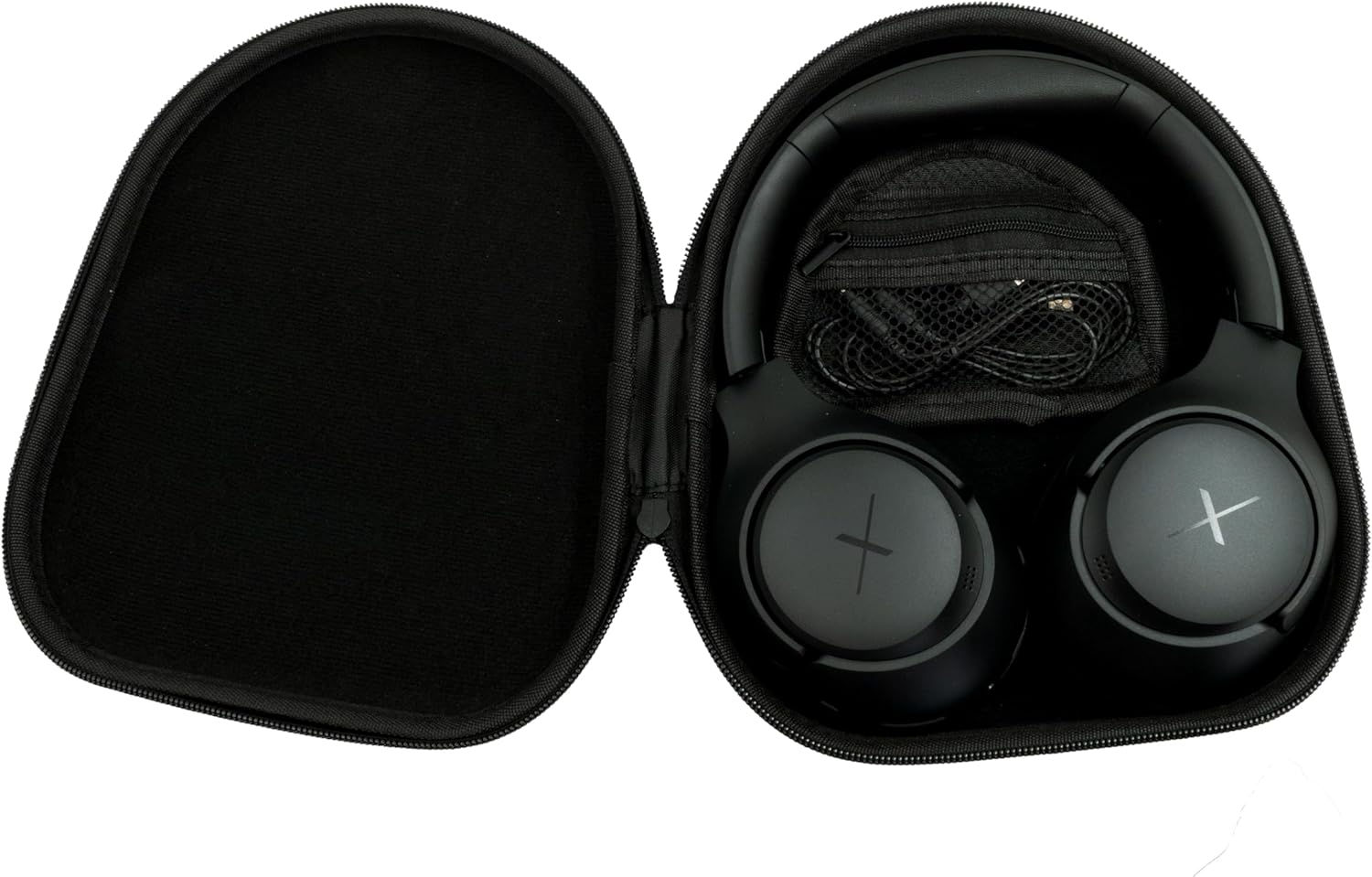
Image: VolkanoX VXH300 Headphones neatly stored in their carrying case, alongside the included charging and audio cables.
4. Продукт бүтүп калдыview
Familiarize yourself with the various parts and controls of your VolkanoX VXH300 headphones:

Сүрөт: деталдуу view of the right earcup, highlighting the control buttons, the 3.5mm Aux Input, and the USB Type-C Charging Port.
- Башкаруу баскычтары: Power On/Off, Volume Up/Down, Play/Pause, Track Skip, Call Answer/End.
- Aux Киргизүү: For wired audio connection using the 3.5mm audio cable.
- Type-C заряддоо порту: Ички батареяны заряддоо үчүн.
- ANC которулуу: Dedicated button or switch for Active Noise Cancelling function.
- Микрофон: Колсуз чалуулар үчүн орнотулган.
5. Орнотуу
5.1 Наушниктерди заряддоо
- Берилген USB Type-C заряддоо кабелин гарнитурадагы заряддоо портуна туташтырыңыз.
- Кабелдин экинчи учун USB кубат адаптерине (кошумча эмес) же компьютердин USB портуна туташтырыңыз.
- LED индикатору кубаттоо абалын көрсөтөт (мисалы, кызыл - кубаттоо үчүн, көк - толук заряддалган үчүн).
- Толук кубаттоо болжол менен 1 саатка созулат.
5.2 Күйгүзүү/өчүрүү
- Күйгүзүү үчүн: LED индикатору өчкөнгө чейин кубат баскычын болжол менен 3 секунд басып туруңуз.
- Өчүрүү үчүн: LED индикатору өчмөйүнчө кубат баскычын болжол менен 3 секунд басып туруңуз.
5.3 Bluetooth жупташтыруу
- Наушниктердин өчүрүлгөнүн текшериңиз.
- LED индикатору жупташтыруу режимин көрсөтүүчү кызыл жана көк түстөр кезектешип күйгүчө, Күч баскычын болжол менен 5-7 секунд басып туруңуз.
- Түзмөгүңүздө (смартфон, планшет, компьютер) Bluetooth иштетип, жаңы түзмөктөрдү издеңиз.
- Select "VolkanoX VXH300" from the list of available devices.
- Once paired, the LED indicator will flash blue slowly, and you will hear an audible confirmation.
- The headphones will automatically reconnect to the last paired device when powered on, if within range (up to 10 meters).
5.4 Wired Connection (Duo Mode)
For ultimate flexibility, you can use the headphones in wired mode:
- Connect one end of the 3.5mm audio cable to the Aux Input port on the headphones.
- Connect the other end of the cable to the 3.5mm audio jack on your audio device.
- The headphones will automatically switch to wired mode. Bluetooth functionality will be disabled.
6. Иштөө нускамалары
6.1 Музыканы ойнотуу
- Ойнотуу/тындыруу: Power/Multi-функция баскычын бир жолу басыңыз.
- Көлөмү: Үнүн жогорулатуу (+) баскычын басыңыз.
- Үнүн азайтуу: Үндү азайтуу (-) баскычын басыңыз.
- Кийинки трек: Үндү жогорулатуу (+) баскычын басып, кармап туруңуз.
- Мурунку трек: Үндү азайтуу (-) баскычын басып, кармап туруңуз.
6.2 Чалууларды башкаруу
- Чалууга жооп берүү/аяктоо: Power/Multi-функция баскычын бир жолу басыңыз.
- Чакырууну четке кагуу: Power/Multi-функция баскычын 2 секунд басып туруңуз.
- Акыркы номерди кайра терүү: Power/Multi-функция баскычын эки жолу басыңыз.
6.3 Active Noise Cancelling (ANC) Function
The VolkanoX VXH300 features Hybrid Active Noise Cancelling technology to reduce ambient noise.

Image: A visual representation of Hybrid Active Noise Cancelling, showing how external noise is filtered to enhance the listening experience.
- ANC иштетүү: Locate the dedicated ANC switch or button (refer to Product Overview) and slide/press it to the ON position. The ANC indicator light will illuminate.
- ANC өчүрүү: Slide/press the ANC switch or button to the OFF position. The ANC indicator light will turn off.
- ANC can be used independently or simultaneously with Bluetooth audio.
7. Техникалык тейлөө
7.1 Тазалоо
- Наушниктерди жумшак, кургак чүпүрөк менен сүртүңүз.
- Абразивдүү тазалагычтарды, эриткичтерди же катуу химиялык заттарды колдонбоңуз.
- Ар кандай тешиктерге ным кирүүдөн сактаңыз.
7.2 Сактоо
The VolkanoX VXH300 headphones feature a twist and folding design for compact storage.

Image: The headphones folded for portability, highlighting their space-saving design.
- When not in use, fold the headphones and store them in the provided carrying case to protect them from dust and damage.
- Салкын, кургак жерде, түз күндүн нурунан жана экстремалдык температурадан алыс сактаңыз.
8. Кыйынчылыктарды
Эгер гарнитураңызга байланыштуу көйгөйлөргө туш болсоңуз, төмөнкү жалпы көйгөйлөрдү жана чечимдерди караңыз:
| Көйгөй | Мүмкүн чечим |
|---|---|
| Кулакчындар күйбөйт. | Наушниктердин толук заряддалганын текшериңиз. Кубат булагына туташып, кайра аракет кылыңыз. |
| Bluetooth түзмөгү менен жупташтыруу мүмкүн эмес. | Ensure headphones are in pairing mode (LED flashing red/blue). Turn off and on Bluetooth on your device. Move headphones closer to the device. Clear previous pairings on your device. |
| Үн жок же үнү төмөн. | Check volume levels on both headphones and your connected device. Ensure headphones are properly paired or the 3.5mm cable is fully inserted. |
| АНК натыйжалуу эмес. | Ensure the ANC function is switched on. ANC is most effective against low-frequency, constant noise. |
| Микрофон иштебей жатат. | Ensure headphones are connected via Bluetooth. Check microphone settings on your device. |
9. Техникалык шарттар
| Өзгөчөлүк | Деталь |
|---|---|
| Модель аты | VXH300 |
| Модель номери | VKX-2104-BK |
| Байланыш | Bluetooth 5.0, Wired (3.5mm Aux) |
| Bluetooth диапазону | 10 метрге чейин |
| Noise Control | Гибриддик активдүү ызы-чууну жокко чыгаруу |
| Кулак жайгаштыруу | Ашыкча кулак |
| Сезимталдуулук | 105 дБ |
| Батареяны заряддоо убактысы | Болжол менен 1 саат |
| Камтылган микрофон | Ооба |
| Салмагы | 300 грамм |
| Түс | Кара |
10. Кепилдик жана колдоо
10.1 Кепилдик маалыматы
Your VolkanoX VXH300 headphones are covered by a 1 жылдык чектелген кепилдик. This warranty covers manufacturing defects and ensures dependable performance.
You can extend your coverage by an additional 12 months, for a total of 24 months coverage, by registering your product. Please visit the official Volkano website for product registration details.
10.2 Кардарларды колдоо
Should you have any questions, require assistance, or need to claim warranty support, please contact Volkano customer service. You can message us via the official Volkano Page же продуктунун таңгагында көрсөтүлгөн байланыш маалыматына кайрылыңыз.