
1. Киришүү
Thank you for choosing the SODLK T13 Portable Bluetooth Speaker. This manual provides essential information for setting up, operating, and maintaining your speaker. Please read it thoroughly before use to ensure optimal performance and longevity of your device.
2. Продукт бүтүп калдыview
2.1 Компоненттер
- SODLK T13 Portable Bluetooth Speaker
- Кубат кабели (USB-C)
- 3.5 мм Aux кабели
- Quick Start Guide
2.2 Негизги өзгөчөлүктөрү
- Booming Bass & 360-degree Sound: Delivers powerful audio performance.
- Stereo Dual Pairing: Connect two T13 speakers for an enhanced stereo sound experience.
- IP67 Суу жана чаң өткөрбөйт: Designed to withstand water immersion and dust ingress, suitable for various environments.
- RGB Party Light: Integrated LED lighting effects to enhance your listening experience.
- Бир нече киргизүү параметрлери: Supports Bluetooth, USB, TF Card, and AUX input.
- Портативдик дизайн: Compact size with a convenient handle for easy transport.
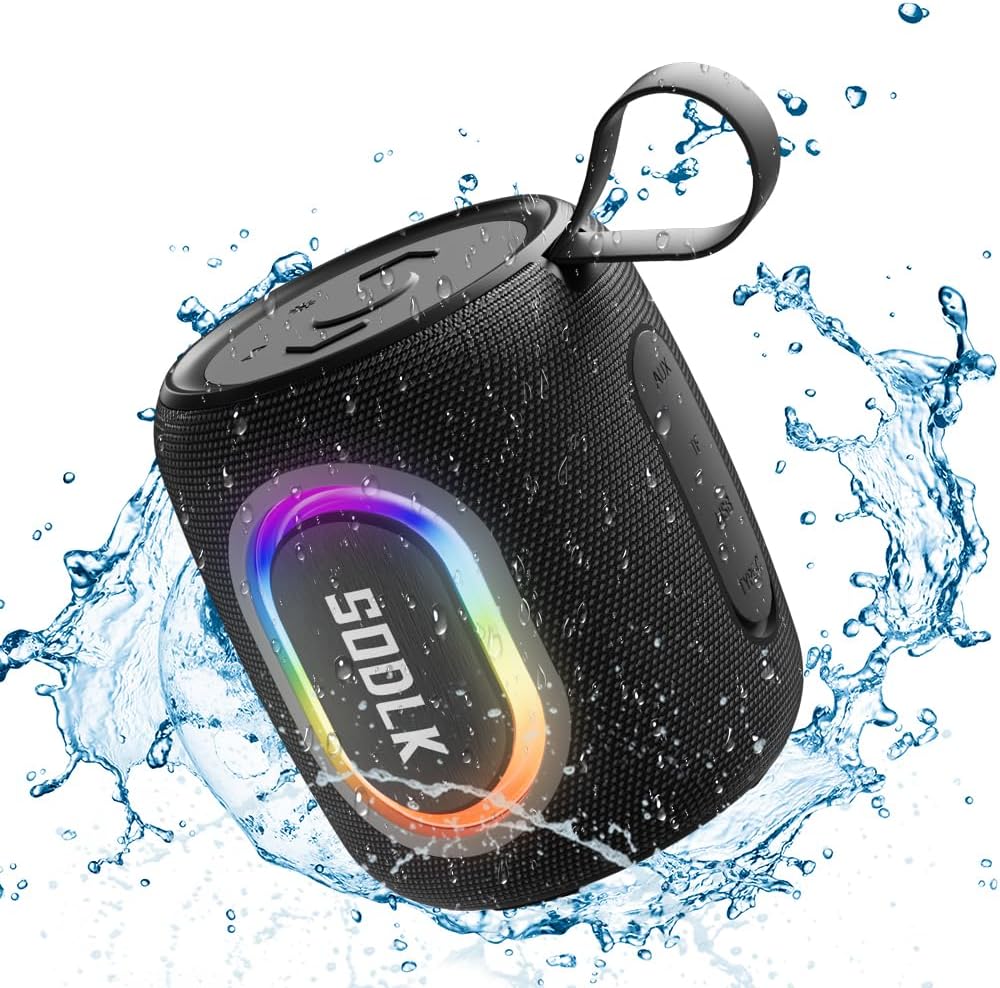
Figure 1: The SODLK T13 Portable Bluetooth Speaker demonstrating its IPX7 waterproof capability amidst splashing water.

Figure 2: Internal components of the SODLK T13 speaker, illustrating its sound engineering for loud sound and bass boost.
3. Орнотуу
3.1 Динамикти заряддоо
Before first use, fully charge the speaker. Connect the provided USB-C power cable to the speaker's charging port and the other end to a compatible USB power adapter (not included) or a computer's USB port. The charging indicator light will show the charging status and turn off when fully charged.
3.2 Күйгүзүү/өчүрүү
- Күйгүзүү үчүн: Кубат баскычын басып, кармап туруңуз (U) деген үн чыкканга чейин жана индикатор жарыктары күйгөнгө чейин болжол менен 3 секунд басып туруңуз.
- Өчүрүү үчүн: Кубат баскычын басып, кармап туруңуз (U) деген үн чыкканга чейин жана индикатор жарыктары өчкөнгө чейин болжол менен 3 секунд басып туруңуз.
3.3 Bluetooth жупташтыруу
- Ensure the speaker is powered on and in Bluetooth pairing mode (indicated by a flashing blue LED). If not, briefly press the Bluetooth button.
- Түзмөгүңүздө (смартфон, планшет, компьютер) Bluetooth иштетип, жеткиликтүү түзмөктөрдү издеңиз.
- Select "SODLK T13" from the list of found devices.
- Once connected, you will hear a confirmation sound, and the Bluetooth indicator light will turn solid blue.
Динамик күйгүзүлгөндө автоматтык түрдө акыркы жупташтырылган түзмөккө кайра туташуу аракетин көрөт.
4. Иштөө нускамалары
4.1 Музыканы ойнотуу
- Ойнотуу/тындыруу: Ойнот / Тындыруу баскычын (||).
- Көлөмү: Үндү катуулатуу баскычын басыңыз (+).
- Үнүн азайтуу: Үндү азайтуу баскычын басыңыз (-).
- Кийинки трек: Үндү катуулатуу баскычын басып, кармап туруңуз (+).
- Мурунку трек: Үндү азайтуу баскычын басып, кармап туруңуз (-).
4.2 Жарык режим
The SODLK T13 features dynamic RGB lighting. Press the Light Mode button (often indicated by a lightbulb icon or similar) to cycle through different light patterns and colors. Press and hold to turn the lights off or on.

Figure 3: The SODLK T13 speaker illuminating a party atmosphere with its integrated RGB lighting.
4.3 Stereo Dual Pairing (TWS Function)
To achieve true wireless stereo (TWS) sound, you can pair two SODLK T13 speakers together:
- Ensure both T13 speakers are powered on and not connected to any Bluetooth device.
- On one speaker (this will be the primary speaker), press and hold the TWS button (often indicated by two interlocking circles or similar icon) for approximately 3 seconds. You will hear a prompt indicating it's searching for another speaker.
- The two speakers will automatically connect to each other. You will hear a confirmation sound once paired.
- Эми, түзмөгүңүздү 3.3-бөлүмдө сүрөттөлгөндөй, Bluetooth аркылуу негизги динамикке туташтырыңыз. Аудио эки динамик аркылуу тең стерео режиминде ойнотулат.
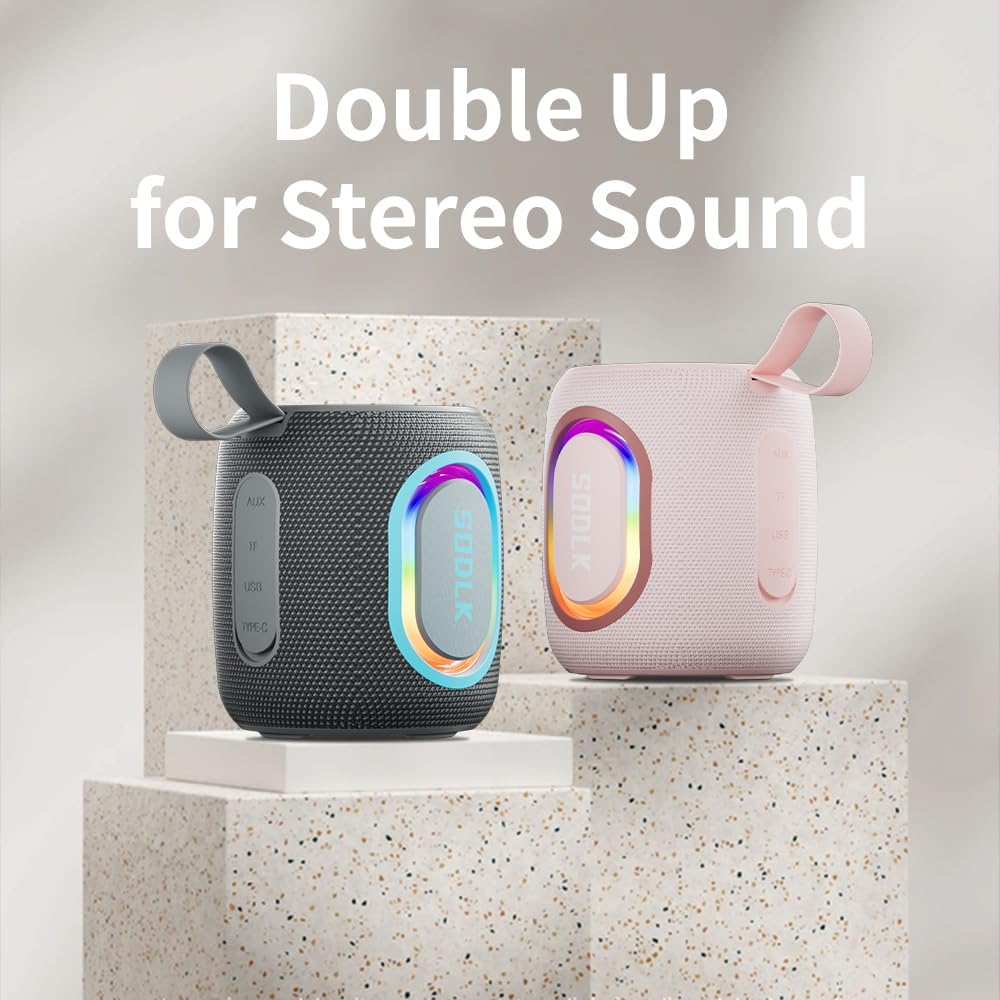
Figure 4: Two SODLK T13 speakers ready for stereo dual pairing, enhancing the audio experience.
4.4 Auxiliary and USB/TF Card Modes
- AUX киргизүү: 3.5 мм AUX кабелин динамиктин AUX портуна сайып, экинчи учун аудио булагыңызга туташтырыңыз. Динамик автоматтык түрдө AUX режимине өтөт.
- USB/TF карта киргизүү: Insert a USB flash drive or a TF (microSD) card with audio files into the respective port. The speaker will automatically detect the media and begin playback. Use the playback controls (Play/Pause, Volume Up/Down) to manage your music.
5. Техникалык тейлөө
5.1 Тазалоо
Динамикти тазалоо үчүн жумшак, гamp cloth. Do not use harsh chemicals, cleaning solvents, or strong detergents, as they may damage the surface or internal components. Ensure all ports are dry before charging or connecting other devices.
5.2 Сактоо
Store the speaker in a cool, dry place away from direct sunlight and extreme temperatures. If storing for an extended period, charge the battery periodically (e.g., every 3 months) to maintain battery health.
6. Кыйынчылыктарды
| Көйгөй | Мүмкүн себеп | Чечим |
|---|---|---|
| Динамик күйбөйт. | Батарея түгөнүп калды. | Динамикти толук заряддаңыз. |
| Bluetooth аркылуу жупташтыруу мүмкүн эмес. | Динамик жупташтыруу режиминде эмес же башка түзмөккө туташып турат. | Ensure speaker is in pairing mode (flashing blue LED). Disconnect from other devices. Restart speaker and device. |
| Динамиктен үн жок. | Үн өтө төмөн; киргизүү режими туура эмес; түзмөк ойнотулбай жатат. | Increase speaker and device volume. Check if correct input mode (Bluetooth, AUX, USB/TF) is selected. Ensure audio is playing on the connected device. |
| TWS жупташтыруу ишке ашпай калды. | Спикерлер бири-биринен өтө алыс; бир динамик мурунтан эле түзмөккө жупташкан. | Динамиктердин бири-бирине жакын жайгашканын текшериңиз. TWS жупташтырууну баштоодон мурун, эки динамикти тең Bluetooth түзмөктөрүнөн ажыратыңыз. |
7. Техникалык шарттар
| Модель аты | T13 |
| Байланыш технологиясы | Bluetooth, көмөкчү, USB |
| Зымсыз байланыш технологиясы | Bluetooth |
| Динамиктин максималдуу чыгаруу күчү | 15 Ватт |
| Сууга туруктуулук деңгээли | IP67 суу өткөрбөйт |
| Power Source | Батарея менен иштейт (1 литий-иондук батарейка камтылган) |
| Башкаруу ыкмасы | тийүү |
| Продукциянын өлчөмдөрү | 4.4"D x 3.8"W x 3.8"H |
| Элемент Салмагы | 1.34 фунт |
8. Кепилдик жана колдоо
8.1 Чектелген Кепилдик
The SODLK T13 Portable Bluetooth Speaker comes with a limited warranty. Please refer to the warranty card included in your product packaging for specific terms and conditions. This warranty typically covers manufacturing defects and material flaws under normal use.
8.2 Кардарларды колдоо
For any questions, technical support, or warranty claims, please contact SODLK customer service. Contact information can typically be found on the product packaging or the official SODLK webсайт.