
1. Киришүү
This manual provides detailed instructions for the installation, operation, and maintenance of the darkFlash Z4Pro Mist CPU Cooler. Designed for efficient heat dissipation, this single-tower air cooler features a 120mm ARGB PWM fan and four Φ6mm heat pipes. Please read this manual thoroughly before installation to ensure proper setup and optimal performance.

darkFlash Z4Pro Mist CPU Cooler with illuminated ARGB fan.
2. Пакеттин мазмуну
Төмөндө тизмеленген бардык компоненттер пакетиңизде бар экенин текшериңиз:
- darkFlash Z4Pro Mist CPU Cooler (Heatsink and 120mm ARGB PWM Fan)
- Intel орнотуу кронштейндери
- AMD орнотуу кронштейндери
- Backplate (Universal for Intel, AMD uses original motherboard backplate)
- Mounting Screws and Spacers
- Термикалык паста
- Fan Clips

А жарылды view of the darkFlash Z4Pro Mist CPU Cooler components.
3. Техникалык шарттар
| Модель номери | Z4 Pro Mist |
| Продукциянын өлчөмдөрү | 2.8"L x 4.7"W x 6.1"H (72мм x 120мм x 155мм) |
| Салмагы | 1.41 фунт |
| TDP (жылуулук долбоорлоо күчү) | 200 Вт |
| Жылуулук түтүктөрү | 4 x Φ6mm Copper Heat Pipes (HDT Technology) |
| Fin материалы | Алюминий |
| Fan Size | 120мм |
| Fan Speed | 800-1600 ±10% RPM (PWM Controlled) |
| Fan Air Capacity | 54.7 CFM |
| Желдетүүчү басым | 1.5 MMH2O |
| Ызы-чуу деңгээли | 24.3 дБА |
| Power Connector | 4-Pin (Сеул) |
| Тtage | 12 вольт (ток) |
| Муздатуу ыкмасы | Аба |
| Шайкеш розеткалар | Intel: LGA1700/115x/12xx; AMD: AM4/AM5 |

Dimensions of the darkFlash Z4Pro Mist CPU Cooler.
4. Шайкештик
The darkFlash Z4Pro Mist CPU Cooler is compatible with a wide range of Intel and AMD CPU sockets. Please ensure your motherboard socket is listed below and that your PC case has sufficient clearance (155mm height) for the cooler.
- Intel розеткалары: LGA1700, LGA1200, LGA1150, LGA1151, LGA1155, LGA1156
- AMD розеткалары: AM4, AM5
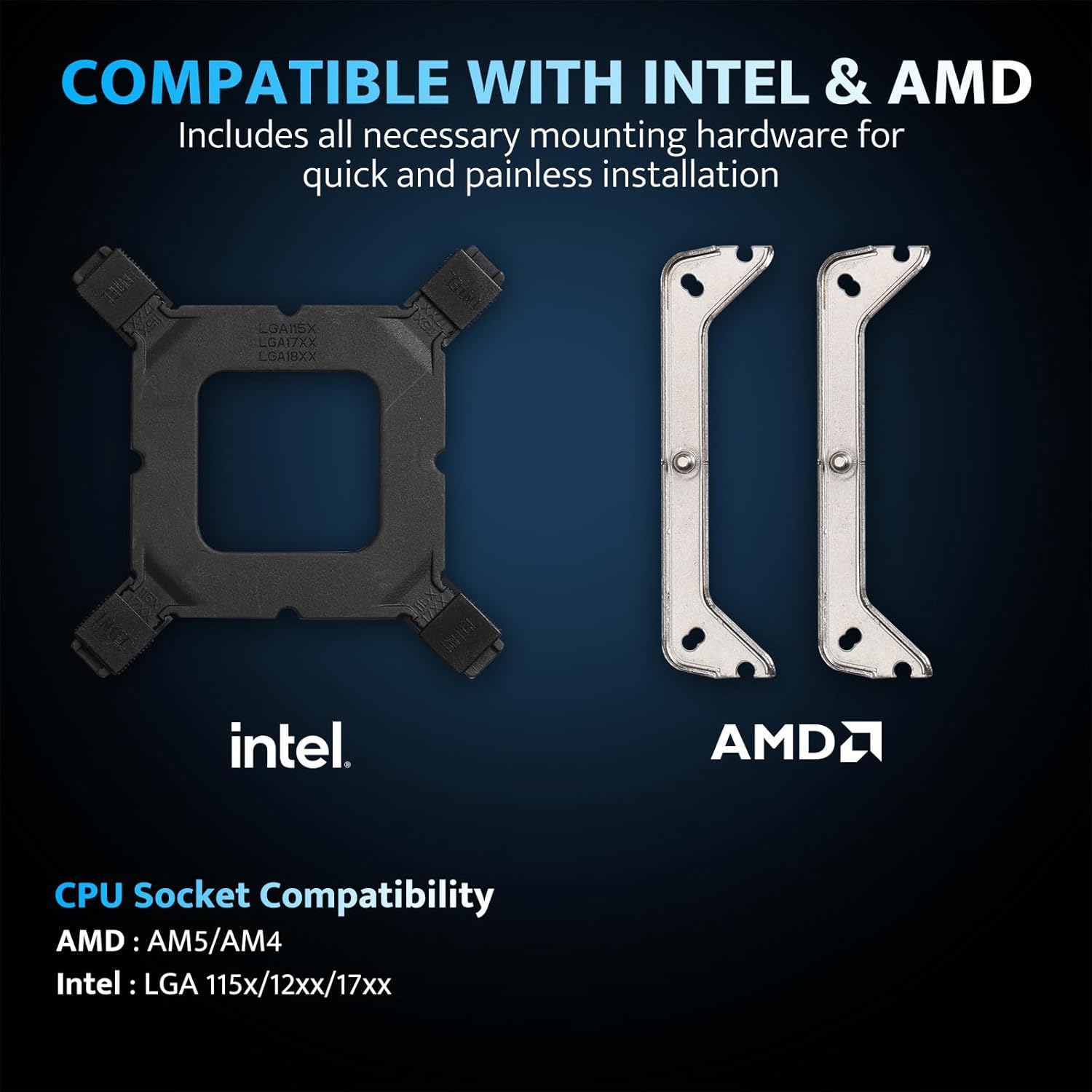
Intel and AMD mounting hardware and socket compatibility.
5. Орнотуу жана орнотуу
Before beginning installation, ensure your system is powered off and unplugged. Handle components with care to avoid damage.
5.1. Энелик платаны даярдаңыз
- Бар болгон CPU муздаткычын алып салыңыз жана изопропил спиртин колдонуп, процессордун бетинен эски термикалык пастаны тазалаңыз.
- Intel розеткалары үчүн: Attach the universal backplate to the rear of the motherboard, aligning the holes with the CPU socket. Secure it with the appropriate standoffs from the front side.
- AMD розеткалары үчүн: Retain the original AMD motherboard backplate. Remove the plastic retention clips from the front of the motherboard.
5.2. Термикалык пастаны сүйкөңүз
Apply a small, pea-sized amount of thermal paste to the center of the CPU's integrated heat spreader (IHS). Do not spread it manually; the pressure from the cooler will distribute it evenly.
5.3. Монтаждык кашааларды орнотуңуз
- Attach the correct Intel or AMD mounting brackets to the base of the cooler using the provided screws.
- Carefully place the cooler onto the CPU, aligning the screws on the mounting brackets with the standoffs (Intel) or the original backplate (AMD).
- Tighten the screws in a diagonal pattern until snug. Do not overtighten.
5.4. Attach the Fan
- Using the included fan clips, secure the 120mm ARGB PWM fan to the heatsink. Ensure the fan is oriented to blow air through the heatsink towards the rear or top of your PC case for optimal airflow.
- 4-пиндүү PWM желдеткич кабелин энелик платаңыздагы CPU_FAN колонкасына туташтырыңыз.
- Connect the 3-pin ARGB cable to a compatible 5V Addressable RGB header on your motherboard. Ensure it is a 5V header, not a 12V RGB header, to prevent damage.

Example of the cooler installed with ARGB lighting.
6. Иштөө нускамалары
6.1. Fan Control (PWM)
The 120mm fan utilizes Pulse Width Modulation (PWM) technology, allowing your motherboard to automatically adjust fan speed based on CPU temperature. This ensures efficient cooling when needed and quiet operation during lighter loads. You can typically configure fan curves in your motherboard's BIOS/UEFI settings or through manufacturer-provided software.

Fan specifications and intelligent control.
6.2. ARGB Lighting Customization
The cooler features Addressable RGB (ARGB) lighting, which can be synchronized with your motherboard's RGB software. Connect the 3-pin ARGB cable to a compatible 5V ARGB header on your motherboard. Supported software includes:
- ASUS Aura синхрондоштуруу
- MSI Mystic Light Sync
- GIGABYTE RGB Fusion 2.0
- ASRock Polychrome Sync
Use your motherboard's software to customize lighting effects, colors, and synchronization with other ARGB components in your system.
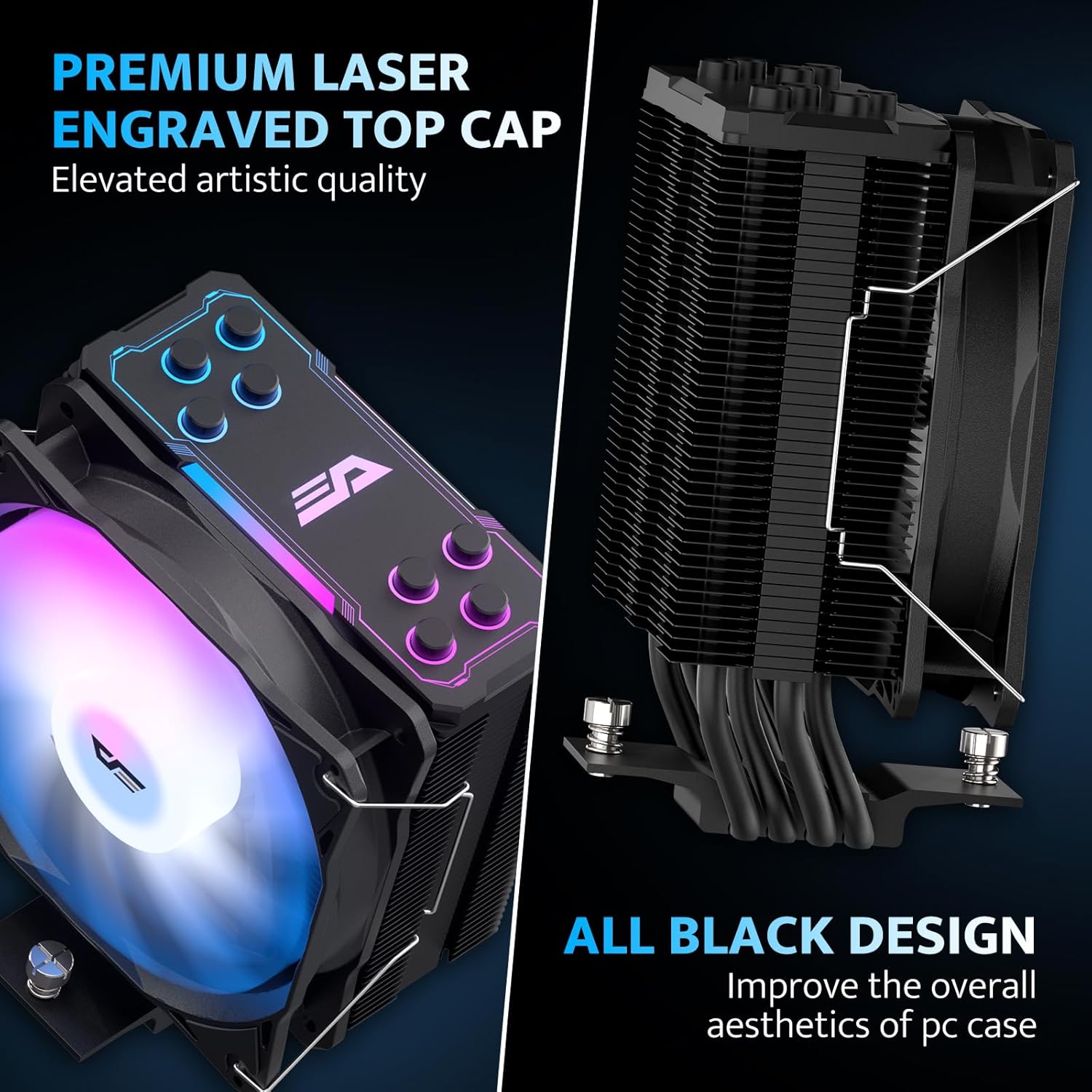
Aesthetic design with laser-engraved top cap and all-black finish.
7. Техникалык тейлөө
Үзгүлтүксүз техникалык тейлөө CPU муздаткычыңыздын узак иштөөсүн жана оптималдуу иштешин камсыз кылууга жардам берет.
- Чаңды тазалоо: Кысылган аба же жумшак щетка менен жылыткычтын сүзгүчтөрүнүн жана желдеткичтин пычактарынын чаңын мезгил-мезгили менен тазалап туруңуз. Тазалоо учурунда желдеткич айланбагандыгын текшериңиз.
- желдеткич текшерүү: Check the fan for any obstructions or unusual noises. If the fan is removable, you may detach it for more thorough cleaning.
- Термикалык паста: While not frequently required, if you remove the cooler for any reason, it is recommended to clean off the old thermal paste and apply new thermal paste before reinstallation.
8. Кыйынчылыктарды
If you encounter issues with your darkFlash Z4Pro Mist CPU Cooler, refer to the following common problems and solutions:
| Көйгөй | Мүмкүн себеп | Чечим |
| Жогорку CPU Температуралары | Improper cooler installation, insufficient thermal paste, poor airflow in case, fan not spinning. | Re-seat the cooler ensuring even pressure. Verify thermal paste application. Check fan connections and rotation. Improve case airflow. |
| Желдетпейт | Fan cable disconnected, faulty fan header, fan failure. | Ensure 4-pin PWM cable is securely connected to the CPU_FAN header. Test fan on another header if available. Contact support if fan is faulty. |
| ARGB жарыктандыруу иштебейт | ARGB cable disconnected, incorrect ARGB header (e.g., 12V instead of 5V), software issue. | Verify 3-pin ARGB cable is connected to a 5V Addressable RGB header. Check motherboard software settings. Ensure motherboard ARGB header is enabled in BIOS. |
| Ашыкча ызы-чуу | Loose fan, dust buildup, fan bearing issue. | Check fan clips for secure attachment. Clean fan and heatsink. If noise persists, contact support. |
9. Кепилдик жана колдоо
For warranty information and terms, please refer to the documentation included with your product or visit the official darkFlash website. For technical assistance or further inquiries, please contact darkFlash customer support through their official channels.