
1. Киришүү
This manual provides essential information for setting up, operating, maintaining, and troubleshooting your SHARP 55FJ2E 4K UHD Smart TV. Please read these instructions carefully before using your television to ensure proper functionality and safety.
2. Эмнелер камтылган
Таңгакта бардык компоненттер бар экенин текшериңиз:
- SHARP 55FJ2E 4K UHD Smart TV
- Алыстан башкаруу
- 2 x AAA батареялары
- TV Stand Installation Kit
- Quick колдонмо
3. Орнотуу
3.1 Телевизордун отургучун бекитүү
Carefully place the TV screen-down on a soft, clean surface to prevent damage. Attach the included stand components to the bottom of the TV using the provided screws. Ensure the stand is securely fastened before placing the TV upright.
Alternatively, the TV supports VESA wall mounting (400 x 300 mm) for compatible wall brackets (sold separately).
3.2 Тышкы түзмөктөрдү туташтыруу
Connect your external devices such as cable boxes, gaming consoles, or media players to the appropriate ports on the TV.
- HDMI Ports (3x HDMI 4K @ 60 Hz (2.1)): For high-definition audio and video devices.
- USB Ports (2x): USB сактагыч түзүлүштөрүн же башка перифериялык түзүлүштөрдү туташтыруу үчүн.
- Антенна киргизүү: For connecting a terrestrial antenna.
- Спутник киргизүү: For connecting a satellite dish.
- Наушник уясыЖеке угуу үчүн.
- Санариптик оптикалык аудио чыгаруу: Тышкы аудио системаларга туташуу үчүн.
- LAN (RJ45): Зымдуу интернет байланышы үчүн.
Сүрөт: каптал view of the TV displaying connectivity ports.
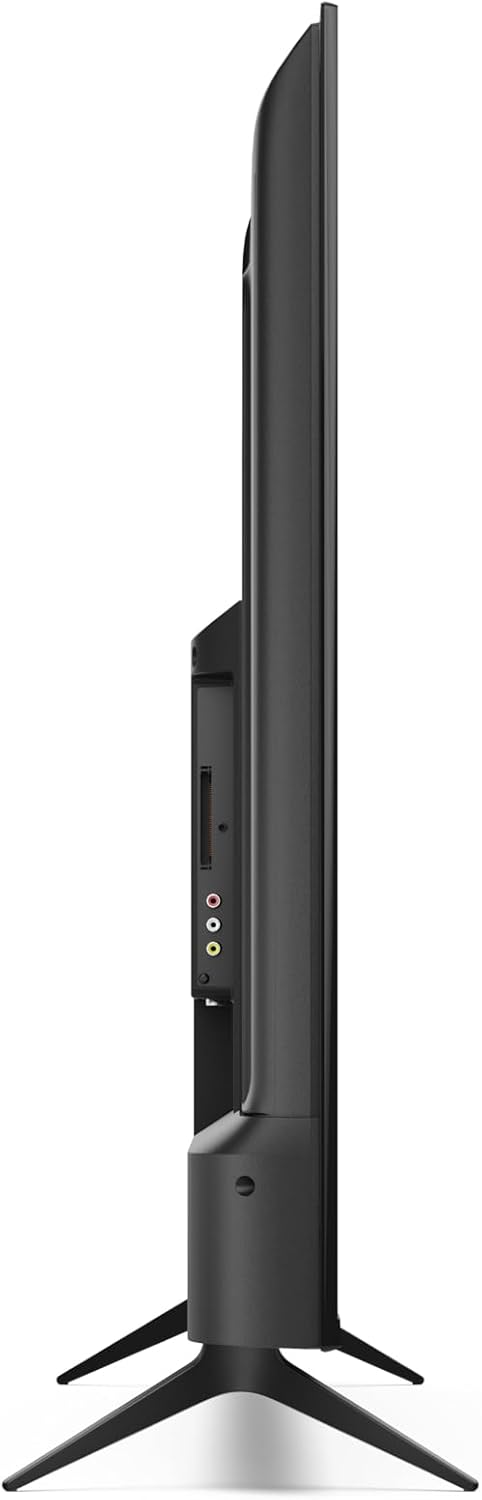
Сүрөт: Арткы view of the TV with port layout.
3.3 Initial Power On and Roku TV Setup
After connecting all necessary cables, plug the TV into a power outlet. Press the power button on the remote control or the TV. Follow the on-screen instructions to complete the initial Roku TV setup, including network connection (Wi-Fi or LAN) and channel scanning.

Сүрөт: алдыңкы view of the Sharp 55FJ2E TV.
4. Телевизорду иштетүү
4.1 Алыстан башкаруу функциялары
The included remote control allows you to navigate the Roku TV interface and control your television. Insert the 2 AAA batteries into the remote control before use.

Image: Sharp Roku TV Remote Control.
- Кубат баскычы: Телевизорду күйгүзөт же өчүрөт.
- Гид: Accesses the program guide.
- Navigation Pad (Up/Down/Left/Right): Moves through menus and options.
- OK баскычы: Тандоолорду ырастайт.
- Үнүн жогорулатуу/төмөндөтүү: Үн деңгээлин жөндөйт.
- Үнсүз: Silences the TV sound.
- Ойнотуу башкаруулары: Play, Pause, Fast Forward, Rewind.
- Башкы бет баскычы: Returns to the Roku TV home screen.
- Сан баскычтары: For direct channel input.
- Чыгуу/Артка: Мурунку экранга кайтарат же менюдан чыгат.
4.2 Roku TV интерфейсинин навигациясы
The Roku TV home screen provides access to streaming channels, input sources, and settings. Use the navigation pad and OK button on your remote to browse.

Image: Roku TV Home Screen Interface.
- Агым каналдары: Access pre-installed apps like YouTube, Netflix, Prime Video, Disney+, and Apple TV.
- Түз ТВ: Access broadcast channels via antenna or satellite.
- Киргизүүлөр: Select connected devices (e.g., HDMI 1, USB).
- Орнотуулар: Adjust picture, sound, network, and system settings.
4.3 Roku мобилдик колдонмосу
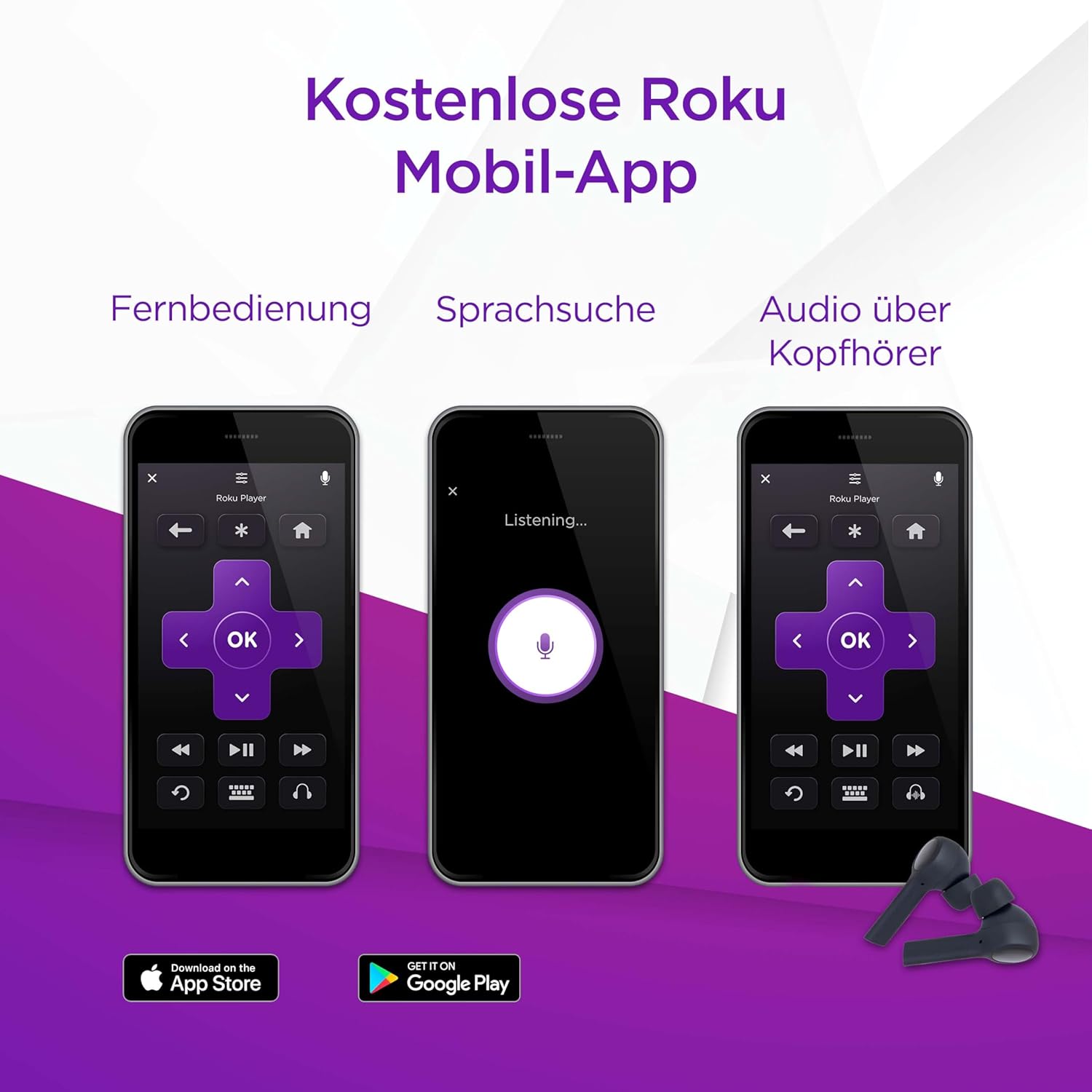
You can also control your SHARP Roku TV using the free Roku Mobile App on your smartphone or tablet. The app offers remote control functionality, voice search, and private listening via headphones.
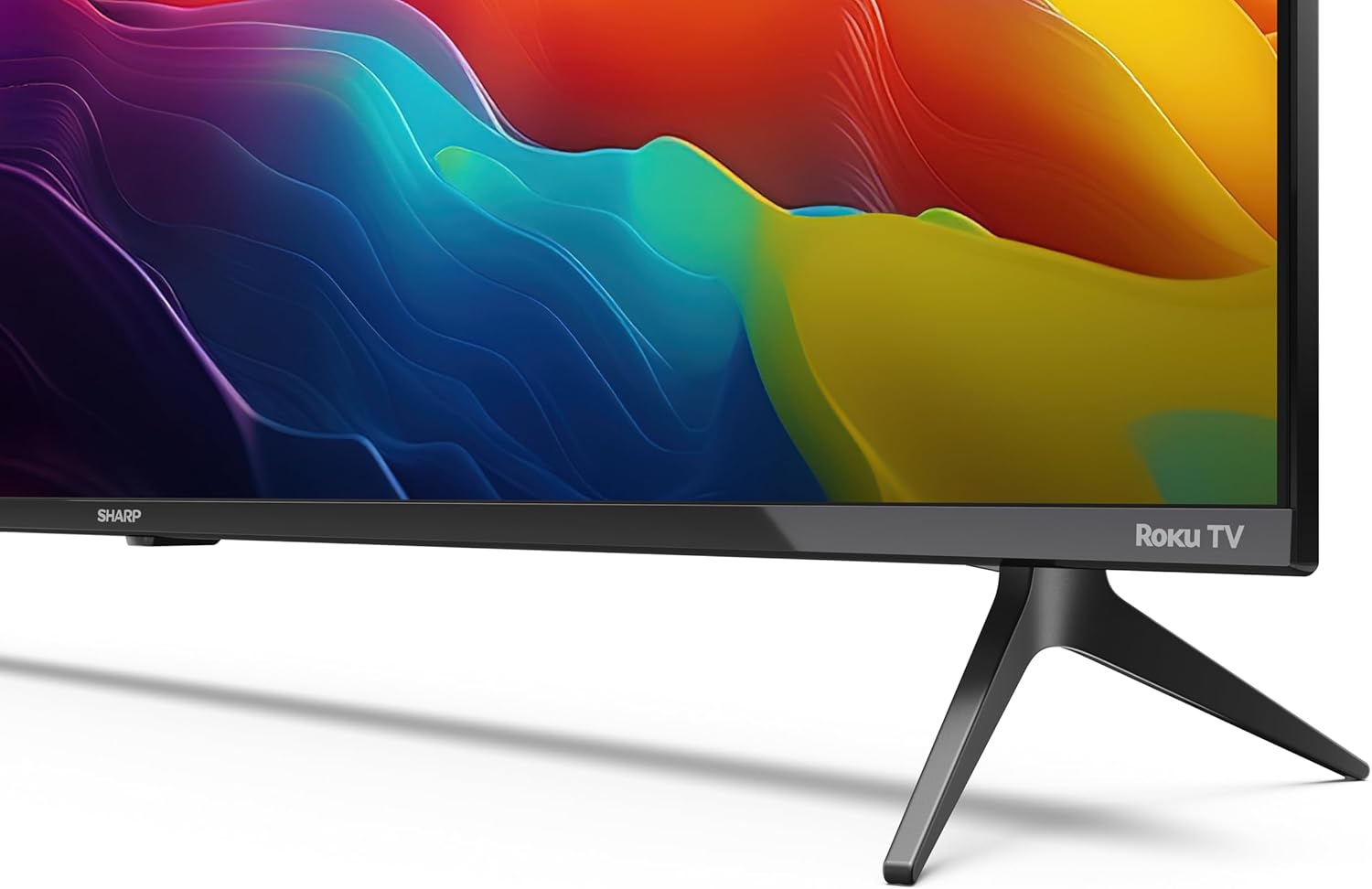
Image: Roku Mobile App features.
5. Техникалык тейлөө
5.1 Телевизорду тазалоо
- Экран: Gently wipe the screen with a soft, lint-free cloth. For stubborn marks, use a screen cleaning solution specifically designed for TVs, applied to the cloth, not directly to the screen.
- Кабинет: Wipe the TV cabinet with a soft, dry cloth. Avoid using abrasive cleaners or solvents.
5.2 Программалык камсыздоо жаңыртуулары
Your Roku TV automatically receives software updates to improve performance and add new features. Ensure your TV is connected to the internet for these updates to download and install.
6. Кыйынчылыктарды
Телевизоруңузда көйгөйлөргө туш болсоңуз, төмөнкү жалпы чечимдерди караңыз:
- Күч жок: Check if the power cord is securely plugged into both the TV and the wall outlet. Try a different outlet.
- Сүрөт жок, бирок үн: Ensure the correct input source is selected. Check cable connections to external devices.
- Үн жок, бирок сүрөт: Check the volume level and mute status. Verify audio cable connections to external sound systems.
- Пульт иштебейт: Replace the AAA batteries. Ensure there are no obstructions between the remote and the TV's IR sensor.
- Тармакка туташуу маселелери: Restart your router and modem. Re-enter your Wi-Fi password in the TV's network settings. For wired connections, ensure the Ethernet cable is properly connected.
- Ата-энелик көзөмөл: If content is blocked, check parental control settings. These are typically protected by a PIN.
For further assistance, consult the online support resources for Roku TV or contact Sharp customer support.
7. Техникалык шарттар
| Өзгөчөлүк | Спецификация |
|---|---|
| Модель номери | 55FJ2E |
| Screen Size | 55 дюйм (139 см) |
| Дисплей технологиясы | LED |
| Резолюция | 4K UHD (3840 x 2160 px) |
| Жаңыртуу ылдамдыгы | 60 Гц |
| HDR колдоо | HDR10 |
| Motion Enhancement Technology | Активдүү кыймыл 400 |
| Операция системасы | Roku OS |
| Аудио чыгаруу режими | Dolby Digital, Dolby Digital Plus |
| Динамик системасы | Front silk tweeter (10W), Down-firing woofer (10W) |
| HDMI порттору | 3 (4K @ 60 Hz, 2.1) |
| USB порттору | 2 |
| Байланыш | Wi-Fi, LAN (RJ45), Antenna, Satellite, Headphone, Digital Optical Audio Out |
| Тюнер түрү | UHD DVB-T/T2/C/S/S2 (MPEG4 + 10 bits HEVC/H.265) |
| VESA тоо стандарты | 400 x 300 мм |
| Продукциянын өлчөмдөрү (D x W x Y) | 9.1 x 123.1 x 71.8 см (турбастан) |
| Энергияны керектөө (SDR) | 67.0 Вт |
| Энергияны керектөө (HDR) | 114 Вт |
| Күтүү режиминде энергия керектөө | 0.5 Вт |
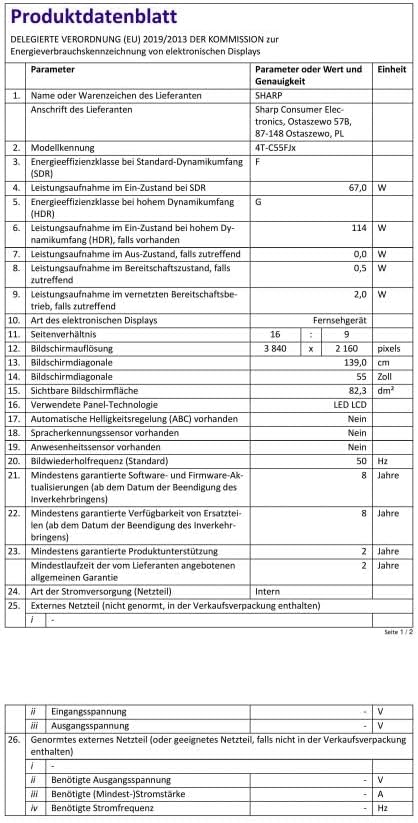
Image: Product Data Sheet (German).
8. Кепилдик жана колдоо
8.1 Кепилдик маалыматы
Warranty details for your SHARP 55FJ2E TV are typically provided with the product packaging or available on the official Sharp webсайт. Кепилдик дооматтары үчүн сатып алганыңыздын далилин сактап коюңуз.
8.2 Кардарларды колдоо
For technical support, service, or further inquiries, please visit the official Sharp website or contact their customer service department. Contact information can usually be found in the quick guide or on the manufacturer's webсайт.