
1. Киришүү
Thank you for choosing the ABIR R30 Robot Vacuum Cleaner. This manual provides essential information for the safe operation, maintenance, and troubleshooting of your device. Please read it thoroughly before use to ensure optimal performance and longevity of your robot vacuum.

Image: The ABIR R30 Robot Vacuum Cleaner alongside its auto-empty station, with a smartphone displaying the control app interface.
2. Пакеттин мазмуну
Пакетте бардык буюмдар бар экенин текшериңиз:
- ABIR R30 Robot Vacuum Cleaner
- Авто-Бош станция
- Кубаттуу адаптер
- 2-in-1 Water Tank and Dust Box
- Негизги щетка
- Каптал щеткалары (2 жуп)
- сүртүүчү жай
- User Manual
3. Коопсуздук нускамалары
Өрт, электр шок же жаракат алуу коркунучун азайтуу үчүн электр шаймандарын колдонууда ар дайым негизги коопсуздук чараларын сактаңыз.
- Read all instructions before operating the robot vacuum.
- Роботту нымдуу чөйрөдө же суунун жанында иштетпеңиз.
- Чачты, кенен кийимдерди, манжаларды жана дененин бардык бөлүктөрүн тешиктерден жана кыймылдуу бөлүктөрдөн алыс кармаңыз.
- Тамеки, ширеңке, ысык күл сыяктуу күйүп жаткан же чылым чеккен нерселерди албаңыз.
- Ensure the charging station is placed on a level surface against a wall, with adequate clear space around it.
- Робот иштеп жатканда балдарды жана үй жаныбарларын көзөмөлдөңүз.
4. Орнотуу
4.1 Заряддоо станциясын жайгаштыруу
Place the auto-empty station on a hard, level surface against a wall. Ensure there is at least 0.5 meters of clear space on both sides and 1.5 meters in front of the station for the robot to navigate effectively.
4.2 Алгачкы заряддоо
Connect the power adapter to the auto-empty station and plug it into a wall outlet. Place the robot onto the charging contacts of the station. The robot will automatically begin charging. Allow for a full charge before first use (approximately 4-5 hours).
4.3 Колдонмого туташуу жана Wi-Fi орнотуу
Download the ABIR Home app from your smartphone's app store. Follow the in-app instructions to connect your robot to your home Wi-Fi network. This enables remote control, scheduling, and access to advanced features.

Image: The ABIR R30 robot vacuum cleaner utilizing 360-degree scanning to map a room, with the corresponding map displayed on a smartphone app.
4.4 Alexa Control Setup
Once connected to the app, enable the ABIR skill in your Alexa app. Link your ABIR account to Alexa to control your robot vacuum using voice commands.
5. Операция
5.1 Тазалоону баштоо жана тындыруу
Press the power button on the robot or use the app to start a cleaning cycle. Press again to pause. The robot will return to the charging station when cleaning is complete or the battery is low.

Image: A diagram illustrating the ABIR R30 robot vacuum's auto-charge and breakpoint continue cleaning function, showing it returning to the base when the battery is low and resuming from where it left off after charging.
5.2 Тазалоо режимдери
The ABIR R30 offers 3-in-1 functionality: vacuuming, sweeping, and mopping. Select your desired mode via the app.
- Чаң соргуч: Utilizes 6500PA suction to remove dirt and debris.
- шыпыруу: Side brushes and main brush sweep particles into the suction path.
- сүртүү: Attach the mopping pad and fill the water tank for wet cleaning.

Image: The ABIR R30 robot vacuum demonstrating its combined vacuuming, sweeping, and mopping capabilities on different floor surfaces.
5.3 Акылдуу навигация жана карта түзүү
The robot uses advanced LIDAR navigation for precise mapping and obstacle avoidance. It can save multiple maps for different floors of your home, allowing for customized cleaning routes.
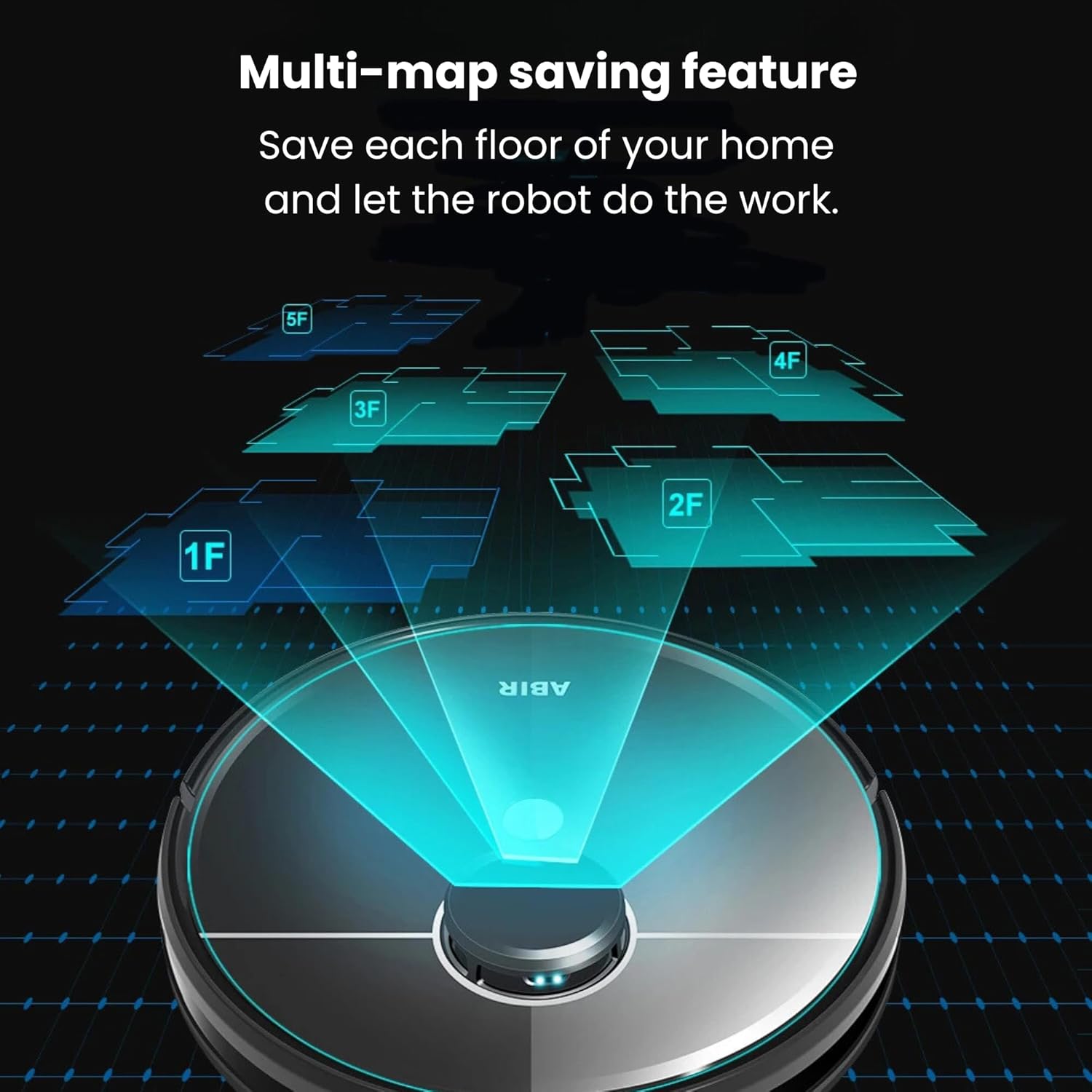
Image: The ABIR R30 robot vacuum illustrating its multi-map saving feature, capable of storing maps for various floors (1F, 2F, 3F, 4F, 5F) of a home.
5.4 Auto-Empty Function
After each cleaning cycle, the robot automatically returns to the auto-empty station to dispose of collected dust and debris into a sealed bag, minimizing manual intervention.
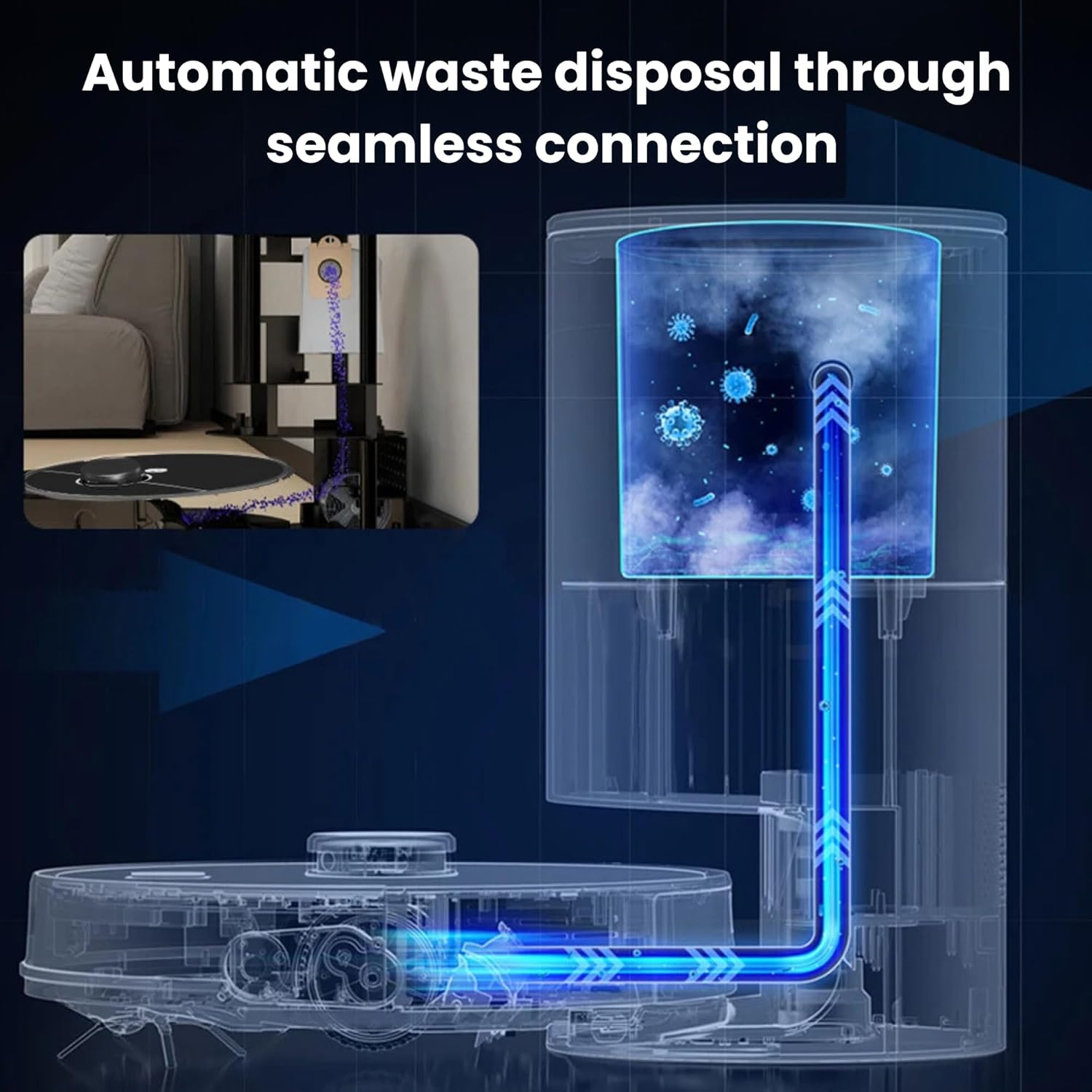
Image: A diagram showing the automatic waste disposal process of the ABIR R30, where debris is seamlessly transferred from the robot to the auto-empty station.
6. Техникалык тейлөө
Regular maintenance ensures the optimal performance and extends the lifespan of your ABIR R30.
6.1 Чаң челектерин жана чыпкаларды тазалоо
- Empty the robot's internal dustbin after each use, or as indicated by the app.
- Tap the HEPA filter to remove dust. Rinse the filter with water if necessary, ensuring it is completely dry before reinstallation.
- HEPA чыпкасын колдонуу ыкмасына жараша ар бир 3-6 ай сайын алмаштырып туруңуз.
6.2 Негизги щетка жана каптал щетка тазалоо
- Негизги щетканы алып салыңыз жана чаташкан чачты же калдыктарды кесип алуу үчүн тазалоо куралын колдонуңуз.
- Remove side brushes and clean off any accumulated hair or dirt. Replace if bristles are worn or damaged.
6.3 Шыпыргычка кам көрүү
- Remove the mopping pad after each use and wash it thoroughly. Air dry completely before reattaching.
- Empty any remaining water from the 2-in-1 tank after mopping.
6.4 Сенсорду тазалоо
Wipe all sensors (cliff sensors, anti-collision sensors, charging contacts) with a clean, dry cloth regularly to ensure proper function.

Image: The ABIR R30 robot vacuum highlighting its advanced sensor capabilities, including obstacle detection, anti-falling mechanisms, and anti-twinning features to prevent entanglement with wires.
7. Кыйынчылыктарды
If your ABIR R30 encounters an issue, refer to the following common solutions:
| Көйгөй | Мүмкүн себеп | Чечим |
|---|---|---|
| Робот заряддалбай жатат | Charging contacts dirty; power adapter not connected; robot not properly docked. | Clean charging contacts; ensure power adapter is plugged in; re-dock the robot. |
| Начар тазалоо көрсөткүчү | таштанды челек толгон; щеткалар чаташкан; фильтр бүтүп калган. | бош таштанды челек; негизги жана каптал щеткаларды тазалоо; тазалоо же чыпка алмаштыруу. |
| Робот бат-баттан тыгылып калат | Obstacles in path; cliff sensors dirty; robot tangled in wires. | Clear obstacles; clean sensors; remove loose cables or use virtual barriers. |
| Колдонмого туташуу маселелери | Incorrect Wi-Fi password; robot too far from router; app outdated. | Verify Wi-Fi credentials; move robot closer to router; update app. |
8. Техникалык шарттар
| Өзгөчөлүк | Деталь |
|---|---|
| Модель аты | R30 |
| Бренд | ABIR |
| Соруу күчү | 6500PA |
| Ызы-чуу деңгээли | 55 децибел |
| Runtime | 120 мүнөткө чейин |
| Продукциянын өлчөмдөрү | 33 x 33 x 9.6 см |
| Элемент Салмагы | 4 килограмм |
| Чаң кутучасынын сыйымдуулугу | 270ml (integrated with water tank) |
| Суу резервуарынын сыйымдуулугу | 180ml (integrated with dust box) |
| Чыпка түрү | HEPA |
| Навигация түрү | ЛИДАР |
| Контролдоо ыкмалары | App Control, Voice Control (Alexa, Google Home) |
| Өзгөчөлүктөр | Auto Emptying, Multi-map Saving, 3-in-1 (Vacuum, Sweep, Mop), Pet Friendly |
9. Кепилдик жана колдоо
9.1 Кепилдик маалыматы
The ABIR R30 Robot Vacuum Cleaner comes with a comprehensive warranty:
- One-year coverage for the laser head, mainboard, and battery.
- Additional spare parts are protected for 3 years.
Кепилдик дооматтары үчүн сатып алганыңыздын далилин сактап коюңуз.
9.2 Кардарларды колдоо
For further assistance, technical support, or warranty inquiries, please contact ABIR customer service through the contact information provided in the product packaging or on the official ABIR webсайт.