
1. Продукт бүтүп калдыview
The wegear MW1 Bluetooth Ergonomic Wireless Mouse offers versatile connectivity and a comfortable design for extended use across multiple devices. Featuring dual-mode wireless connectivity (Bluetooth 5.0 and 2.4GHz USB), adjustable DPI settings, and an advanced optical tracking laser engine, this mouse is designed to enhance productivity and reduce hand strain.

Figure 1: wegear MW1 Bluetooth Ergonomic Wireless Mouse
2. Пакеттин мазмуну
- wegear MW1 Bluetooth Ergonomic Wireless Mouse
- 2 x AA батарейкалар
- Nano USB кабыл алгыч
- User Manual
3. Орнотуу
3.1 Батареяны орнотуу
- Gently lift the top cover of the mouse. The cover is held by magnets.
- Insert the two provided AA batteries into the battery compartments, ensuring correct polarity (+/-).
- Үстүнкү капкакты кайра ордуна коюңуз, ал бекем орнотулганын текшериңиз.

Figure 2: Battery Compartment and Button Details
3.2 2.4GHz USB Connection
- Locate the nano USB receiver, typically stored inside the mouse's battery compartment.
- Plug the nano USB receiver into an available USB port on your computer or device.
- Turn the mouse ON using the switch on the bottom. The mouse should automatically connect.
3.3 Bluetooth 5.0 туташуу
- Turn the mouse ON using the switch on the bottom.
- Press and hold the Bluetooth pairing button (located on the bottom of the mouse) for 3-5 seconds until the indicator light flashes green quickly.
- Түзмөгүңүздө (ноутбук, планшет ж.б.) Bluetooth жөндөөлөрүнө өтүңүз.
- Издөө available devices and select "Creator MS" to pair.
- Туташтырылгандан кийин, индикатор жарыгы күйүп-өчүп токтойт.

Figure 3: Bluetooth Pairing Steps
3.4 Switching Between 2.4GHz and Bluetooth Modes
To switch between 2.4GHz and Bluetooth modes, press the Front Side Button and the DPI Key simultaneously for more than 3 seconds. This allows seamless transition between two connected devices.
4. Иштөө нускамалары
4.1 Баскыч функциялары
- Сол/оң баскычтары: Standard click functions.
- Жылдыруу дөңгөлөгү: Scrolls vertically. Fluctuating left enables Undo function, fluctuating right enables Recovery function.
- DPI которуу: Чычкан сезгичтигин (DPI) тууралайт.
- Front Side Button: Web page forward function.
- Rear Side Button: Web page back function.
4.2 DPI жөндөө
The mouse features 3 adjustable DPI levels (1600/2400/3200) to suit various tasks and preferences. Press the DPI switch button (located below the scroll wheel) to cycle through the sensitivity settings.

4-сүрөт: Жөнгө салынуучу DPI деңгээли
4.3 Advanced Optical Tracking
Equipped with a laser engine, the mouse provides precise and accurate control on virtually any surface, including challenging surfaces like glass tables.

Figure 5: Precise Optical Tracking on Various Surfaces
4.4 Эргономикалык дизайн
The mouse is designed with naturally shaped contoured grips and an extended thumb rest, promoting a comfortable and natural hand position. This ergonomic design helps reduce muscle strain during prolonged periods of use.
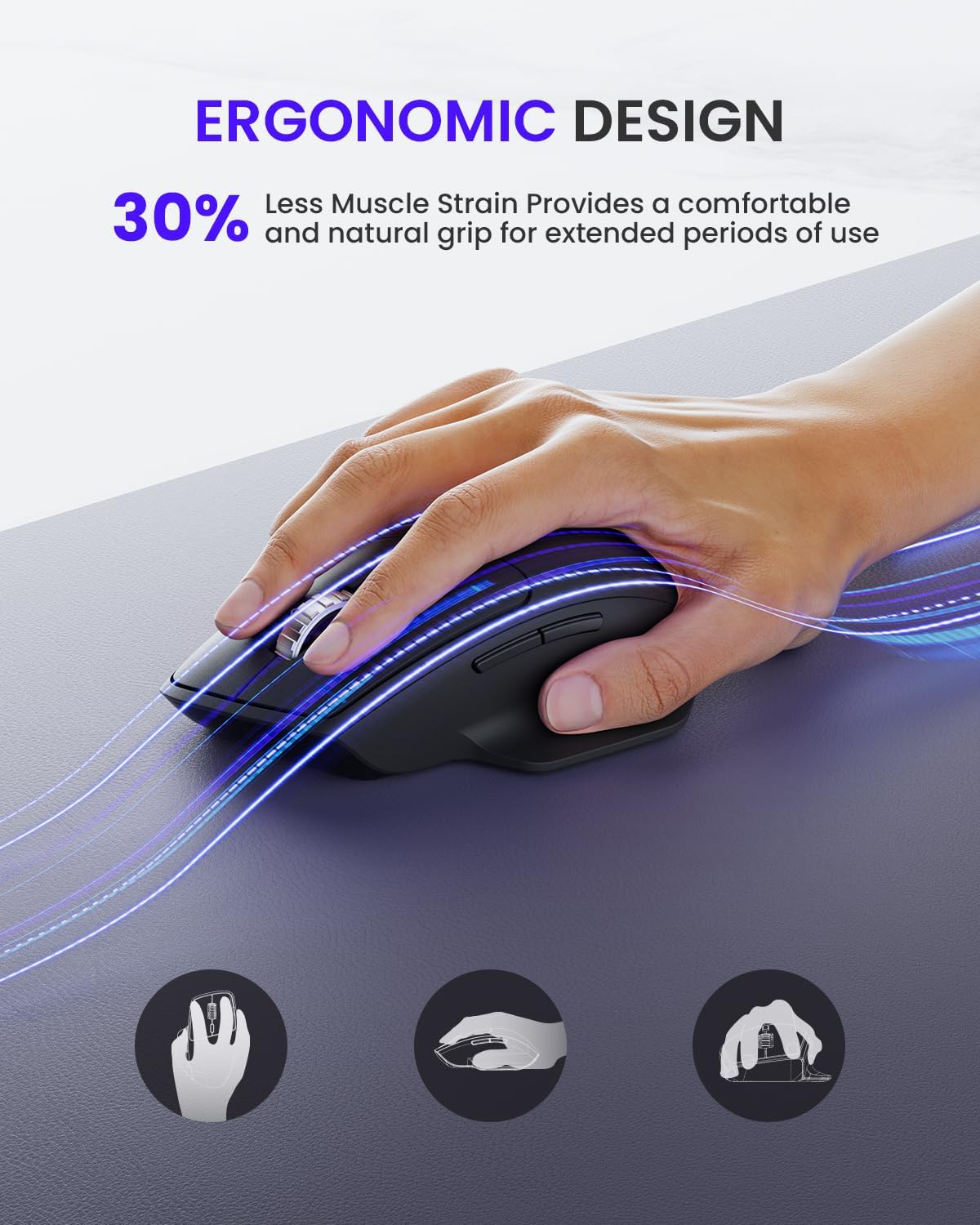
6-сүрөт: Ыңгайлуулук үчүн эргономикалык дизайн
5. Техникалык тейлөө
5.1 Батареянын иштөө мөөнөтү жана алмаштыруу
The wegear MW1 mouse boasts an 18-month battery life, thanks to its power-saving auto-sleep mode. When the battery needs replacement, follow the steps in Section 3.1.

7-сүрөт: Батареянын иштөө мөөнөтү узартылган
5.2 Тазалоо
Оптималдуу иштеши үчүн чычканыңызды дайыма тазалаңыз. Сыртын сүртүү үчүн жумшак, кургак чүпүрөктү колдонуңуз. Оптикалык сенсор үчүн кебезди жеңил колдонуңуз dampизопропил спирти менен эритип, чычкандын ичине суюктуктун кирбешин камсыздайт.
6. Кыйынчылыктарды
6.1 Байланыш маселелери
- Mouse not detected: Ensure the mouse is turned ON. Check battery levels and replace if necessary. For 2.4GHz, ensure the USB receiver is securely plugged in. For Bluetooth, ensure the mouse is in pairing mode (flashing green light) and your device's Bluetooth is enabled.
- Үзгүлтүксүз туташуу: Ensure the mouse is within the effective range (up to 10 meters). Minimize interference from other wireless devices.
6.2 Байкоо маселелери
- Irregular movement: Clean the optical sensor on the bottom of the mouse. Try using the mouse on a different surface. Adjust the DPI setting to a different level.
6.3 Баскычтар жооп бербейт
- Check battery levels. Re-pair the mouse with your device.
7. Техникалык шарттар
| Өзгөчөлүк | Деталь |
|---|---|
| Продукциянын өлчөмдөрү | 4.9 x 3 x 0.04 дюйм |
| Элемент Салмагы | 4.8 унция |
| Элемент моделинин номери | MOBTN5O |
| Батареялар | 2 AA батарейка талап кылынат (кошулган) |
| Бренд | wegear |
| Түс | Кара |
| Байланыш технологиясы | Bluetooth 5.0, 2.4 ГГц USB |
| Өзгөчөлүктөр | 4-Way Scrolling, Multi-device Connection, Ergonomic Design, Longer Battery Life |
| Кыймылды аныктоо технологиясы | Лазер |
8. Кепилдик жана колдоо
For warranty information or technical support, please refer to the contact details provided with your purchase or visit the official wegear webсайт. Кепилдик дооматтары үчүн сатып алуу дүмүрчөгүңүздү сактаңыз.