
Introduction
This manual provides detailed instructions for the safe and efficient operation of your Longer Ray5 20000mW Laser Engraver with Air Assist Kit. Please read this manual thoroughly before using the device to ensure proper setup, operation, and maintenance. Retain this manual for future reference.
Коопсуздук маалыматы
ЭСКЕРТҮҮ: Laser engravers are powerful tools that can cause serious injury if not used correctly. Always follow these safety guidelines:
- Always wear appropriate laser safety goggles when operating the machine.
- Лазер нуруна же анын чагылышына эч качан түз карабаңыз.
- Түтүндү жана түтүндү жок кылуу үчүн жумуш ордун жакшы желдетип туруңуз.
- Күйүүчү материалдарды лазер жолунан алыс кармаңыз.
- Иш учурунда машинаны кароосуз калтырбаңыз.
- Машина туруктуу, түз бетке коюлганын текшериңиз.
- Балдарды жана үй жаныбарларын операциядан алыс кармаңыз.
- Кандайдыр бир оңдоолорду же оңдоолорду аткаруудан мурун электр кубатын өчүрүңүз.
- Өзгөчө кырдаалдарда өчүрүү процедуралары менен таанышыңыз.
Пакеттин мазмуну
Пакетте бардык компоненттер бар экенин текшериңиз:
- Longer Ray5 20000mW Laser Engraver Unit
- Аба жардам берүүчү насос
- Air Assist Nozzle and Tubing
- Кубаттуу адаптер
- USB кабели
- Коопсуздук көз айнек
- Колдонуучунун Колдонмосу (бул документ)
- Material Samples (may vary)

Image: Air assist kit components including the pump, nozzle, and tubing.
Жайгашуу
- Пакеттен чыгаруу: Бардык компоненттерди таңгактан кылдаттык менен алып салыңыз.
- Ассамблея: Follow the included quick start guide for assembling the main laser engraver frame and attaching the laser module.
- Air Assist Installation:
- Connect the air assist pump to the designated port on the laser module using the provided tubing.
- Ensure the air assist nozzle is securely attached to direct airflow to the engraving/cutting point.
- Кубат туташуу: Connect the power adapter to the engraver and then to a suitable power outlet.
- Компьютерге туташуу: Connect the engraver to your computer via USB, or prepare for Wi-Fi/TF card connection.

Image: The Longer Ray5 laser engraver with the air assist pump connected and ready for operation.
Иштөө нускамалары
1. Программалык камсыздоо жана байланыш
The Longer Ray5 supports various software and connection methods:
- Шайкеш программалык камсыздоо: LaserGRBL and LightBurn.
- Операциялык системалар: Supports Windows 7+, MacOS, and Linux.
- Туташуу ыкмалары: Wi-Fi, USB, App, and TF card.
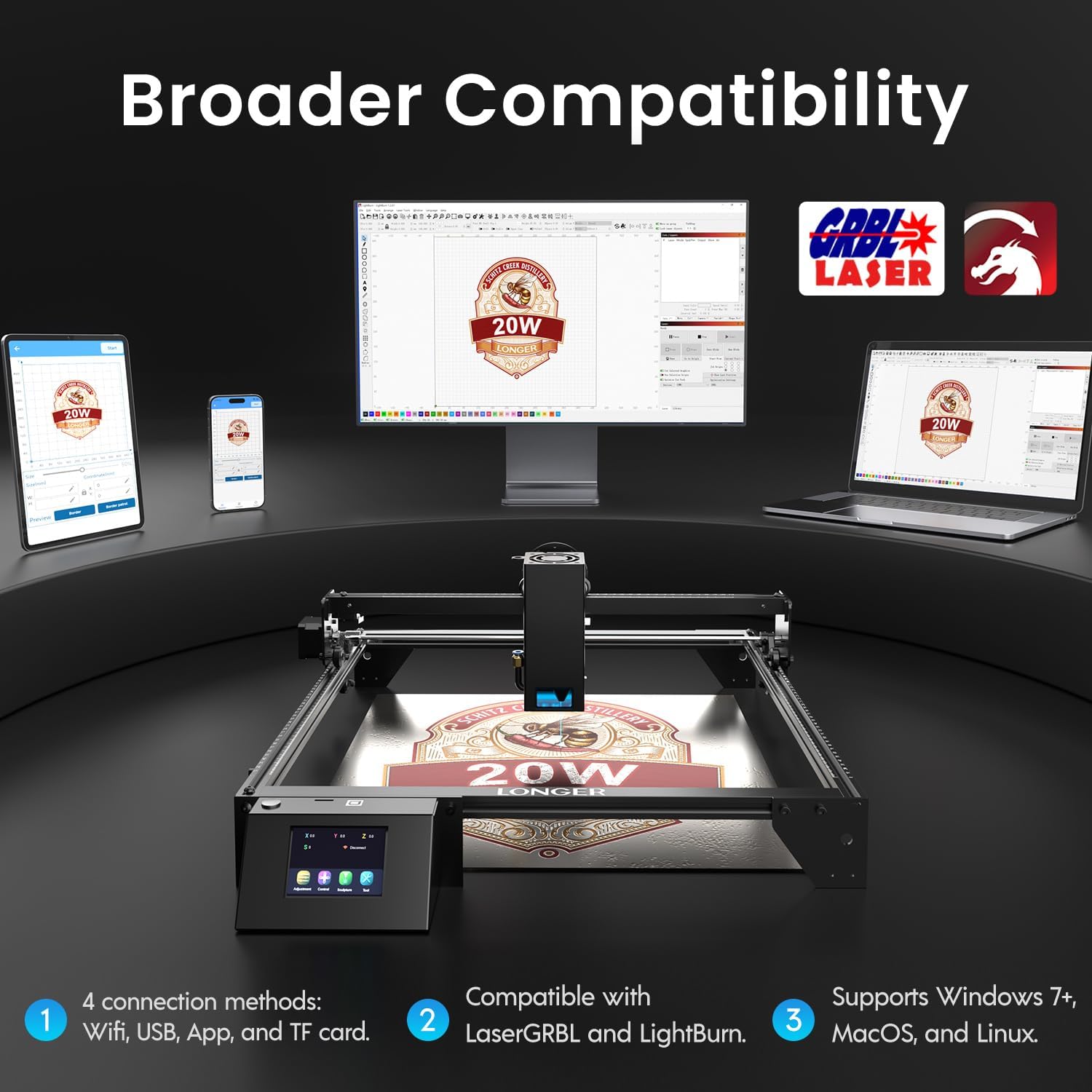
Image: Display showing the Longer Ray5's compatibility with LaserGRBL and LightBurn software, and various connection options including Wi-Fi, USB, App, and TF card across Windows, MacOS, and Linux operating systems.
2. Гравюра жана кесүү мүмкүнчүлүктөрү
The 20W diode laser offers high-efficiency performance for various materials.
- Кесүү: Capable of cutting up to 25mm of wood and 35mm of acrylic. It can also cut 0.05mm metal.
- Гравюра: Engrave hundreds of colors on metallic steel and a wide range of other materials.
- Материалдар: Acrylic, metal, wood, stainless steel, and more.
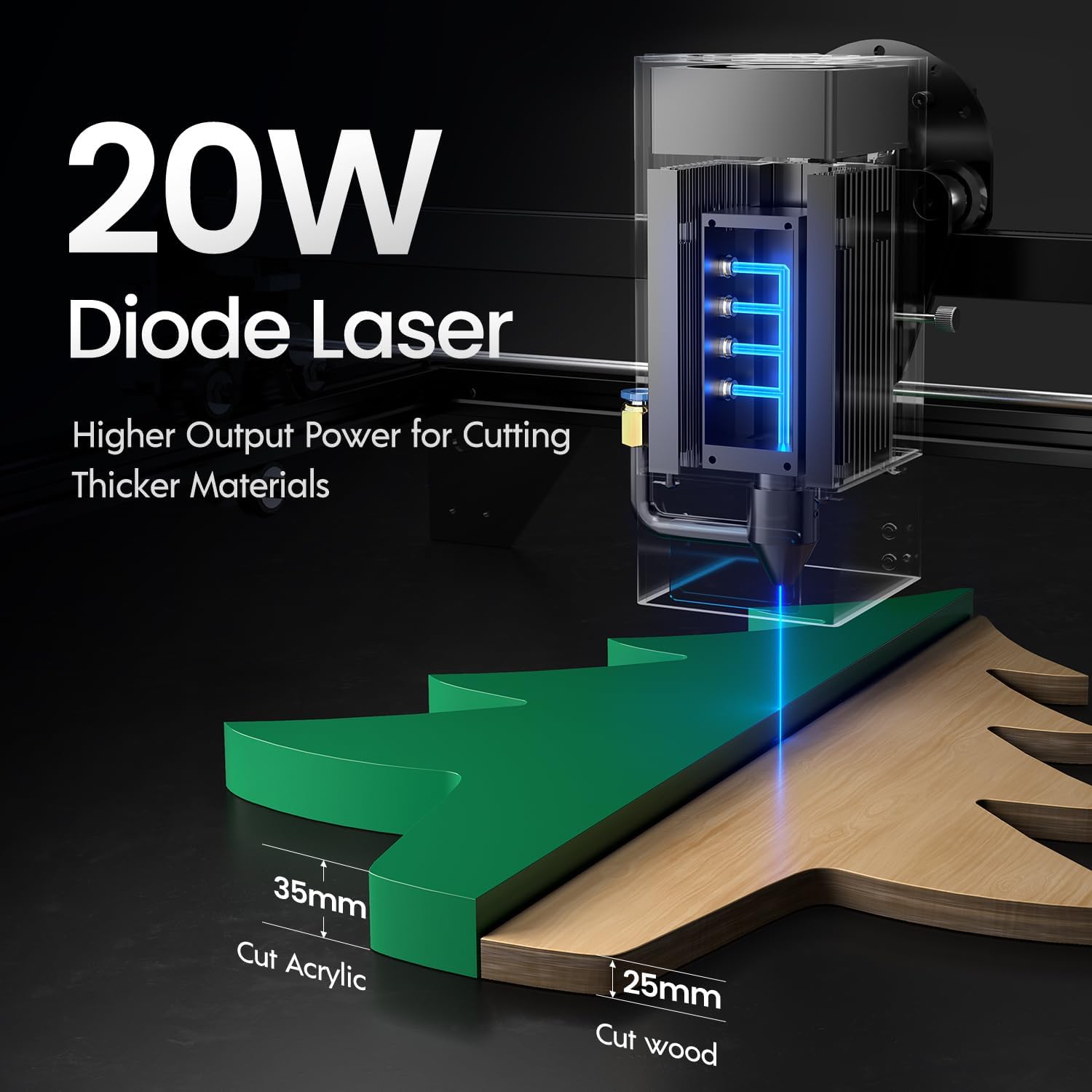
Image: Illustration demonstrating the 20W diode laser's capability to cut 25mm wood and 35mm acrylic.

Сүрөт: Мисamples of engraving capabilities, showcasing over 380 colors on metallic surfaces and other DIY artworks.

Image: A collection of various items demonstrating the versatile material selection for engraving and cutting, including wood, metal, and acrylic.
3. Аба жардамчы функциясы
The integrated air assist kit significantly improves cutting and engraving quality.
- Enhanced Cutting: The adjustable airflow (10-30L/min) suppresses smoke and dust, preventing laser energy attenuation and ensuring cleaner, smoother edges.
- Reduced Yellowing: Air assist helps prevent charring and yellowing on materials during laser processing, especially for wood and acrylic.

Image: A visual comparison showing the benefits of air assist, resulting in cleaner cuts and reduced processing time (e.g., 12 minutes with air assist vs. 20 minutes without).
4. Continuous Operation
The Longer Ray5 is designed for powerful continuous working capacity, supporting 24/7 continuous engraving. A single computer can control multiple machines.

Image: Depiction of multiple Longer Ray5 machines working simultaneously, illustrating continuous operation and the ability for one computer to control several units.
Техникалык тейлөө
Үзгүлтүксүз техникалык тейлөө оптималдуу иштөөнү камсыз кылат жана лазердик гравёруңуздун иштөө мөөнөтүн узартат.
- Лазердик линзаны тазалоо: Periodically clean the laser lens with a soft, lint-free cloth and lens cleaning solution to maintain beam quality.
- Таштандыларды тазалоо: Remove any accumulated dust or debris from the work area and machine components.
- Check Belts and Rails: Inspect drive belts for tension and wear. Keep linear rails clean and lubricated as per manufacturer recommendations.
- Аба жардамчы чыпкасы: If your air assist pump has a filter, clean or replace it regularly to ensure efficient airflow.
- Программалык камсыздоонун жаңыртуулары: Өндүрүүчүнү текшериңиз webиштин натыйжалуулугун жогорулатуу же функцияларды кошуу үчүн жеткиликтүү болгон программалык камсыздоонун жаңыртуулары үчүн сайт.
Проблемаларды чечүү
Бул бөлүм сиз кабылышы мүмкүн болгон жалпы көйгөйлөрдү карайт.
| Көйгөй | Мүмкүн себеп | Чечим |
|---|---|---|
| Лазер атылбайт | Power not connected, software error, laser module fault. | Check power connections. Verify software settings. Contact support if laser module is suspected faulty. |
| Гравировка/кесүү сапаты начар | Incorrect focus, dirty lens, wrong power/speed settings, material issues, no air assist. | Adjust laser focus. Clean the laser lens. Optimize power/speed settings for the material. Ensure air assist is active. |
| Машина компьютерге туташпай жатат | USB cable issue, driver not installed, Wi-Fi configuration error. | Try a different USB port/cable. Install necessary drivers. Reconfigure Wi-Fi connection. |
| Ашыкча түтүн/буун | Insufficient ventilation, air assist not active or weak. | Ensure proper ventilation. Check air assist pump and tubing for blockages. Increase air assist flow. |
Техникалык шарттар
| Өзгөчөлүк | Деталь |
|---|---|
| Модель номери | RAY5 |
| Лазердик чыгаруу күчү | 20000мВт (20Вт) |
| Лазердик түрү | Диод Лазер |
| Cutting Depth (Wood) | 25 мм чейин |
| Cutting Depth (Acrylic) | 35 мм чейин |
| Metal Cutting Capability | 0.05мм |
| Air Assist Flow | 10-30 L/min (Adjustable) |
| Сенсордук экран | 3.5 дюйм |
| Байланыш | Wi-Fi, USB, App, TF Card |
| Шайкеш программалык камсыздоо | LaserGRBL, LightBurn |
| Колдоого алынган OS | Windows 7+, MacOS, Linux |
| Өндүрүүчү | Узунураак |
| Дата биринчи жеткиликтүү | 1-август, 2024-жыл |
Кепилдик жана колдоо
For warranty information and technical support, please refer to the official Longer webсайтка же түздөн-түз кардарларды тейлөөгө кайрылыңыз. Сатып алуу квитанциясын кепилдик дооматтары үчүн сатып алуунун далили катары сактаңыз.
Онлайн ресурстар: зыярат кылыңыз Longer Store on Amazon кошумча продукт маалымат жана колдоо үчүн.