
Introduction
Сатып алганыңыз үчүн рахматasing the Youshiko YC8071 Jumbo Radio Controlled Wall Clock. This clock is designed to provide accurate timekeeping through its radio-controlled function, automatically adjusting for daylight saving time. It also features a clear LCD display, indoor temperature, and an alarm function. Please read this manual carefully to ensure proper setup and operation.
Продукт өзгөчөлүктөрү
- Радио башкарылган убакыт: Automatically synchronizes with the MSF signal (UK version) for precise time.
- Автоматтык DST тууралоо: Automatically adjusts for Daylight Saving Time (Spring/Autumn).
- Чоң LCD дисплей: Clear and easy-to-read display for time, date, and temperature.
- Дата дисплей: Shows full weekday and 3-digit month.
- Ички температура дисплейи: Displays temperature in Celsius (°C) or Fahrenheit (°F).
- Dual Alarm with Snooze: Two independent alarms with a snooze function.
- Убакыт форматы: Selectable 12 or 24-hour display format.
- Ар тараптуу жайгаштыруу: Suitable for wall mounting or tabletop use with an integrated stand.
Пакеттин мазмуну
- Youshiko YC8071 Jumbo Radio Controlled Wall Clock
- Instruction Manual
- (Батареялар кошулган жок)
Жайгашуу
1. Батареяны орнотуу
- Сааттын артындагы батарея отсегин табыңыз.
- Батарея уясынын капкагын ачыңыз.
- Insert 2 x AA batteries (not included) according to the polarity markings (+ and -).
- Батарея уясынын капкагын бекем жабыңыз.

Сүрөт: Арткы view of the clock showing the battery compartment and integrated stand. The battery compartment is located centrally on the back.
2. Initial Setup and Radio Control Signal Reception
After battery installation, the clock will automatically begin searching for the radio control signal (MSF for UK and Ireland). This process may take several minutes. During this time, the radio control icon will flash on the display.
- Сигналдарды оптималдуу кабыл алуу үчүн саатты терезенин жанына коюңуз.
- Avoid placing the clock near electronic devices that may cause interference (e.g., TVs, computers, microwaves).
- Once the signal is received, the time and date will set automatically, and the radio control icon will become solid.
- The clock automatically checks the time daily to ensure accuracy.
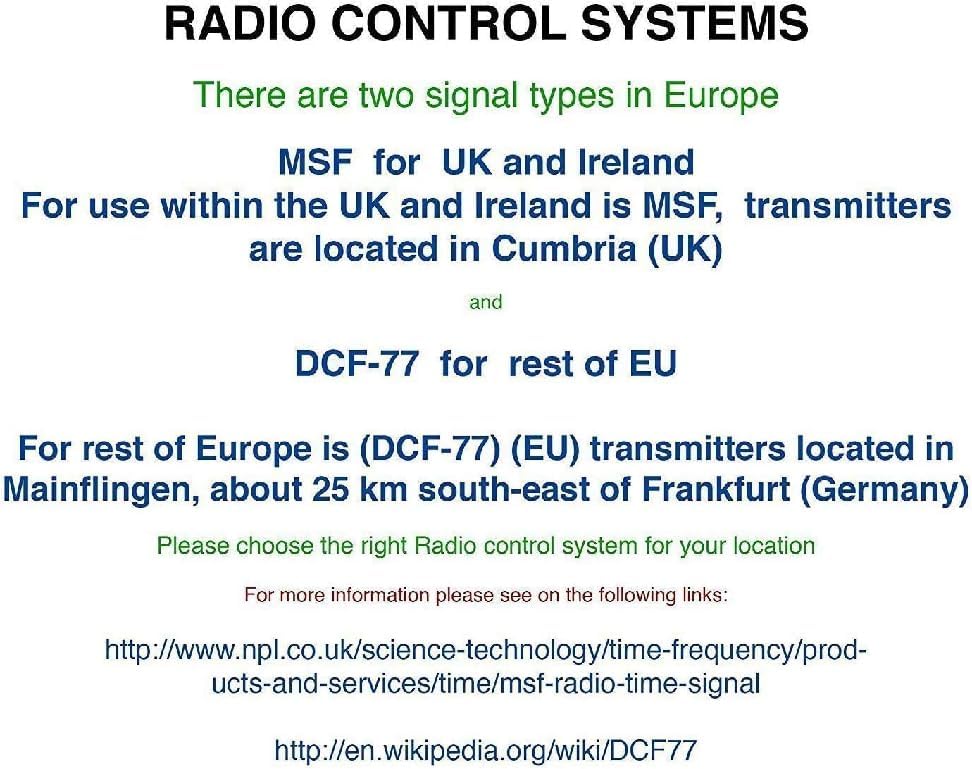
Сүрөт: Diagram illustrating radio control systems. It specifies MSF for UK and Ireland, with transmitters in Cumbria (UK), and DCF-77 for the rest of the EU, with transmitters in Mainflingen, Germany. Users should choose the correct system for their location. This clock uses MSF.
If the signal is not received after a few hours, try relocating the clock to a different position or manually setting the time (see "Manual Settings" section).
Иштөө нускамалары
Дисплейview

Сүрөт: The main display of the Youshiko YC8071 clock. It shows the date (e.g., 26/SEP), large digital time (e.g., 12:34), day of the week (e.g., SATURDAY), and indoor temperature (e.g., 27.8°C). Radio control signal, DST, and alarm indicators are also visible.
- Убакыт: Large digits display the current time.
- Дата: Displays day and month (e.g., 26/SEP).
- Аптанын күнү: Full weekday name (e.g., SATURDAY).
- Температура: Indoor temperature in °C or °F.
- Радио башкаруу сүрөтчөсү: Indicates signal reception status.
- DST көрсөткүчү: Жазгы убакыт режими активдүү экенин көрсөтөт.
- Сигнал индикаторлору: Icons for Alarm 1 and Alarm 2.
Баскычтар бүттүview (Refer to back panel image)

Сүрөт: Арткы view of the clock, highlighting the control buttons. From left to right, these typically include buttons for settings, plus (+), minus (-), alarm, and memory (MEM).
- SET баскычы: Used to enter setting modes.
- + / - buttons: Used to adjust values or toggle settings.
- ALARM баскычы: Used to set and activate alarms.
- MEM баскычы: Used for memory functions (e.g., min/max temperature).
Setting Time and Date Manually (If RC signal is unavailable)
- басып, кармап туруңуз SET баскычы дисплей жарк этмейинче.
- колдонуу + or - жаркылдаган маанини тууралоо үчүн баскычтарды басыңыз (мисалы, саат, мүнөт, жыл, ай, күн).
- Басыңыз SET again to confirm the setting and move to the next value.
- Бардык керектүү жөндөөлөр конфигурацияланганга чейин кайталаңыз.
- The clock will exit setting mode automatically after a few seconds of inactivity, or you can press SET repeatedly until normal display resumes.
Ойготкучту орнотуу
- басыңыз АЛАРМ үчүн бир жолу басыңыз view Alarm 1 time. Press again for Alarm 2.
- Ал эми viewойготкуч убактысын тандап, басып, кармап туруңуз АЛАРМ ойготкуч сааты жаркылдаганга чейин баскычын басыңыз.
- колдонуу + or - саатты тууралоо үчүн баскычтар. Басыңыз АЛАРМ ырастоо үчүн.
- колдонуп мүнөттөрдү тууралаңыз + or -, андан кийин басыңыз АЛАРМ ырастоо үчүн.
- Ойготкучту жандыруу/өчүрүү үчүн басыңыз АЛАРМ button repeatedly until the desired alarm icon (1 or 2) appears/disappears on the main display.
Тындырма функциясы
When an alarm sounds, press any button (except ALARM) to activate the snooze function. The alarm will temporarily stop and sound again after approximately 5-10 minutes. To stop the alarm completely, press the АЛАРМ баскычы.
Changing Temperature Unit (°C/°F)
басыңыз MEM button to toggle between Celsius (°C) and Fahrenheit (°F) display for the indoor temperature.
12/24 саат форматы
Кадимки убакытты көрсөтүү режиминде басыңыз + баскычы 12 сааттык жана 24 сааттык убакыт форматтарынын ортосунда которулуу үчүн.
Монтаждоо параметрлери
The Youshiko YC8071 clock offers two convenient placement options:
- Дубалга орнотуу: Use the integrated hanging hole on the back of the clock to mount it securely on a wall.
- Стол үстүндөгү стенд: Extend the integrated stand on the back of the clock for stable placement on a desk, shelf, or table.
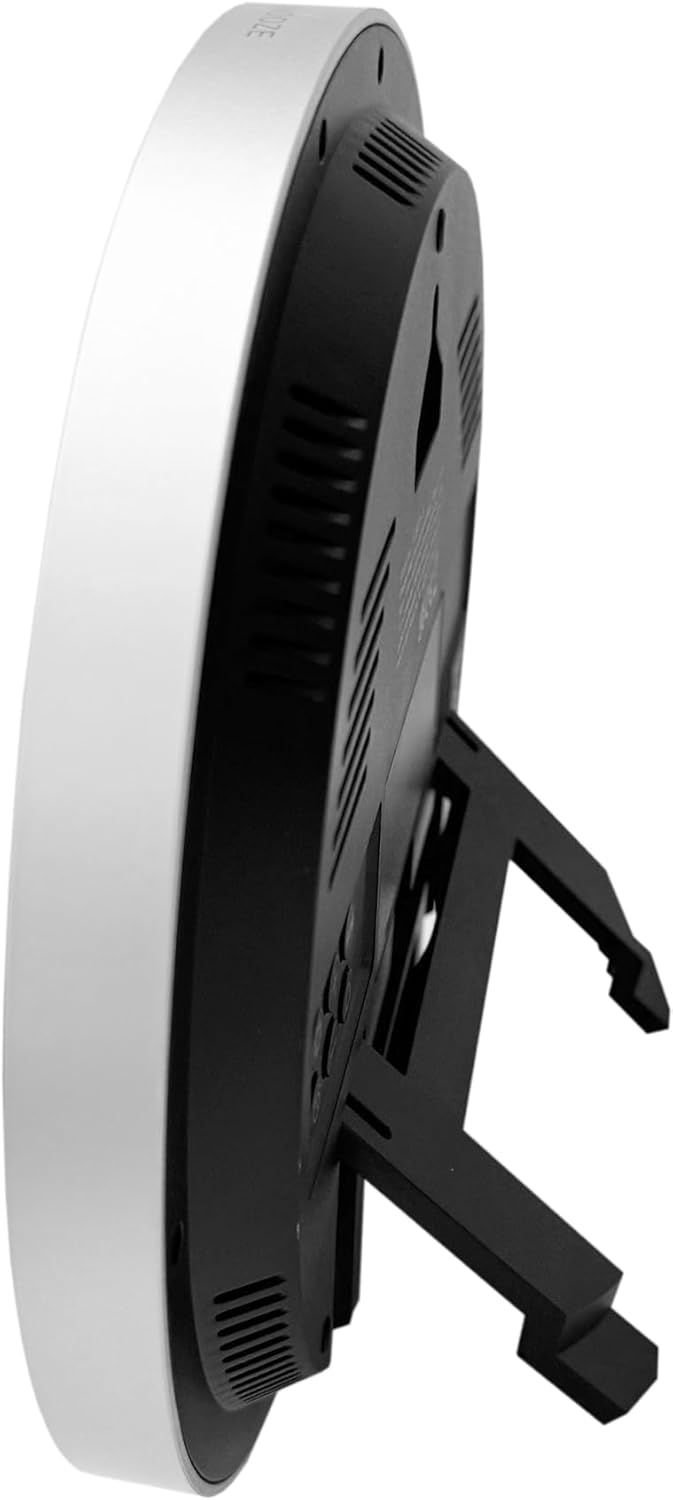
Сүрөт: Side view of the clock with its integrated stand deployed, allowing it to stand upright on a flat surface.
Сүрөт: Арткы view of the clock, showing the recessed hanging hole for wall mounting and the stand folded flat against the back panel.
Проблемаларды чечүү
- Дисплей жок / Алсыз дисплей:
- Батарейканын уюлдуулугун текшериңиз.
- Эски батарейкаларды жаңысына алмаштырыңыз.
- Incorrect Time / No Radio Signal:
- Ensure the clock is placed in an area with good signal reception (near a window, away from interference).
- Allow several hours for the clock to receive the signal.
- Manually set the time if the radio signal is consistently unavailable.
- Verify you are in an MSF signal reception area (UK/Ireland).
- Температураны туура эмес окуу:
- Ensure the clock is not exposed to direct sunlight or heat sources, which can affect the sensor.
- Allow time for the sensor to stabilize after moving the clock to a new environment.
- Ойготкуч угулбайт:
- Сигнализация иштетилгенин текшериңиз (сигнализациянын сүрөтчөсү дисплейде көрүнүп турат).
- Ойготкучтун убактысы туура коюлганын текшериңиз.
Техникалык шарттар
| Модель номери | YC8071 |
| Бренд | Youshiko |
| Убакытты башкаруу | Radio Controlled (MSF - UK/Ireland) |
| Дисплей түрү | ЖК Digital |
| Убакыт форматы | 12/24 саат бою тандоого болот |
| Температура диапазону | Indoor Temperature (°C/°F) |
| Ойготкуч | Чакыруу менен кош сигнал |
| Power Source | 2 x AA батарейкалар (киргизилген эмес) |
| Өлчөмдөрү (H x W x D) | 20.5 x 20.5 x 2.8 cm (approx. 20.5 x 3.81 x 20.5 cm including stand) |
| Салмагы | 430 г |
| Монтаждоо параметрлери | Wall mount or Tabletop stand |

Сүрөт: Technical diagram illustrating the dimensions of the clock. It shows a diameter of 20.5 cm and various segment heights on the display, such as 2.9 cm for the main time digits.
Кароо жана тейлөө
- Саатты жумшак, кургак чүпүрөк менен тазалаңыз. Абразивдүү тазалагычтарды же эриткичтерди колдонбоңуз.
- Саатты өтө жогорку температурага, түз күн нуруна же жогорку нымдуулукка дуушар кылбаңыз.
- Эгер саат көпкө чейин колдонулбаса, агып кетүүнүн алдын алуу үчүн батарейкаларды алып салыңыз.
- Keep the clock away from strong magnetic fields or sources of radio interference.
Кепилдик жана колдоо
Youshiko products are manufactured to high-quality standards. For warranty information or technical support, please refer to the warranty card included with your purchase or visit the official Youshiko webсайт. Кепилдик дооматтары үчүн сатып алганыңыздын далилин сактап коюңуз.