
1. Киришүү
This user manual provides comprehensive instructions for the installation, operation, and maintenance of the DEWIN Tuya Smart 1P 63A 230VAC WiFi DIN Rail Smart Circuit Breaker. This device is designed to integrate with smart home systems via WiFi, offering remote control and monitoring capabilities. Please read this manual thoroughly before installation and use to ensure safe and optimal performance.
2. Продукт бүтүп калдыview
The DEWIN Tuya Smart Circuit Breaker is a versatile device for various applications, including current measurement systems, schools, markets, household appliances, industrial settings, and laboratories. It features robust construction and smart functionalities.
Негизги өзгөчөлүктөрү:
- Көптөгөн коргоо: Equipped with colored indicator lights, providing clear operational status. Supports intelligent protection against overvoltage, undervolvoltage, overcurrent, and leakage.
- WiFi алыстан башкаруу: Control and monitor the device's status via the Tuya Smart mobile application. Compatible with Amazon Alexa and Google Assistant for voice control.
- реалдуу убакыт мониторинг: View various data such as total energy consumption, current, voltage, and power directly from your mobile phone.
- Smart Chip технологиясы: Features powerful chips and integrated circuits for precise smart meter measurement with an error margin of less than 0.3%.
- Туруктуу курулуш: вasing is made from high-quality PC flame-retardant material, offering high resistance to flame, impact, and shock for extended durability.
- DIN темир жол орнотуу: Designed for easy installation on a standard 35mm DIN rail.
Продукт компоненттери:
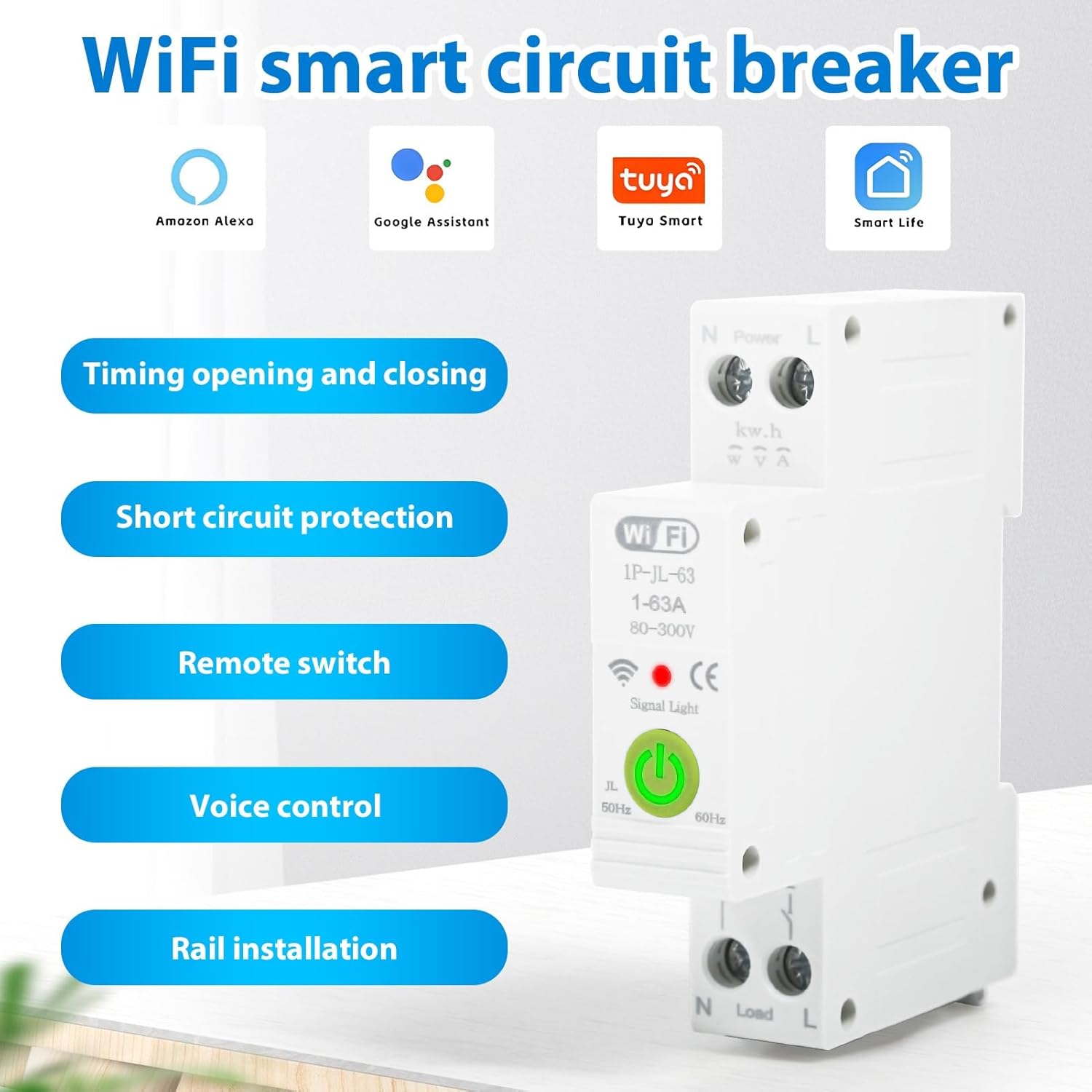
2.1-сүрөт: Бүттүview of the DEWIN Smart Circuit Breaker highlighting its smart features and compatibility.
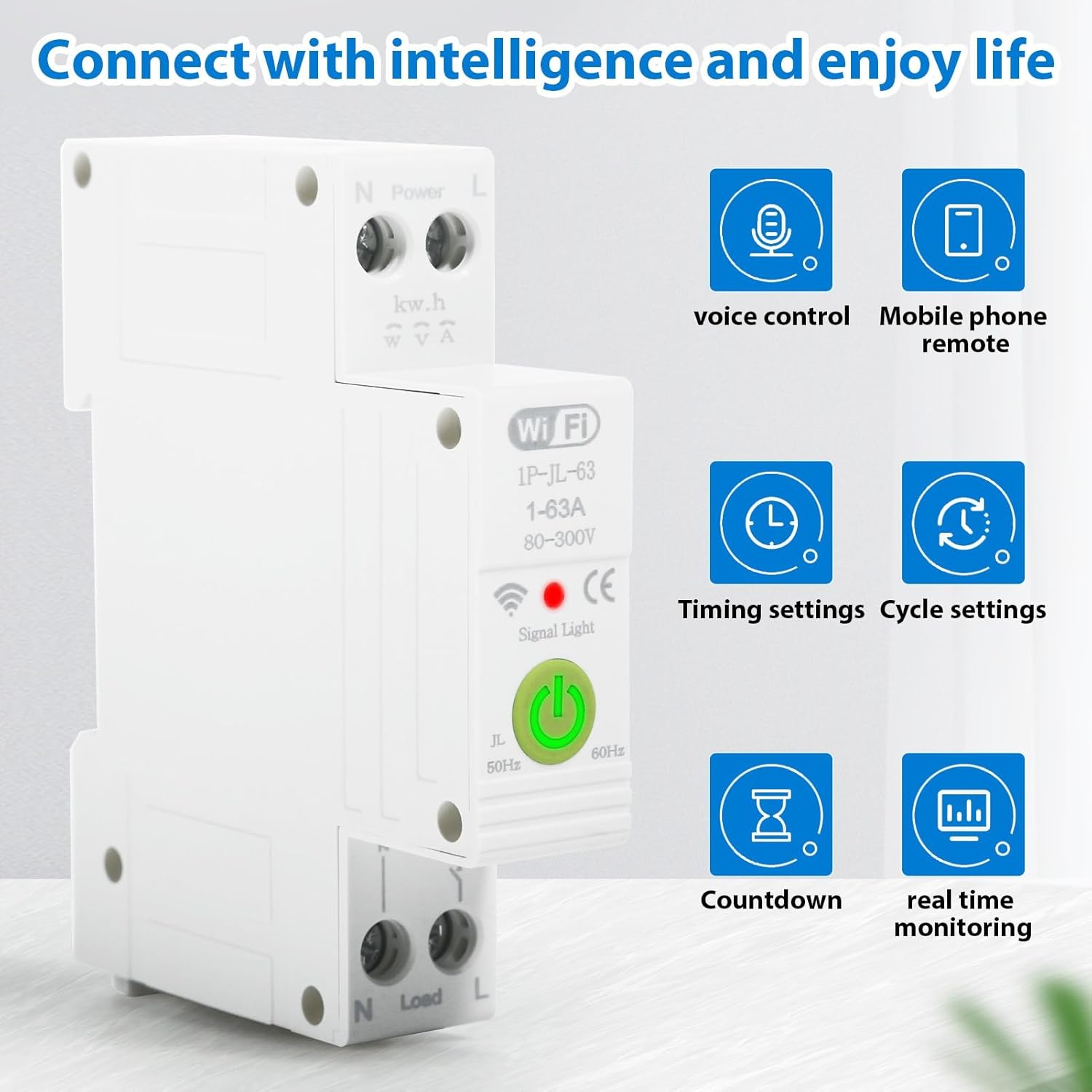
2.2-сүрөт: Smart functionalities including voice control, remote access, and monitoring.
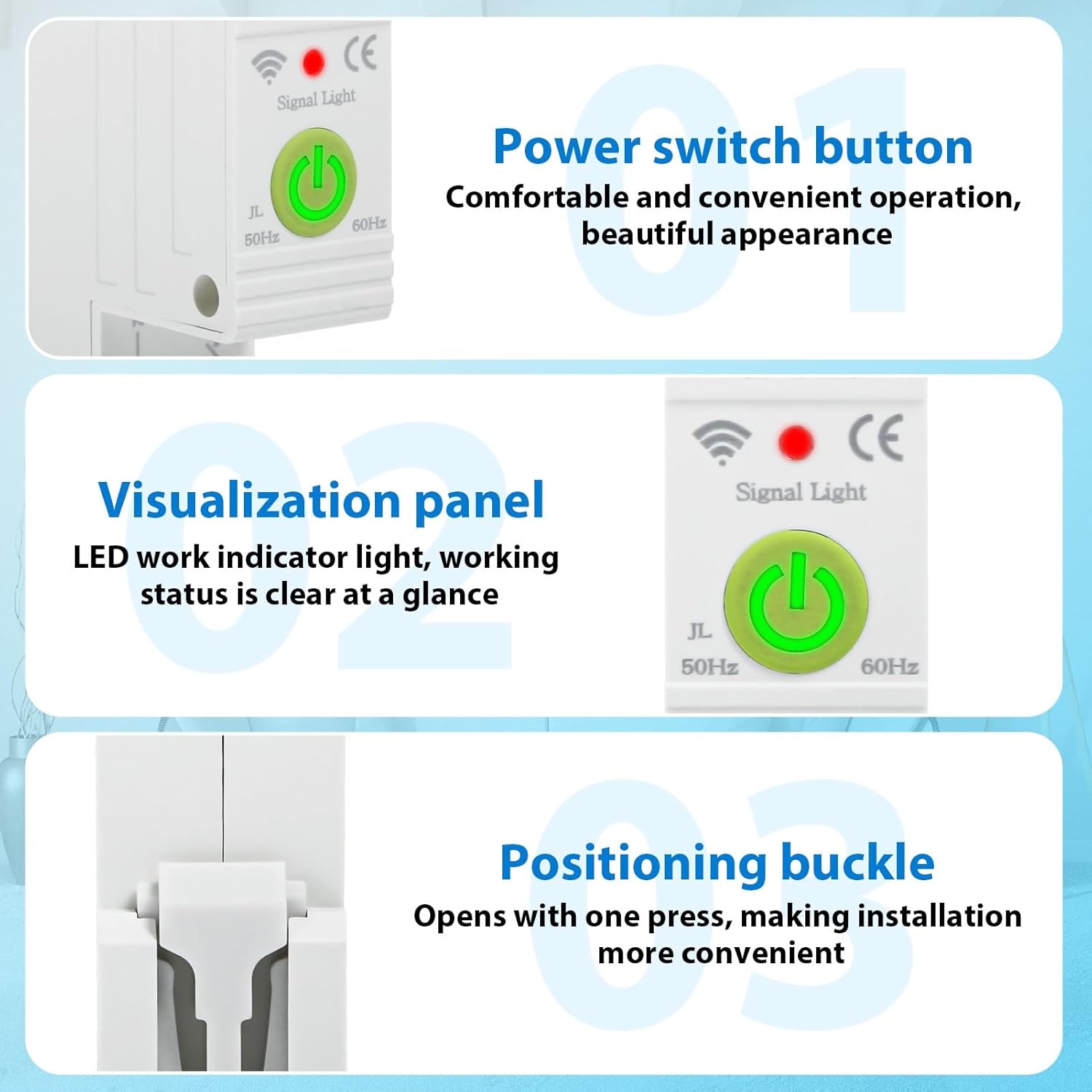
2.3-сүрөт: Деталдаштырылган view of the power switch, LED indicator, and installation buckle.

2.4-сүрөт: Illustration of the product's flame-retardant material for enhanced safety.
3. Техникалык шарттар
The following table details the technical specifications of the DEWIN Tuya Smart Circuit Breaker:

3.1-сүрөт: Продукциянын өлчөмдөрү жана негизги электрдик мүнөздөмөлөрү.
| Спецификация | Нарк |
|---|---|
| Connection Platform | Tuya Smart APP |
| Материал | PC Flame Retardant Material |
| Номиналдуу ток | 63 А |
| Rated Voltage | 230 В AC |
| Operating Voltage Диапазон | 80-400 В AC |
| Overvoltage Коргоо диапазону | 120-300 V (Adjustable) |
| Undervoltage Коргоо диапазону | 80-210 V (Adjustable) |
| Номиналдуу жыштык | 50/60 Гц |
| WiFi жыштыгы | 2.4 ГГц |
| Орнотуу ыкмасы | 35 мм DIN темир жол |
| Айлана-чөйрөнүн температурасы диапазону | -30 градустан 70 градуска чейин |
| Продукциянын өлчөмдөрү (L x W x Y) | 8.7 x 5 x 1.9 см (1.9 x 8.7 x 1.9 см) |
| Элемент Салмагы | 120 грамм |
| Иштөө режими | КҮЙГҮЗҮҮ ӨЧҮРҮҮ |
| Байланыш түрү | Адатта ачык |
| Терминал түрү | Бурама |
| Circuit Type | 1 Way |
| Башкаруу ыкмасы | Алыстан башкаруу |
| Connectivity Protocol | Wi-Fi |
| Өндүрүүчү бөлүгүнүн номери | QBCXIYQEQ-GS110256-03 |
4. Коопсуздук маалыматы
Сураныч, жаракаттарды же аппаратты бузууну болтурбоо үчүн төмөнкү коопсуздук чараларын сактаңыз:
- Орнотуу жана тейлөө квалификациялуу электриктер тарабынан гана аткарылышы керек.
- Орнотуу же зымдарды туташтыруу иштеринен мурун, негизги электр булагынын ажыратылганын текшериңиз.
- тtagавтоматтык өчүргүчтүн e жана ток күчүнүн номиналдык көрсөткүчтөрү сиздин электр тутумуңуздун талаптарына дал келет.
- Аппаратты нымдуу жерде иштетпеңиз же damp шарттар.
- Аппаратты экстремалдык температурага же тике күн нуруна кабылуудан сактаңыз.
- Do not attempt to disassemble or modify the circuit breaker.
5. Орнотуу
5.1. Installation on DIN Rail
The DEWIN Smart Circuit Breaker is designed for quick and easy installation on a standard 35mm DIN rail. No screws are required for mounting.
- Ensure the main power supply to the circuit is turned off.
- Align the circuit breaker with the DIN rail.
- Press the positioning buckle (refer to Figure 2.3) and snap the device onto the DIN rail until it clicks securely into place.
- Release the buckle to lock the device.

5.1-сүрөт: DIN rail installation process.
5.2. Зымдарды туташтыруу
Proper wiring is crucial for safe and correct operation. Refer to the wiring diagram below:
- Identify the Live (L) and Neutral (N) input terminals for the power source.
- Connect the incoming Live wire to the 'L' input terminal and the incoming Neutral wire to the 'N' input terminal.
- Identify the Live (L) and Neutral (N) output terminals for the load.
- Connect the outgoing Live wire to the 'L' output terminal and the outgoing Neutral wire to the 'N' output terminal.
- Ensure all screw terminals are tightened securely to prevent loose connections.

5.2-сүрөт: Wiring diagram for Live and Neutral connections.
5.3. App Connection (Tuya Smart)
To enable smart features, connect the device to the Tuya Smart APP:
- Мобилдик түзмөгүңүздүн колдонмолор дүкөнүнөн (iOS же Android) "Tuya Smart" тиркемесин жүктөп алыңыз.
- Катталыңыз же Tuya Smart аккаунтуңузга кириңиз.
- Ensure your mobile device is connected to a 2.4 GHz WiFi network.
- Power on the circuit breaker. The signal light should blink, indicating it's in pairing mode. If not, press and hold the power switch button for 5-10 seconds until it blinks rapidly.
- Tuya Smart колдонмосунда жаңы түзмөк кошуу үчүн "+" баскычын таптаңыз.
- Select 'Electrical' > 'Circuit Breaker (Wi-Fi)' or allow the app to auto-discover the device.
- Follow the on-screen instructions to complete the pairing process, entering your WiFi network password when prompted.
- Once connected, the signal light on the device will become solid.
6. Иштөө нускамалары
Once installed and connected to the Tuya Smart app, you can control and monitor your circuit breaker remotely.
6.1. Кол менен иштөө
Press the physical power switch button on the device to manually turn the circuit ON or OFF.
6.2. Колдонмону башкаруу
Open the Tuya Smart app and select your circuit breaker device. From the app interface, you can:
- КҮЙГҮЗҮҮ/ӨЧҮРҮҮ: Toggle the power switch remotely.
- Монитор маалыматтары: View real-time data such as total energy consumption, current, voltage, жана күч.
- Таймерлерди коюу: Schedule the circuit to turn ON or OFF at specific times.
- Create Cycle Timings: Set repetitive ON/OFF schedules.
- Configure Countdown: Set a countdown timer for the circuit to switch.
- Adjust Protection Settings: Modify overvoltage жана undervoltage protection ranges as needed (refer to specifications for default ranges).
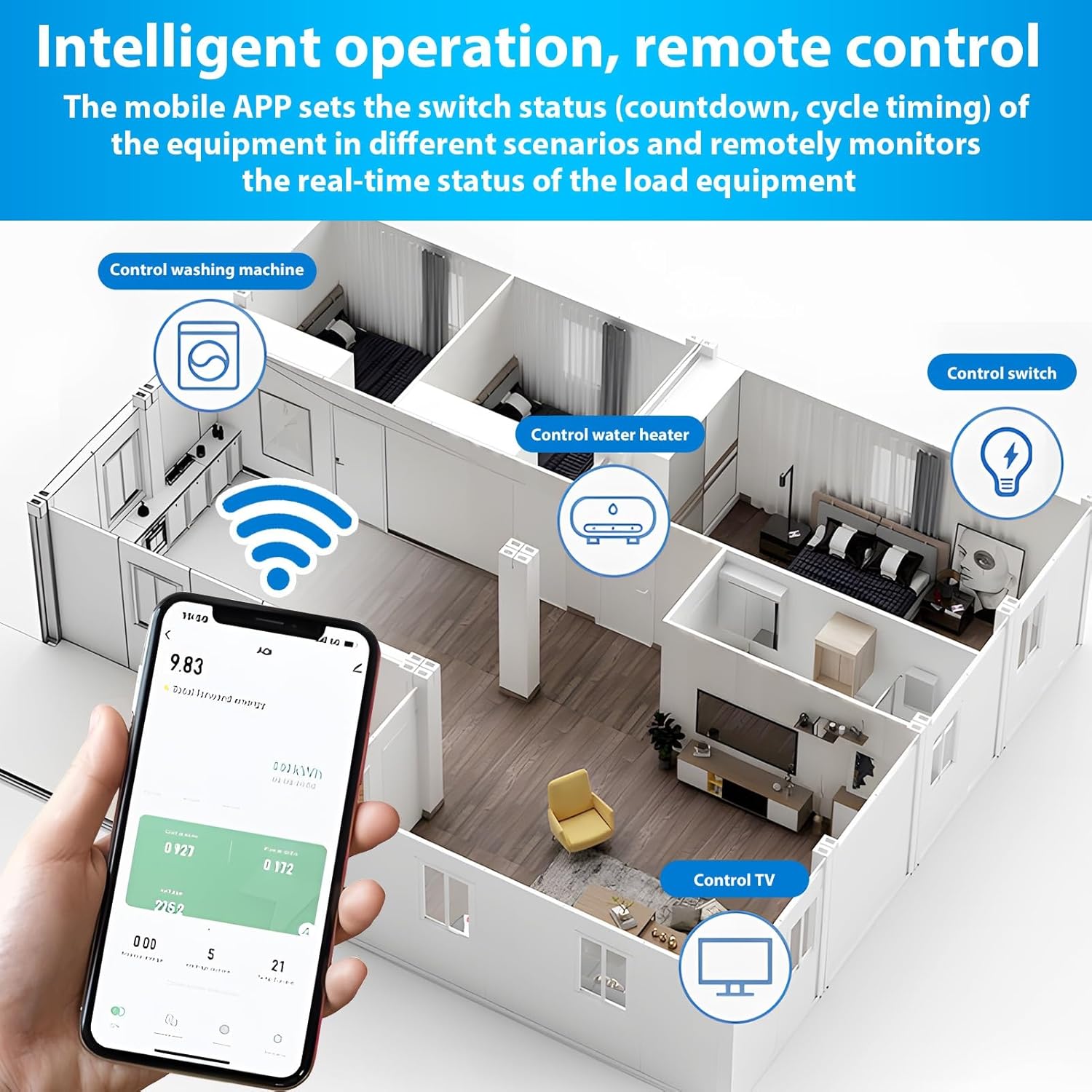
6.1-сүрөт: Remote control and monitoring via the Tuya Smart mobile application.
6.3. Үн менен башкаруу
Integrate the Tuya Smart app with Amazon Alexa or Google Assistant for voice-activated control:
- Enable the 'Tuya Smart' skill in your Alexa or Google Home app.
- Tuya Smart аккаунтуңузду байланыштырыңыз.
- Түзмөктөрдү табыңыз.
- Үн буйруктарын колдонуңуз, мисалы:
- "Alexa, [Түзмөктүн аталышын] күйгүз"
- "Окей Google, [Түзмөктүн аталышын] өчүр"
7. Техникалык тейлөө
The DEWIN Smart Circuit Breaker requires minimal maintenance. Follow these guidelines to ensure longevity:
- Regularly inspect the device for any visible damage or loose connections.
- Keep the device clean and free from dust and debris. Use a dry, soft cloth for cleaning.
- Катуу химиялык заттарды же абразивдүү тазалоочу каражаттарды колдонбоңуз.
- Ашыкча ысып кетүүнүн алдын алуу үчүн аппараттын айланасында туура желдетүүнү камсыз кылыңыз.
8. Кыйынчылыктарды
If you encounter issues with your DEWIN Smart Circuit Breaker, refer to the following common problems and solutions:
| Көйгөй | Мүмкүн себеп | Чечим |
|---|---|---|
| Түзмөк күйбөйт. | No power supply; Loose wiring; Device fault. | Check main power supply; Verify wiring connections; Contact support if fault persists. |
| WiFi'га туташа албай жатат. | Incorrect WiFi password; Router too far; 5GHz WiFi network; Device not in pairing mode. | Ensure correct 2.4GHz WiFi password; Move device closer to router; Switch to 2.4GHz network; Put device in pairing mode (blinking signal light). |
| Пульт иштебей жатат. | No internet connection; App issue; Device offline. | Check internet connectivity; Restart Tuya Smart app; Reconnect device to WiFi if offline. |
| Protection features (over/undervoltage) tripping unexpectedly. | Тtage fluctuations; Sensitivity settings. | Check power grid stability; Adjust protection thresholds in the app if necessary (consult a professional). |
If the problem persists after attempting these solutions, please contact DEWIN customer support.
9. Кепилдик жана колдоо
For warranty information, please refer to the terms and conditions provided at the time of purchase or contact your retailer. For technical support or further assistance, please reach out to DEWIN customer service through the contact information provided on the product packaging or the official DEWIN webсайт.