
Introduction
This manual provides essential information for the proper setup, operation, and maintenance of your ONN 24-inch FHD Gaming Monitor, model 100027813. Please read this manual thoroughly before using the product to ensure optimal performance and safety. This monitor is designed to deliver a high-quality gaming experience with its 1080p resolution, 165Hz refresh rate, 1ms response time, and FreeSync technology.
Коопсуздук маалыматы
Always observe the following safety precautions to prevent damage to the monitor and ensure user safety:
- Өрт же шок коркунучун болтурбоо үчүн мониторду жамгырга же нымга тийгизбеңиз.
- Мониторду ачпаңыз casinг. Ичинде колдонуучу тейлей турган бөлүктөр жок. Бардык тейлөөлөрдү квалификациялуу тейлөө кызматкерлерине тапшырыңыз.
- Монитор кулап калбаш үчүн аны туруктуу, тегиз бетке коюңуз.
- Монитордун айланасында туура желдетүүнү камсыз кылыңыз. Вентиляция тешиктерин жаап албаңыз.
- Монитор менен кошо берилген кубат адаптерин гана колдонуңуз.
- Чагылганда же узак убакыт бою колдонбогондо мониторду розеткадан сууруп алыңыз.
Пакеттин мазмуну
Пакетте бардык буюмдар бар экенин текшериңиз:
- ONN 24-inch FHD Gaming Monitor
- Монитор стенд (негизги жана моюн)
- Кубаттуу адаптер
- DisplayPort Cable (6 ft)
- HDMI Cable (6 ft)
- Колдонуучунун Колдонмосу (бул документ)

Image: Retail box of the ONN 24-inch Gaming Monitor, highlighting key features like 165Hz, 1ms response time, DisplayPort, HDMI, and Adaptive-Sync.
Жайгашуу
1. Стендди чогултуу
- Мониторду жана стенд компоненттерин таңгактан этияттык менен алып салыңыз.
- Attach the stand neck to the stand base. Secure it with the provided screw, if applicable.
- Align the assembled stand with the mounting slot on the back of the monitor. Gently push until it clicks into place or secure with screws as per the design.
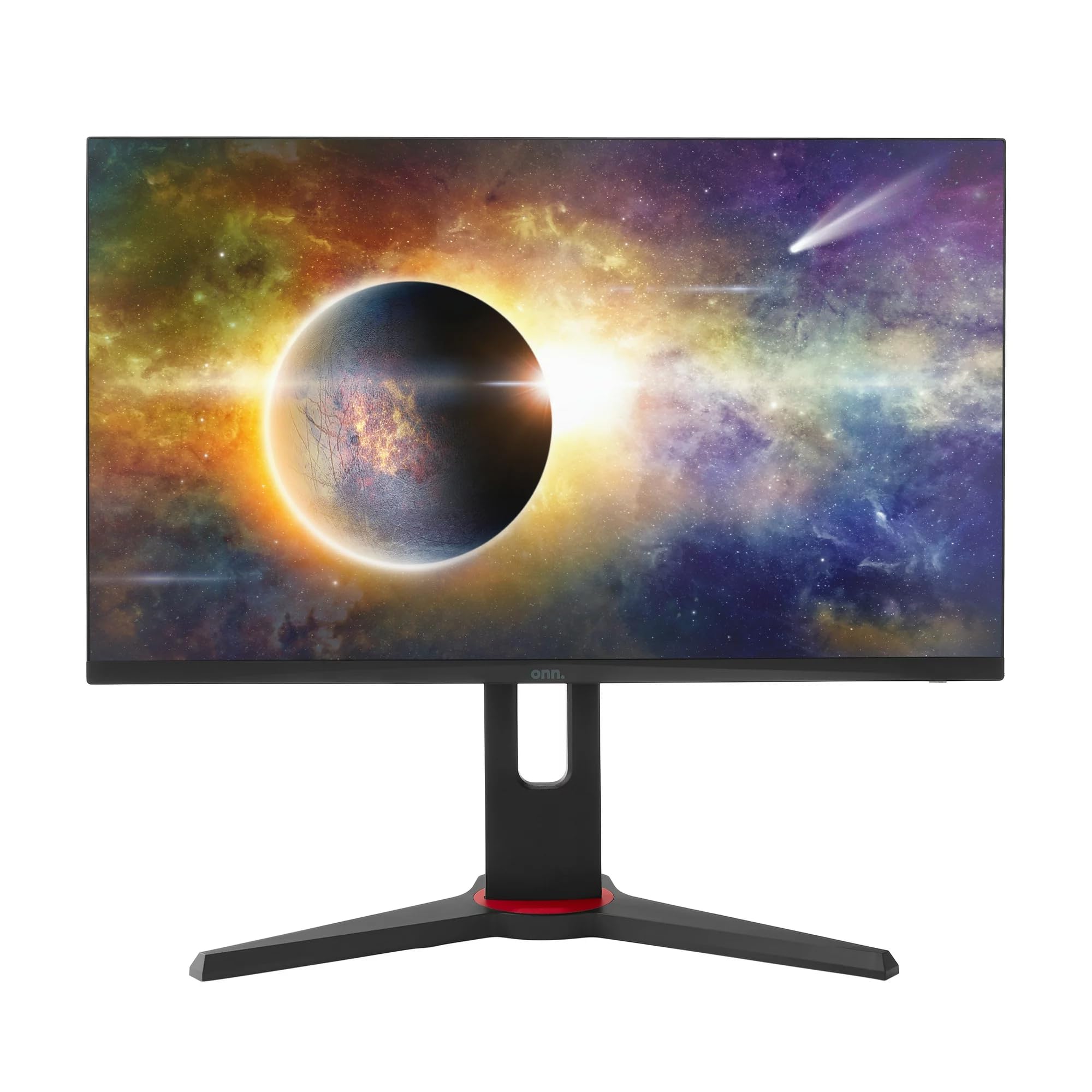
Сүрөт: алдыңкы view of the ONN 24-inch Gaming Monitor, fully assembled with its stand.

Сүрөт: Арткы view of the ONN 24-inch Gaming Monitor, illustrating the stand attachment and cable management area.
2. Туташтыруучу кабельдер
Locate the input ports on the back of your monitor:
- Күч: Кубат адаптерин монитордун кубат киргизүү булагына, андан кийин розеткага туташтырыңыз.
- Video Input: Connect one end of the provided DisplayPort or HDMI cable to the corresponding port on your computer's graphics card and the other end to the monitor. The monitor supports 2 HDMI inputs and 1 DisplayPort input.
- Аудио чыгаруу (милдеттүү эмес): If your monitor has a 3.5mm audio jack, you can connect external speakers or headphones.

Сүрөт: Жакын план view of the monitor's rear ports, including HDMI 1, HDMI 2, DisplayPort (DP), and power input.
3. Баштапкы күйгүзүү
- Бардык кабелдер коопсуз туташтырылганын текшериңиз.
- Press the power button on the monitor (usually located on the back or bottom right).
- The monitor should display the ONN logo and then search for an input signal.
- If no image appears, ensure your computer is powered on and the correct input source is selected on the monitor (see Operating section).
Иштеп жатат
1. Күйгүзүү/өчүрүү
Press the power button to turn the monitor on or off. The power indicator light will show the monitor's status (e.g., blue for on, amber for standby).
2. Экрандагы дисплей (OSD) менюсунун навигациясы
Your monitor features an OSD menu for adjusting various settings. Typically, buttons on the back or bottom of the monitor control the OSD:
- Меню баскычы: OSD менюсун ачат.
- Чабыттоо баскычтары (өйдө/төмөн/сол/оң): Меню параметрлери боюнча чабыттоо үчүн колдонулат.
- Тандоо/кирүү баскычы: Тандоону ырастайт же кошумча менюга кирет.
- Чыгуу баскычы: Учурдагы менюдан же OSDден чыгат.
3. Орнотууларды тууралоо
OSD менюсу аркылуу тууралай турган негизги орнотууларга төмөнкүлөр кирет:
- Жарыктык/Контраст: Жарык жана караңгы аймактардын жалпы жарыктыгын жана айырмасын тууралаңыз.
- Түс жөндөөлөрү: Түс температурасын, гамма жана жеке RGB деңгээлин өзгөртүү.
- Киргизүү булагы: Manually select between HDMI 1, HDMI 2, or DisplayPort inputs.
- Жаңыртуу ылдамдыгы: Ensure your graphics card and monitor are set to 165Hz for the smoothest experience. This is usually configured in your operating system's display settings.
- Жооп убактысы: Adjust the monitor's response time setting (e.g., 1ms) for reduced motion blur in fast-paced games.
- FreeSync технологиясы: Enable FreeSync in the OSD menu and in your AMD graphics card settings to synchronize the monitor's refresh rate with your GPU's frame rate, eliminating screen tearing and stuttering.
- Сүрөт режимдери: Select from preset modes optimized for different content (e.g., Standard, Game, Movie, Text).

Image: The ONN 24-inch Gaming Monitor displayed in a typical desk setup, connected to a laptop with gaming peripherals.
Техникалык тейлөө
Мониторду тазалоо
- Тазалоодон мурун ар дайым мониторду сууруп коюңуз.
- Жумшак, түксүз кездемени жеңил колдонуңуз dampсуу же жумшак, абразивдүү эмес экран тазалагыч менен иштетиңиз.
- Тазалоочу каражатты түз экранга чачпаңыз. Алгач аны кездемеге сүйкөңүз.
- Катуу химиялык заттарды, абразивдик жаздыктарды же эриткичтерди колдонуудан алыс болуңуз.
Сактагыч
Мониторду узак убакытка сактасаңыз, бардык кабелдерди ажыратып, аны баштапкы таңгагына (эгер бар болсо) таңгактап, күн нурунан жана өтө температурадан алыс, салкын, кургак жерде сактаңыз.
Проблемаларды чечүү
Мониторуңузда көйгөйлөргө туш болсоңуз, төмөнкү жалпы көйгөйлөрдү жана чечимдерди караңыз:
| Көйгөй | Мүмкүн чечим |
|---|---|
| Экранда сүрөт жок |
|
| Image is flickering or distorted |
|
| Үн жок (эгерде монитор динамиктерин/аудио чыгышын колдонсоңуз) |
|
| Monitor not reaching 165Hz |
|
Техникалык шарттар
Detailed technical specifications for the ONN 24-inch FHD Gaming Monitor (Model 100027813):
| Өзгөчөлүк | Спецификация |
|---|---|
| Модель номери | 100027813 |
| Screen Size | 24 дюйм |
| Резолюция | FHD 1080p (1920x1080) |
| Жаңыртуу ылдамдыгы | 165 Гц |
| Жооп убактысы | 1 Миллисекунд |
| Дисплей технологиясы | IPS |
| Adaptive Sync | FreeSync |
| Аспект катышы | 16:9 |
| Контраст катышы | 2000:1 |
| Screen Surface | Matte, Anti-glare with low blue light setting |
| Байланыш | 2 x HDMI, 1 x DisplayPort |
| Продукциянын өлчөмдөрү (D x W x Y) | 61.3 x 11.3 x 37.3 см |
| Элемент Салмагы | 6.1 кг |
| Түс | Кара |
| Монтаж түрү | Үстөлгө орнотуу |
| Өзгөчө колдонуулар | Entertainment, Gaming |
Кепилдик
This ONN 24-inch FHD Gaming Monitor is a renewed product. Warranty terms and conditions for renewed products may vary. Please refer to the specific warranty information provided by the seller or retailer at the time of purchase. It is recommended to retain your proof of purchase for any warranty claims.
Колдоо
For technical assistance, troubleshooting beyond this manual, or warranty inquiries, please contact the retailer or the Amazon Renewed support channel where the product was purchased. Have your model number (100027813) and proof of purchase ready when contacting support.