
Introduction
Thank you for choosing the Attoe Wireless Gaming Mouse. This device offers a versatile gaming and work experience with its transparent RGB mechanical design, tri-mode connectivity (2.4GHz wireless, Bluetooth, and wired USB-C), and convenient charging base. This manual provides detailed instructions for setup, operation, maintenance, and troubleshooting to ensure optimal performance.
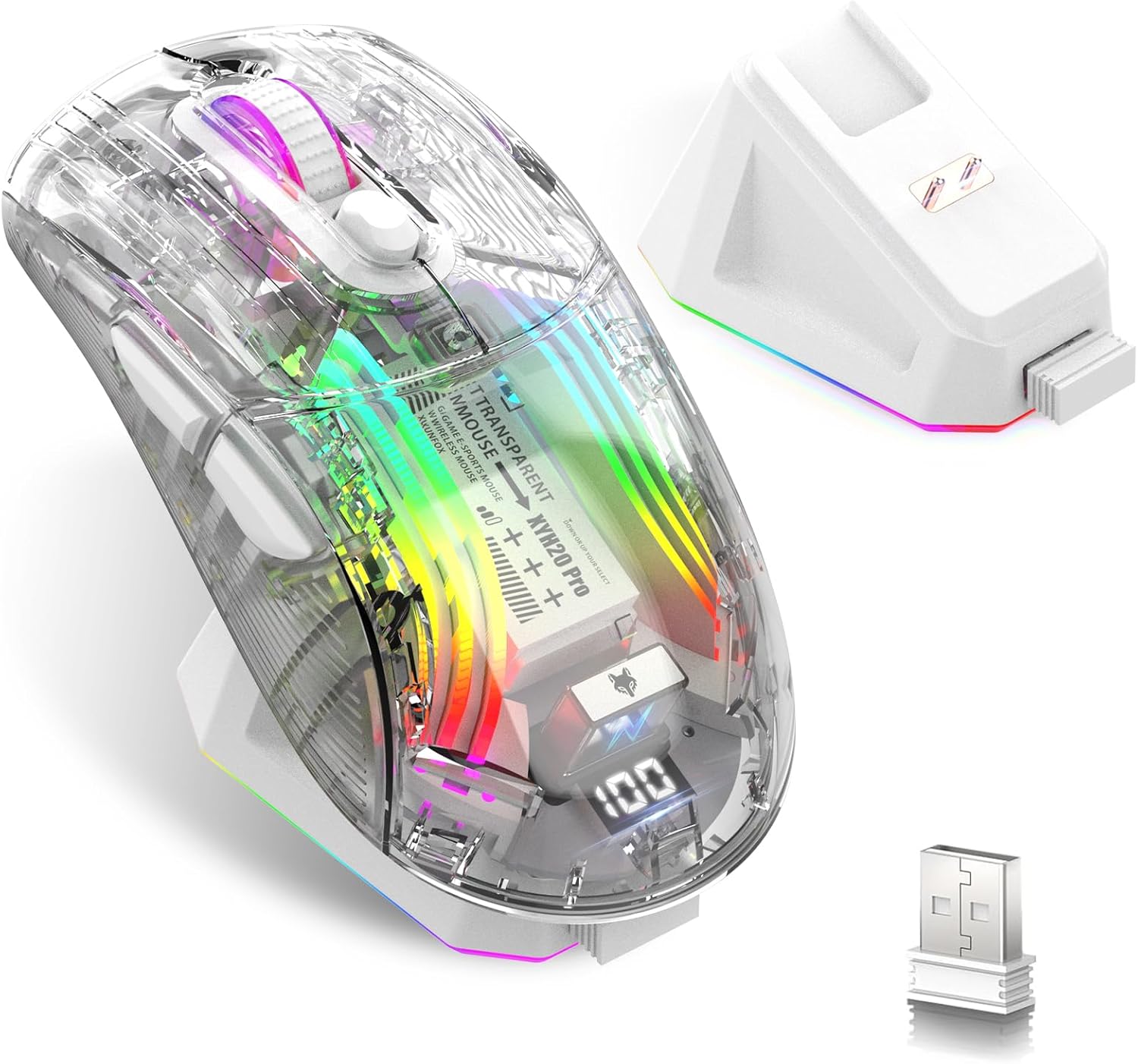
Image: Attoe Wireless Gaming Mouse, charging base, and USB receiver.
Кутуда эмне бар
- Wireless Жылнаама'дан Mouse
- Заряддоо базасы
- Колдонуучунун колдонмосу
- TYPE-C кабели
- USB кабыл алгыч
Продукт бүттүview
Familiarize yourself with the components and controls of your Attoe Wireless Gaming Mouse.

Image: Detailed diagram showing mouse components including buttons, switches, and ports.
- Сол баскыч
- Оң баскыч
- Жылдыруу баскычы
- DPI баскычы
- Алга баскычы
- Артка баскычы
- USB кабыл алгыч
- Light Switch (bottom)
- Receive Bin (for USB receiver)
- Modes Switch (bottom)
- Заряддоо порту (Type-C)
Жайгашуу
1. Чычканды заряддоо
Before first use, fully charge the mouse. The mouse features a 500mAh rechargeable battery.
- Заряддоочу базаны колдонуу: Place the mouse onto the magnetic charging base. The base will illuminate, indicating charging. The light will turn off after approximately 10 minutes if the mouse is fully charged or if left idle.
- Type-C кабелин колдонуу: Connect the provided Type-C cable to the mouse's charging port (11) and to a USB power source.

Image: Mouse on charging base, connected via Type-C cable.
The mouse features a digital display at the rear, showing the current power level. This allows you to monitor the battery status at any time.

Image: Close-up of the mouse's digital power display.
2. Connecting the Mouse (Tri-Mode)
The mouse supports three connection modes: 2.4GHz Wireless, Bluetooth, and Wired USB-C. Use the Modes Switch (10) on the bottom of the mouse to select your desired connection type.
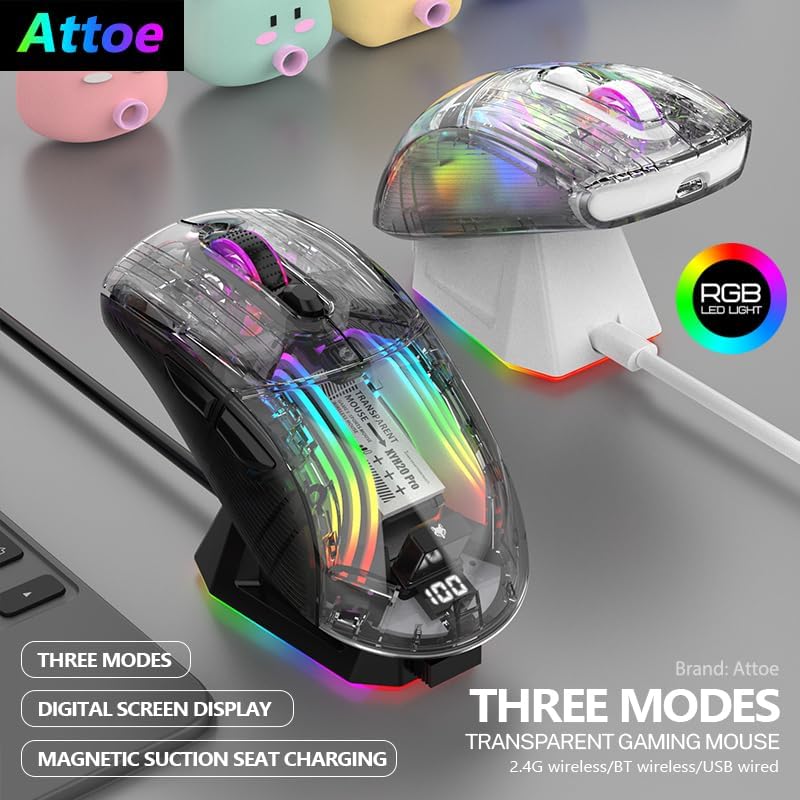
Image: Two Attoe mice (black and white) illustrating the three connection modes.
2.1. 2.4 ГГц зымсыз режим
- Locate the USB receiver (7) stored in the receive bin (9) on the bottom of the mouse.
- USB ресиверди компьютериңиздеги жеткиликтүү USB портуна сайыңыз.
- Set the Modes Switch (10) on the bottom of the mouse to the 2.4GHz wireless icon.
- Чычкан автоматтык түрдө туташышы керек.
2.2. Bluetooth режими
- Set the Modes Switch (10) on the bottom of the mouse to the Bluetooth icon.
- Компьютериңизде же түзмөгүңүздө Bluetooth жөндөөлөрүн ачып, жаңы түзмөктөрдү издеңиз.
- Select "Attoe Gaming Mouse" (or similar name) from the list of available devices to pair.
2.3. Зымдуу USB-C режими
- Connect the provided Type-C cable to the mouse's charging port (11) and to a USB port on your computer.
- Чычкан автоматтык түрдө зымдуу режимге өтүп, заряддоону баштайт.
Иштөө нускамалары
1. Күйгүзүү/өчүрүү
The mouse powers on automatically when connected via wired mode or when a wireless mode is selected. To turn off the mouse, switch the Modes Switch (10) to the 'OFF' position (usually the middle position).
2. DPI тууралоо
Press the DPI Button (4) to cycle through different DPI sensitivity levels. The mouse supports 5 steps of DPI, ranging from 800 to 2400 DPI, allowing you to adjust cursor speed to your preference.
3. RGB жарыкты башкаруу
The mouse features various RGB lighting effects. To adjust or turn off the lighting:
- Жарыктандыруу режимин өзгөртүү: Short press the Light Switch (8) on the bottom of the mouse to cycle through different RGB lighting effects.
- Жарыкты өчүрүү: Long press the Light Switch (8) for 3 seconds to turn off the RGB lighting. Repeat the long press to turn it back on.

Image: Transparent shell of the mouse showcasing the internal RGB lighting.
4. Silent Click Buttons
The mouse is designed with silent click buttons, providing a quiet user experience suitable for various environments without disturbing others.

Image: Visual representation of the mouse's quiet click functionality.
Техникалык тейлөө
- Тазалоо: Чычканды тазалоо үчүн жумшак, кургак чүпүрөктү колдонуңуз. Катуу химиялык заттарды же абразивдүү материалдарды колдонуудан алыс болуңуз.
- Батареяга кам көрүү: To prolong battery life, avoid fully discharging the mouse frequently. Charge the mouse when the digital display indicates a low power level.
- Сактагыч: Узак мөөнөткө колдонулбаганда чычканды салкын, кургак жерде сактаңыз.
Проблемаларды чечүү
| Көйгөй | Мүмкүн себеп | Чечим |
|---|---|---|
| Чычкан жооп бербей жатат | Low battery; Incorrect connection mode; USB receiver not plugged in (2.4GHz); Bluetooth not paired. | Charge the mouse; Ensure correct mode is selected (2.4GHz, BT, or Wired); Plug in USB receiver; Pair via Bluetooth. |
| Заряддоо маселелери | Cable or charging base not properly connected; Faulty cable/base. | Ensure secure connection; Try a different USB port or power adapter; Contact support if issue persists. |
| RGB lighting not working or flickering | Lighting turned off; Software conflict (rare). | Short press the Light Switch (8) to cycle modes, long press to turn on/off; Restart computer. |
| Курсордун кыймылы туура эмес же жай | Low battery; DPI setting too low; Dirty sensor; Uneven surface. | Charge the mouse; Adjust DPI using the DPI Button (4); Clean the optical sensor; Use on a smooth, opaque surface. |
Техникалык шарттар
- Продукциянын өлчөмдөрү: 5 x 2.5 x 0.04 дюйм
- Элемент Салмагы: 9.2 унция
- Байланыш технологиясы: Bluetooth, 2.4 ГГц зымсыз, USB-C зымдуу
- Кыймылды аныктоо технологиясы: Оптикалык
- Өзгөчөлүктөр: 4-Way Scrolling, Ergonomic Design, LED Lights, Rechargeable, Wireless
- Батарея: 500mAh кайра заряддалуучу
- DPI жөндөөлөрү: 5 steps (800-2400 DPI)
Кепилдик жана колдоо
Attoe products are designed for reliability and performance. For warranty information or technical support, please refer to the contact details provided with your purchase or visit the official Attoe webсайт. Кепилдик дооматтар үчүн сатып алганыңыздын далилин сактаңыз.
Кошумча жардам алуу үчүн, сиз иш сапары менен болот Attoe Store on Amazon.