
Introduction
This manual provides detailed instructions for the installation, operation, and maintenance of your Akozon Universal Digital Motorcycle Speedometer and Tachometer. Designed for compatibility with 1, 2, and 4-cylinder motorcycle models, this digital dash offers precise speed, RPM, and gear position display, along with odometer and trip meter functions. Its robust ABS construction ensures durability in various environmental conditions.
Негизги өзгөчөлүктөрү
- Санариптик дисплейди тазалоо: Provides quick and accurate access to real-time motorcycle data in all lighting conditions.
- Туруктуу курулуш: Made of impact-resistant and wear-resistant ABS materials for optimal performance in harsh environments.
- Efficient Voltage Operating System: Operates on DC 8-12V power supply, preventing issues from voltagд туруксуздук.
- Кеңири шайкештик: Suitable for 1, 2, and 4-cylinder motorcycle models.
- Оңой орнотуу: Humanized design allows for straightforward installation without complex tools.
- Көп функциялуу дисплей: Includes speed (km/h, mph), gear position (1-6, N), odometer, trip meter, and RPM range (0-14000 r/min).
Техникалык шарттар
| Өзгөчөлүк | Деталь |
|---|---|
| Элемент түрү | Мотоциклдин спидометри |
| Материал | Акрилонитрил бутадиен стирол (ABS) |
| Speed Display Range | 0-199 km/h (miles) |
| Gear Position | 1/2/3/4/5/6 N |
| Одометр дисплейи | 0 ~ 999999 kilometers (miles) |
| Odometer Display Unit | 0.1 км |
| RPM диапазону | 0 ~ 14000 r/min |
| Фитмент | Compatible with 1, 2, 4 Cylinders models |
| Электр камсыздоо | DC 8-12V |
| Thread Type | Холл эффекти |
| Өлчөмдөрү (болжол менен) | 19.3см (узундугу) x 10.2см (туурасы) x 8.6см (бийиктиги) |
Жайгашуу
Proper installation is crucial for accurate readings and safe operation. Follow these steps carefully:
1. Физикалык орнотуу
Mount the speedometer securely on your motorcycle's handlebars or dashboard using the provided bracket and hardware. Ensure it is positioned for clear visibility while riding.

Image: Dimensions of the Akozon Motorcycle Speedometer, showing its length, width, and height for proper fitment.
2. Зымдарды туташтыруу
Connect the speedometer's wiring harness to your motorcycle's electrical system. Refer to the wiring diagram provided with your product for specific connections. Key connections typically include:
- Power (usually red wire to ignition switched 12V)
- Ground (usually black wire to chassis ground)
- Ignition/RPM signal (for tachometer function)
- Speed sensor input
- Neutral gear indicator
- Бурулуш сигналынын индикаторлору (солго/оңго)
- Жогорку нурдун көрсөткүчү
- Fuel level sensor input
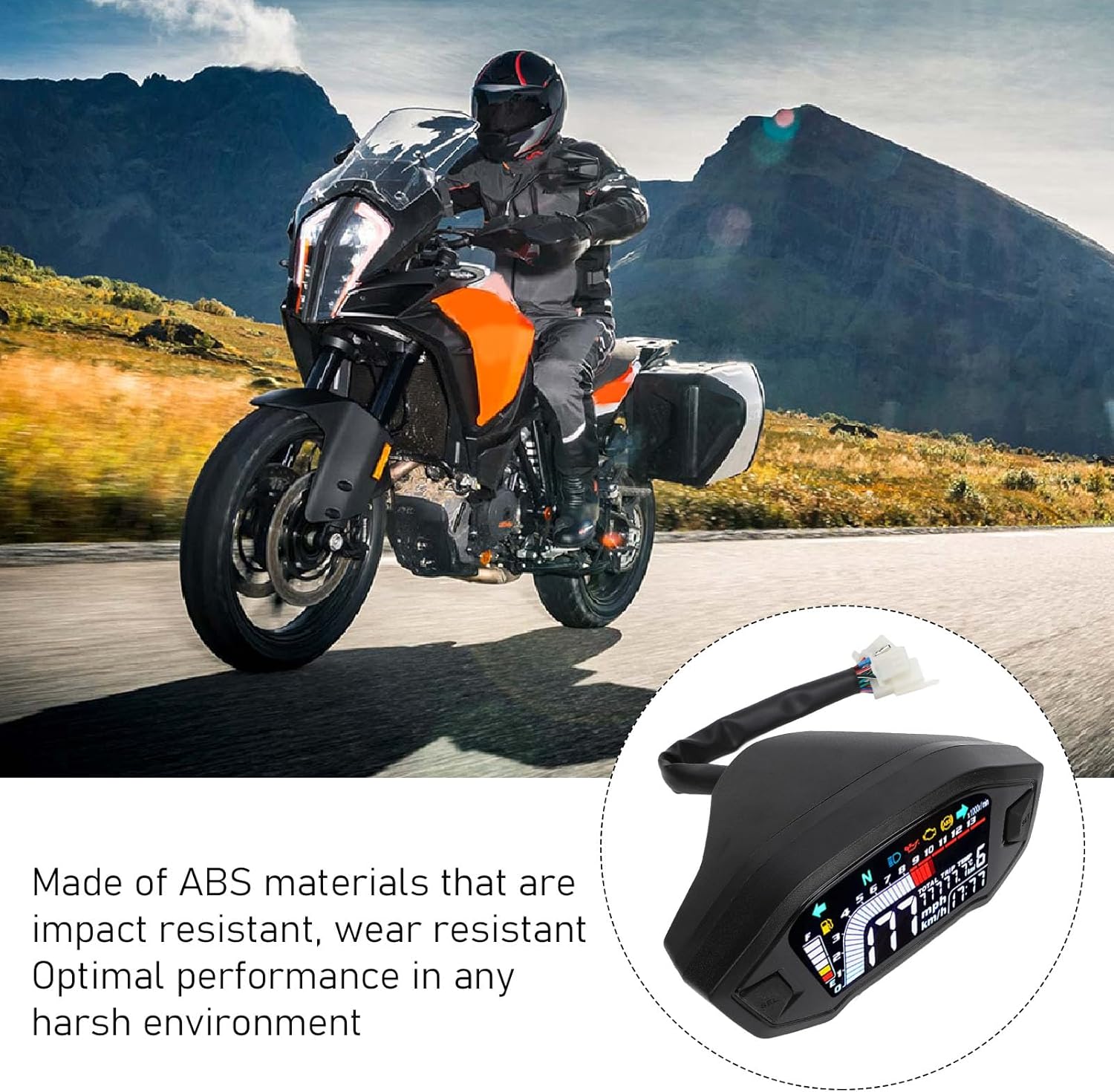
Image: Akozon digital speedometer installed on a motorcycle, demonstrating its integration into the bike's system.
3. Speed Sensor Installation
Install the speed sensor near the wheel, ensuring it can detect the magnets. The sensor typically mounts to the brake caliper bracket or a similar fixed point. Attach the magnets to the wheel rotor bolts or spokes, maintaining a small, consistent gap between the sensor and magnets for accurate readings.

Сүрөт: Жакын план view of the Akozon digital speedometer display on a motorcycle, showing speed, RPM, and gear indicators.
4. Initial Settings Configuration
After wiring, turn on the ignition. The speedometer will perform a self-test. To enter the settings menu, typically press and hold the 'SET' button (or similar) while turning on the ignition, or as indicated in the specific product manual. Adjust the following parameters:
- Tire Circumference: Input the circumference of your front wheel for accurate speed readings.
- Магниттердин саны: Set this according to the number of magnets installed for the speed sensor.
- Цилиндр түрү: Select 1, 2, or 4 cylinders to ensure correct RPM readings.
- Fuel Sensor Type: Configure the fuel sensor resistance type if applicable.

Image: Diagram illustrating the settings for tire perimeter, number of signals (magnets), and engine cylinder type on the Akozon digital speedometer.
Installation and Settings Video Guide
For a visual guide on installation and initial settings, please watch the official video below:
Video: Detailed guide on how to install and configure the digital motorcycle speedometer, including wiring, sensor placement, and menu settings.
Иштөө нускамалары
Once installed and configured, your Akozon speedometer is ready for use. The display provides real-time information for your ride.
1. Дисплей режимдери
The main display shows speed, RPM, and current gear. Press the 'SEL' button (or similar) to cycle through different display modes, such as total odometer and trip meter. Hold the button to switch between kilometers per hour (km/h) and miles per hour (mph).

Image: The clear digital display of the Akozon speedometer, showing its readability in various lighting conditions.
2. Индикатор жарыктары
The speedometer features various indicator lights for essential motorcycle functions:
- Нейтралдуу (N): Illuminates when the transmission is in neutral.
- Бурулуш сигналдары: Flashes to indicate left or right turn.
- Жогорку нур: Illuminates when high beam headlights are active.
- Күйүүчү майдын деңгээли: Indicates the current fuel level.
Техникалык тейлөө
To ensure the longevity and optimal performance of your Akozon speedometer, follow these maintenance guidelines:
- үзгүлтүксүз тазалоо: Дисплейдин экранын жана корпусун жумшак, d менен сүртүңүзamp кездеме. Пластмассага зыян келтириши мүмкүн болгон абразивдүү тазалоочу каражаттардан же эриткичтерден алыс болуңуз.
- Зымдарды текшерүү: Periodically check all wiring connections for tightness and signs of wear or corrosion. Secure any loose connections.
- Сенсор текшерүү: Ensure the speed sensor and magnets are clean and properly aligned. Verify the gap between the sensor and magnets remains consistent.
- Курчап турган чөйрөнү коргоо: While designed for harsh environments, prolonged exposure to extreme weather conditions (e.g., heavy rain, direct sunlight) should be minimized when possible.
Проблемаларды чечүү
If you encounter issues with your speedometer, refer to the following common problems and solutions:
| Көйгөй | Мүмкүн болгон себеп жана чечим |
|---|---|
| Кубат жок/Дисплей өчүк |
|
| Так эмес тез окуу |
|
| Incorrect RPM Reading |
|
| Gear Indicator Malfunction |
|
| Күйүүчү май өлчөгүч так эмес |
|
If troubleshooting steps do not resolve the issue, please contact Akozon customer support.
Кепилдик жана колдоо
Your Akozon Motorcycle Digital Speedometer Tachometer is covered by a manufacturer's warranty against defects in materials and workmanship. Please refer to the warranty card included with your purchase for specific terms and conditions, including the warranty period and coverage details.
For technical assistance, troubleshooting guidance, or warranty claims, please contact Akozon customer support through the retailer where you purchased the product or visit the official Akozon webбайланыш маалыматы үчүн сайт.
When contacting support, please have your product model number (Akozongob5q417tr-12) and purchase details readily available to expedite the service process.