
1. Киришүү
The MINISFORUM DEG1 is an external GPU (eGPU) dock station designed to enhance the graphics processing capabilities of compatible computer systems, particularly mini PCs, through an Oculink interface. This manual provides essential information for the proper installation, operation, and maintenance of your DEG1 dock station.
2. Продукт бүтүп калдыview
The DEG1 dock station offers a solution for users requiring dedicated graphics performance without the need for a full-sized desktop computer. It features a PCIe 4.0 x4 expansion interface, allowing for the integration of high-performance graphics cards.

2.1-сүрөт: Жогорудан төмөн view of the MINISFORUM DEG1 External GPU Dock Station. This image displays the sleek, black enclosure with the MINISFORUM branding visible.
The dock is compatible with standard ATX and SFX power supplies (sold separately) to provide the necessary power for the installed graphics card. Its design accommodates a wide range of video card lengths, including high-end models such as the NVIDIA RTX 4090 and AMD RX 7900 XTX.

2.2-сүрөт: The DEG1 dock station with a graphics card installed. This illustration shows how a triple-fan graphics card fits into the dock, highlighting its capacity. Note that the graphics card and power supply are not included with the DEG1.
3. Өзгөчөлүктөрү
- Oculink 4i (PCIe 4.0 x4) Uplink: Provides high-bandwidth connectivity to the host system, with bandwidth up to 64GT/s and minimal performance loss.
- PCIe x16 (PCIe 4.0 x4) Downlink: Supports a single graphics card with a PCIe 4.0 x4 interface.
- Кубат менен камсыздоо шайкештиги: Designed to work with standard ATX/SFX power supplies (purchased separately).
- ForcePowerOn Button: Includes a dedicated power button with an LED indicator for manual power control.
- Wide Graphics Card Compatibility: Open space design allows for installation of graphics cards of various lengths, including high-end models like NVIDIA RTX 4090 and AMD RX 7900 XTX.
- Сигнал Amplification Chip: Features a built-in signal amplification chip for stable, high-speed data transmission.
- Follow-Start Function: Compatible with MINISFORUM Mini PCs, allowing the dock to power on automatically when the host computer powers on, provided original cables are used.
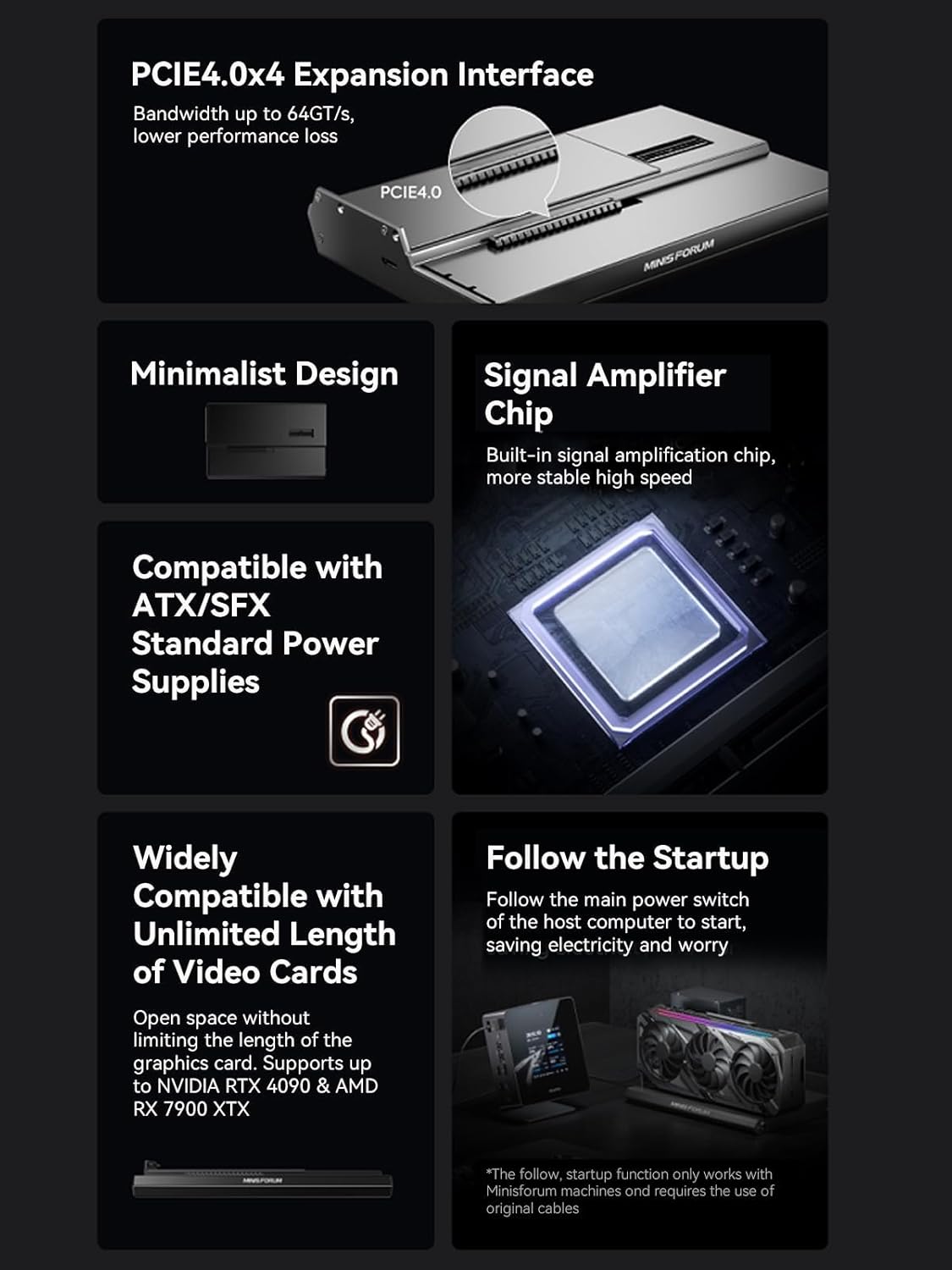
3.1-сүрөт: Visual representation of the DEG1's key features, including the PCIe 4.0 x4 expansion interface, minimalist design, signal amplifier chip, ATX/SFX power supply compatibility, wide video card compatibility, and the follow-start function.
4. Пакеттин мазмуну
Please verify that all items are present in your package. If any items are missing or damaged, contact MINISFORUM support.
- MINISFORUM DEG1 External GPU Dock Station
- Oculink Cable
- Mounting Bracket and Screws for GPU/PSU
- Колдонуучунун Колдонмосу (бул документ)
Эскертүү: A graphics card and a compatible ATX/SFX power supply are камтылган эмес жана өзүнчө сатып алуу керек.
5. Орнотуу нускамалары
Follow these steps to set up your MINISFORUM DEG1 External GPU Dock Station.
- Графикалык картаны орнотуу: Carefully insert your chosen graphics card into the PCIe x16 slot on the DEG1 dock. Ensure it is seated firmly. Secure the graphics card with the provided screws and mounting bracket.
- Электр булагы орнотуу: Place your ATX or SFX power supply into the designated area within the DEG1 enclosure. Secure it using the provided screws and bracket. Connect the necessary PCIe power cables from the power supply to your graphics card. Connect the main power cable from the power supply to the DEG1 dock's power input.
- Connect Oculink Cable: Connect one end of the Oculink cable to the Oculink 4i port on the DEG1 dock. Connect the other end to the Oculink port on your host computer (e.g., MINISFORUM Mini PC).
Маанилүү эскертүүлөр:
- The Oculink interface does not support hot-plugging. Ensure both the host computer and the DEG1 dock are powered off before connecting or disconnecting the Oculink cable.
- The Oculink connector has a fixed locking interface. To disconnect, you must press the release switch on the connector before unplugging. Forcing it out can cause damage to the ports.
- Перифериялык түзүлүштөрдү туташтыруу: Connect your monitor(s) directly to the output ports of the graphics card installed in the DEG1 dock.
- Күйгүзүү: Plug the power supply for the DEG1 dock into a wall outlet.
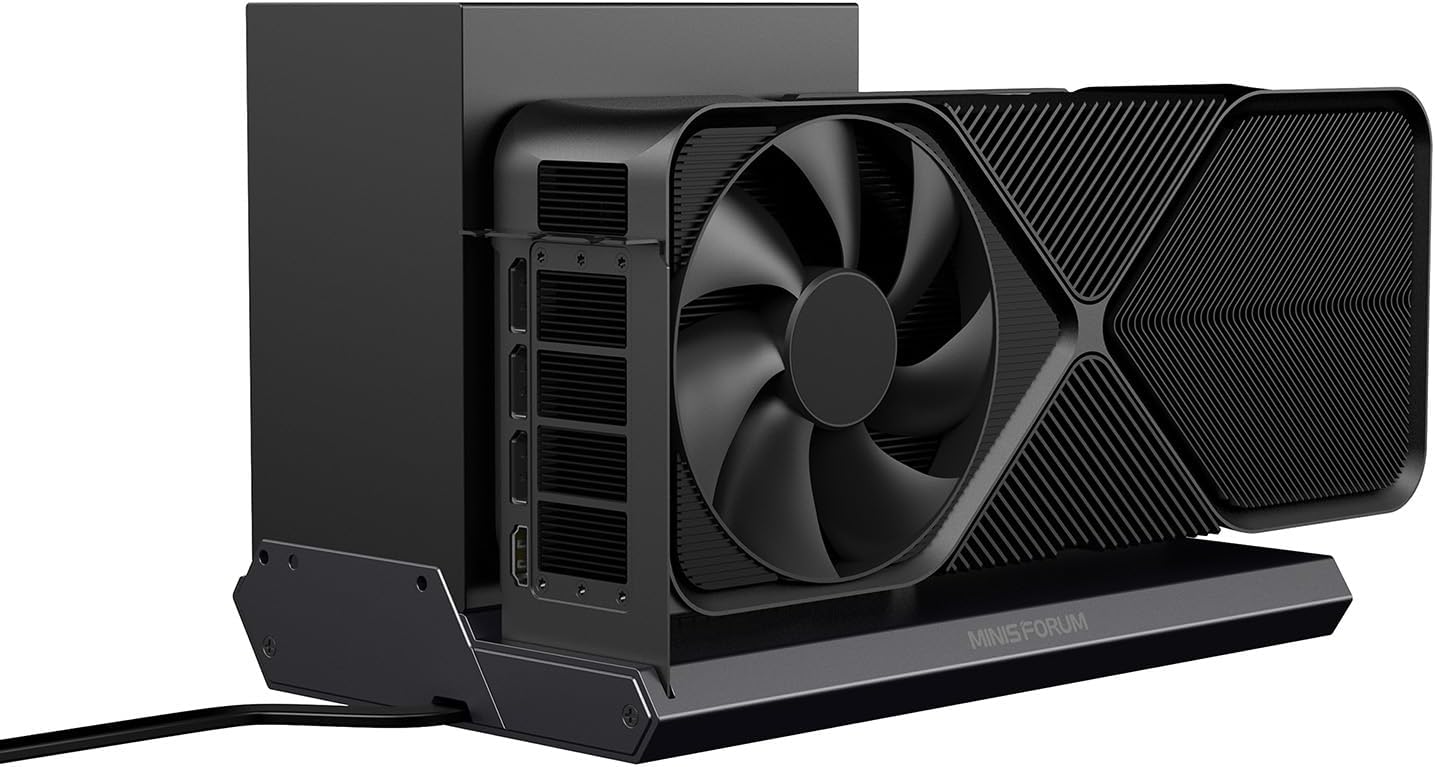
5.1-сүрөт: Side view of the DEG1 dock with a graphics card and power cable connected, illustrating a typical setup.
6. Иштөө нускамалары
- Баштапкы күйгүзүү: After connecting all components, press the ForcePowerOn button on the DEG1 dock. The LED indicator will illuminate. Then, power on your host computer.
- Follow-Start Function (for compatible MINISFORUM Mini PCs): If your MINISFORUM Mini PC supports the follow-start function and you are using original cables, the DEG1 dock may power on automatically when you power on your Mini PC. Refer to your Mini PC's manual for specific instructions.
- Драйверди орнотуу: Upon the first boot with the DEG1 connected, your operating system may automatically detect and install drivers for the graphics card. If not, download and install the latest drivers directly from the graphics card manufacturer's website (e.g., NVIDIA, AMD).
- Системаны таануу: Verify that the graphics card is recognized by your operating system. In Windows, this can be checked in Device Manager under "Display adapters."
7. Техникалык тейлөө
- Тазалоо: Periodically clean the exterior of the DEG1 dock with a soft, dry cloth. Ensure ventilation openings are free from dust and debris to maintain optimal airflow.
- Кабелдик башкаруу: Бардык кабелдердин тыкан жайгашканын жана бузулуп калбашы үчүн чыңалуу астында эместигин текшериңиз.
- Экологиялык шарттар: Operate the DEG1 in a well-ventilated area, away from direct sunlight, excessive heat, humidity, or corrosive substances.
8. Кыйынчылыктарды
| Көйгөй | Мүмкүн себеп | Чечим |
|---|---|---|
| Graphics card not detected by host PC. |
|
|
| No display output from graphics card. |
|
|
| Системанын туруксуздугу же бузулушу. |
|
|
9. Техникалык шарттар
| Өзгөчөлүк | Деталь |
|---|---|
| Модел | DEG1 |
| Uplink Interface | Oculink 4i (PCIe 4.0 x4) |
| Downlink Interface | PCIe x16 (PCIe 4.0 x4) |
| Power Supply Support | ATX/SFX Standard Power Supplies (external, not included) |
| Кубат баскычы | ForcePowerOn with LED |
| Compatible GPUs | NVIDIA RTX 4090, AMD RX 7900 XTX, and other compatible PCIe graphics cards |
| Продукциянын өлчөмдөрү (L x W x Y) | 10.64 x 6.87 x 1.6 дюйм (27.03 x 17.45 x 4.06 см) |
| Элемент Салмагы | 2.53 фунт (1.15 кг) |
| Түс | Кара |
| Өндүрүүчү | Micro Computer (HK) Tech Limited |
| Дата биринчи жеткиликтүү | 13-август, 2024-жыл |
Эскертүү: The "Wattage: 240.00" listed in some specifications refers to the power consumption of the dock itself or a general power rating, not the required wattage for the external graphics card. The power supply for the graphics card must be chosen based on the specific GPU's power requirements.
10. Кепилдик маалыматы
MINISFORUM products typically come with a limited manufacturer's warranty. For detailed information regarding the warranty period, coverage, and terms and conditions for your DEG1 External GPU Dock Station, please refer to the warranty card included with your product or visit the official MINISFORUM webсайт. Кепилдик дооматтар үчүн сатып алганыңыздын далилин сактаңыз.
11. Колдоо
For technical assistance, troubleshooting beyond this manual, or general inquiries, please visit the official MINISFORUM support website. You can often find FAQs, driver downloads, and contact information for customer service there.


