
Jazmm 088V
Jazmm Digital AM FM Radio with Bluetooth 5.3 (Model 088V) User Manual
Model: 088V | Brand: Jazmm
Introduction
This manual provides detailed instructions for the operation and maintenance of your Jazmm Digital AM FM Radio with Bluetooth 5.3, Model 088V. Please read this manual thoroughly before using the device to ensure proper function and longevity.

Сүрөт: алдыңкы view of the Jazmm Digital AM FM Radio, Model 088V, showing the speaker grille and control panel.
Кутуда эмне бар
Бардык буюмдар кутудан чыгарылганда бар экенин текшериңиз:
- Jazmm Digital AM FM Bluetooth Radio (Model 088V)
- Колдонуучунун колдонмосу
- C түрүндөгү кубаттоочу кабель
- Билек боо
Продукт бүттүview
Радионун башкаруу элементтери жана порттору менен таанышып алыңыз:
Алдыңкы панели:
- Динамик тор: Main audio output.
- Санариптик дисплей: Жыштык, режим жана трек жөнүндө маалыматты көрсөтөт.
- Сандык баскычтоп (0-9): Түз жыштык киргизүү же тректи тандоо үчүн.
- SCAN баскычы: Станцияны автоматтык сканерлөөнү баштайт.
- REC баскычы: Activates voice recording (requires TF card).
- LED баскычы: Toggles the flashlight on/off.
- Ойнотуу/тындыруу баскычы: MP3 режиминде ойнотууну башкарат.
- Мурунку/Кийинки трек баскычтары: Navigates tracks or stations.
- M (режим) баскычы: Switches between AM, FM, Bluetooth, TF Card, and USB modes.
Каптал панели:
- ON/OFF которуу: Аппаратты күйгүзөт же өчүрөт.
- Үндү терүү: Аудионун үнүн тууралайт.
- Type-C заряддоо порту: Ички батареяны заряддоо үчүн.
- USB порт: USB флэш-дискти ойнотуу үчүн.
- TF карта уячасы: For TF card playback and recording.
- 3.5 мм наушник уячасы: Жеке угуу үчүн.
- Кол чырак LED: Интегралдык жарык булагы.
- Wrist Strap Attachment Point: For securing the included wrist strap.

Сүрөт: каптал view of the radio highlighting the flashlight and wrist strap attachment.
Жайгашуу
1. Батареяны заряддоо
The radio is equipped with a 2000mAh rechargeable battery. Before first use, fully charge the device.
- Connect the provided Type-C charging cable to the radio's charging port.
- Кабелдин экинчи учун USB кубат адаптерине (кошумча эмес) же компьютердин USB портуна туташтырыңыз.
- The charging indicator on the display will show charging status. A full charge takes approximately 2.5 hours.
- Once fully charged, the radio can operate for up to 12 hours.

Image: The radio connected to a Type-C charging cable, illustrating the charging process.
2. Inserting TF Card (Optional)
To use the MP3 playback or recording functions, insert a TF (Micro SD) card into the designated slot.
- Радионун капталынан TF карта уячасын табыңыз.
- TF картасын металл контакттарын ылдый каратып, ордуна чыкылдаган үн чыкканча акырын салыңыз.
- Алып салуу үчүн, картаны сыртка чыкканча ичкери түртүңүз.
Иштөө нускамалары
1. Күйгүзүү/өчүрүү
Slide the ON/OFF switch on the side of the radio to power it on or off.
2. AM/FM радиосунун иштеши
Upon powering on, the radio typically defaults to FM mode. Press the 'M' (Mode) button to switch between AM and FM bands.
- Автоматтык сканерлөө: Press the 'SCAN' button to automatically search for and save available stations.
- Кол менен жөндөө: Use the numeric keypad to directly input the desired frequency. For example, to tune to 98.5 FM, press '9', '8', '5'.
- Үндү тууралоо: Rotate the volume dial on the side of the radio.
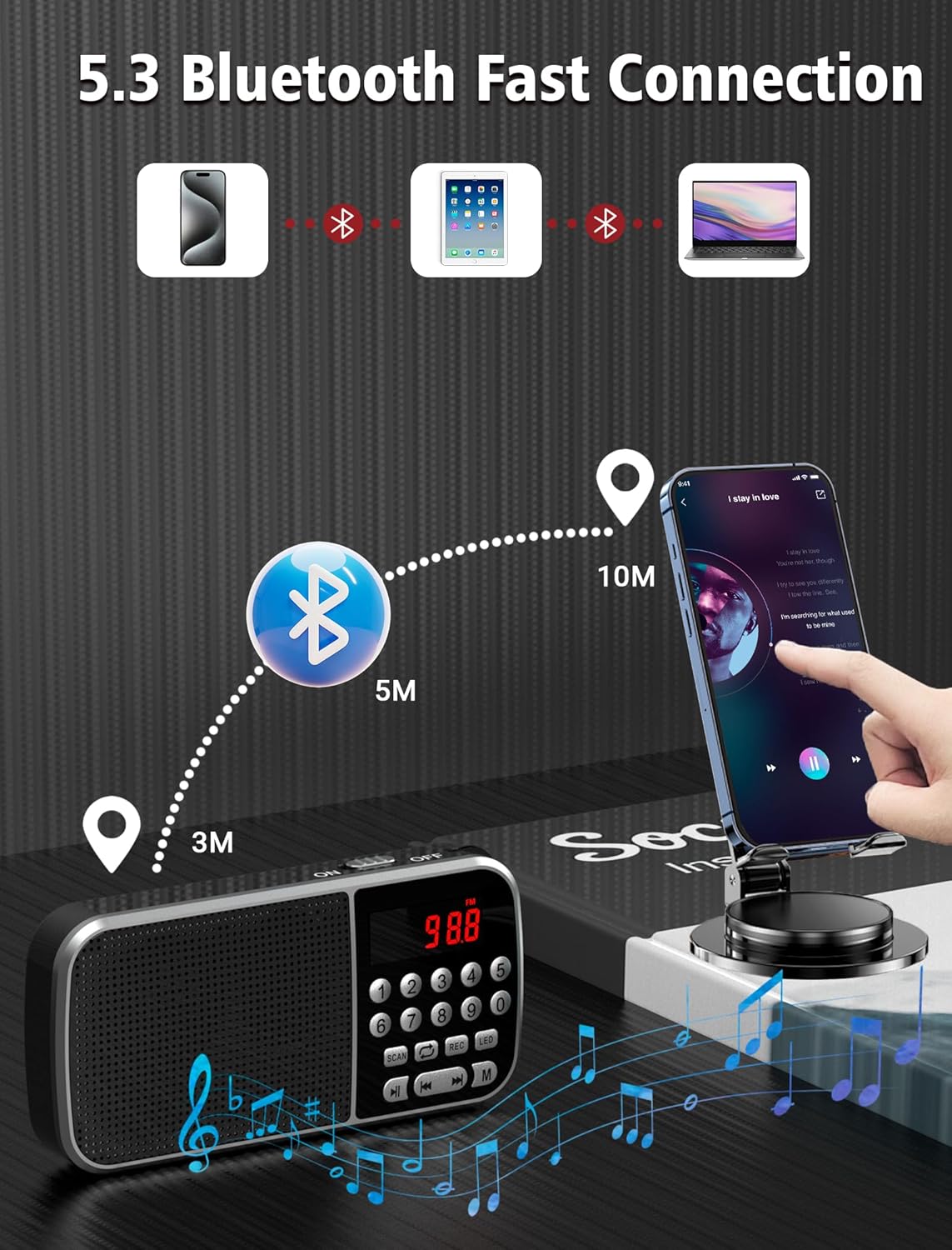
Image: The radio displaying various AM and FM frequencies, illustrating its reception capabilities.
3. Bluetooth 5.3 режими
Connect your smartphone or other Bluetooth-enabled devices to the radio for wireless audio playback.
- Press the 'M' (Mode) button until "Bluetooth" or a Bluetooth icon appears on the display. The radio will enter pairing mode.
- Түзмөгүңүздө Bluetooth иштетиңиз жана жеткиликтүү түзмөктөрдү издеңиз.
- Select "Jazmm 088V" (or similar) from the list to pair.
- Туташкандан кийин, сиз түзмөгүңүздөгү аудиону радионун динамиги аркылуу ойнотсоңуз болот.
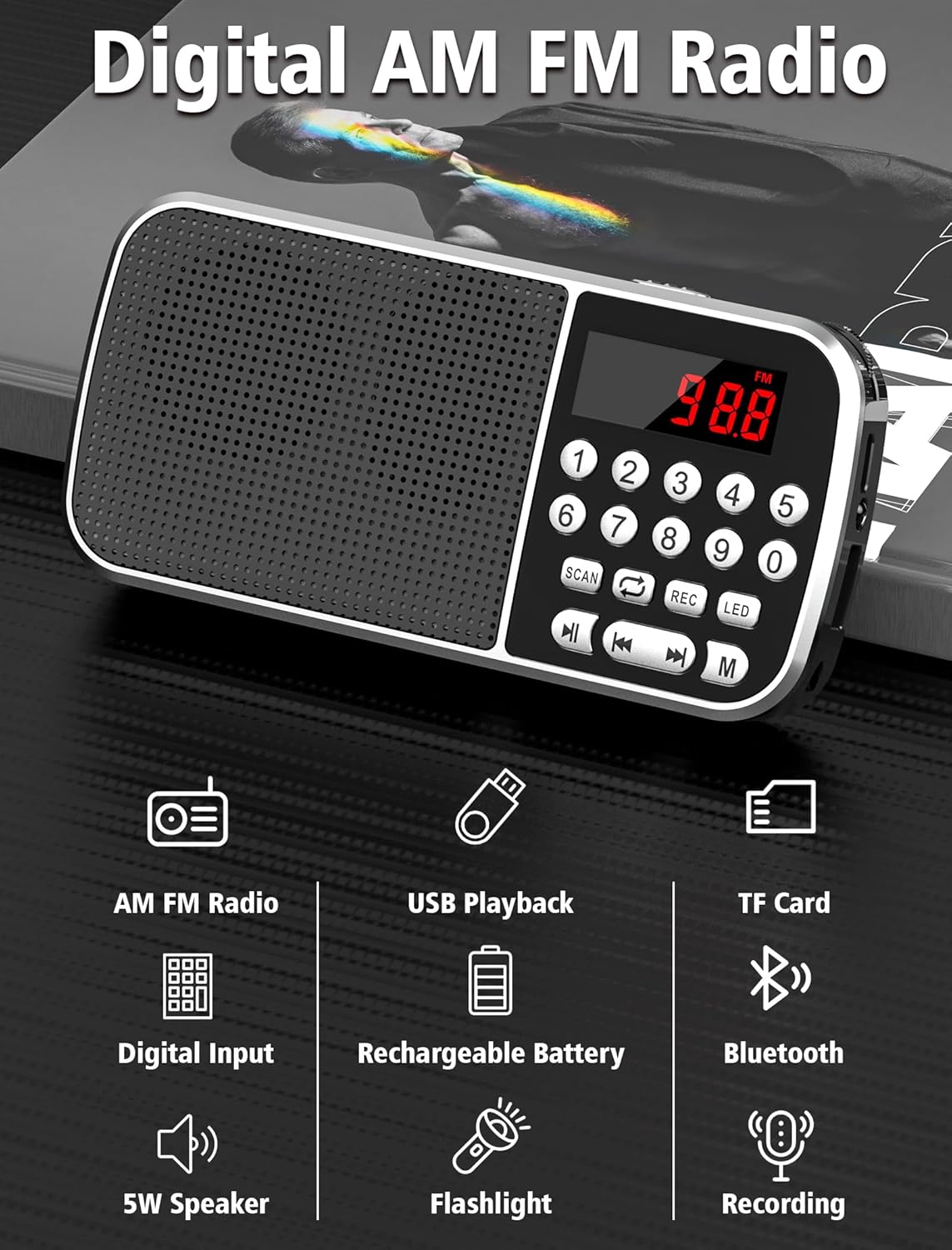
Image: Diagram showing the radio wirelessly connected to various devices via Bluetooth 5.3.
4. MP3 Playback (TF Card / USB)
The radio supports MP3 playback from both TF cards and USB flash drives.
- TF картасын ойнотуу: MP3 менен TF картасын салыңыз files. Press the 'M' button to select TF card mode.
- USB ойнотуу: MP3 менен USB флэш-дискти салыңыз files. Press the 'M' button to select USB mode.
- Ойноону көзөмөлдөө үчүн Ойнотуу/Тыным жана Мурунку/Кийинки трек баскычтарын колдонуңуз.
- You can also use the numeric keypad to jump to specific track numbers.

Image: A person listening to music through headphones connected to the radio, demonstrating MP3 playback.
5. Үн жазгыч
Record audio directly to an inserted TF card.
- TF картасынын салынганын текшериңиз.
- Press the 'REC' button to start recording. The display will indicate recording status.
- Жаздырууну токтотуу жана сактоо үчүн кайрадан "REC" баскычын басыңыз.
- Жазуулар MP3 катары сакталат fileTF картасында.

Image: The radio with a microphone icon, illustrating its sound recording capability to a TF card.
6. Кол чырак функциясы
The radio includes a built-in LED flashlight for convenience.
- Press the 'LED' button to turn the flashlight on.
- Press the 'LED' button again to turn the flashlight off.
7. Кулакчынды колдонуу
For private listening, plug 3.5mm headphones (not included) into the earphone jack on the side of the radio.
Техникалык тейлөө
- Keep the radio dry. Avoid exposure to moisture or liquids.
- Аппаратты жумшак, кургак чүпүрөк менен тазалаңыз. Абразивдүү тазалагычтарды же эриткичтерди колдонбоңуз.
- Радиону колдонбогондо салкын, кургак жерде сактаңыз.
- Радиону түшүрүп алуудан же катуу соккуга кабылтуудан алыс болуңуз.
Проблемаларды чечүү
| Көйгөй | Мүмкүн себеп | Чечим |
|---|---|---|
| Кубат жок/күйгүзүлбөйт | Батарея түгөнүп калды. | Charge the battery fully using the provided Type-C cable. |
| Радио кабыл алуу начар | Алсыз сигнал; экологиялык кийлигишүү. | Adjust the radio's position. Try scanning again. |
| Bluetooth туташпай жатат | Radio not in pairing mode; device too far. | Ensure radio is in Bluetooth mode. Keep devices within 10 meters. Re-pair if necessary. |
| MP3 fileойнобойт | Туура эмес file format; TF card/USB not inserted correctly. | камсыз кылуу files are in MP3 format. Reinsert TF card/USB drive. Check if the radio is in the correct mode. |
| Жаздыруу иштебей жатат | TF картасы салынган эмес; TF картасы толуп калган. | Insert a TF card. Check available space on the TF card. |
Техникалык шарттар
- Модел: 088V
- Бренд: Жазмм
- Продукциянын өлчөмдөрү: 1.14 x 2.68 x 5.39 дюйм
- Элемент Салмагы: 6.2 унция
- Батарея: 2000mAh Литий Полимер (кошулган)
- Заряддоо убактысы: Болжол менен 2.5 саат
- Колдонуу убактысы: 12 саатка чейин
- Байланыш: Bluetooth 5.3
- Радио топтору: AM (520-1710 KHZ) / FM (87.5-108 MHZ)
- Динамиктин чыгышы: 5W
- Медиа ойнотуу: TF Card, USB (MP3 format)
- Кошумча өзгөчөлүктөр: Voice Recorder, Flashlight, 3.5mm Earphone Jack
Кепилдик жана колдоо
For warranty information and technical support, please refer to the contact details provided on the product packaging or visit the official Jazmm webсайт. Сатып алуу квитанциясын кепилдик дооматтары үчүн сатып алуунун далили катары сактаңыз.
Ask a question about this manual
Ask about setup, troubleshooting, compatibility, parts, safety, or missing instructions. Manuals+ will review the question and use this page’s manual context to help answer it.