
1. Продукт бүтүп калдыview
The Andoer Wireless Security Camera DVR System provides comprehensive surveillance with a 720P wireless camera and a 7-inch LCD monitor. This system supports photo capturing, manual or loop video recording, and offers night vision capabilities for 24/7 monitoring. It is designed for various applications including home, office, warehouse, and shopping mall security.
Пакеттин мазмуну:
- 1 x Monitor with Battery
- 1 x Камера
- 2 х Power адаптерлери
- 1 x User Manual

Сүрөт 1.1: Бүттүview of the Andoer Wireless Security Camera DVR System, showing the 7-inch LCD monitor and the wireless camera.
2. Техникалык шарттар
Receiver (Monitor) Specifications:
- LCD экрандын өлчөмү: 7 inch TFT LCD Screen
- Чечим: 1024*600
- Берүү жыштыгы: 2.4G Digital RF modulation
- Кабыл алуу сезгичтиги: -85дБм
- Кубаттуу адаптер: DC 5V / 1A
- Өлчөмдөрү: 20 * 12 * 2 см
- Батарея сыйымдуулугу: 1200mAh (BL-5C)
- Адаптер Input: AC100 ~ 240V, 50 / 60Hz
Камеранын мүнөздөмөлөрү:
- Сүрөт сенсору: 1/4" Omni OV7725 Vision 720P
- Пикселдер: 0.6MP
- Берүү жыштыгы: 2.4G Digital RF modulation
- Минималдуу жарыктандыруу: 0Lux (Infrared LED ON) / 5LUX
- Night көрүнүш Distance: 15 м
- Кубаттуу адаптер: DC 5V / 1A
- Адаптер Input: AC100 ~ 240V, 50 / 60Hz
Жалпы мүнөздөмөлөрү:
- Байланыш технологиясы: Зымсыз
- Видео тартуу токтому: 720p
- Өзгөчөлүктөр: Image Sensor, Night Vision, Wireless
- Эстутум сактоо сыйымдуулугу: Supports up to 32 GB TF memory cards (not included)
- Кубат булагы: Электр зымдары
- Элемент Салмагы: 2.19 фунт
- Пакеттин өлчөмдөрү: 13.19 x 9.25 x 3.07 дюйм
3. Орнотуу жана орнотуу
The Andoer Wireless Security Camera System is designed for easy installation without complex wiring. Follow these steps to set up your system:
3.1 Системаны электр менен камсыздоо
- Камеранын күчү: Connect the camera to a continuous power source using the provided power adapter. The camera requires constant power for operation.
- Монитор күчү: Connect the monitor to a power source using its dedicated power adapter. The monitor includes a rechargeable battery (1200mAh BL-5C) for portable use, but it should be charged before first use and for extended operation.

Image 3.1: The wireless camera connected to its power adapter, illustrating the continuous power requirement.
3.2 Камераны орнотуу
The camera features a mounting base for secure placement. Choose a suitable location for optimal surveillance coverage. Ensure the camera is within the 30M transmission range of the monitor for stable signal.

Сүрөт 3.2: Артка view of the wireless camera, showing the mounting base for installation.
3.3 Монитордун жайгаштырылышы
The 7-inch LCD monitor comes with a backside stand for convenient tabletop placement. Position the monitor in a location where you can easily view the surveillance feed.
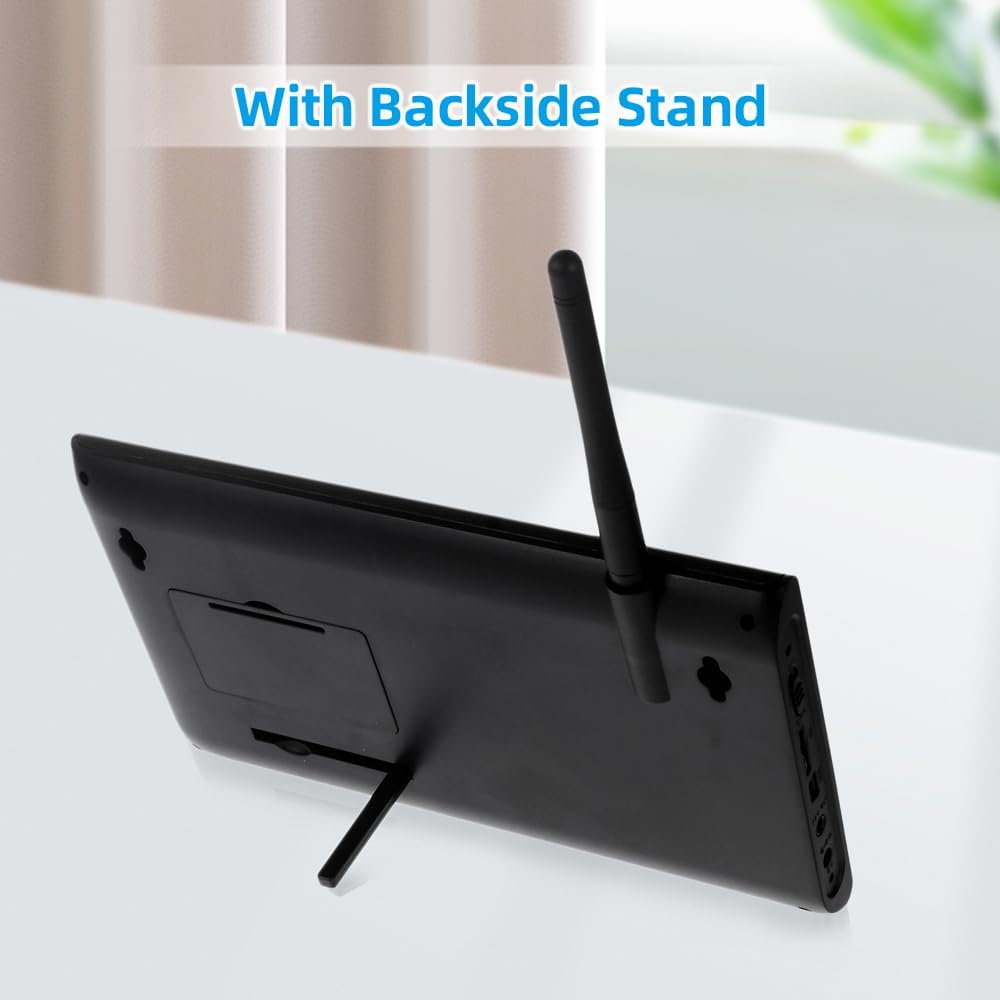
Image 3.3: The 7-inch LCD monitor with its integrated backside stand, ready for desktop use.
4. Иштөө нускамалары
Once the system is powered on, the monitor will automatically connect to the camera(s). Familiarize yourself with the monitor controls for optimal use.
4.1 Monitor Controls and Display
7 дюймдук LCD монитор так көрсөтүүнү камсыз кылат view of the camera feed. Use the buttons on the side of the monitor to navigate menus and control functions.

Image 4.1: The 7-inch LCD monitor displaying a multi-view layout from connected cameras.
4.2 Video Recording and Photo Capturing
The system supports recording video and capturing photos. Insert a TF memory card (up to 32GB, not included) into the monitor's slot to enable storage. You can choose between manual recording or continuous loop recording modes via the monitor's menu.
4.3 Night Vision Functionality
The camera is equipped with IR lights for automatic night vision, providing clear surveillance even in low-light or complete darkness up to 15 meters. This ensures continuous protection for your property 24/7.

Image 4.2: Illustration of the camera's night vision capability, showing infrared illumination in a dark environment.
4.4 Expandable Viewing Options
The system can support up to 4 cameras (additional cameras sold separately). The 7-inch LCD monitor offers flexible viewing modes: single camera view, split-screen view (2 cameras), or quad-view (4 cameras) to monitor multiple areas simultaneously.
5. Техникалык тейлөө
Туура тейлөө сиздин коопсуздук тутумуңуздун узак мөөнөттүү жана оптималдуу иштешин камсыз кылат.
5.1 Тазалоо
- Gently wipe the camera lens and monitor screen with a soft, dry cloth.
- Avoid using harsh chemicals or abrasive cleaners, as they can damage the surfaces.
5.2 Аба ырайын коргоо
The camera features a weatherproof design, making it suitable for outdoor use. However, for extreme weather conditions, consider additional protective measures to extend its lifespan.
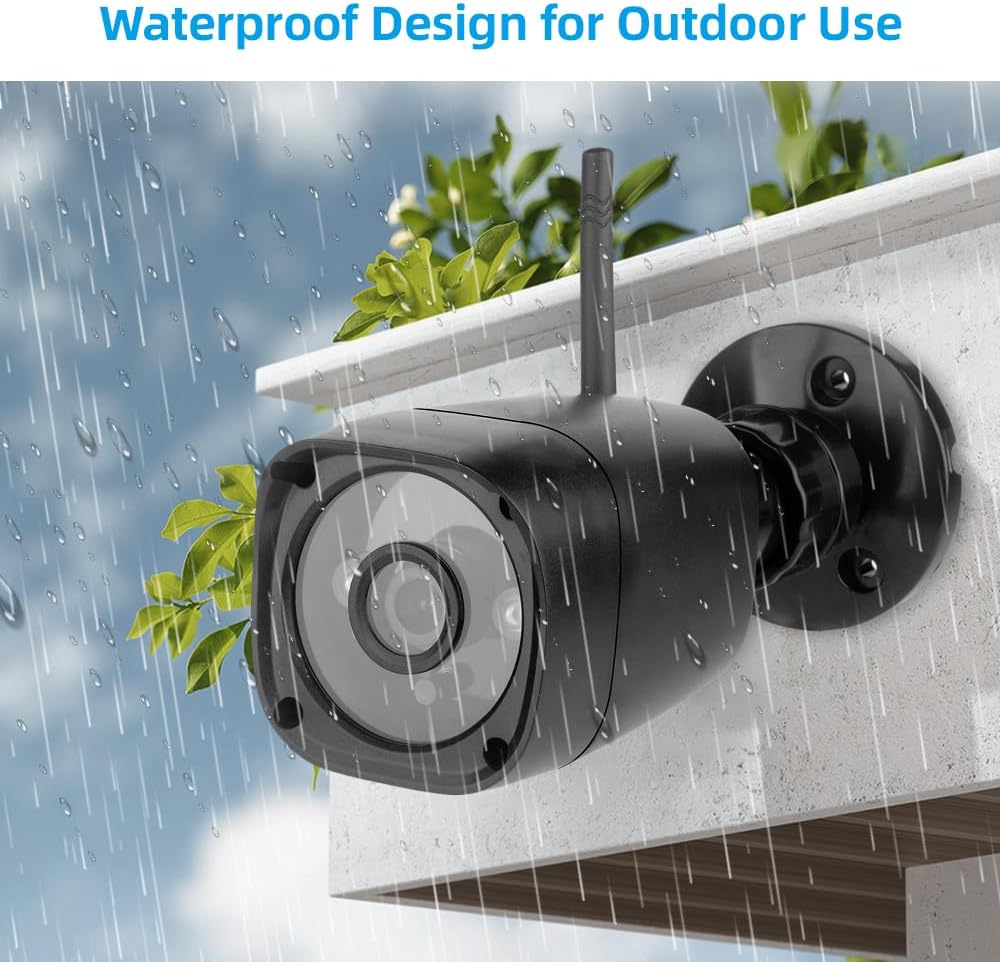
Image 5.1: The weatherproof design of the wireless camera, suitable for outdoor installation.
5.3 Сактоо
If storing the system for an extended period, ensure both the camera and monitor are powered off and stored in a cool, dry place.
6. Кыйынчылыктарды
If you encounter issues with your Andoer Wireless Security Camera DVR System, refer to the following common troubleshooting steps:
- Кубат жок: Ensure both the camera and monitor are properly connected to their respective power adapters and that the power outlets are functional. Check the monitor's battery level if operating wirelessly.
- Монитордо сүрөт жок: Verify that the camera is powered on and within range of the monitor. If multiple cameras are used, cycle through the viewing modes (single, split, quad) to ensure the correct camera is selected.
- Сүрөттүн сапаты начар: Check for obstructions in front of the camera lens. Ensure the camera lens is clean. Adjust the camera's position for better signal reception.
- Жаздыруу маселелери: Confirm that a compatible TF memory card is inserted and has sufficient free space. Check the recording settings in the monitor's menu.
- Үзүлгүс сигнал: Reduce the distance between the camera and the monitor. Remove any large metallic objects or other wireless devices that may cause interference.
7. Кепилдик жана колдоо
For warranty information or technical support, please refer to the documentation included with your purchase or contact Andoer customer service. You can also visit the official Andoer store for more product information and support resources.
Andoer Store: https://www.amazon.com/stores/Andoer/page/080F79BB-D5B8-4281-8969-5313BC4DDC64