
1. Киришүү
Thank you for choosing the ROCAM CR1027K Vibrating Alarm Clock. This manual provides detailed instructions for setting up, operating, and maintaining your new alarm clock. Please read this manual thoroughly before use to ensure proper function and to maximize your product experience.
2. Продукт бүтүп калдыview
The ROCAM CR1027K is a versatile vibrating alarm clock designed for heavy sleepers, children, and travelers. It features a soft silicone shell, dual alarms, adjustable vibration intensity, and a long-lasting rechargeable battery.
Негизги өзгөчөлүктөрү:
- Жагымдуу дизайн: Soft-touch silicone shell with playful emoji faces.
- Узак мөөнөттүү батарея: 3000mAh rechargeable battery provides extended use.
- Powerful Vibration: Adjustable triple-shake intensity for effective wake-ups.
- Кош ойготкучтар: Two independent alarms with flexible scheduling (Daily, Weekdays, Weekends).
- Silent Wake-up: Vibrate-only mode for discreet alarms.
- Балдар кулпусу: Кокусунан иштөөнүн алдын алат.
- Портативдик: Compact size ideal for travel and dorm rooms.
- USB-C заряддоо: Ыңгайлуу жана заманбап заряддоо интерфейси.
Компоненттери:
- Санариптик дисплей экраны
- Silicone Protective Cover
- Time/Snooze Button
- Alarm 1 & Alarm 2 Setting Buttons
- Up (+) / Down (-) Buttons
- USB-C заряддоо порту
- Child Lock Switch
- Alarm Mode Selector (Vibration/Sound/Both)
- Vibration Intensity Selector

Сүрөт 2.1: Алдыңкы view of the ROCAM CR1027K Vibrating Alarm Clock, showcasing its digital display and the four interchangeable emoji faces.
3. Орнотуу
3.1 Алгачкы заряддоо
- Locate the USB-C charging port on the side or back of the alarm clock.
- Connect the provided USB-C cable to the alarm clock and plug the other end into a compatible USB power adapter (not included) or a computer USB port.
- The battery indicator on the display will show charging status. Allow the device to fully charge before first use. A full charge typically takes several hours.
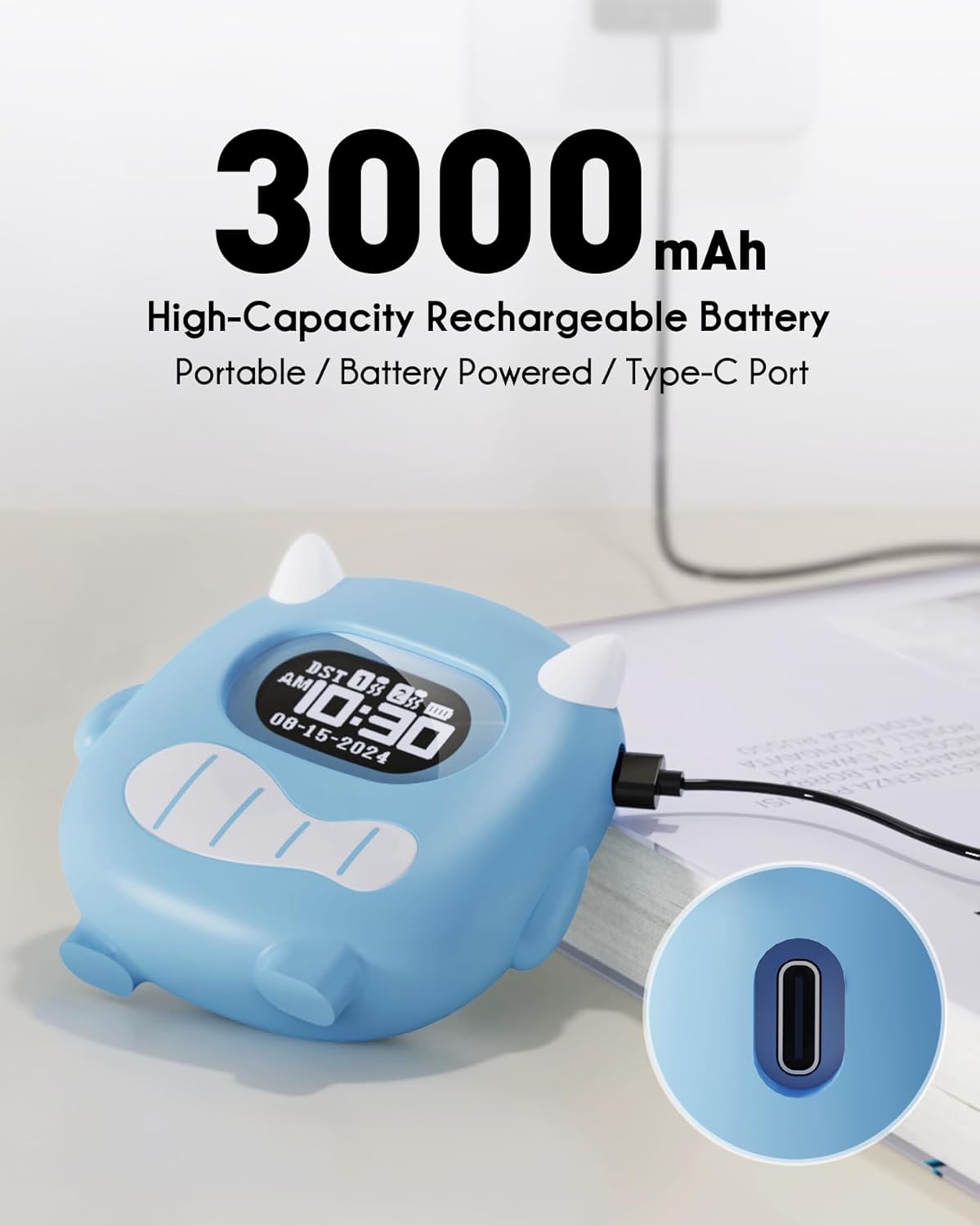
Image 3.1: The ROCAM CR1027K alarm clock being charged via its USB-C port, highlighting its 3000mAh battery capacity.
4. Иштөө нускамалары
4.1 Убакытты коюу
- басып, кармап туруңуз Time/Snooze Убакытты орнотуу режимине өтүү үчүн баскычын 3 секунд басып туруңуз. Сааттын сандары күйүп-өчүп турат.
- колдонуу Өйдө (+) or Төмөн (-) саатты тууралоо үчүн баскычтар.
- басыңыз Time/Snooze Саатты ырастоо жана мүнөт жөндөөсүнө өтүү үчүн баскычын кайра басыңыз. Мүнөттөрдүн сандары күйүп-өчүп турат.
- колдонуу Өйдө (+) or Төмөн (-) мүнөттөрдү тууралоо үчүн баскычтар.
- басыңыз Time/Snooze ырастоо жана убакыт орнотуу режиминен чыгуу үчүн дагы бир жолу басыңыз.
4.2 Ойготкучтарды орнотуу (ойготкуч 1 & Ойготкуч 2)
The alarm clock features two independent alarms. The setting process is identical for both.
- басып, кармап туруңуз Ойготкуч 1 or Ойготкуч 2 button for 3 seconds to enter alarm setting mode. The alarm hour digits will flash.
- колдонуу Өйдө (+) or Төмөн (-) ойготкуч саатын тууралоо үчүн баскычтар.
- Тиешелүү баскычты басыңыз Ойготкуч Саатты ырастоо жана мүнөт жөндөөсүнө өтүү үчүн баскычын кайра басыңыз. Ойготкучтун мүнөттүк сандары күйүп-өчүп турат.
- колдонуу Өйдө (+) or Төмөн (-) ойготкуч мүнөттөрдү тууралоо үчүн баскычтар.
- Тиешелүү баскычты басыңыз Ойготкуч button once more to confirm and exit alarm time setting.
- Ойготкучту жандыруу же өчүрүү үчүн кыска убакытка басыңыз Ойготкуч 1 or Ойготкуч 2 баскычы. Дисплейде ойготкучтун сөлөкөтү пайда болот/жок болот.
Alarm Schedule Modes:
On the back of the device, locate the alarm schedule switches for Alarm 1 and Alarm 2. Slide the switch to select your desired mode:
- Дүйшөмбү-Жекшемби: Alarm activates every day.
- ДШ-ЖУМ: Alarm activates on weekdays only.
- ИШЕМБИ-ЖЕКШЕМБИ: Alarm activates on weekends only.

Image 4.1: Illustration of the dual alarm functionality, allowing separate settings for weekdays and weekends, with a child sleeping peacefully.
4.3 Adjusting Alarm Modes (Vibration/Sound/Both)
The alarm clock offers flexible wake-up options. On the back of the device, locate the alarm mode selector switch.
- Дирилдөө: The alarm will only vibrate. Ideal for silent wake-ups.
- Buzz Sound: The alarm will only produce an audible sound.
- Vibration + Buzz: The alarm will both vibrate and produce an audible sound. Recommended for heavy sleepers.

Image 4.2: Visual representation of the alarm modes: Vibration, Buzz Sound, and a combination of both, designed for heavy sleepers.
4.4 Adjusting Vibration Intensity
On the back of the device, locate the vibration intensity selector switch. You can choose between Low (L), Medium (M), and High (H) settings to suit your preference.
4.5 Балдарды кулпулоо функциясы
To prevent accidental changes to settings, activate the Child Lock. Locate the КҮЙГҮЗҮҮ/ӨЧҮРҮҮ switch labeled "Child Lock" on the back of the device. Slide it to the ON position to lock the buttons. Slide it to ӨЧҮРҮҮ кулпусун ачуу.

Image 4.3: The Child Lock feature, depicted with a mother and child, ensuring settings remain undisturbed.
4.6 Тындыруу функциясы
Сигнал чыкканда чоң баскычты басыңыз Time/Snooze button on top of the clock to activate the snooze function. The alarm will pause for a set duration (e.g., 9 minutes) and then sound again.
5. Техникалык тейлөө
5.1 Тазалоо
To clean the alarm clock, gently wipe the surface with a soft, dry cloth. For stubborn marks on the silicone cover, you may use a slightly damp кездеме. Катуу химиялык заттарды же абразивдүү тазалоочу каражаттарды колдонбоңуз. Тазалоодон мурун түзмөктүн өчүрүлгөнүн жана розеткадан суурулганын текшериңиз.
5.2 Silicone Cover Removal
The soft silicone cover can be removed for cleaning or if you prefer a different aesthetic. Carefully peel the silicone cover away from the main unit. Reattach by aligning the unit within the cover and pressing firmly around the edges.

Image 5.1: The ROCAM CR1027K alarm clock with its soft silicone case removed, revealing the inner unit, demonstrating its modular design.
5.3 Батареяга кам көрүү
The alarm clock is equipped with a high-capacity rechargeable battery. To prolong battery life, avoid fully discharging the battery frequently. Recharge the device when the battery indicator shows low power. Store the device in a cool, dry place when not in use for extended periods.
6. Кыйынчылыктарды
| Көйгөй | Мүмкүн себеп | Чечим |
|---|---|---|
| Сигнализация чырылдабай/дирилдеп жатат. | Alarm not activated; incorrect alarm mode; low battery; child lock engaged. | Ensure alarm is ON; check alarm mode (Vibration/Sound/Both); charge battery; disengage child lock. |
| Дисплей бош же күңүрт. | Low battery; device is off. | Charge the battery; ensure the device is powered on. |
| Баскычтар жооп бербейт. | Child lock engaged. | Disengage the child lock. |
| Батареянын иштөө мөөнөтү күтүлгөндөн кыска. | Frequent use of high vibration; aging battery. | Reduce vibration intensity; ensure full charges; contact support if issue persists. |
7. Техникалык шарттар
| Өзгөчөлүк | Деталь |
|---|---|
| Бренд | ROCAM |
| Модель номери | CR1027K |
| Дисплей түрү | Санарип |
| Power Source | Батарея менен иштейт (кайра заряддалуучу) |
| Батарея сыйымдуулугу | 3000mAh |
| Заряддоо порту | USB-C |
| Өзгөчөлүктөр | Alarm, Powerful Vibration, Silent Wake-up, Soft Silicone Shell, Funny Emoji Faces, Dual Alarms, Child Lock |
| Продукциянын өлчөмдөрү | 4"W x 4.5"H |
| Элемент Салмагы | 10.8 унция |
| Frame Material | Пластик |
| Түс | Көк |
8. Кепилдик жана колдоо
ROCAM products are manufactured to high-quality standards. For warranty information or technical support, please refer to the documentation included with your purchase or visit the official ROCAM webсайт. Бул колдонмодо каралбаган кандайдыр бир маселелерге туш болсоңуз, жардам алуу үчүн кардарларды тейлөө кызматына кайрылыңыз.