
1. Киришүү
This manual provides essential instructions for the safe and efficient use of your Hulkman Solva 100 Solar Panel. Please read this manual thoroughly before operating the device and retain it for future reference.
2. Продукт бүтүп калдыview
The Hulkman Solva 100 is a portable 100W solar panel designed to provide power for compatible devices, such as portable power stations. It features a foldable design for easy transport and storage.
2.1 Компоненттер
- Колдоо буттары
- Аксессуарларды сактоочу баштык
- Күн клеткалары
- Handle
- Илмек тешиктери
2.2 Продукттун өзгөчөлүктөрү
- 100W power output.
- Multiple units can be connected for increased power output (up to 4 units for Mega Power Station).
- Integrated support legs for optimal angle adjustment.
- Durable and portable design.

Image: Hulkman Solva 100 Solar Panel in its folded, compact state.
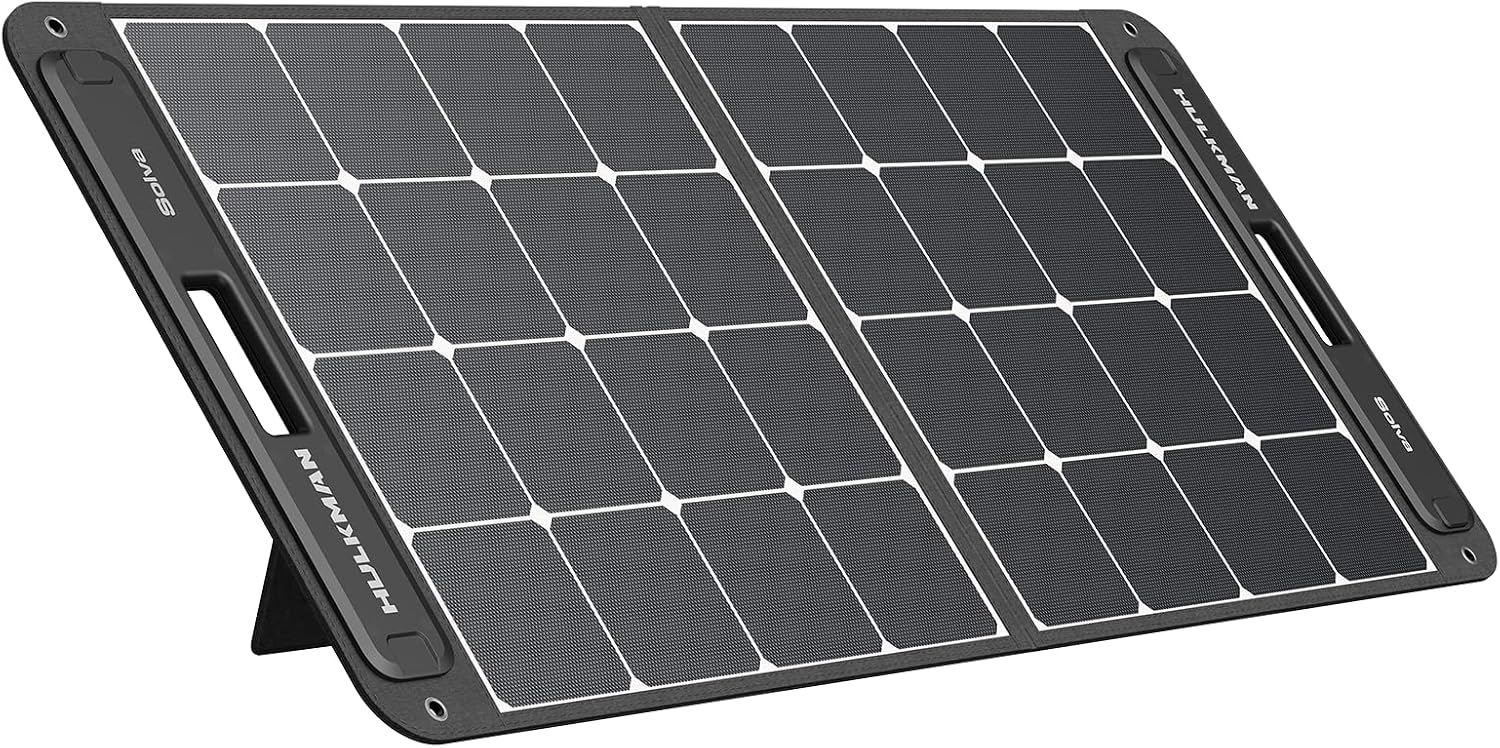
Image: Hulkman Solva 100 Solar Panel fully unfolded, showcasing the solar cells.
3. Орнотуу нускамалары
Follow these steps to set up your Hulkman Solva 100 Solar Panel:
- Күн панелин ачуу: Күн панелин тегиз, туруктуу бетке толугу менен этияттык менен жайыңыз.
- Панелди жайгаштырыңыз: Күн панелин түздөн-түз күн нуруна коюңуз.
- Extend Support Legs: Locate the support legs on the back of the panel. Extend them to prop up the panel at an optimal angle towards the sun. This angle maximizes solar energy absorption.
- Retrieve Charging Cable: Open the accessory storage bag and take out the charging cable.
- Түзмөккө туташуу: Plug the charging cable into the designated input port of your compatible Hulkman device (e.g., a portable power station).

Image: The solar panel with its integrated kickstands extended, ready for use.

Сүрөт: каптал view of the solar panel showing the angle provided by the kickstands.

Сүрөт: Арткы view of the solar panel, illustrating the support leg mechanism.
Video: This video demonstrates the setup and use of a portable power station with a solar panel, similar to the Hulkman Solva 100. It shows how to unfold the panel and connect it for charging.
4. Иштөө нускамалары
Once the solar panel is set up and connected to your device, it will begin converting sunlight into electrical energy. Ensure the panel is continuously exposed to direct sunlight for optimal charging performance.
- Монитор заряддоо: Check your connected device's display to confirm that it is receiving a charge from the solar panel.
- Позицияны тууралоо: Periodically adjust the panel's angle throughout the day to follow the sun's path, maximizing energy capture.
- Бир нече панелдер: If using multiple Solva 100 panels with a compatible power station, ensure they are connected correctly according to your power station's manual to achieve the desired combined wattage.
5. Техникалык тейлөө
Proper maintenance ensures the longevity and efficiency of your solar panel.
- Тазалоо: Күн панелинин бетин дайыма жумшак, гamp cloth to remove dust, dirt, or debris that may obstruct sunlight. Do not use harsh chemicals or abrasive materials.
- Сактагыч: When not in use, fold the solar panel and store it in a dry, cool place away from direct sunlight and extreme temperatures. Use the accessory storage bag to protect cables.
- Текшерүү: Periodically inspect the panel and cables for any signs of damage, wear, or corrosion. If any damage is found, contact customer support.
6. Кыйынчылыктарды
If you encounter issues with your Hulkman Solva 100 Solar Panel, refer to the following common problems and solutions:
| Көйгөй | Мүмкүн себеп | Чечим |
|---|---|---|
| No power output / Device not charging | Not enough sunlight; Panel not angled correctly; Loose cable connection; Damaged cable/panel. | Ensure direct sunlight exposure. Adjust panel angle. Check all cable connections. Inspect cables and panel for damage. |
| Төмөн кубаттоо натыйжалуулугу | Жарым-жартылай көлөкө; Кир панелдин бети; Оптималдуу эмес бурч; Булуттуу аба ырайы. | Move panel to a fully unshaded area. Clean the solar panel surface. Re-adjust the panel angle towards the sun. Charging efficiency will naturally be lower in cloudy conditions. |
| Панелдин ысып кетиши | Poor ventilation; Prolonged exposure to extreme heat. | Ensure adequate airflow around the panel. Avoid placing the panel on heat-absorbing surfaces. |
If the problem persists after trying these solutions, please contact Hulkman customer support.
7. Техникалык шарттар
| Өзгөчөлүк | Деталь |
|---|---|
| Бренд | Халкман |
| Модел | Solva 100 |
| Продукт түрү | Күн панели |
| Power Output | 100 Вт |
| Камтылган компоненттер | Solva Solar Panel, Accessory Storage Bag |
| Элементтин саны | 1 |
8. Кепилдик жана колдоо
Hulkman products are designed for reliability and performance. For warranty information, please refer to the warranty card included with your product or visit the official Hulkman webсайт.
For technical support, troubleshooting assistance, or to inquire about replacement parts, please contact Hulkman customer service through their official channels. Have your product model and purchase date ready when contacting support.
Официалдуу Webсайт: Hulkman Store on Amazon