
BUNGPUNG BP-HDC-SWC11A
BUNGPUNG 8K@60Hz HDMI ARC/eARC Audio Extractor Adapter
Model: BP-HDC-SWC11A
User Manual
1. Киришүү
Сатып алганыңыз үчүн рахматasing the BUNGPUNG 8K@60Hz HDMI ARC/eARC Audio Extractor Adapter. This device is designed to provide flexible audio routing solutions for your home theater system, allowing you to extract or inject audio signals between HDMI sources, TVs, soundbars, and AV receivers. It supports high-resolution video up to 8K@60Hz and a wide range of audio formats, ensuring a premium audio-visual experience.

1-сүрөт: Алдыңкы жана арткы View of the Audio Extractor Adapter
2. Негизги өзгөчөлүктөрү
- HDMI ARC/eARC Audio Conversion: Capable of converting HDMI audio to ARC/eARC audio (e.g., Dolby Atmos) from an HDMI source to eARC/ARC sound systems, and converting ARC/eARC audio from an eARC TV to AV receivers.
- Жогорку чечилиштеги видео колдоо: Supports video resolutions up to 8K@60Hz 4:2:0 12bit and 4K@120Hz 4:4:4 12bit.
- Advanced HDMI Specifications: Compliant with 48Gbps HDMI 2.1, HDCP 2.3, HDR, and CEC.
- Extensive Audio Format Support: Supports LPCM, Dolby Digital/Plus/EX, Dolby True HD, Dolby Atmos, DTS, DSD DTS-EX, DTS-96/24, DTS High Res, DTS-HD Master Audio, DTS:X.
- Туруктуу курулуш: Features a durable metal body for rapid heat absorption and dissipation, reducing EMI/RFI noise interference.
- Compact and User-Friendly: Compact size, easy plug-and-play installation, and independent power supply for stable operation.

Figure 2: Product Dimensions and Feature Highlights
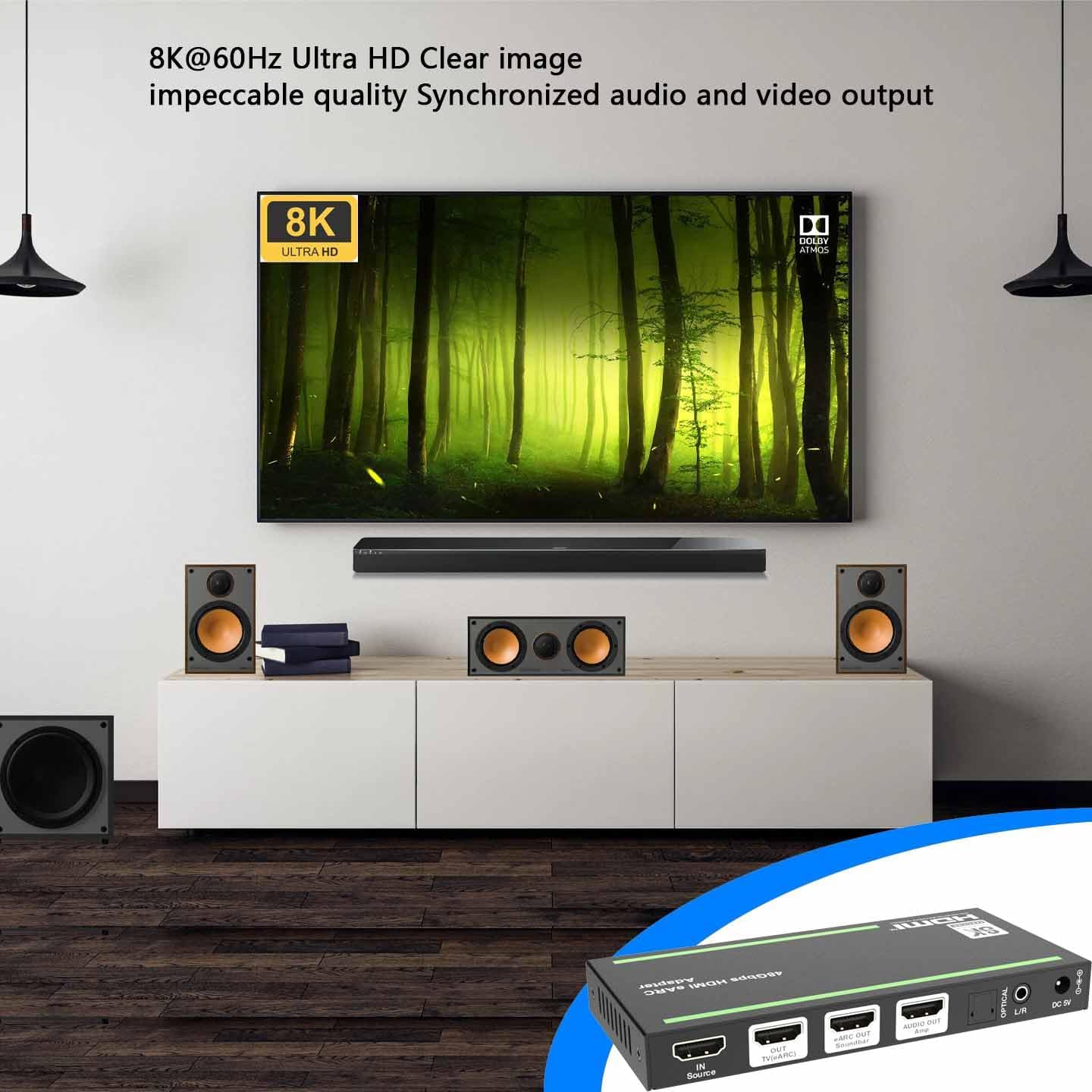
Figure 3: 8K@60Hz Ultra HD Visual Experience
3. Product Diagram and Port Descriptions
Familiarize yourself with the various ports, indicators, and controls on your audio extractor adapter.

Figure 4: Product Interface and Controls
| Жок. | аты | Function Description |
|---|---|---|
| 1 | Power LED | Аппарат иштеп жатканда кызыл LED күйүп турат. |
| 2 | LED | Киргизүү булагы сигналы аныкталганда жашыл LED күйөт. |
| 3 | LED ЧЫГЫП | The green LED will be on when the HDMI OUT port connects a display device and outputs signal. |
| 4 | Soundbar LED | Саундбар туура туташтырылганда, жашыл диод күйөт. |
| 5 | Amp LED | жашыл LED качан күйөт ampкөтөргүч туура туташтырылган. |
| 6 | eARC LED |
|
| 7 | eARC баскычы | eARC/ARC режимин иштетүү же өчүрүү үчүн бул баскычты басыңыз. |
| 8 | EDID DIP алмаштыргыч | Use the DIP switch to set EDID:
|
| 9 | КЫЗМАТ | Микропрограмманы жаңыртуу жана сериялык буйруктарды башкаруу үчүн колдонулат. |
| 10 | Булак IN | HDMI signal input port, connected to HDMI source device such as 8K PC, DVD or PSS with an HDMI cable. |
| 11 | TV(eARC) ЧЫГУУ | HDMI кабели менен сыналгыга (eARC/ARC) туташтырылган HDMI сигнал чыгаруу порту. eARC/ARC режими иштетилгенде, аны eARC/ARC аудио каналы катары колдонсо болот. |
| 12 | Soundbar eARC OUT | HDMI аудио чыгаруу порту, саундбарга туташтырылган (eARC/ARC). |
| 13 | Amp AUDIO OUT | HDMI аудио чыгаруу портуна туташтырылган ampөмүрлүү. |
| 14 | ОПТИКАЛЫК | Оптикалык була аудио чыгаруу порту. |
| 15 | L/R | Аналогдук аудио чыгаруу порту. |
| 16 | DC 5V | DC 5V/2A Power киргизүү порту. |
4. Орнотуу жана туташуу
Follow these steps to connect your BUNGPUNG HDMI ARC/eARC Audio Extractor Adapter to your audio-visual system.
4.1. Converting HDMI Audio to ARC/eARC Audio (eARC OFF Mode)
In this mode, the adapter extracts audio from an HDMI source and outputs it to your soundbar, amplifier, or other audio devices, while passing the video signal to your TV. The eARC function on the adapter should be disabled.
- Connect your HDMI source device (e.g., Blu-ray player, gaming console, PC) to the Булак IN port (10) of the adapter using an HDMI cable.
- туташтыруу TV(eARC) ЧЫГУУ port (11) of the adapter to your TV's HDMI input using an HDMI cable.
- туташтыруу Soundbar eARC OUT port (12) to your eARC/ARC compatible soundbar using an HDMI cable.
- Optionally, connect the Amp AUDIO OUT port (13) to your ampөмүрлүү, ОПТИКАЛЫК port (14) to an optical audio device, or the L/R port (15) to analog audio devices.
- Ensure the eARC button (7) is set to disable eARC/ARC mode (eARC LED (6) is OFF).
- Connect the provided DC 5V power adapter to the DC 5V port (16) and plug it into a power outlet.

Figure 5: Connection Diagram for eARC OFF Mode
4.2. Converting ARC/eARC Audio to HDMI Audio (eARC ON Mode)
In this mode, the adapter receives ARC/eARC audio from your TV and outputs it to your soundbar, amplifier, or other audio devices. An HDMI source device connection is not required in this configuration.
- Connect your TV's eARC/ARC HDMI output to the TV(eARC) ЧЫГУУ port (11) of the adapter using an HDMI cable. This port now acts as an input for the TV's eARC/ARC audio.
- туташтыруу Soundbar eARC OUT port (12) to your eARC/ARC compatible soundbar using an HDMI cable.
- Optionally, connect the Amp AUDIO OUT port (13) to your ampөмүрлүү, ОПТИКАЛЫК port (14) to an optical audio device, or the L/R port (15) to analog audio devices.
- Ensure the eARC button (7) is pressed to enable eARC/ARC mode (eARC LED (6) is ON).
- Connect the provided DC 5V power adapter to the DC 5V port (16) and plug it into a power outlet.

Figure 6: Connection Diagram for eARC ON Mode
5. Иштөө нускамалары
5.1. eARC/ARC Mode Selection
The eARC button (7) allows you to toggle between eARC/ARC enabled and disabled modes. Press the button to switch modes. The eARC LED (6) will indicate the current status:
- eARC LED ON: eARC/ARC mode is enabled. This is used for converting TV eARC/ARC audio to other audio outputs.
- eARC LED OFF: eARC/ARC mode is disabled. This is used for extracting audio from an HDMI source.
- eARC LED Flashing: eARC/ARC mode is enabled, but there might be an issue with CEC communication or eARC functionality. Refer to the troubleshooting section.
5.2. EDID башкаруу
The EDID DIP switch (8) allows you to manually configure the Extended Display Identification Data (EDID) settings. EDID communicates the display's capabilities (like resolution and audio formats) to the source device. Adjusting these settings can help resolve compatibility issues or optimize audio/video output.
Refer to Table 1 for the specific EDID configurations corresponding to each DIP switch setting.
6. Кыйынчылыктарды
If you encounter issues with your BUNGPUNG HDMI ARC/eARC Audio Extractor Adapter, please refer to the following common problems and solutions:
| Көйгөй | Мүмкүн болгон себеп жана чечим |
|---|---|
| Аудио чыгышы жок |
|
| Видео чыгаруу жок |
|
| eARC LED (6) is flashing |
|
| Intermittent audio/video |
|
7. Техникалык шарттар
| Өзгөчөлүк | Деталь |
|---|---|
| Продукциянын өлчөмдөрү (L x W x Y) | 5.71 x 2.68 x 0.71 дюйм (145 x 68 x 18 мм) |
| Элемент Салмагы | 9.2 унция (262 грамм) |
| Модель номери | BP-HDC-SWC11A |
| Шайкеш түзмөктөр | Amplifiers, Soundbars, TVs, DVD Players, TV Boxes |
| Туташтыргыч түрү | HDMI, Optical (SPDIF), 3.5mm L/R Audio |
| HDMI версиясы | HDMI 2.1 |
| HDCP Нускасы | HDCP 2.3 |
| Max Resolution Support | 8K@60Hz 4:2:0 12bit, 4K@120Hz 4:4:4 12bit |
| өткөрүү жөндөмдүүлүгү | 48Gbps |
| HDR колдоо | Ооба |
| БШКнын колдоосу | Ооба |
| Электр камсыздоо | DC 5V/2A |
8. Техникалык тейлөө
To ensure the longevity and optimal performance of your audio extractor adapter, follow these maintenance guidelines:
- Тазалоо: Түзмөктүн сыртын тазалоо үчүн жумшак, кургак чүпүрөктү колдонуңуз. Суюк тазалоочу каражаттарды же аэрозоль чачыраткычтарды колдонбоңуз, анткени алар түзмөккө зыян келтириши мүмкүн.
- Вентиляция: Ашыкча ысып кетпеши үчүн, түзмөк жакшы желдетилген жерге коюлганын текшериңиз. Желдетүү тешиктерин жаппаңыз.
- Сактагыч: Узак мөөнөткө колдонулбаганда, аспапты кургак, салкын жерде, тике күндүн нурунан жана өтө температурадан алыс сактаңыз.
- Колдонуу: Аппаратты этияттык менен колдонуңуз. Аны түшүрүүдөн же катуу таасирлерге дуушар кылуудан алыс болуңуз.
9. Кепилдик жана колдоо
This BUNGPUNG HDMI ARC/eARC Audio Extractor Adapter is covered by a one-year warranty from the date of purchase. This warranty covers defects in materials and workmanship under normal use.
For technical support, warranty claims, or any questions regarding your product, please contact BUNGPUNG customer service through the retailer's platform or the official BUNGPUNG website. Please have your model number (BP-HDC-SWC11A) and purchase information ready when contacting support.
Ask a question about this manual
Ask about setup, troubleshooting, compatibility, parts, safety, or missing instructions. Manuals+ will review the question and use this page’s manual context to help answer it.