
1. Киришүү
This manual provides essential information for setting up, operating, maintaining, and troubleshooting your Acer Nitro V 15 gaming laptop. Please read this manual thoroughly to ensure proper use and to maximize the performance and lifespan of your device.
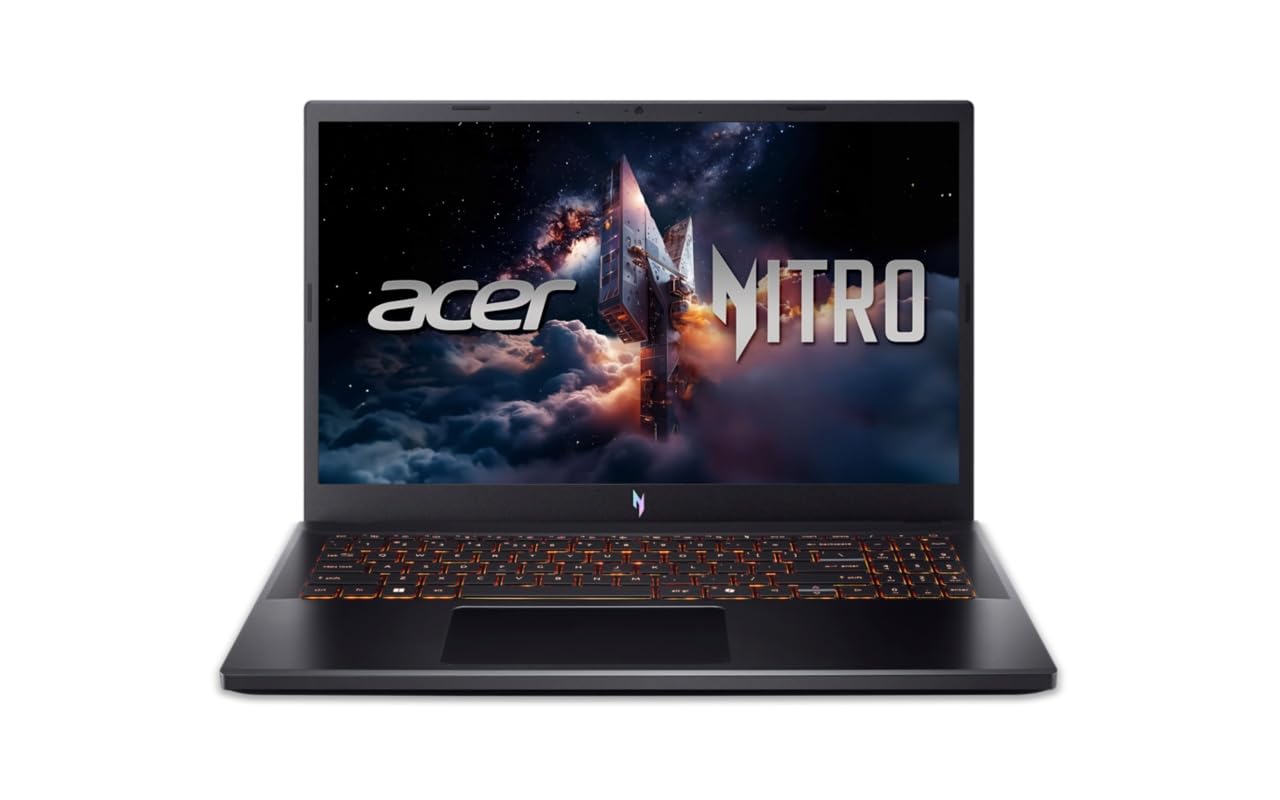
Figure 1: Acer Nitro V 15 Gaming Laptop (Model ANV15-42)
2. Баштоо (Орнотуу)
2.1 Кутудан чыгаруу жана алгачкы текшерүү
Ноутбугуңузду жана бардык аксессуарларды таңгактан этияттык менен алып салыңыз. Бардык компоненттер бар экендигин текшериңиз:
- Acer Nitro V 15 Laptop
- Кубаттуу адаптер жана кабель
- Документтер (Ыкчам баштоо колдонмосу, Кепилдик карта)
Inspect the laptop for any physical damage. If you find any damage or missing components, contact your retailer immediately.
2.2 Кубатка туташуу
Before first use, connect the power adapter to the laptop's power input port and then to a power outlet. It is recommended to fully charge the battery before initial use.
2.3 Баштапкы күйгүзүү жана операциялык системаны орнотуу
Press the power button to turn on your laptop. The system will guide you through the initial setup of Windows 11 Home. Follow the on-screen instructions to configure your language, region, network, and user account. No additional pre-installed software is included beyond the operating system.
2.4 Перифериялык түзүлүштөрдү туташтыруу
You can connect external devices such as a mouse, keyboard, or external display using the available ports. Refer to Section 3.5 for a detailed overview of the laptop's ports.
3. Ноутбугуңузду иштетүү
3.1 Дисплейдин өзгөчөлүктөрү
Your Acer Nitro V 15 features a 15.6-inch (39.62 cm) Full HD (1920 x 1080) IPS display with Acer ComfyView LED-backlit TFT LCD technology and a 165Hz refresh rate for smooth visuals.
2-сүрөт: Ноутбуктун дисплейинин көргөзмөсүasinанын визуалдык мүмкүнчүлүктөрү.
3.2 Баскычтоп жана сенсордук такта
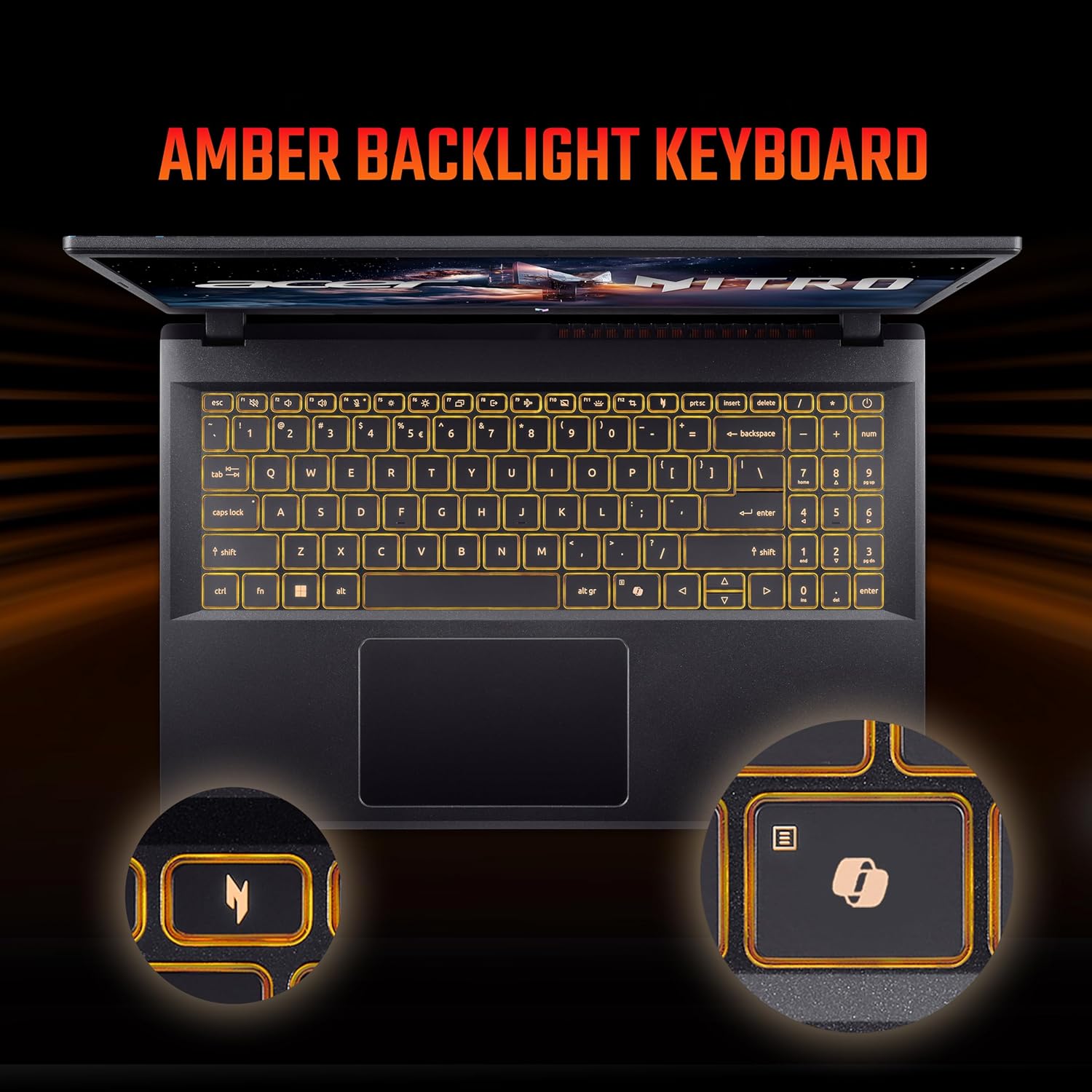
The laptop is equipped with a 99-/100-/103-key Acer amber backlight keyboard with international language support and a responsive touchpad for navigation.

Figure 3: The amber backlit keyboard of the Acer Nitro V 15.
3.3 Атайын ачкычтар
- NitroSense ачкычы: Instantly monitor and optimize system performance for peak power and cooling.
- Копилот ачкычы: Launch Windows Copilot with a single key for instant help, commands, or shortcuts.
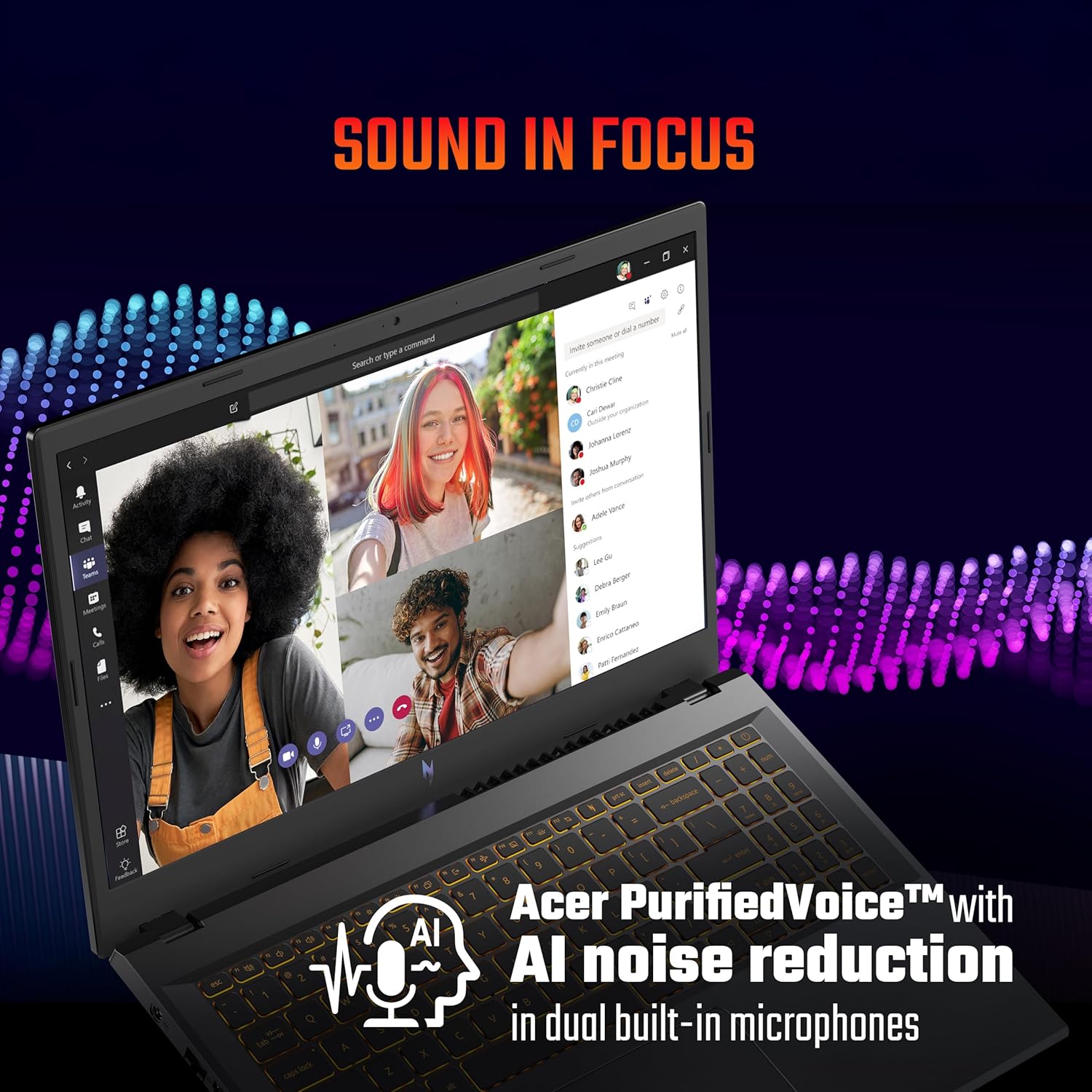
Figure 4: The NitroSense key for performance management.

Figure 5: The dedicated Copilot key for quick access to AI assistance.
3.4 Аудио өзгөчөлүктөрү
The laptop features Acer PurifiedVoice™ with AI noise reduction in dual built-in microphones for clear communication. It also supports DTS X audio for an enhanced sound experience.

Figure 6: Visual representation of DTS X audio technology.
3.5 Порттар жана туташуу
The Acer Nitro V 15 offers a variety of ports for connectivity:
- 3 x USB 3.2 Gen 1 порттору (бирин кубаттоо өчүрүлгөн)
- 1 x USB Type-C port (Thunderbolt™ 4 compatible)
- 1 x HDMI® 2.1 port
- 1 x Ethernet (RJ-45) порту
- 1 x Headset/speaker jack
- Кенсингтон кулпу уячасы
- Power connector (DC-in)

Figure 7: ашыкview ноутбуктун ар кандай киргизүү/чыгаруу портторунун.
4. Техникалык тейлөө жана кам көрүү
4.1 Жалпы тазалоо
Ноутбугуңузду оптималдуу абалда кармоо үчүн:
- Экранды жана корпусту тазалоо үчүн жумшак, мамыксыз чүпүрөктү колдонуңуз.
- Катуу химиялык заттарды же абразивдүү тазалагычтарды колдонуудан алыс болуңуз.
- Суюктуктарды ноутбуктан алыс кармаңыз.
4.2 Батареяны башкаруу
Батареянын иштөө мөөнөтүн узартуу үчүн:
- Батареяны бат-баттан толук кубаттап калуудан алыс болуңуз.
- For extended periods of being plugged in, consider setting the maximum charge limit to around 80% if your system offers this feature.
- Ноутбукту көпкө колдонбосоңуз, аны салкын, кургак жерде сактаңыз.
4.3 Муздатуу системасына кам көрүү
The laptop's cooling system is crucial for performance. Ensure proper airflow:
- Вентиляция тешиктерин жаппаңыз.
- Use the laptop on a hard, flat surface.
- For heavy gaming or demanding tasks, consider using a laptop cooling pad.
- If you engage in heavy gaming, consider professional thermal paste replacement every 6 months to maintain optimal cooling performance.
4.4 Программалык камсыздоо жаңыртуулары
Regularly update your operating system, drivers, and BIOS. BIOS updates can resolve performance issues and improve system stability. Check the official Acer support webмоделиңиз үчүн акыркы жаңыртуулар үчүн сайт.
5. Кыйынчылыктарды
Бул бөлүм сиз кабылышы мүмкүн болгон жалпы көйгөйлөрдү карайт.
5.1 Performance Issues (Freezes, Crashes)
- System Freezes/Restarts: Ensure all drivers, especially graphics drivers, are up to date. Check for any pending Windows updates.
- Оюндун кыйраштары: Update your BIOS to the latest version. Ensure your graphics drivers are current. Monitor system temperatures during gaming using the NitroSense utility.
5.2 Battery and Power Issues
- Laptop Shutting Off When Plugged In: Verify the power adapter is securely connected. Test with a known working power outlet. If issues persist, contact support.
- Батарея заряддалбай жатат: Check the power adapter and cable for damage. Ensure the charging port on the laptop is clean and free of debris.
5.3 Input Device Issues
- Touchpad/Click Not Working: Ensure all Windows updates are installed, as some driver fixes are delivered via OS updates. Check the device manager for any touchpad driver issues.
5.4 Колдоо кызматына качан кайрылуу керек
If you experience persistent issues that cannot be resolved using the troubleshooting steps above, or if you suspect a hardware malfunction, please contact Acer customer support.
6. Продукттун спецификациялары
| Өзгөчөлүк | Спецификация |
|---|---|
| Бренд | Acer |
| Модель аты | Nitro V 15 |
| Модель номери | ANV15-42 |
| Процессор | AMD Ryzen 7-7445HS Octa-core (3.1 GHz up to 4.5 GHz) |
| Графикалык карта | 6 ГБ GDDR6 VRAM менен NVIDIA GeForce RTX 4050 |
| RAM эс тутуму | 16 GB DDR5 (Upgradable up to 32 GB) |
| Сактагыч | 512 GB PCIe Gen4 NVMe SSD (Upgradable up to 1 TB) |
| Операция системасы | Windows 11 Home |
| Дисплей | 15.6-inch Full HD (1920 x 1080) IPS, 165Hz Refresh Rate |
| Баскычтоп | Amber Backlit Keyboard, Numeric Keypad |
| Порттар | 3x USB 3.2 Gen 1, 1x USB Type-C (Thunderbolt 4), 1x HDMI 2.1, 1x Ethernet (RJ-45), 1x Headset/Speaker Jack |
| Зымсыз байланыш | Wi-Fi 6, Bluetooth |
| Webcam | T-Type HD camera |
| Аудио | Acer PurifiedVoice with AI noise reduction, DTS X |
| Батареянын иштөө мөөнөтү | Up to 9.5 Hours (57 Watt Hours) |
| Салмагы | 2.1 килограмм |
| Өлчөмдөрү (L x W x T) | 24L x 36.2W x 2.4Th сантиметр |
7. Кепилдик маалыматы
Your Acer Nitro V 15 laptop comes with a 1 жылдык Өндүрүүчүнүн Кепилдиги. Please refer to the warranty card included in your product packaging for detailed terms and conditions. Keep your proof of purchase for warranty claims.
8. Кардарларды колдоо кызматы
For technical assistance, service, or warranty inquiries, please contact Acer customer support:
- Өндүрүүчү: ACER INDIA PRIVATE LIMITED
- Дарек: Embassy Heights, 6th Floor, No. 13, Magrath Road, Next to HOSMAT Hospital, Bangalore, INDIA – 560025
- Официалдуу Webсайт: Расмий Acer колдоо бөлүмүнө баш багыңыз webаймакка тиешелүү байланыш маалыматы үчүн сайт.
Note: No official product videos with 'Seller' creator type and m3u8 format were available in the provided data for embedding.