
1. Киришүү
The BoxWave SlimKeys Bluetooth Keyboard is designed for portable use, offering a comfortable typing experience with its chiclet-style keys. This manual provides instructions for setting up, operating, maintaining, and troubleshooting your keyboard.
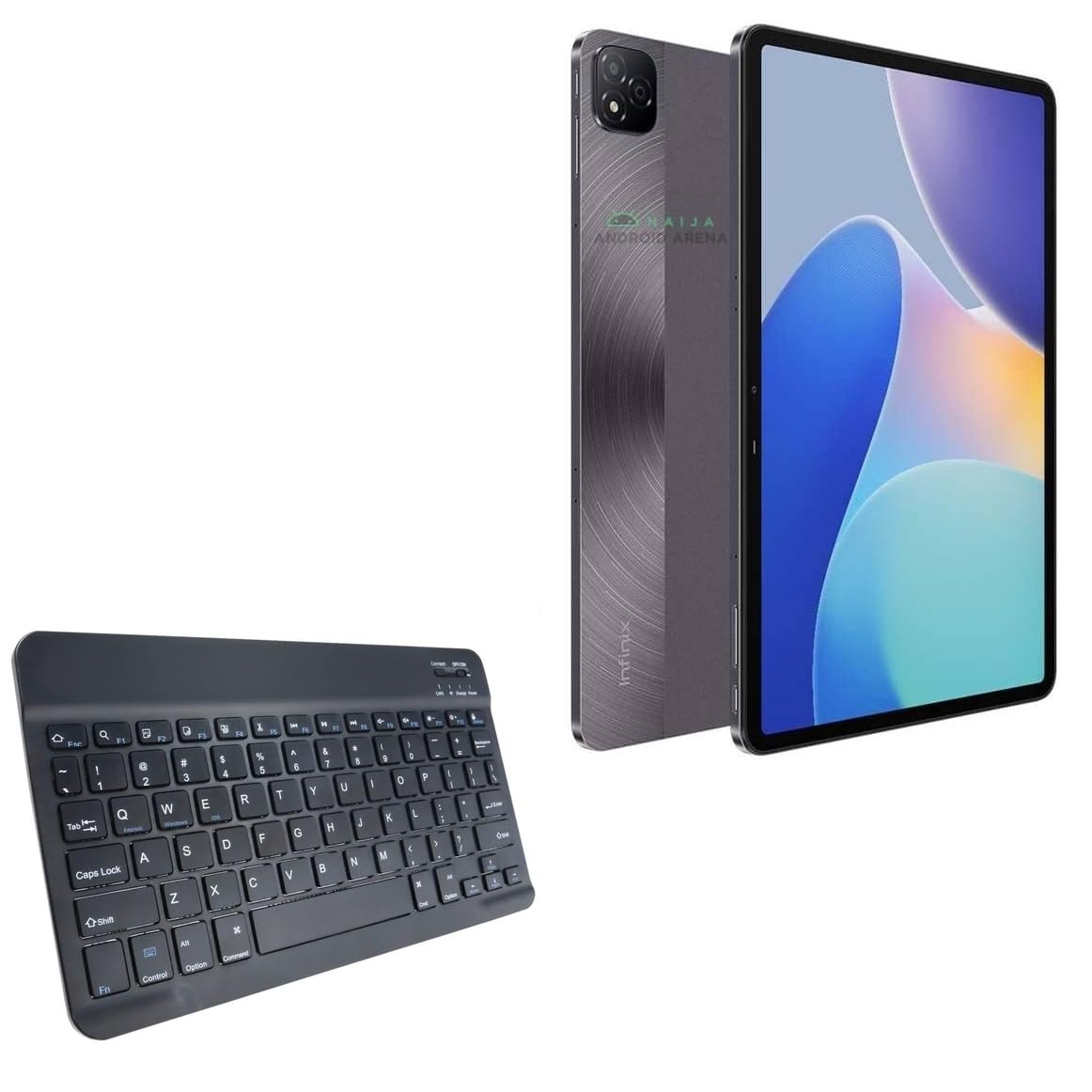
Сүрөт 1.1: жогорудан ылдыйга view of the BoxWave SlimKeys Bluetooth Keyboard.
2. Пакеттин мазмуну
Сураныч, пакетте төмөнкү нерселерди текшериңиз:
- BoxWave SlimKeys Bluetooth Keyboard
- Заряддоо кабели (USB)
- Колдонуучунун Колдонмосу (бул документ)
3. Орнотуу
3.1 Баскычтопту заряддоо
Before initial use, fully charge the keyboard. Connect the provided USB charging cable to the keyboard's charging port and to a USB power source. The charging indicator light will illuminate during charging and turn off when fully charged.

Image 3.1: The keyboard connected to its charging cable.
To conserve battery life, use the built-in ON/OFF switch when the keyboard is not in use. The keyboard features an energy-efficient Bluetooth 3.0 design to reduce power drain.
3.2 Сиздин аппаратыңыз менен жупташуу
- Ensure the keyboard is charged and powered on using the ON/OFF switch located on the top right.
- басыңыз Туташуу button on the keyboard. The Bluetooth indicator light will begin to flash, indicating it is in pairing mode.
- On your device (e.g., Infinix Xpad, tablet, smartphone, computer), navigate to the Bluetooth settings.
- Түзмөгүңүздө Bluetooth иштетип, жеткиликтүү түзмөктөрдү издеңиз.
- тандоо "SlimKeys Keyboard" or a similar name from the list of found devices.
- Follow any on-screen prompts to complete the pairing process. A successful connection will be indicated by the Bluetooth light on the keyboard turning solid or off, depending on the model.
The SlimKeys keyboard utilizes Bluetooth 3.0 for quick and reliable pairing across various operating systems, including Android, Windows, and iOS.
4. Операция
4.1 Жалпы колдонуу
The SlimKeys Bluetooth Keyboard provides a full QWERTY layout with chiclet-style keys for comfortable and efficient typing. Its compact and lightweight design makes it suitable for travel and on-the-go productivity.

Image 4.1: User typing on the SlimKeys Bluetooth Keyboard.
4.2 Specialized Function Keys
The keyboard includes specialized function keys (F1-F12) that provide quick access to common commands. These functions may vary slightly depending on your device's operating system.

Сүрөт 4.2: Бүттүview of specialized function keys.
- Esc (Home): Returns to home screen.
- F1 (Search): Opens search function.
- F2 (Select All): Selects all content.
- F3 (Copy): Copies selected content.
- F4 (Paste): Pastes copied content.
- F5 (Cut): Cuts selected content.
- F6 (Skip Back): Skips to previous track.
- F7 (Play/Pause): Plays or pauses media.
- F8 (Skip Forward): Skips to next track.
- F9 (Volume Down): Decreases volume.
- F10 (Volume Up): Increases volume.
- F11 (Brightness Down): Decreases screen brightness.
- F12 (Brightness Up): Increases screen brightness.
- Delete (Lock): Locks the device.
To activate these functions, press the corresponding F-key. Some functions may require pressing the Fn key simultaneously, depending on your device's operating system and settings.
5. Техникалык тейлөө
- Тазалоо: Use a soft, dry, lint-free cloth to clean the keyboard. For stubborn dirt, slightly dampen the cloth with water or a mild electronics cleaner. Avoid excessive moisture.
- Сактагыч: When not in use for extended periods, store the keyboard in a cool, dry place. Ensure the keyboard is powered off to preserve battery life.
- Батареяга кам көрүү: Avoid fully discharging the battery frequently. Charge the keyboard regularly, even if not in constant use, to maintain battery health.
- Суюктуктардан алыс болуңуз: Ички компоненттерге зыян келтирбөө үчүн клавиатураны суюктуктардан алыс кармаңыз.
- Ашыкча температурадан сактаныңыз: Do not expose the keyboard to extreme heat or cold, as this can affect battery performance and overall functionality.
6. Кыйынчылыктарды
6.1 Баскычтоп туташпайт/жупташтырылбайт
- Күчтү текшерүү: Баскычтоптун күйгүзүлгөнүн жана батареясынын заряды жетиштүү экенин текшериңиз.
- Re-enable Bluetooth: Өчүрүп, анан түзмөгүңүздө Bluetooth'ду күйгүзүңүз.
- Кайра жупташтыруу: Go to your device's Bluetooth settings, forget or unpair the "SlimKeys Keyboard" if it's listed, then repeat the pairing steps (Section 3.2).
- Аралык: Ensure the keyboard is within the effective range of your device (typically up to 10 meters or 33 feet).
- Интерференция: Тоскоолдукка алып келиши мүмкүн болгон башка зымсыз түзмөктөрдөн алыс болуңуз.
- Түзмөктөрдү кайра иштетүү: Түзмөгүңүздү да, клавиатураңызды да өчүрүп-күйгүзүңүз.
6.2 Ачкычтар жооп бербейт
- Батарея деңгээли: Check if the keyboard battery is low. Charge the keyboard if necessary.
- Байланыш: Verify that the keyboard is still connected via Bluetooth to your device.
- Таза ачкычтар: Ачкычтардын астына таштанды калбасын.
- Кайра баштоо: Баскычтопту өчүрүп, кайра күйгүзүңүз.
6.3 Lag or Delayed Input
- Батарея деңгээли: Батареянын аз заряды кээде иштин натыйжалуулугуна таасир этиши мүмкүн.
- Аралык/Кийлигишүү: Reduce distance to the device and minimize potential interference sources.
- Түзмөктүн иштеши: Ensure your connected device is not under heavy load, which could affect Bluetooth responsiveness.
7. Техникалык шарттар
| Модель аты | SlimKeys Bluetooth Keyboard |
| Байланыш | Bluetooth 3.0 |
| Шайкештик | Android, Windows, iOS devices (e.g., Infinix Xpad) |
| Өлчөмдөрү (болжол менен) | 9.5 дюйм (туурасы) x 5.75 дюйм (тереңдиги) x 0.2 дюйм (бийиктиги) |
| Салмагы | 8.6 унция (болжол менен 244 грамм) |
| Батарея түрү | Продукттун өзгөчөлүгү (камтылат) |
| Батареянын иштөө мөөнөтү | Up to 30 days (active use), 6 months (standby) |
| Өндүрүүчү | BoxWave |
| ASIN | B0DFZ2S7C4 |

Image 7.1: Approximate dimensions of the SlimKeys Bluetooth Keyboard.
8. Кепилдик жана колдоо
For warranty information and technical support, please refer to the documentation included with your purchase or visit the official BoxWave website. You may also contact BoxWave customer service directly for assistance.
Manufacturer: BoxWave
Кошумча жардам алуу үчүн төмөнкү дарекке кайрылыңыз: www.boxwave.com