
1. Продукт бүтүп калдыview
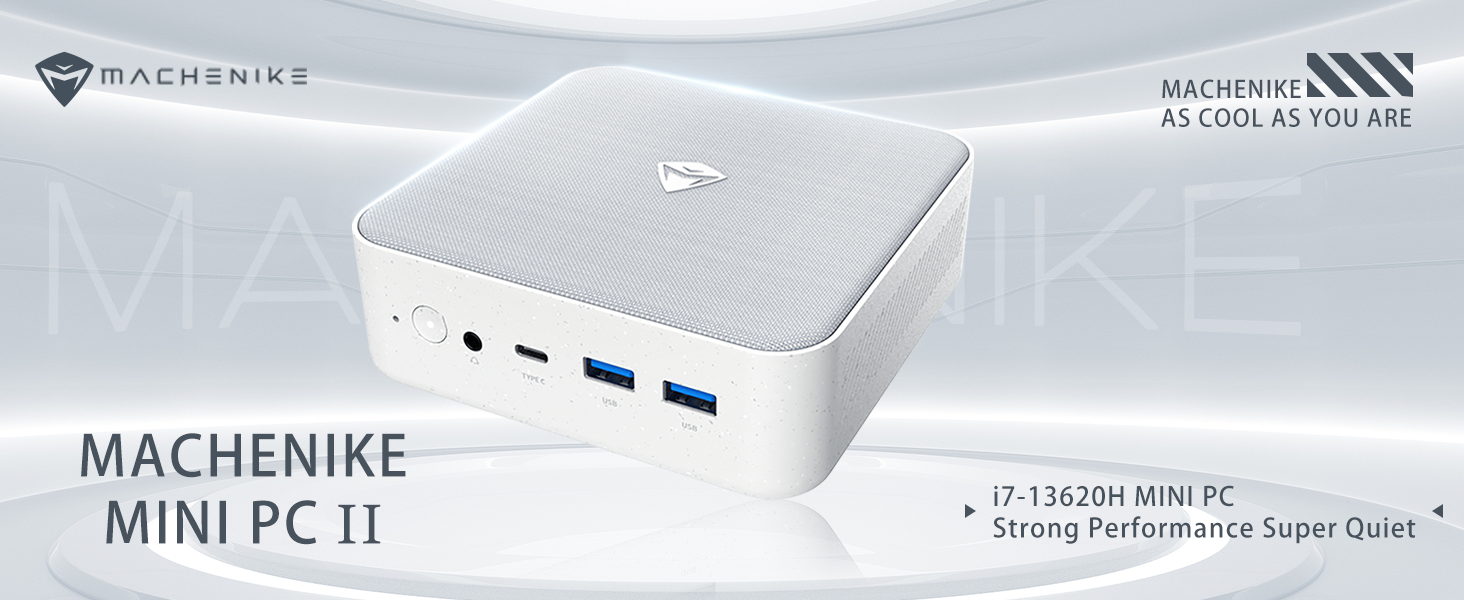
The Machenike Machcreator Mini Desktop, Model 4762H, is a compact and powerful computing solution designed for various applications, from business to everyday use. It features a 13th Gen Intel Core i7-13620H processor, 16GB DDR5 RAM, and a 512GB PCIe M.2 SSD, providing high-speed performance and efficient multitasking capabilities. This mini PC supports 4K dual monitor output and comes pre-installed with Windows 11 Pro.
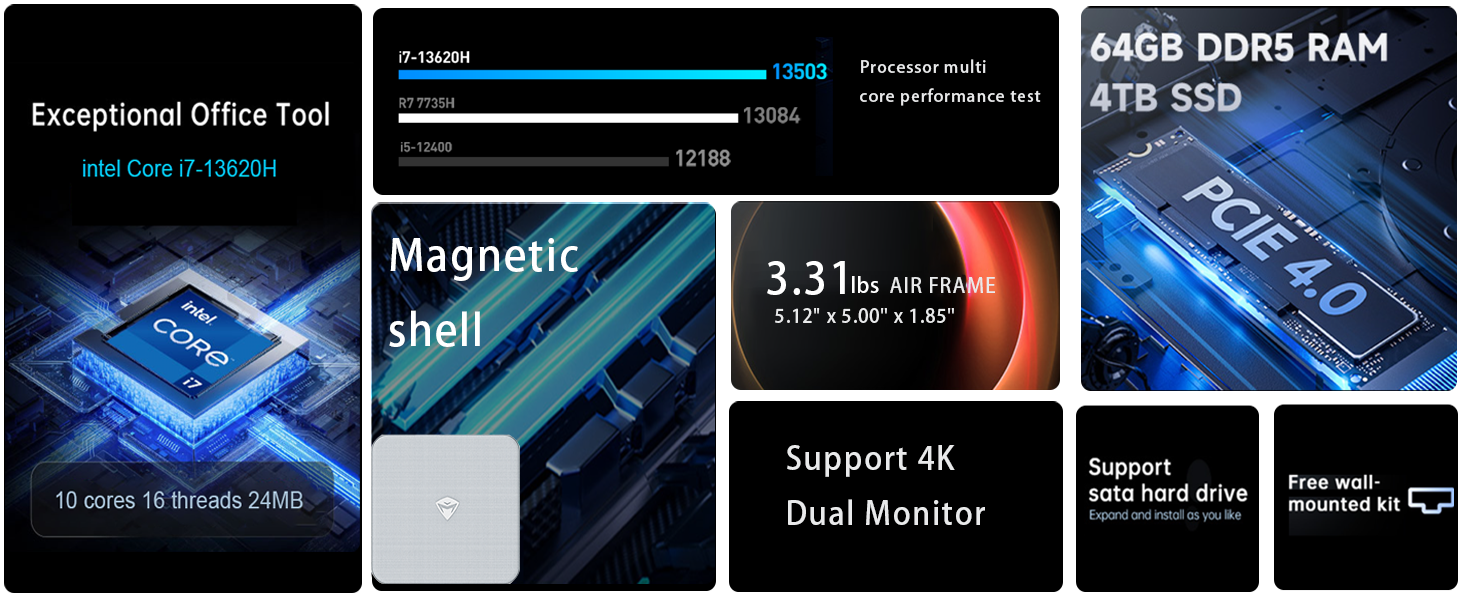
Сүрөт: бүттүview of the Intel Core i7 processor, highlighting 10 Cores, 16 Threads, 4.90 GHz Max Turbo Frequency, and 24 MB L3 Cache.
Негизги өзгөчөлүктөрү:
- Процессор: Intel Core i7-13620H (10 өзөктүү, 16 жиптүү, 4.9 ГГц чейин)
- Эстутум: 16GB DDR5 SODIMM RAM (expandable up to 64GB)
- Сактагыч: 512GB PCIe M.2 Solid State Drive (supports dual M.2 expansion)
- Операция системасы: Windows 11 Pro
- Графика: Integrated Intel UHD Graphics, supporting 4K dual monitor output via HDMI 2.0 and DisplayPort 1.4
- Байланыш: Wi-Fi 6, Bluetooth, 2 x RJ45 Ethernet, USB 3.2 Gen2 Type-A, USB Type-C
- Муздатуу системасы: Twin turbine cooling fan with deluxe all-copper radiator
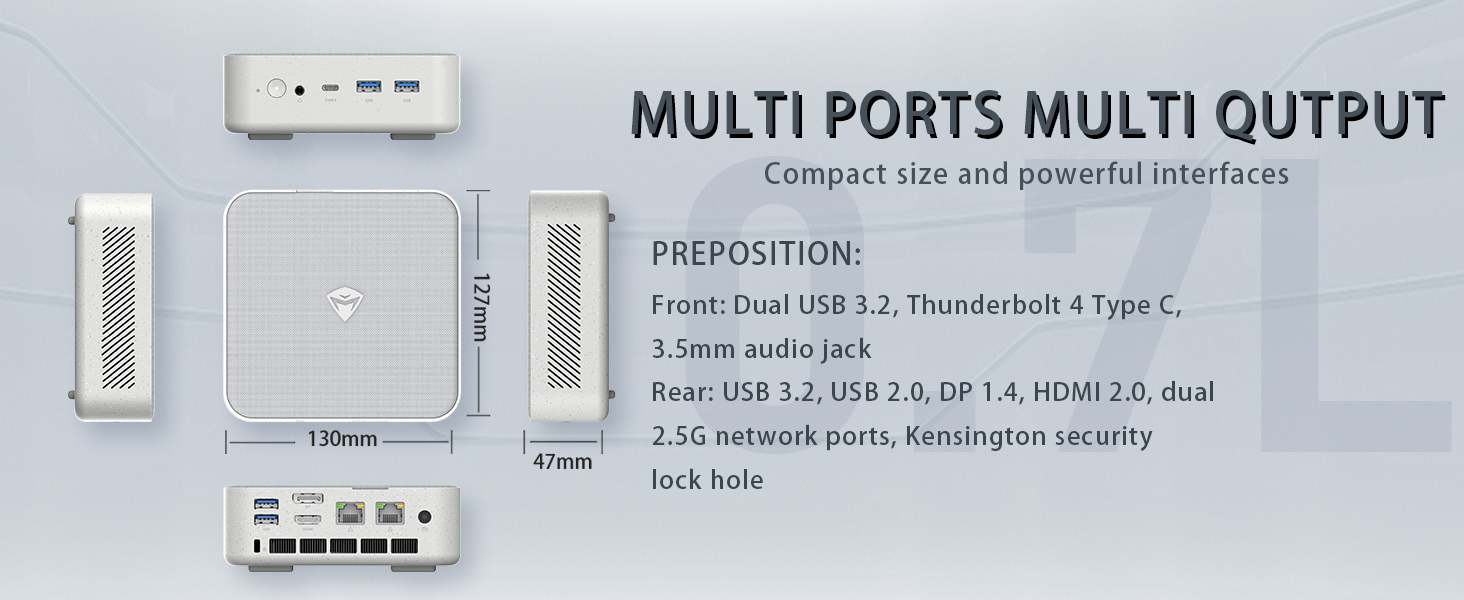
Image: Illustration of PCIe 4.0 SSD and memory slots, indicating support for up to 64GB DDR5 RAM and up to 4TB PCIe SSD expansion.
2. Орнотуу колдонмосу
2.1 Түзмөктү таңгактан чыгаруу
Бардык компоненттерди таңгактан кылдаттык менен алып салыңыз. Төмөнкү нерселердин бар экенин текшериңиз:
- Machenike Machcreator Mini Desktop (Model 4762H)
- Кубаттуу адаптер
- Колдонуучунун Колдонмосу (бул документ)
- (Optional) VESA Mount Kit
2.2 Перифериялык түзүлүштөрдү туташтыруу
Күйгүзүүдөн мурун негизги перифериялык түзүлүштөрдү туташтырыңыз:
- Дисплей: Connect your monitor(s) to the HDMI 2.0 or DisplayPort 1.4 ports on the rear of the mini PC. The USB Type-C port also supports video output.
- Баскычтоп жана чычкан: Connect your USB keyboard and mouse to any of the available USB 3.2 Gen2 Type-A ports.
- Тармак: For a wired connection, connect an Ethernet cable to one of the RJ45 ports. For wireless, ensure your Wi-Fi network is available.
- Күч: Connect the power adapter to the DC-in port on the mini PC, then plug the adapter into a power outlet.
Сүрөт: деталдуу view of the mini PC's front and rear ports, including USB 3.2 Gen2 Type-A, USB Type-C, 3.5mm Audio Jack, HDMI 2.0, DisplayPort 1.4, and RJ45 Ethernet ports. Dimensions are also shown.
2.3 Initial Boot-up and Windows 11 Pro Setup
- Мини-компьютердин алдыңкы бетинде жайгашкан кубат баскычын басыңыз.
- The system will boot into the Windows 11 Pro setup wizard. Follow the on-screen instructions to configure your language, region, network, and user account.
- Once setup is complete, your mini PC is ready for use.
3. Иштөө нускамалары
3.1 Күйгүзүү/өчүрүү
- Күйгүзүү: Кубат баскычын бир жолу басыңыз.
- Өчүрүү: Windows'тун Start баскычын чыкылдатып, андан кийин Кубат > Өчүрүү дегенди тандаңыз.
- Кайра баштоо: Windows'тун Start баскычын чыкылдатып, андан кийин Кубат > Кайра баштоону тандаңыз.
- Уйку: Windows'тун Start баскычын чыкылдатып, андан кийин Кубат > Уйку режимин тандаңыз.
3.2 Дисплейдин конфигурациясы
The mini PC supports up to two 4K displays simultaneously. To configure display settings:
- Иш тактада оң баскычты чыкылдатып, "Экран жөндөөлөрү" дегенди тандаңыз.
- Here you can detect multiple displays, arrange them, change resolution, and adjust scaling.
3.3 Тармакка туташуу
- Wi-Fi: Click the network icon in the taskbar, select your Wi-Fi network, enter the password, and connect.
- Ethernet: Эгерде Ethernet кабели туташкан болсо, система автоматтык түрдө зымдуу тармактык байланышты орнотушу керек.
3.4 Cooling System Modes
The mini PC features an advanced cooling system with adjustable modes via the BIOS to optimize performance and noise levels. These modes include:
- Үнсүз режим: Prioritizes quiet operation, suitable for light tasks.
- Баланс режими: Offers a good balance between performance and noise.
- Аткаруу режими: Maximizes performance (up to 65W power release), ideal for demanding applications.
To change these settings, access the BIOS during startup (typically by pressing Del or F2 repeatedly after powering on) and navigate to the relevant power or performance settings.
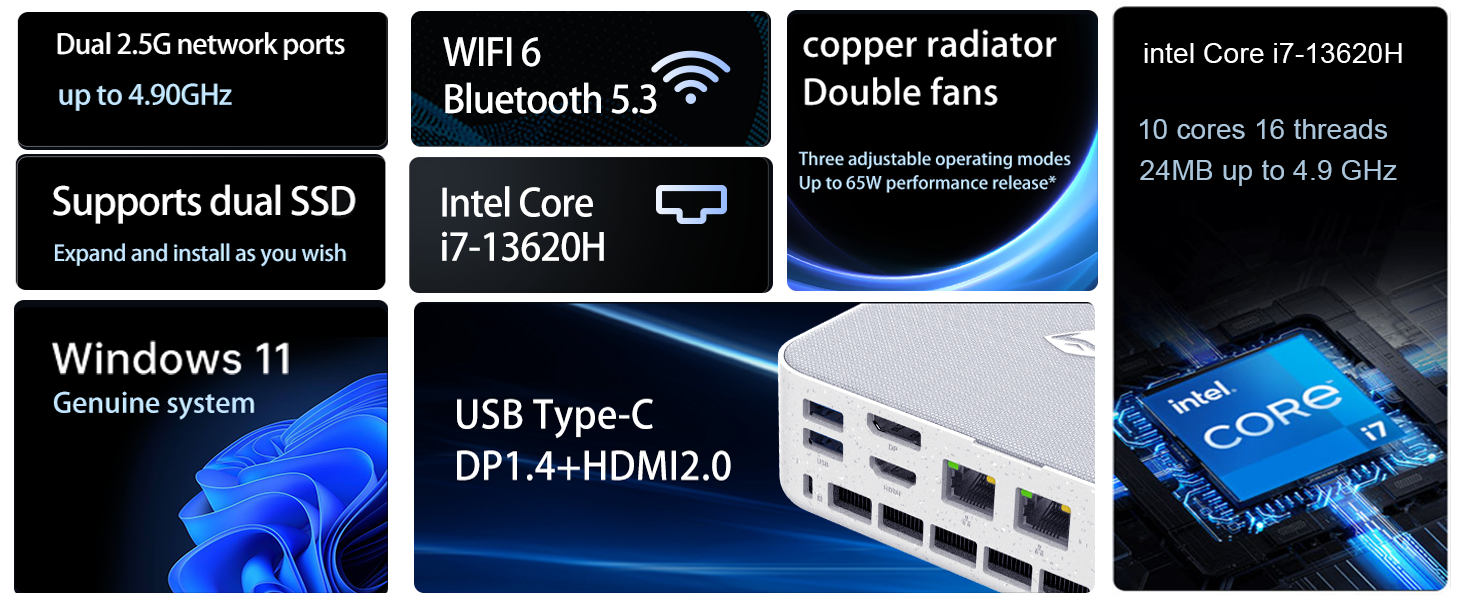
Image: Illustration of the twin turbine cooling fan and deluxe all-copper radiator, explaining how it prevents slowdowns due to overheating and offers silence, balance, and performance modes.
4. Техникалык тейлөө
4.1 Аппаратты тазалоо
To ensure optimal performance and longevity, regularly clean your mini PC:
- Power off the device and disconnect it from the power outlet.
- Сыртын сүртүү үчүн жумшак, кургак чүпүрөктү колдонуңуз.
- Use compressed air to gently clear dust from ventilation openings. Do not insert any objects into the vents.
4.2 Программалык камсыздоо жаңыртуулары
Keep your Windows 11 Pro operating system and drivers updated to ensure security and performance:
- Windows жаңыртуулары: Баштоо > Орнотуулар > Windows Update бөлүмүнө өтүп, жаңыртууларды текшериңиз.
- Драйвер жаңыртуулары: Visit the Machenike official webсиздин белгилүү бир моделиңиз үчүн эң акыркы драйверлер үчүн сайт.
4.3 Сактоо жана эс тутумду кеңейтүү
The Machenike Machcreator Mini Desktop supports upgrades for both RAM and storage:
- RAM: The device has 2 SODIMM slots and supports up to 64GB DDR5 RAM.
- Сактагыч: It supports dual PCIe M.2 SSDs, allowing for significant storage expansion up to 4TB.
Эскертүү: Opening the device for upgrades may void your warranty. Consult a qualified technician or refer to specific upgrade guides from Machenike if available.
5. Кыйынчылыктарды
Бул бөлүм сиз кабылышы мүмкүн болгон жалпы көйгөйлөрдү карайт. Татаал көйгөйлөр үчүн кардарларды колдоо бөлүмүнө кайрылыңыз.
5.1 Күч жок
- Кубат адаптери мини компьютерге да, иштеген электр розеткасына да бекем туташып турганын текшериңиз.
- Башка аспапка сайып, розетка иштеп жатканын текшериңиз.
- Электр адаптеринде көрүнгөн зыяндын бар-жоктугун текшериңиз.
5.2 Display Output жок
- Монитор күйгүзүлгөнүн жана туура киргизүү булагы тандалганын текшериңиз.
- HDMI же DisplayPort кабели мини компьютерге жана мониторго бекем туташтырылганын текшериңиз.
- Башка дисплей кабелин же бар болсо мониторду колдонуп көрүңүз.
- Эгер бир нече дисплейди колдонсоңуз, бир убакта бир гана дисплейди туташтырып көрүңүз.
5.3 Тармакка туташуу маселелери
- Зымдуу (Ethernet): Check if the Ethernet cable is properly connected to both the mini PC and the router/modem. Verify router/modem status.
- Зымсыз (Wi-Fi): Ensure Wi-Fi is enabled in Windows settings. Restart your router/modem. Check if other devices can connect to the Wi-Fi network.
- Run Windows Network Troubleshooter (Start > Settings > Network & internet > Advanced network settings > Network troubleshooter).
6. Техникалык шарттар
Detailed technical specifications for the Machenike Machcreator Mini Desktop, Model 4762H:
| Өзгөчөлүк | Спецификация |
|---|---|
| Бренд | Machenike |
| Модель номери | 4762H |
| Операция системасы | Windows 11 Pro |
| CPU модели | Intel Core i7-13620H |
| CPU ылдамдыгы | Up to 4.9 GHz (Max Turbo Frequency) |
| RAM эстутум орнотулган өлчөмү | 16 GB DDR5 (Expandable to 64 GB) |
| Memory Clock Speed | 4800 МГц |
| Эстутум Slots Жеткиликтүү | 2 |
| Эстутум сактоо сыйымдуулугу | 512 GB PCIe M.2 SSD (Supports dual M.2, up to 4TB) |
| Графикалык сопроцессор | Intel UHD графикасы (интегралдык) |
| Видео чыгаруу интерфейси | HDMI 2.0, DisplayPort 1.4, USB Type-C |
| Дисплейдин максималдуу чечилиши | 3840x2160 (4K) |
| Аппараттык интерфейс | 3.5mm Audio, Bluetooth, DisplayPort, Ethernet (2x RJ45), HDMI, USB, USB Type C |
| Зымсыз байланыш | Wi-Fi 6 (802.11ax), Bluetooth |
| Элементтин өлчөмдөрү (LxWxH) | 5.12 x 5 x 1.85 дюйм |
| Элемент Салмагы | 49.8 фунт (Note: This weight may be a data entry error; actual weight for a mini PC is typically much less.) |
| UPC | 193200587317 |
7. Кепилдик жана колдоо
7.1 Кепилдик маалыматы
Machenike products typically come with a limited manufacturer's warranty. Please refer to the warranty card included with your purchase or visit the official Machenike webаймагыңызга жана продукт моделиңизге тиешелүү кепилдик шарттары жана деталдуу шарттары үчүн сайтты караңыз. Кепилдик дооматтары үчүн сатып алганыңызды тастыктаган документти сактап коюңуз.
7.2 Кардарларды колдоо
For technical assistance, troubleshooting beyond this manual, or warranty inquiries, please contact Machenike customer support:
- Онлайн колдоо: Расмий Machenike сайтына баш багыңыз webсайт (www.machenike.com - exampшилтеме, чыныгы шилтеме ар кандай болушу мүмкүн) жана колдоо бөлүмүнө өтүңүз.
- Электрондук почта колдоо: Refer to your product documentation for the specific support email address.
- Телефондук колдоо: Машинаны текшериңиз webаймактык телефон колдоо номерлери үчүн сайт.
When contacting support, please have your product model number (4762H) and serial number ready.