
Monster Clarity 102 Plus
Monster Clarity 102 Plus Wireless Earbuds Колдонуучунун колдонмосу
Модел: Clarity 102 Plus | Бренд: Monster
1. Киришүү
Thank you for choosing the Monster Clarity 102 Plus Wireless Earbuds. These earbuds are designed to provide a superior audio experience with advanced features for daily use, workouts, and professional calls. This manual will guide you through the setup, operation, and maintenance of your new earbuds to ensure optimal performance and longevity.
Негизги өзгөчөлүктөрү:
- Pure Monster Sound with HiFi Stereo for immersive audio.
- 4-Mic AI Clear Calls for crystal-clear communication.
- Кубаттоочу куту менен жалпысынан 30 саатка чейин ойнотуу убактысы.
- IPX6 Water Resistant design for protection against splashes.
- Ergonomic design with multiple eartip sizes for a comfortable and secure fit.
- Advanced Bluetooth 5.4 for stable and low-latency connectivity.
2. Кутуда эмне бар
Сураныч, бардык буюмдар бар экенине ынануу үчүн пакетиңиздин мазмунун текшериңиз:
- 1 x Monster Clarity 102 AirLinks Wireless Earbuds
- 1 х USB-C кубаттоо кабели
- 1 х Колдонуучунун колдонмосу (бул документ)
- 3 x алмаштыруучу кулак капкактары (ар кандай өлчөмдөгү)
3. Продукт бүтүп калдыview

Image: The Monster Clarity 102 Plus Wireless Earbuds shown with their compact charging case.
The Monster Clarity 102 Plus earbuds feature a sleek, in-ear design with a stem for enhanced microphone placement. The accompanying charging case is designed for portability and provides extended battery life.
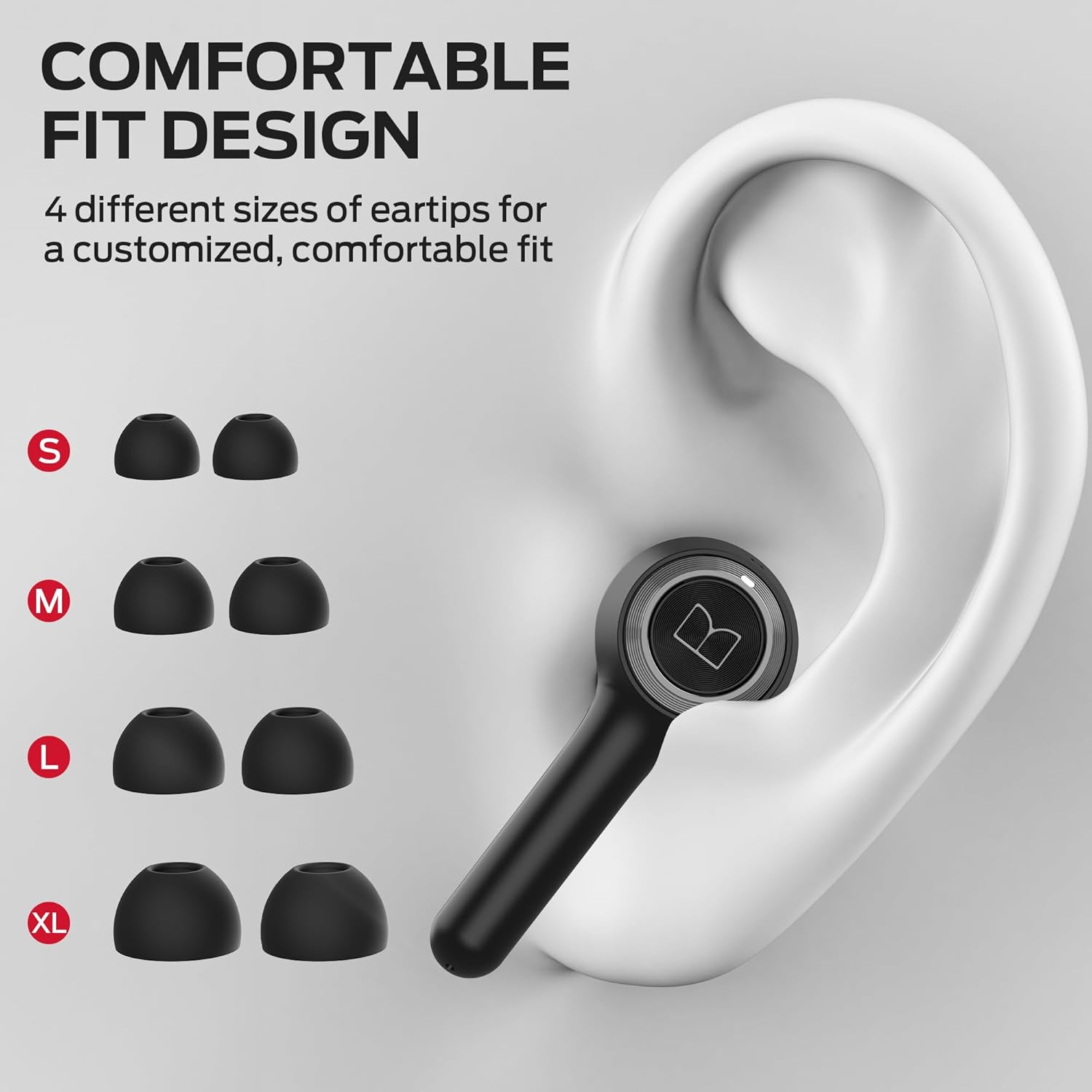
Image: Illustration of the four different eartip sizes (S, M, L, XL) provided for a customized and comfortable fit.
The earbuds come with four sizes of soft rubber ear caps (S, M, L, XL) to ensure a secure and comfortable fit for various ear shapes. The M size is pre-installed.
4. Орнотуу
4.1 Кулакчындарды жана кутучаны заряддоо
Before first use, fully charge the earbuds and the charging case. The charging case has a battery capacity of 500 Milliamp Саат.
- Кулакчындарды кубаттоочу кутуга салыңыз. Алардын туура орнотулганын текшериңиз; магниттик контакттар аларды ордунда кармап турат.
- USB-C кубаттоочу кабелин корпустагы кубаттоо портуна, ал эми экинчи учун USB кубат булагына (мисалы, дубал адаптери, компьютердин USB порту) туташтырыңыз.
- The LED indicators on the charging case will show the charging status. A full charge for the case and earbuds typically takes approximately 3 hours.

Image: The earbuds inside the charging case, illustrating the ultra-long battery life of 6 hours on a single charge and 30 hours total with the case.
4.2 Сиздин аппаратыңыз менен жупташуу
The Monster Clarity 102 Plus earbuds utilize Bluetooth 5.4 technology for stable and efficient connections.
- Бир кадам жупташтыруу: After the initial pairing, simply remove both wireless earbuds from the charging case, and they will automatically connect to your last paired device.
- Биринчи жолу жупташтыруу:
- Кулакчындардын кубатталганын текшериңиз.
- Заряддоо кутучасын ачыңыз. Кулакчындар жупташтыруу режимине автоматтык түрдө кирет.
- Түзмөгүңүздө (смартфон, планшет, компьютер) Bluetooth жөндөөлөрүнө өтүп, Bluetooth күйгүзүңүз.
- Издөө available devices and select "Monster Clarity 102 Plus" from the list.
- Туташкандан кийин, сиз үндүү ырастоону угасыз жана кулакчындардын индикатор жарыктары өзгөрөт.
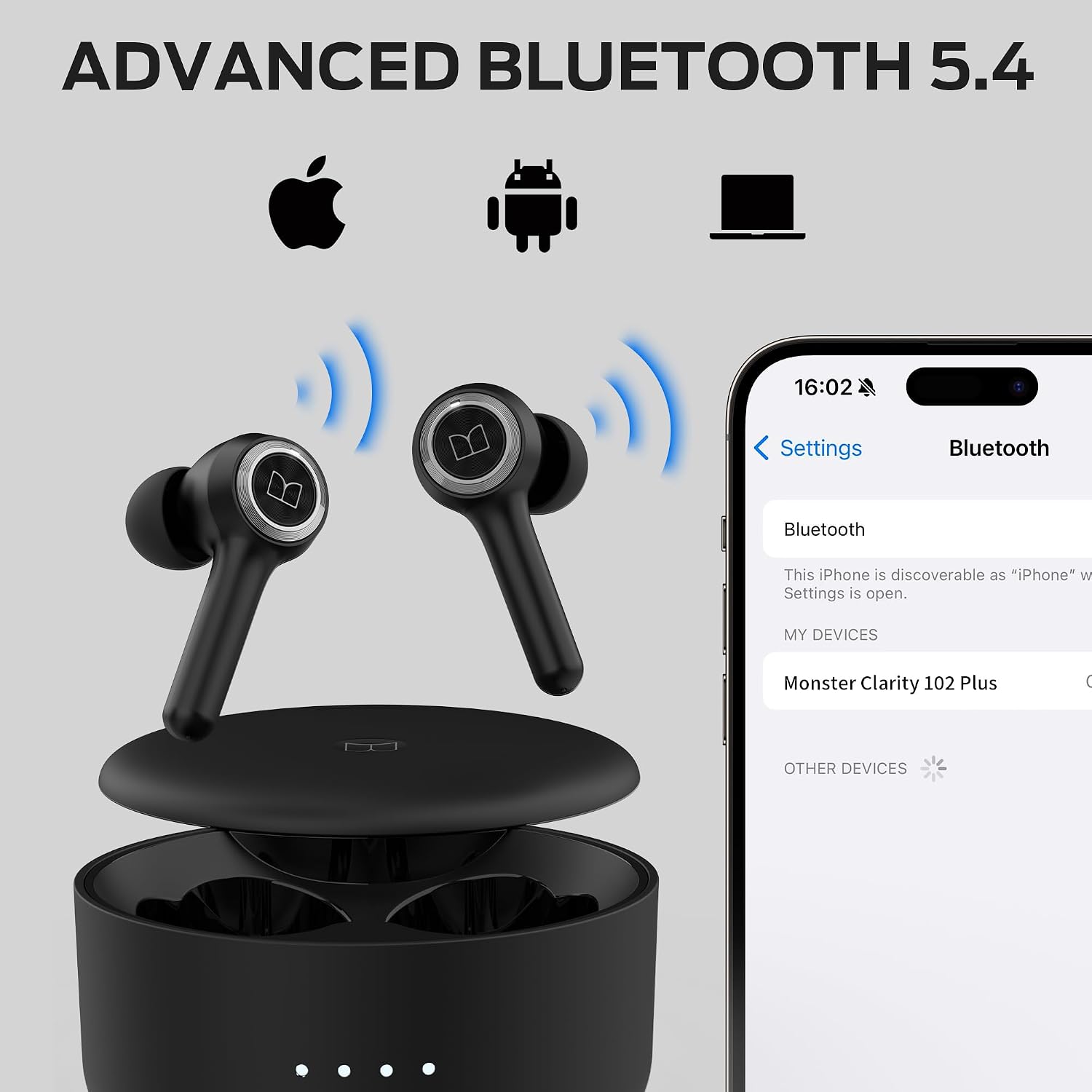
Image: The earbuds and charging case with a smartphone screen showing the Bluetooth pairing process for the Monster Clarity 102 Plus.
4.3 Кулакчындарды тагынуу
For optimal sound quality and comfort, choose the correct eartip size and ensure a proper fit.
- Select the eartips that provide a snug seal in your ear canal. Experiment with different sizes (S, M, L, XL) for the best fit.
- Gently insert each earbud into your ear.
- Twist the earbuds slightly forward or backward until they feel secure and comfortable. A good seal is crucial for bass response and noise isolation.
5. Иштөө нускамалары
5.1 Башкаруу баскычтары
The Monster Clarity 102 Plus earbuds feature intuitive press-button controls on each earbud. The following table outlines the functions:

Image: A visual guide to the simple button controls on the Monster Clarity 102 Plus earbuds, detailing actions for playback, calls, and voice assistant.
| Акция | Control |
|---|---|
| Ойнотуу/Тыныгуу | Press 1x (Either Earbud) |
| Кийинки ыр | 2 секунд басыңыз (оң кулакчын) |
| Мурунку ыр | 2 секунд басыңыз (Сол кулакчын) |
| Үндү көтөрүү | Press 2x (Right Earbud) |
| Үндү төмөндөтүү | Press 2x (Left Earbud) |
| Чалууга жооп берүү/аяктоо | Press 1x (Either Earbud) |
| Чакырууну четке кагуу | 2 секунд басыңыз (Кулакчын) |
| Үн жардамчысы | 2 секунд басыңыз (Кулакчын) |
5.2 Чалууларды кабыл алуу жана кабыл алуу
The earbuds are equipped with 4 built-in microphones (2 per earbud) and an AI algorithm to ensure crystal-clear calls by picking up your voice effectively.

Image: A man demonstrating the use of Monster Clarity 102 Plus earbuds for a phone call, highlighting the incredible call quality.
- Чалууга жооп берүү: Press either earbud button once.
- Чалууну аяктоо: Press either earbud button once during a call.
- Чалуудан баш тартуу: Press and hold either earbud button for 2 seconds.
5.3 Аудио ойнотуу
Experience Pure Monster Sound with a unique digital audio processor that enhances mid to high frequencies and provides deep bass.

Image: A close-up of a Monster Clarity 102 Plus earbud with visual representations of sound waves and an equalizer, illustrating the 'Pure Monster Sound' feature.
- Музыка ойнотуу: Once connected, open your music application on your device and begin playback.
- Pausing Music: Press either earbud button once. Press again to resume.
- Үндү тууралоо: Use the dedicated volume controls as described in the Button Controls section (Press 2x Right for Volume Up, Press 2x Left for Volume Down).
6. Техникалык тейлөө
Туура тейлөө кулакчындарыңыздын узак иштөөсүн жана оптималдуу иштешин камсыз кылат.
- Тазалоо: Regularly clean the earbuds, especially the eartips and charging contacts, with a soft, dry, lint-free cloth. Remove eartips and clean them separately with mild soap and water if necessary, ensuring they are completely dry before reattaching.
- Суу каршылык: The earbuds are IPX6 Water Resistant, meaning they are protected against powerful water jets. This makes them suitable for workouts and light rain. However, they are not designed for submersion in water. Do not expose them to saltwater, chlorinated water, or other liquids. Ensure the charging port is dry before charging.

Image: The Monster Clarity 102 Plus earbuds shown with water droplets, signifying their IPX6 water-resistant rating, suitable for rain, sweat, and splashes.
- Сактагыч: Кулакчындарды колдонбогон учурда, чаңдан, бузулуудан коргоо жана кубатталган бойдон сактоо үчүн аларды кубаттоочу кутучасында сактаңыз.
- Температура: Кулакчындарды жана кубаттоочу кутуну экстремалдык температурага (ысык же муздак) же тике күн нуруна узак убакытка калтыруудан сактаңыз.
7. Кыйынчылыктарды
If you encounter issues with your Monster Clarity 102 Plus earbuds, try the following troubleshooting steps:
- Кулакчындар жупташтырылбай жатат:
- Эки кулакчындын тең кубатталганын текшериңиз.
- Түзмөгүңүздөгү Bluetooth'ду өчүрүп, кайра күйгүзүңүз.
- Forget/delete "Monster Clarity 102 Plus" from your device's Bluetooth list.
- Place both earbuds back into the charging case, close the lid, wait a few seconds, then open the lid to re-enter pairing mode.
- Attempt to re-pair the earbuds with your device.
- Бир же эки кулакчындан үн чыкпайт:
- Түзмөгүңүздөгү жана кулакчындардын үнүнүн деңгээлин текшериңиз.
- Кулакчындар түзмөгүңүзгө туура туташтырылганын текшериңиз.
- Башка колдонмодон же булактан аудио ойнотуп көрүңүз.
- Re-pair the earbuds as described above.
- Заряддоо маселелери:
- USB-C кабели корпуска да, кубат булагына да бекем туташып турганын текшериңиз.
- Башка USB-C кабелин жана/же кубат адаптерин колдонуп көрүңүз.
- Кулакчындардагы жана корпустун ичиндеги заряддоо контакттарын кургак кебез менен тазалаңыз.
- Эскертүү: This product does not currently support a dedicated mobile application for advanced controls or equalizer adjustments. All controls are managed via the physical buttons on the earbuds.
8. Техникалык шарттар
Detailed technical specifications for the Monster Clarity 102 Plus Wireless Earbuds:
| Өзгөчөлүк | Спецификация |
|---|---|
| Модель аты | Clarity 102 Plus |
| Бренд | Monster |
| Байланыш технологиясы | Зымсыз |
| Зымсыз байланыш технологиясы | Bluetooth |
| Bluetooth версиясы | 5.4 |
| Bluetooth диапазону | 10 метр |
| Кулакчын ойнотуу убактысы (бир жолу кубаттоо менен) | 6 саатка чейин |
| Жалпы ойноо убактысы (заряддоо кутусу менен) | 30 саатка чейин |
| Заряддоо убактысы | Болжол менен 3 саат |
| Батареянын кубаттуулугу | 500 миллионamp Саат |
| Сууга туруктуулук деңгээли | IPX6 сууга туруктуу |
| Элемент Салмагы | 5.3 унция (жалпы пакет) |
| Башкаруу түрү | Control Button |
| Өндүрүүчү | Monster |
9. Кепилдик жана колдоо
Monster products are manufactured to the highest quality standards. For information regarding warranty coverage, please refer to the warranty card included in your product packaging or visit the official Monster webсайт. Кепилдик дооматтар үчүн сатып алганыңыздын далилин сактаңыз.
For technical support, troubleshooting assistance beyond this manual, or general inquiries, please visit the official Monster support page or contact their customer service directly. Contact information can typically be found on the Monster webсайтында же продуктунун таңгагында.
Ask a question about this manual
Ask about setup, troubleshooting, compatibility, parts, safety, or missing instructions. Manuals+ will review the question and use this page’s manual context to help answer it.