
1. Киришүү
Thank you for choosing the LiebeWH ZT-300AB Wireless Digital Multimeter. This device is a high-precision, 6000-count True RMS multimeter designed for a wide range of electrical measurements. It features wireless connectivity, allowing real-time data recording, analysis, and processing via a mobile application. This manual provides essential information for the safe and effective use of your multimeter.
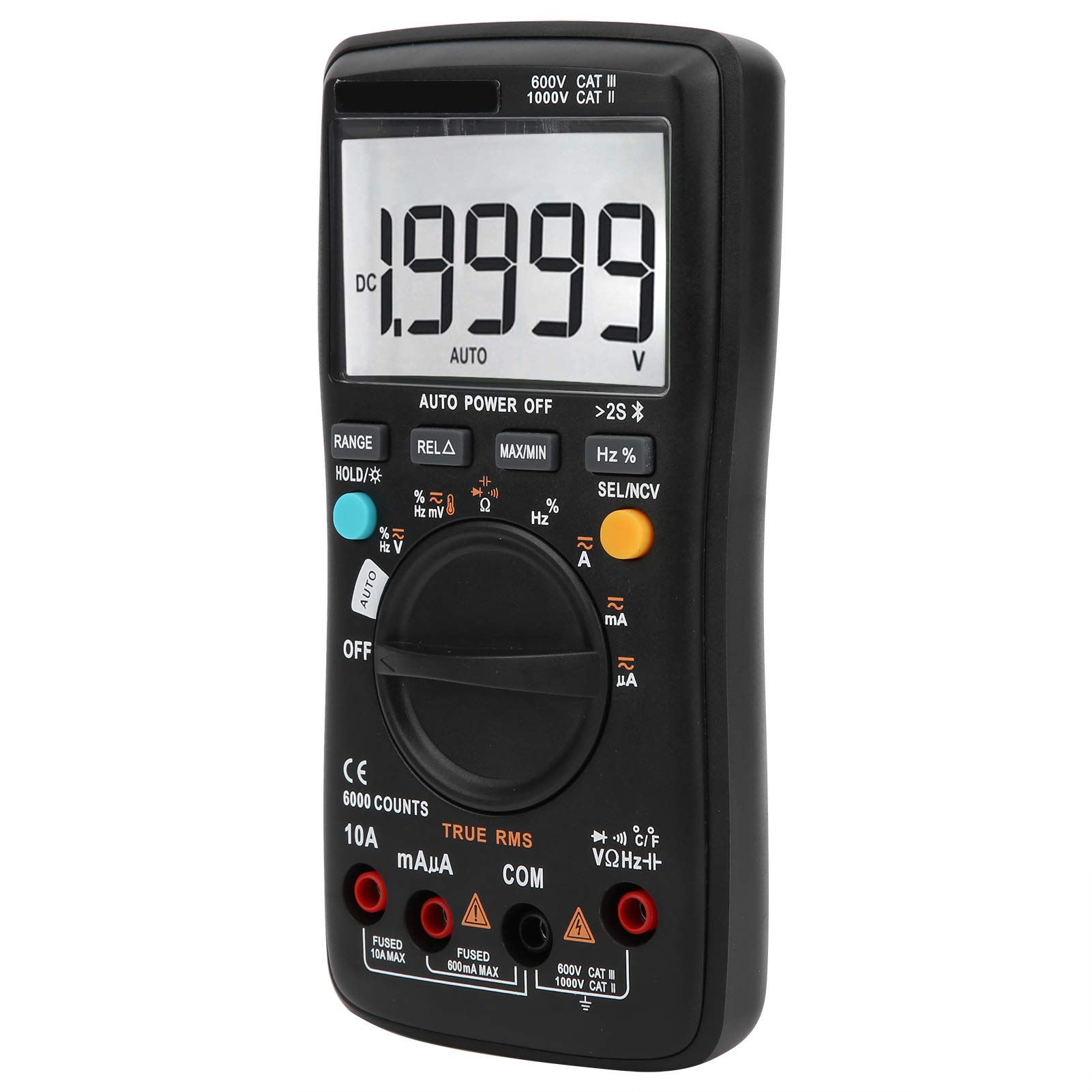
Сүрөт 1.1: Алдыңкы view of the LiebeWH ZT-300AB Wireless Digital Multimeter, showing the large LCD display and function dial.
2. Коопсуздук маалыматы
Эсептегичтин коопсуз иштешин жана тейлөөсүн камсыз кылуу үчүн, ушул көрсөтмөлөрдү аткарыңыз. Бул эскертүүлөрдү сактабоо оор жаракатка же өлүмгө алып келиши мүмкүн.
- Функцияларды өзгөртүүдөн мурун ар дайым сыноо өткөргүчтөрүн чынжырдан ажыратыңыз.
- Баалангандан ашык колдонбоңузtagд, эсептегичте белгиленгендей, терминалдардын ортосунда же кандайдыр бир терминал менен жердин ортосунда.
- Том менен иштөөдө этият болуңузtag30V AC RMS, 42V пик же 60V DC жогору. Мындай томtagшок коркунучун жаратат.
- Өлчөөлөрүңүз үчүн ар дайым туура терминалдарды, функцияны жана диапазонду колдонуңуз.
- Эгерде эсептегич бузулгандай көрүнсө же корпусу ачык болсо, аны колдонбоңуз.
- Туура эмес көрсөткүчтөрдү болтурбоо үчүн, батареянын заряды аз экенин көрсөткөн индикатор пайда болору менен батареяны алмаштырыңыз.
- Эсептегичти жарылуучу газ, буу же чаңдуу чөйрөдө иштетпеңиз.
- Ensure test leads are in good condition, with no damaged insulation.
3. Орнотуу
3.1 Пакеттин мазмуну
Пакетиңизде төмөнкү заттар бар экенин текшериңиз:
- LiebeWH ZT-300AB Digital Multimeter
- Сыноочу (Кызыл жана Кара)
- Температура проба
- User Manual

Image 3.1: The multimeter shown with its included test leads and temperature probe.
3.2 Батареяны орнотуу
The multimeter requires batteries for operation. To install or replace batteries:
- Мультиметрдин өчүк экенин текшерип, бардык сыноо өткөргүчтөрүн ажыратыңыз.
- Аппараттын артындагы батарея бөлүкчөсүнүн капкагын табыңыз.
- Батарея отсегин ачуу үчүн бурагычты колдонуңуз.
- Insert the new batteries, observing the correct polarity (+ and -).
- Батарея уясынын капкагын ордуна коюңуз жана аны бурама менен бекитиңиз.
3.3 Сыноо өткөргүчтөрүн туташтыруу
Сыноо өткөргүчтөрүн мультиметрдеги тиешелүү киргизүү уячаларына туташтырыңыз:
- туташтыруу кара сыноо үчүн жетек COM (жалпы) джек.
- туташтыруу кызыл сыноо үчүн жетек VΩHz джек үчүн томtage, каршылыкты, жыштыкты, сыйымдуулукту, диодду жана үзгүлтүксүздүктү өлчөө.
- Токту өлчөө үчүн (мА/µA), туташтырыңыз кызыл сыноо үчүн жетек mAµA джек.
- Жогорку токту өлчөө үчүн (10А чейин), туташтырыңыз кызыл сыноо үчүн жетек 10A джек.
3.4 Wireless Function and Mobile App
The ZT-300AB can connect to your smartphone via its wireless function for real-time data monitoring and analysis.
- Download the dedicated mobile application from your device's app store. (App name not specified, refer to product packaging or manufacturer's webсайт).
- Enable wireless on your smartphone and the multimeter.
- Open the app and follow the on-screen instructions to pair your multimeter.
- The app allows real-time data display, recording, and curve graphing. It can connect to and monitor up to four wireless multimeters simultaneously.

Image 3.2: The multimeter displaying a reading, with a smartphone screen showing the companion application for data monitoring.
4. Иштөө нускамалары
4.1 Күйгүзүү/өчүрүү
Turn the rotary dial from the OFF position to any measurement function to power on the multimeter. To power off, turn the dial back to the OFF position. The multimeter also features an automatic power-off function to conserve battery life.
4.2 Функцияны тандоо
Керектүү өлчөө функциясын тандоо үчүн борбордук циферблатты айлантыңыз (мисалы, V~ AC Voltage, V- DC Voltage, Ω for Resistance, A~ for AC Current, A- for DC Current, Temp for Temperature, etc.).
4.3 Баскыч функциялары
- RANGE: Switches between automatic and manual ranging. In manual range, press repeatedly to cycle through available ranges.
- HOLD/☀: Press once to hold the current reading on the display. Press again to release. Long press to activate/deactivate the backlight.
- REL△: Relative measurement mode. Displays the difference between the current reading and a stored reference value.
- МАКС/МИН: Records and displays the maximum and minimum values measured during a session.
- Гц%: For frequency and duty cycle measurements.
- SEL/NCV: Selects between different sub-functions within a dial position (e.g., AC/DC, Diode/Continuity). Long press to activate Non-Contact Voltage (NCV) аныктоо.
4.4 Өлчөөлөрдү жүргүзүү
Always ensure the test leads are connected to the correct jacks and the function dial is set to the appropriate measurement type before connecting to a circuit.
- Тtage Өлчөө (AC/DC): Select V~ for AC or V- for DC. Connect test leads in parallel with the circuit or component.
- Токту өлчөө (AC/DC): Select A~ for AC or A- for DC. Connect test leads in series with the circuit. Ensure the correct current jack (mAµA or 10A) is used.
- Каршылык өлчөө (Ω): Select Ω. Connect test leads across the component when it is de-energized.
- Capacitance өлчөө: Select the capacitance function. Connect test leads across the capacitor when it is de-energized.
- Диод сыноо: Select the diode function. Connect test leads across the diode.
- Үзгүлтүксүздүк тести: Select the continuity function. Connect test leads across the circuit. A beep indicates continuity.
- Жыштык (Гц) / Жумуш цикли (%): Select the Hz% function. Connect test leads to the signal source.
- Температураны өлчөө: Connect the temperature probe to the appropriate jacks (usually VΩHz and COM). Select the temperature function.
- Байланышсыз томtage (NCV): Long press the SEL/NCV button. Bring the top of the multimeter near an AC voltage source. The meter will indicate the presence of voltagд түз байланышсыз.
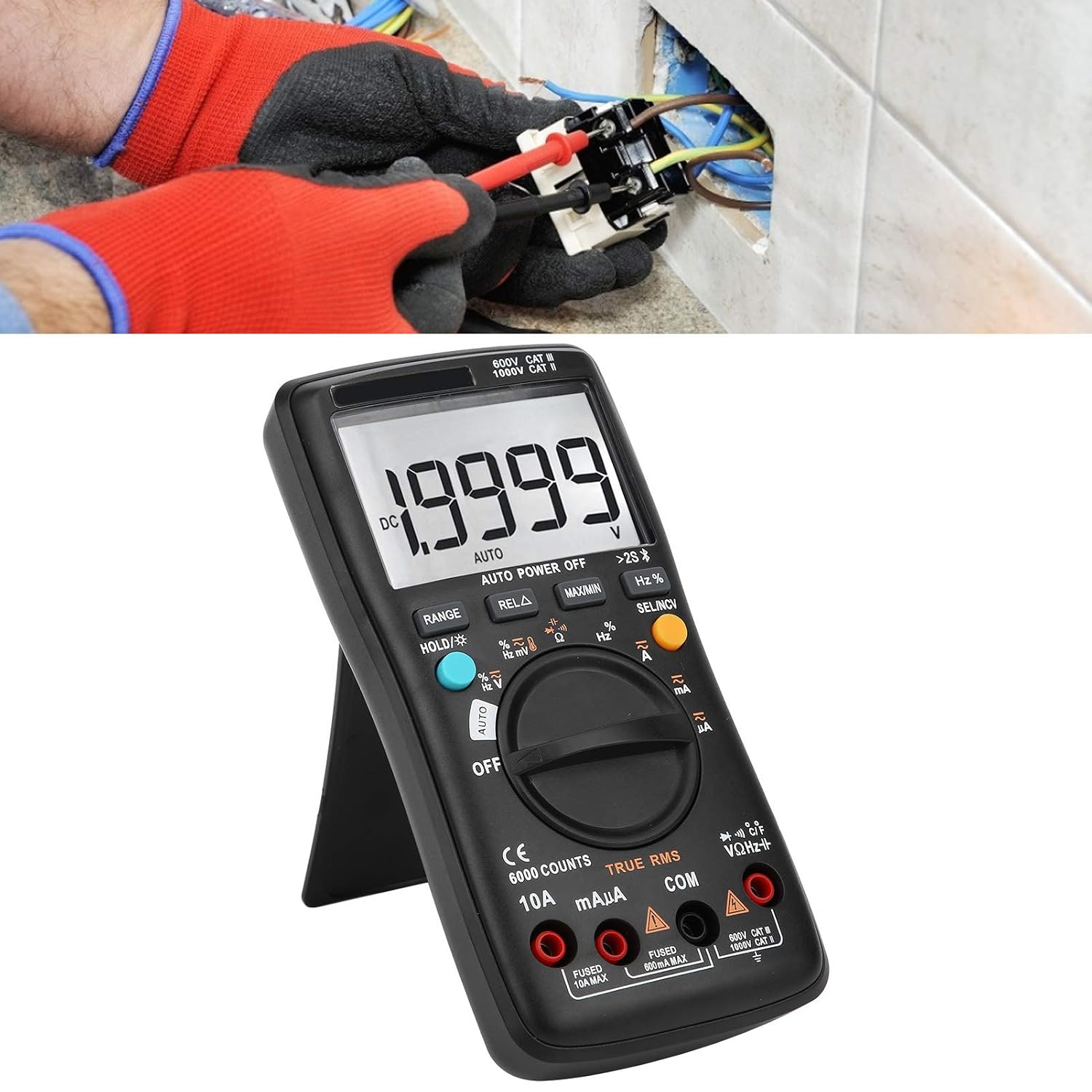
Image 4.1: The multimeter in use, positioned on its integrated kickstand for convenient viewөлчөөлөр учурунда.
5. Техникалык тейлөө
5.1 Тазалоо
Ишти жарнама менен сүртүңүзamp кездеме жана жумшак жуугуч каражат. Абразивдүү заттарды же эриткичтерди колдонбоңуз. Терминалдарды кирден жана нымдуулуктан таза кармаңыз.
5.2 Батареяны алмаштыруу
Батареяны алмаштыруу боюнча нускамаларды 3.2-бөлүмдөн караңыз. Дисплейде батареянын заряды аз деген индикатор пайда болгондо, батареяларды тез арада алмаштырыңыз.
5.3 Сактагычты алмаштыруу
If the current measurement functions stop working, the fuse may need replacement. Fuses are located inside the multimeter. Fuse specifications are typically printed near the current input jacks (e.g., FUSED 10A MAX, FUSED 600mA MAX). To replace a fuse:
- Мультиметрдин өчүк экенин текшерип, бардык сыноо өткөргүчтөрүн ажыратыңыз.
- Open the back case of the multimeter (this may require removing screws).
- Carefully locate and remove the blown fuse.
- Replace it with a fuse of the exact same type and rating. Using an incorrect fuse can damage the meter or pose a safety hazard.
- Reassemble the multimeter, ensuring all screws are securely fastened.
6. Кыйынчылыктарды
- Дисплей жок же дисплей алсыз: Батареянын орнотулушун жана заряд деңгээлин текшериңиз. Зарыл болсо, батареяларды алмаштырыңыз.
- Туура эмес окуулар: Ensure test leads are properly connected to the correct jacks. Verify the function dial is set to the appropriate measurement type and range. Check for damaged test leads.
- Токту өлчөө иштебей жатат: Check the fuse (refer to Section 5.3). Ensure the red test lead is connected to the correct current input jack (mAµA or 10A).
- Зымсыз байланыш көйгөйлөрү: Ensure wireless is enabled on both the multimeter and your smartphone. Restart both devices and try pairing again. Check the mobile app for troubleshooting tips.
- Meter does not respond: Turn the meter off and then on again. If the issue persists, remove batteries for a few minutes and then reinsert them.
7. Техникалык шарттар
| Өзгөчөлүк | Спецификация |
|---|---|
| Дисплей | 6000 саны |
| Рангинг | Авто/Кол |
| Sampling Rate | 3 секунд/убакыт |
| Чыныгы RMS | Колдоого алынган |
| Маалыматтарды кармоо | Колдоого алынган |
| Арткы жарык | Колдоого алынган |
| Батареянын төмөн көрсөткүчү | Колдоого алынган |
| Авто өчүрүү | Колдоого алынган |
| DC Voltage (V) | 6В, 60В, 600В, 1000В |
| DC Voltage (мВ) | 60мВ |
| Өлчөмдөр | 20 x 12 x 5 см (7.9 x 4.7 x 2 дюйм) |
| Салмагы | 374 г (0.82 фунт) |
| Өндүрүүчү | LiebeWH |
| Продукт моделинин номери | LiebeWHso0iq29gfn |

Image 7.1: Dimensions of the LiebeWH ZT-300AB Multimeter, showing its compact size.
8. Кепилдик жана колдоо
For warranty information and technical support, please refer to the documentation included with your purchase or contact the manufacturer directly. Contact details can typically be found on the product packaging or the official LiebeWH webсайт.