
1. Продукт бүтүп калдыview
The BoxWave PD miniSync 240W Retractable USB Type-C Cable is designed for efficient charging and data transfer. Its innovative retractable design helps keep the cable organized and tangle-free, making it ideal for portability. This cable supports up to 240 Watts of Power Delivery and high-speed data transfers.
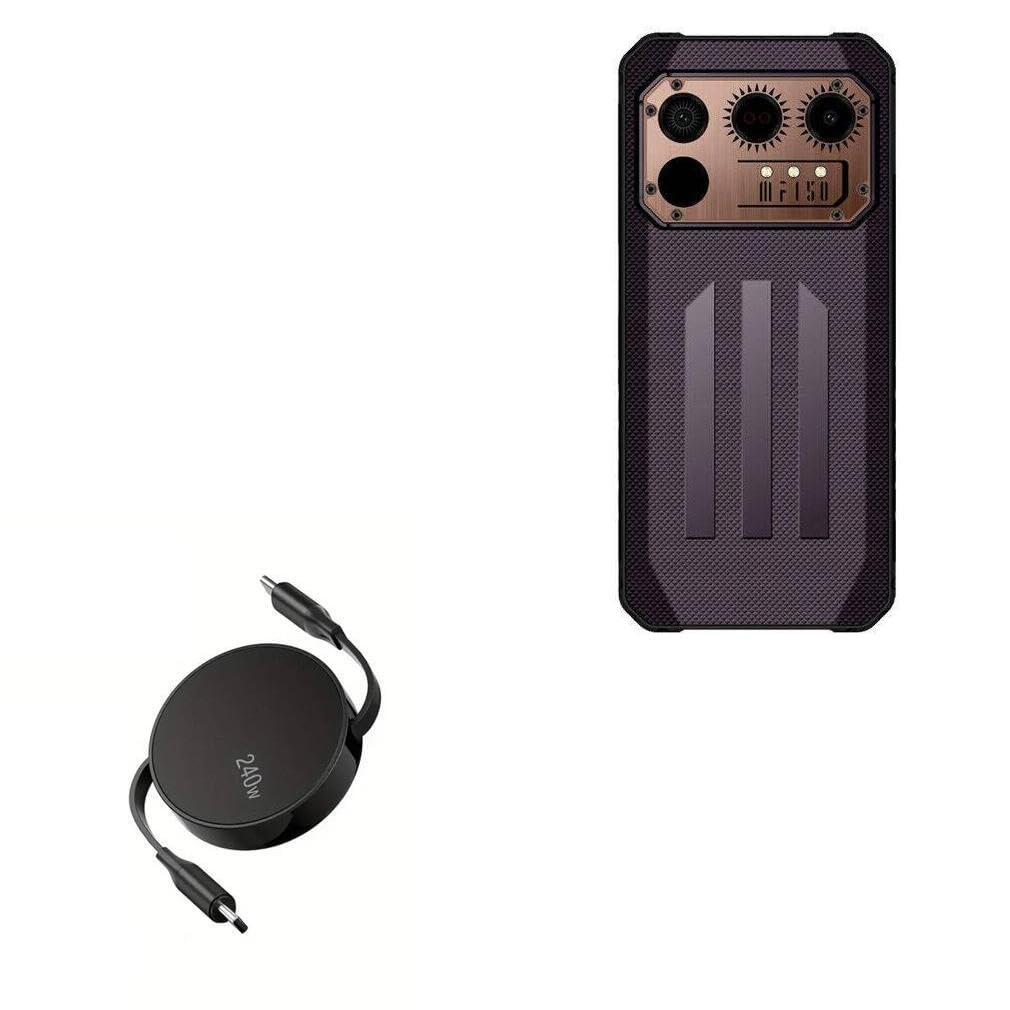
Image 1.1: The BoxWave PD miniSync 240W Retractable USB Type-C Cable in its compact, retracted state, showcasing its sleek Jet Black design and 240W power rating.

Image 1.2: A visual comparison highlighting the tangle-free design of the PD miniSync cable when retracted, contrasting it with a bundle of tangled conventional cables.
2. Орнотуу жана алгачкы колдонуу
The PD miniSync cable features a retractable mechanism for easy storage and length adjustment.
2.1 Extending the Cable
- Grasp both USB Type-C connectors firmly.
- Gently pull both ends simultaneously away from the central housing.
- The cable will extend and lock into one of several pre-set lengths. Stop pulling when you reach your desired length.

Image 2.1: Two hands demonstrating how to gently pull both ends of the PD miniSync cable to extend it from its central housing.
2.2 Retracting the Cable
- To retract the cable, gently pull both ends slightly further than the last locked position.
- Release the tension, and the cable will automatically retract into the central housing.
Эскертүү: Avoid pulling only one end, as this can damage the retraction mechanism. Always pull both ends evenly.
3. Иштөө нускамалары
3.1 Аппаратыңызды заряддоо
- Extend the PD miniSync cable to your desired length.
- Connect one USB Type-C end to a compatible power adapter or power source (e.g., wall charger, power bank, laptop). Ensure the power source supports Power Delivery (PD) for optimal charging speeds.
- Connect the other USB Type-C end to your device's charging port.
- Your device should begin charging. The PD miniSync supports up to 240W, allowing for rapid charging with compatible devices and power sources.

Image 3.1: The PD miniSync cable connected to a laptop, demonstrating its use for Power Delivery charging.
3.2 Маалыматтарды өткөрүү
The PD miniSync cable also supports high-speed data transfer.
- Extend the PD miniSync cable to your desired length.
- Connect one USB Type-C end to your computer or host device.
- Connect the other USB Type-C end to your peripheral device (e.g., smartphone, tablet, external hard drive).
- Your devices should recognize each other, allowing for data synchronization and file transfers at speeds up to 5Gbps.

Сүрөт 3.2: Жакын план view of the USB-C connector, illustrating its capability for swift data syncing at speeds up to 10 Gbps (Note: Product specifications indicate 5Gbps).
3.3 Жөнгө салынуучу узундуктар
The cable offers multiple pre-set lengths for convenience:
- 5 дюйм (12 см)
- 20 дюйм (50 см)
- 32 дюйм (80 см)
- 42 дюйм (105 см)
- 52 дюйм (132 см)
- 58 дюйм (147 см)

Image 3.3: A diagram illustrating the various adjustable lengths of the PD miniSync cable, ranging from 5 inches to 58 inches.
4. Техникалык тейлөө жана кам көрүү
Proper care will extend the life of your BoxWave PD miniSync cable.
- Тазалоо: Кабель менен туташтыргычтарды сүртүү үчүн жумшак, кургак чүпүрөктү колдонуңуз. Катуу химиялык заттарды же абразивдүү материалдарды колдонуудан алыс болуңуз.
- Сактагыч: Always retract the cable fully when not in use to prevent tangling and protect the connectors. Store in a cool, dry place.
- Колдонуу: Avoid excessive force when extending or retracting the cable. Do not bend the cable sharply at the connectors or near the housing.
- Экологиялык шарттар: Кабелди экстремалдык температурадан, тике күн нурунан жана нымдуулуктан алыс кармаңыз.
5. Кыйынчылыктарды
If you encounter issues with your PD miniSync cable, refer to the following common solutions:
| Көйгөй | Мүмкүн себеп | Чечим |
|---|---|---|
| Түзмөк заряддалбай жатат | Loose connection, incompatible power source, faulty device port | Ensure both ends are securely connected. Try a different power adapter or device. Clean device's charging port. |
| Жай кубаттоо ылдамдыгы | Power source does not support PD, device limitation, background apps | Use a power adapter that supports USB Power Delivery (PD) and matches the cable's 240W capability. Close unnecessary applications on your device. |
| Cable not retracting/extending smoothly | Uneven pulling, internal mechanism obstruction | Always pull both ends simultaneously and evenly. Avoid forcing the mechanism. If stuck, gently try to extend and retract again. |
| Маалыматтарды өткөрүү маселелери | Loose connection, driver issues, incompatible device | Verify secure connections. Ensure your computer has the necessary drivers for the connected device. Test with another device or port. |
6. Техникалык шарттар
- Модел: PD miniSync (240W)
- Бренд: BoxWave
- Түсү: Jet Black
- Туташтыргыч түрү: USB Type-C - USB Type-C
- Кубат жеткирүү: 240 Вт чейин
- Маалыматтарды өткөрүү ылдамдыгы: Up to 5Gbps (USB 3.1 Standard)
- Тартылган узундук: Болжол менен 3 дюйм
- Узундугу: Up to 58 inches (approx. 4.8 feet / 1.47 meters)
- Материал: Durable high-quality polycarbonate, heavy-duty ribbon-style cable
- Элемент Салмагы: 1.5 унция
7. Кепилдик жана колдоо
For warranty information or technical support, please contact BoxWave Corporation directly. Refer to the product packaging or the official BoxWave webакыркы байланыш маалыматтары жана кепилдик шарттары үчүн сайт.
Өндүрүүчү: BoxWave