
1. Киришүү
This manual provides comprehensive instructions for the installation, operation, and maintenance of your Gravity MGR5 Marine Stereo Receiver. Please read this manual thoroughly before using the product to ensure proper function and to prevent damage. Keep this manual for future reference.
2. Коопсуздук маалыматы
- Электр камсыздоо: Ensure the power supply is 12V DC (direct current) only. Incorrect voltagал түзмөккө зыян келтириши мүмкүн.
- Зымдар: All wiring should be performed by a qualified technician. Incorrect wiring can lead to electrical shock or fire.
- Суу каршылык: The MGR5 is designed with IPX5 water resistance. While it can withstand splashes and light rain, it is not designed for submersion.
- Температура: Түзмөктү узак убакыт бою өтө жогорку температурага же түз күн нуруна дуушар кылбаңыз.
- Тазалоо: Тазалоо үчүн жумшак, кургак чүпүрөктү колдонуңуз. Абразивдүү тазалагычтарды же эриткичтерди колдонбоңуз.
- Вентиляция: Ашыкча ысып кетүүнүн алдын алуу үчүн аппараттын айланасында жетиштүү желдетүүнү камсыз кылыңыз.
3. Пакеттин мазмуну
Пакетте бардык буюмдар бар экенин текшериңиз:
- Gravity MGR5 Marine Stereo Receiver
- Алыстан башкаруу
- Электр зымдары
- Монтаждоочу жабдык
- Колдонуучунун Колдонмосу (бул документ)
4. Продукт бүтүп калдыview
The Gravity MGR5 is a versatile marine stereo receiver featuring a 4.1-inch LCD display, multi-mode playback options, and Bluetooth connectivity. It is designed for use in various environments, including marine, automotive, and recreational vehicles.

Сүрөт 4.1: Алдыңкы view of the Gravity MGR5 Marine Stereo Receiver, showcasing its 4.1-inch LCD display and control buttons. The display shows a vibrant image of a harbor.
4.1. Башкаруу панелинин функциялары
Refer to the diagram below for an explanation of the main control buttons on the MGR5 unit.

Figure 4.2: Detailed diagram illustrating the MGR5 control buttons and their corresponding functions.
- PWR/SEL/VOL: Controls power, sound settings, and volume levels.
- MODE/SUB-: Switches audio sources and controls subwoofer levels.
- BAND/AV/SUB+: Changes radio bands and audio/video output, adjusts subwoofer.
- TUNE/TRACK BUTTONS: Selects radio stations or media tracks, fast-forwards or rewinds.
- МЕНЮ: Accesses the main menu for various system settings.
- AMS: Searches and stores radio stations automatically, toggles play/pause in media mode.
- CH +: Skips through or saves radio presets.
- Ойнотуу/тындыруу баскычы: Manages playback of media.
- Орнотуу: Enters detailed settings for the system like color, light, time, and language.
4.2. Негизги өзгөчөлүктөрү
- 4.1" LCD Display for video playback and navigation.
- Зымсыз аудио агымы үчүн Bluetooth байланышы.
- Multi-mode playback: USB, SD card, AUX input, FM radio.
- Subwoofer control and preset equalizer modes.
- IPX5 water-resistant and durable construction.
- Multi-color buttons for enhanced usability.

Figure 4.3: Visual representation of key features such as AUX, USB, Preset EQ, Subwoofer control, and IPX5 water resistance.
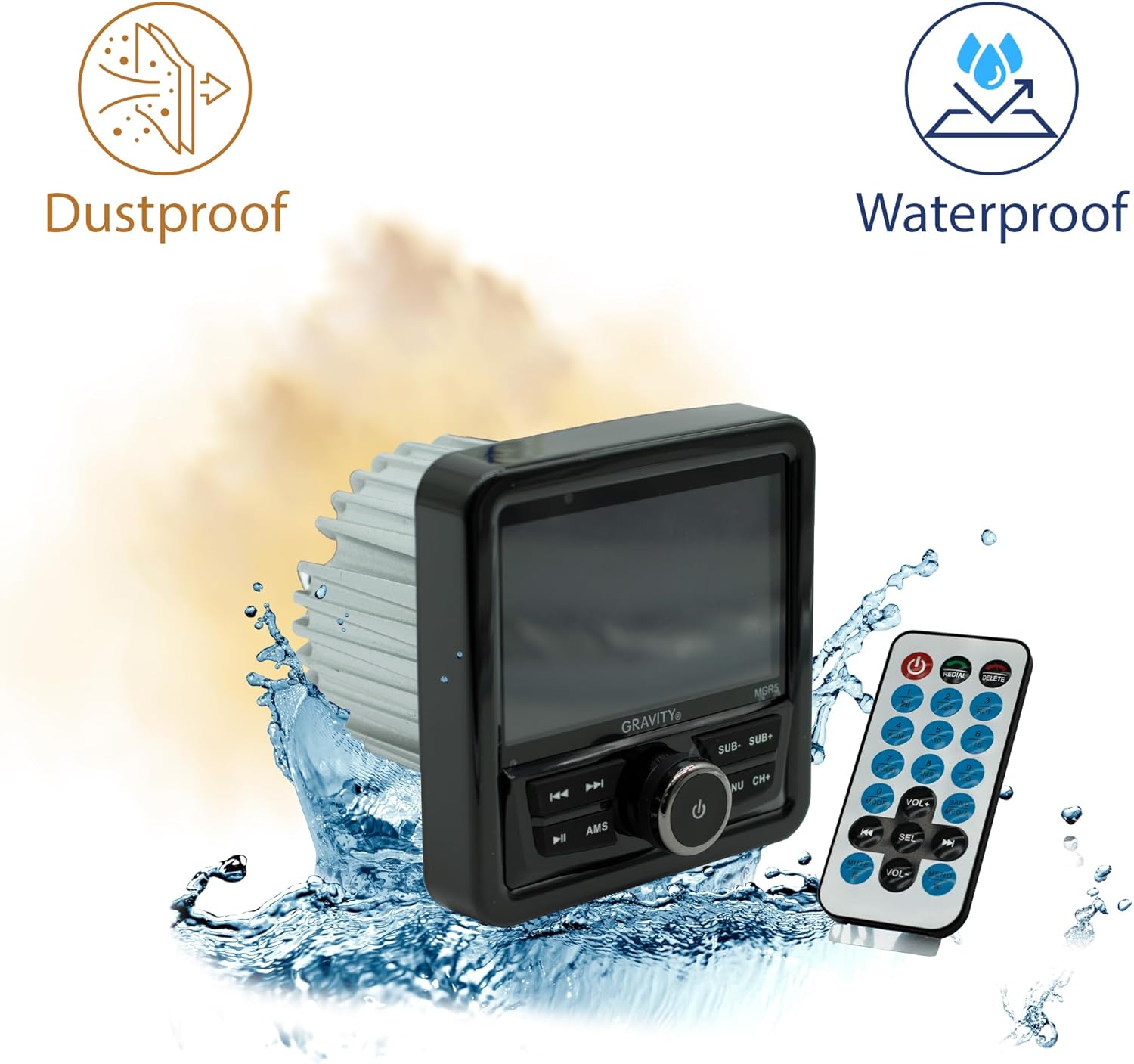
Figure 4.4: The MGR5 unit highlighting its dustproof and waterproof design, suitable for challenging environments.
5. Орнотуу
Proper installation is crucial for the performance and longevity of your MGR5 receiver. Consult a professional if you are unsure about any steps.
5.1. Монтаждоо өлчөмдөрү
Before installation, ensure you have adequate space for the unit. Refer to the dimensions below.

Figure 5.1: Detailed dimensions of the MGR5 unit, including front panel and chassis measurements, essential for proper mounting.
- Алдыңкы панелдин туурасы: Болжол менен 4.33 дюйм
- Шассидин тереңдиги: Болжол менен 3.98 дюйм
- Шасси бийиктиги: Болжол менен 2.89 дюйм
5.2. Электр схемасы
Connect the wiring harness according to the diagram provided in the separate wiring guide (if applicable) or the labels on the harness itself. Ensure all connections are secure and insulated.
- Кызыл зым: ACC (аксессуар кубаты)
- Сары зым: B+ (Constant 12V Power)
- Кара зым: GND (жер)
- Көк жип: Алыстан күйгүзүү (үчүн amplifier/antenna)
- Динамиктердин зымдары: Connect to appropriate speakers (Front Left, Front Right, Rear Left, Rear Right). Ensure correct polarity.
Эскертүү: Incorrect wiring can cause severe damage to the unit or vehicle's electrical system. Always disconnect the vehicle's battery before beginning installation.
6. Операция
6.1. Негизги функциялар
- Күйгүзүү/өчүрүү: басыңыз PWR/SEL/VOL аппаратты күйгүзүү же өчүрүү үчүн баскыч.
- Үндү көзөмөлдөө: айлантыңыз PWR/SEL/VOL үнүн тууралоо үчүн баскыч.
- Булак тандоо: басыңыз MODE/SUB- button to cycle through available audio sources (FM, AM, Bluetooth, USB, SD, AUX).
6.2. Bluetooth операциясы
- Жупташтыруу:
- Select Bluetooth as the source. The unit will enter pairing mode automatically.
- On your mobile device, search for Bluetooth devices and select "MGR5".
- Жупташтырылгандан кийин, аппарат байланышты ырастайт.
- Аудио агым: Play audio from your paired device. Use the TUNE/TRACK тректерди өткөрүп жиберүү үчүн баскычтар жана AMS button for play/pause.
6.3. USB/SD ойнотуу
- Insert a USB drive or SD card into the respective slot.
- The unit will automatically switch to USB/SD mode and begin playback. If not, select USB/SD as the source using the MODE/SUB- баскычы.
- колдонуу TUNE/TRACK тректерди багыттоо үчүн баскычтар жана AMS ойнотуу/тыныгуу үчүн.
6.4. FM радиосу
- FM булагы катары тандаңыз.
- Авто сканерлөө: басып, кармап туруңуз AMS Күчтүү станцияларды автоматтык түрдө сканерлөө жана сактоо баскычы.
- Кол менен жөндөө: колдонуу TUNE/TRACK так жөндөө үчүн баскычтар.
- Алдын ала коюлган станциялар: колдонуу CH+ button to cycle through saved presets.
6.5. Subwoofer Control and EQ Settings
- Сабвуфердин деңгээли: Басыңыз MODE/SUB- or BAND/AV/SUB+ to adjust subwoofer output.
- Эквалайзердин алдын ала орнотуулары: басыңыз МЕНЮ button to access audio settings, then navigate to EQ presets (e.g., Pop, Rock, Classic, Flat).
7. Техникалык тейлөө
- Агрегатты тазалоо: Use a soft, dry cloth to wipe the exterior of the unit. For stubborn dirt, slightly dampчүпүрөктү суу менен. Катуу химиялык заттарды же абразивдүү материалдарды колдонбоңуз.
- Дисплейге кам көрүү: The LCD display is sensitive. Clean it gently with a microfiber cloth. Avoid pressing hard on the screen.
- Туташуу текшерүүлөрү: Бардык зымдардын туташууларынын коопсуздугун жана дат баспагандыгын, айрыкча деңиз чөйрөсүндө, мезгил-мезгили менен текшерип туруңуз.
- Программалык камсыздоо жаңыртуулары: Өндүрүүчүнү текшериңиз webоптималдуу аткарууну жана шайкештикти камсыз кылуу үчүн бардык жеткиликтүү микропрограммаларды жаңыртуу үчүн сайт.
8. Кыйынчылыктарды
| Көйгөй | Мүмкүн себеп | Чечим |
|---|---|---|
| Күч жок | Туура эмес зымдар, күйүп кеткен сактагыч, бош туташуу. | Check power and ground connections. Inspect fuse. Ensure battery is connected. |
| Үн жок | Үн өтө төмөн, булак туура эмес тандалды, динамиктин зымдары ажыратылган, ampкөтөрүүчү маселелер. | Increase volume. Select correct source. Check speaker wiring. Verify external ampкөтөргүч (эгер колдонулса) күйгүзүлгөн. |
| Bluetooth туташпай жатат | Device not in pairing mode, MGR5 not in Bluetooth mode, interference. | Ensure MGR5 is in Bluetooth mode. Put mobile device in pairing mode. Try restarting both devices. |
| USB/SD ойнобой жатат | Колдоого алынбайт file format, corrupted media, incorrect source. | Текшерүү file formats (e.g., MP3, WMA). Try a different USB/SD card. Select USB/SD source. |
| Радио кабыл алуу начар | Антенна туташкан эмес, сигнал начар, тоскоолдук бар. | Ensure antenna is properly connected. Try auto-scanning for stations. Move to an area with better signal. |
9. Техникалык шарттар
| Өзгөчөлүк | Деталь |
|---|---|
| Модель номери | MGR5 |
| Power Output | 200W (50W x 4 channels) |
| Дисплей | 4.1 дюймдук ЖК |
| Байланыш | Bluetooth, USB, SD, AUX, FM радио |
| Суу каршылык | IPX5 |
| Электр камсыздоо | 12V DC |
| Аудио чыгаруу режими | Стерео |
| Көлөмдүү үн каналынын конфигурациясы | 4.1 |
| Элемент Салмагы | 1.2 фунт |
| Пакеттин өлчөмдөрү | 6 x 6 x 6 дюйм |
10. Кепилдик жана колдоо
Gravity products are designed for reliability and performance. For warranty information and technical support, please refer to the warranty card included with your product or visit the official Gravity webсайт.
For assistance, please contact Gravity customer support with your model number (MGR5) and purchase details ready.